> ## Documentation Index
> Fetch the complete documentation index at: https://docs.here.com/llms.txt
> Use this file to discover all available pages before exploring further.

# Examples

Most code snippets in this guide can also be found as part of small, focused example apps. You have two ways to access them:

* Find the latest example apps for your product bundled within the downloaded package you can find on the [HERE platform](https://platform.here.com/sdk).

### Example apps

* Find the latest example apps for Explore on [GitHub](https://github.com/heremaps/here-sdk-examples/blob/master/examples/latest/explore/android).

* Find the latest example apps for Navigate on [GitHub](https://github.com/heremaps/here-sdk-examples/blob/master/examples/latest/navigate/android).

> #### Note
>
> Most example apps are written in a consistent way where a "XYExample.java/kt" file contains the relevant code. UI elements are mostly left out or kept minimal to not shadow the important parts of the code. Note that the HERE SDK itself does offer most APIs headless without UI.

For this guide and the accompanying example apps, we preferably avoid the use of lambda notations to show the full type of information and other details, such as callback or listener name. Since Android Studio supports one-click conversion between anonymous classes and lambdas, adapting the examples to suit your personal preference should be simple.

Following the popular POJO (Plain-Old-Java-Object) principle, the example code is kept free of most Android dependencies - instead it's mostly pure Java / Kotlin code that shows how the HERE SDK can be used.

## Available example apps

<style>
  {`
  .container {
      display: flex;
      flex-wrap: wrap;
      justify-content: flex-start;
      margin: 0;
      padding: 0;
      width: 100%;
      box-sizing: border-box;
    }

    .card {
      border: 1px solid #ddd;
      border-radius: 8px;
      overflow: hidden;
      background: #fff;
      width: 100%;
      max-width: 400px;
      margin: 8px;
      flex: 0 0 calc(25% - 20px);  
      box-sizing: border-box;
      display: flex;
      flex-direction: column;
    }

    .card:hover {
      transform: translateY(-3px);
      box-shadow: 0 6px 18px rgba(0, 0, 0, 0.4);
    }

    .card a {
      text-decoration: none;
      color: inherit;
      display: inline;
    }

    .card img {
      width: 100%;
      height: auto;
      display: block;
    }

    .card .card-content {
      padding: 1px 12px 2px 8px;
    }

    .card .description {
      padding: 2px 12px 12px 8px;
    }

    .description p {
      white-space: normal;
      display: inline;
      margin: 0;
      color: var(--desc-color);
    }

    .card h3 {
      margin: 0;
      font-size: 1.0rem;
      font-weight: 600;
      line-height: 1.2;
      text-align: left;
      color: var(--title-color);
    }

    
    @media (max-width: 1920px) {
      .card {
        flex: 0 0 calc(33.333% - 20px); 
      }
    }

    @media (max-width: 1200px) {
      .card {
        flex: 0 0 calc(50% - 20px);    
      }
    }

    @media (max-width: 600px) {
      .card {
        flex: 0 0 100%;               
        max-width: 100%;
      }
    }


    .card:hover .description p {
      white-space: normal;
      display: inline;
      margin: 0;
      color: #000;
    }

    .card:hover .description a {
      color: #0078d7;  
    }

    
    .container {
        --title-color: #000;
        --desc-color: #333;
        --desc-hover: #000;
    }

    
    @media (prefers-color-scheme: dark) {
      :root {
        --title-color: #fff;
        --desc-color: #333;
        --desc-hover: #fff;
      }
    }
  `}
</style>

<HTMLBlock>
  {`
  <div class="container">

    
    <div class="card">
        <img src="https://files.readme.io/865f9c2a48415f51842117c315e57ef217d008cf56f6045e3baf0d3d2a15c9c6-android-examples-hello_map.jpg" />
        <div class="card-content">
          <h3>Show a map view</h3>
        </div>
      <div class="description">
        <p>The <a href="https://github.com/heremaps/here-sdk-examples/tree/master/examples/latest/navigate/android/Java/HelloMap">"HelloMap"</a> app shows how to get started by showing a map view.</p>
      </div>
    </div>

    
    <div class="card">
        <img src="https://files.readme.io/bbac919cee4c2b251140fed8ee66896863db4de4ece404813825a4299816f2ab-android-examples-android-auto.jpg" />
        <div class="card-content">
          <h3>Show a map view with Android Auto</h3>
        </div>
      <div class="description">
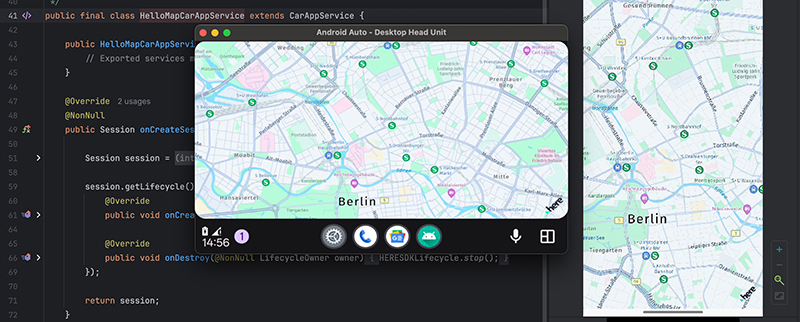
        <p>The <a href="https://github.com/heremaps/here-sdk-examples/tree/master/examples/latest/navigate/android/Java/HelloMapAndroidAuto">"HelloMapAndroidAuto"</a> app shows how to integrate Android Auto to show a map on an in-car head unit display.</p>
      </div>
    </div>

    
    <div class="card">
        <img src="https://files.readme.io/99ec6590dd9662db3e8306756e658765b4d4eed04594294ce7489f735f64411b-android-code_snippet_placeholder.jpg" />
        <div class="card-content">
          <h3>Use the map camera</h3>
        </div>
      <div class="description">
        <p>The <a href="https://github.com/heremaps/here-sdk-examples/tree/master/examples/latest/navigate/android/Java/Camera">"Camera"</a> app shows how to change the target and the target anchor point and how to move to another location using custom map animations.</p>
      </div>
    </div>

    
    <div class="card">
        <img src="https://files.readme.io/c082aef83937dbde98a27e528f4aa4bf9b1a1e9a3d478c10787ff38587cfd5f1-android-examples-camerakeyframetracks.jpg" />
        <div class="card-content">
          <h3>Create custom camera animations</h3>
        </div>
      <div class="description">
        <p>The <a href="https://github.com/heremaps/here-sdk-examples/tree/master/examples/latest/navigate/android/Java/CameraKeyframeTracks">"CameraKeyframeTracks"</a> app shows how to do custom camera animations with keyframe tracks.</p>
      </div>
    </div>

    
    <div class="card">
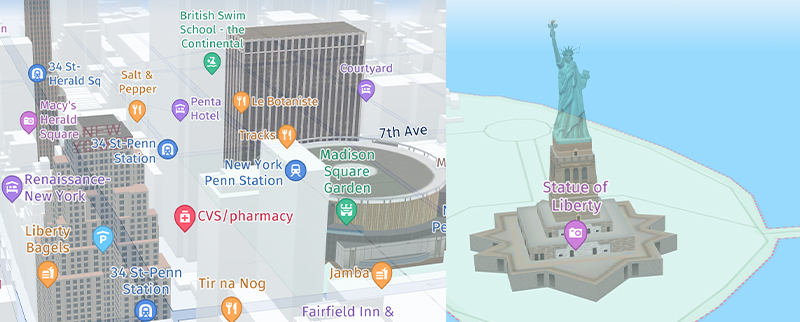
        <img src="https://files.readme.io/01c09c9279e9848367d2a383183a95955d3db6b0f0fcc39e3cfad4a1ebd0ee3a-android-examples-map_features.jpg" />
        <div class="card-content">
          <h3>Show various map schemes & map layers</h3>
        </div>
      <div class="description">
        <p>The <a href="https://github.com/heremaps/here-sdk-examples/tree/master/examples/latest/navigate/android/Java/MapFeatures">"MapFeatures"</a> app shows how to enable different map view features such as different map layers and map schemes. Only available for the the <i>Navigate</i>.</p>
      </div>
    </div>

    
    <div class="card">
        <img src="https://files.readme.io/99ec6590dd9662db3e8306756e658765b4d4eed04594294ce7489f735f64411b-android-code_snippet_placeholder.jpg" />
        <div class="card-content">
          <h3>Visualize real-time traffic on a map view</h3>
        </div>
      <div class="description">
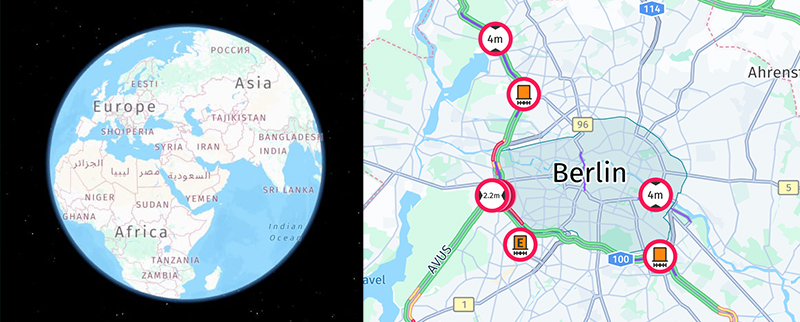
        <p>The <a href="https://github.com/heremaps/here-sdk-examples/tree/master/examples/latest/navigate/android/Java/Traffic">"Traffic"</a> app shows how to search for real-time traffic and how to visualize it on the map.</p>
      </div>
    </div>

    
    <div class="card">
        <img src="https://files.readme.io/99ec6590dd9662db3e8306756e658765b4d4eed04594294ce7489f735f64411b-android-code_snippet_placeholder.jpg" />
        <div class="card-content">
          <h3>Interact with the map view using gestures</h3>
        </div>
      <div class="description">
        <p>The <a href="https://github.com/heremaps/here-sdk-examples/tree/master/examples/latest/navigate/android/Java/Gestures">"Gestures"</a> app shows how to handle gestures like tap, double-tap, pinch & rotate and many more.</p>
      </div>
    </div>

    
    <div class="card">
        <img src="https://files.readme.io/99ec6590dd9662db3e8306756e658765b4d4eed04594294ce7489f735f64411b-android-code_snippet_placeholder.jpg" />
        <div class="card-content">
          <h3>Add map items</h3>
        </div>
      <div class="description">
        <p>The <a href="https://github.com/heremaps/here-sdk-examples/tree/master/examples/latest/navigate/android/Java/MapItems">"MapItems"</a> app shows how to add circles, polygons and polylines, native views, 2D and 3D map markers to locate POIs (and more) on the map.</p>
      </div>
    </div>

    
    <div class="card">
        <img src="https://files.readme.io/34efdd8840cb37466a3c8aae292b9766eff3945f6e43666fe78d9408c8c057cc-android-examples-cartopoi.jpg" />
        <div class="card-content">
          <h3>Pick embedded POIs</h3>
        </div>
      <div class="description">
        <p>The <a href="https://github.com/heremaps/here-sdk-examples/tree/master/examples/latest/navigate/android/Java/CartoPOIPicking">"CartoPOIPicking"</a> app shows how to pick embedded map markers with extended place details. Embedded map markers are already visible on every map, by default.</p>
      </div>
    </div>

    
    <div class="card">
        <img src="https://files.readme.io/b38a92e619e20eb164acfbaed47a44dbb9d0852d381abf331dc8c7f010d12d3b-android-examples-hellomapsurface.jpg" />
        <div class="card-content">
          <h3>Render low level graphic elements</h3>
        </div>
      <div class="description">
        <p>The <a href="https://github.com/heremaps/here-sdk-examples/tree/master/examples/latest/navigate/android/Java/HelloMapSurface">"HelloMapSurface"</a> app shows how to use the MapSurface class to render low-level graphic elements with OpenGL ES on top of the map.</p>
      </div>
    </div>

    
    <div class="card">
        <img src="https://files.readme.io/6e3b2b4c2a81129f910f72cedadad8fe21fb5281673db812732ce0e76696ae82-android-examples-custom_map_style.jpg" />
        <div class="card-content">
          <h3>Style your own map schemes</h3>
        </div>
      <div class="description">
        <p>The <a href="https://github.com/heremaps/here-sdk-examples/tree/master/examples/latest/navigate/android/Java/CustomMapStyles">"CustomMapStyles"</a> app shows how to load custom map schemes made with the <i>HERE Style Editor</i>.</p>
      </div>
    </div>

    
    <div class="card">
        <img src="https://files.readme.io/9294e699bbdae46239a6b0b830c0f1f0f9bc167d9f5c863f62e75d83c7ec1ffb-android-examples-custom_raster_layer.jpg" />
        <div class="card-content">
          <h3>Add custom raster layers</h3>
        </div>
      <div class="description">
        <p>The <a href="https://github.com/heremaps/here-sdk-examples/tree/master/examples/latest/navigate/android/Java/CustomRasterLayers">"CustomRasterLayers"</a> app shows how to load custom raster layers.</p>
      </div>
    </div>

    
    <div class="card">
        <img src="https://files.readme.io/99ec6590dd9662db3e8306756e658765b4d4eed04594294ce7489f735f64411b-android-code_snippet_placeholder.jpg" />
        <div class="card-content">
          <h3>Add custom tile sources</h3>
        </div>
      <div class="description">
        <p>The <a href="https://github.com/heremaps/here-sdk-examples/tree/master/examples/latest/navigate/android/Java/CustomTileSource">"CustomTileSource"</a> app demonstrates how to load custom point layers, implement clustering functionality using a custom point tile source, and integrate custom raster layers.</p>
      </div>
    </div>

    
    <div class="card">
        <img src="https://files.readme.io/99ec6590dd9662db3e8306756e658765b4d4eed04594294ce7489f735f64411b-android-code_snippet_placeholder.jpg" />
        <div class="card-content">
          <h3>Show a map view on multiple displays</h3>
        </div>
      <div class="description">
        <p>The <a href="https://github.com/heremaps/here-sdk-examples/tree/master/examples/latest/navigate/android/Java/MultiDisplays">"MultiDisplays"</a> app shows how a HERE SDK map can be shown on two separate displays using Android's Multi-Display API.</p>
      </div>
    </div>

    
    <div class="card">
        <img src="https://files.readme.io/9eae4f0a243c715960b2e8928fa343f0a021943d58a205f8ddfbf65c358241af-android-examples-offscreenmapsurface.jpg" />
        <div class="card-content">
          <h3>Generate map images offscreen</h3>
        </div>
      <div class="description">
        <p>The <a href="https://github.com/heremaps/here-sdk-examples/tree/master/examples/latest/navigate/android/Java/OffscreenMapSurface">"OffscreenMapSurface"</a> app shows how the HERE SDK can be used to generate images of the map without putting a map view on screen.</p>
      </div>
    </div>

    
    <div class="card">
        <img src="https://files.readme.io/99ec6590dd9662db3e8306756e658765b4d4eed04594294ce7489f735f64411b-android-code_snippet_placeholder.jpg" />
        <div class="card-content">
          <h3>Use the HERE SDK without a map view</h3>
        </div>
      <div class="description">
        <p>The <a href="https://github.com/heremaps/here-sdk-examples/tree/master/examples/latest/navigate/android/Java/StandAloneEngine">"StandAloneEngine"</a> app shows how to use an engine without a map view.</p>
      </div>
    </div>

    
    <div class="card">
        <img src="https://files.readme.io/99ec6590dd9662db3e8306756e658765b4d4eed04594294ce7489f735f64411b-android-code_snippet_placeholder.jpg" />
        <div class="card-content">
          <h3>Find places, use geocoding and reverse geocoding online</h3>
        </div>
      <div class="description">
        <p>The <a href="https://github.com/heremaps/here-sdk-examples/tree/master/examples/latest/navigate/android/Java/Search">"Search"</a> app shows how to search POIs and add them to the map. Also shows geocoding and reverse geocoding.</p>
      </div>
    </div>

    
    <div class="card">
        <img src="https://files.readme.io/99ec6590dd9662db3e8306756e658765b4d4eed04594294ce7489f735f64411b-android-code_snippet_placeholder.jpg" />
        <div class="card-content">
          <h3>Find places, use geocoding and reverse geocoding online & offline</h3>
        </div>
      <div class="description">
        <p>The <a href="https://github.com/heremaps/here-sdk-examples/tree/master/examples/latest/navigate/android/Java/SearchHybrid">"SearchHybrid"</a > app shows how to search for places including auto suggestions, for the address that belongs to certain geographic coordinates (reverse geocoding) and for the geographic coordinates that belong to an address (geocoding). It also shows how to search offline, when no internet connection is available. Only available for <i>Navigate</i>.</p>
      </div>
    </div>

    
    <div class="card">
        <img src="https://files.readme.io/99ec6590dd9662db3e8306756e658765b4d4eed04594294ce7489f735f64411b-android-code_snippet_placeholder.jpg" />
        <div class="card-content">
          <h3>Calculate and visualize routes online</h3>
        </div>
      <div class="description">
        <p>The <a href="https://github.com/heremaps/here-sdk-examples/tree/master/examples/latest/navigate/android/Java/Routing">"Routing"</a> app shows how to calculate routes and add them to the map.</p>
      </div>
    </div>

    
    <div class="card">
        <img src="https://files.readme.io/99ec6590dd9662db3e8306756e658765b4d4eed04594294ce7489f735f64411b-android-code_snippet_placeholder.jpg" />
        <div class="card-content">
          <h3>Calculate and visualize routes online & offline</h3>
        </div>
      <div class="description">
        <p>The <a href="https://github.com/heremaps/here-sdk-examples/tree/master/examples/latest/navigate/android/Java/RoutingHybrid">"RoutingHybrid"</a> app shows how to calculate routes online and offline. Only available for <i>Navigate</i>.</p>
      </div>
    </div>

    
    <div class="card">
        <img src="https://files.readme.io/99ec6590dd9662db3e8306756e658765b4d4eed04594294ce7489f735f64411b-android-code_snippet_placeholder.jpg" />
        <div class="card-content">
          <h3>Calculate EV routes</h3>
        </div>
      <div class="description">
        <p>The <a href="https://github.com/heremaps/here-sdk-examples/tree/master/examples/latest/navigate/android/Java/EVRouting">"EVRouting"</a> app shows how to calculate routes for <i>electric vehicles</i>, area of reach with <i>isoline routing</i>, and how to search along a route.</p>
      </div>
    </div>

    
    <div class="card">
        <img src="https://files.readme.io/99ec6590dd9662db3e8306756e658765b4d4eed04594294ce7489f735f64411b-android-code_snippet_placeholder.jpg" />
        <div class="card-content">
          <h3>Optimize routes with avoidance options</h3>
        </div>
      <div class="description">
        <p>The <a href="https://github.com/heremaps/here-sdk-examples/tree/master/examples/latest/navigate/android/Java/RoutingWithAvoidanceOptions">"RoutingWithAvoidanceOptions"</a> app shows how to calculate routes with AvoidanceOptions and how to use the SegmentDataLoader to retrieve data from the map. It also allows to pick segments from the map to avoid certain areas or roads. Only available for <i>Navigate</i>.</p>
      </div>
    </div>

    
    <div class="card">
        <img src="https://files.readme.io/99ec6590dd9662db3e8306756e658765b4d4eed04594294ce7489f735f64411b-android-code_snippet_placeholder.jpg" />
        <div class="card-content">
          <h3>Calculate routes for public transport</h3>
        </div>
      <div class="description">
        <p>The <a href="https://github.com/heremaps/here-sdk-examples/tree/master/examples/latest/navigate/android/Java/PublicTransit">"PublicTransit"</a> app shows how to calculate routes for buses, trains, and subways.</p>
      </div>
    </div>

    
    <div class="card">
        <img src="https://files.readme.io/99ec6590dd9662db3e8306756e658765b4d4eed04594294ce7489f735f64411b-android-code_snippet_placeholder.jpg" />
        <div class="card-content">
          <h3>Integrate HERE Positioning</h3>
        </div>
      <div class="description">
        <p>The <a href="https://github.com/heremaps/here-sdk-examples/tree/master/examples/latest/navigate/android/Java/Positioning">"Positioning"</a> app shows how to integrate HERE Positioning to find out where you are. Only available for <i>Navigate</i>.</p>
      </div>
    </div>

    
    <div class="card">
        <img src="https://files.readme.io/99ec6590dd9662db3e8306756e658765b4d4eed04594294ce7489f735f64411b-android-code_snippet_placeholder.jpg" />
        <div class="card-content">
          <h3>Enable background location updates</h3>
        </div>
      <div class="description">
        <p>The <a href="https://github.com/heremaps/here-sdk-examples/tree/master/examples/latest/navigate/android/Java/PositioningWithBackgroundUpdates">"PositioningWithBackgroundUpdates"</a> app shows how to integrate HERE Positioning with background location updates using a foreground service.</p>
      </div>
    </div>

    
    <div class="card">
        <img src="https://files.readme.io/99ec6590dd9662db3e8306756e658765b4d4eed04594294ce7489f735f64411b-android-code_snippet_placeholder.jpg" />
        <div class="card-content">
          <h3>Track and record outdoor trips</h3>
        </div>
      <div class="description">
        <p>The <a href="https://github.com/heremaps/here-sdk-examples/tree/master/examples/latest/navigate/android/Java/HikingDiary">"HikingDiary"</a> app shows how to record GPX traces with HERE Positioning. Only available for <i>Navigate</i>.</p>
      </div>
    </div>

    
    <div class="card">
        <img src="https://files.readme.io/99ec6590dd9662db3e8306756e658765b4d4eed04594294ce7489f735f64411b-android-code_snippet_placeholder.jpg" />
        <div class="card-content">
          <h3>Get started with navigation</h3>
        </div>
      <div class="description">
        <p>The <a href="https://github.com/heremaps/here-sdk-examples/tree/master/examples/latest/navigate/android/Java/NavigationQuickStart">"NavigationQuickStart"</a> app shows how to get started with turn-by-turn navigation. Only available for <i>Navigate</i>.</p>
      </div>
    </div>

    
    <div class="card">
        <img src="https://files.readme.io/48242c1ab3ad52fa92e57c57f259ca79d2522ffe9763aebd09308a36b62b6152-android-examples-navigation.jpg" />
        <div class="card-content">
          <h3>Use turn-by-turn navigation with tracking features</h3>
        </div>
      <div class="description">
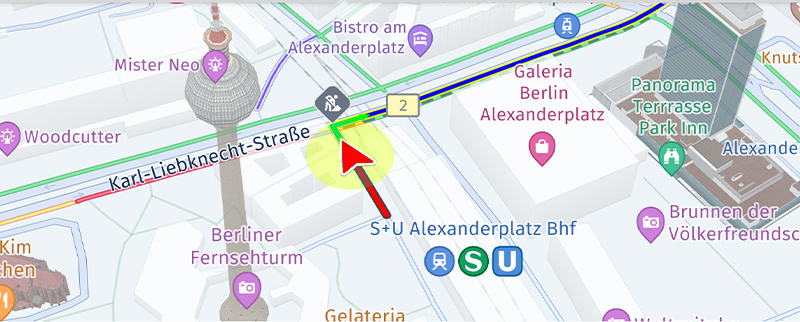
        <p>The <a href="https://github.com/heremaps/here-sdk-examples/tree/master/examples/latest/navigate/android/Java/Navigation">"Navigation"</a> app gives an overview of how to implement turn-by-turn navigation along with tracking features and voice assistance. Only available for <i>Navigate</i>.</p>
      </div>
    </div>

    
    <div class="card">
        <img src="https://files.readme.io/3f6c97f3e606a267ff8441d6fd7a61d8de3b254d54a3c906714f929ba175116f-android-examples-navigation_custom.jpg" />
        <div class="card-content">
          <h3>Customize turn-by-turn navigation</h3>
        </div>
      <div class="description">
        <p>The <a href="https://github.com/heremaps/here-sdk-examples/tree/master/examples/latest/navigate/android/Java/NavigationCustom">"NavigationCustom"</a> app shows how the guidance view can be customized. Only available for <i>Navigate</i>.</p>
      </div>
    </div>

    
    <div class="card">
        <img src="https://files.readme.io/99ec6590dd9662db3e8306756e658765b4d4eed04594294ce7489f735f64411b-android-code_snippet_placeholder.jpg" />
        <div class="card-content">
          <h3>Display navigation event during turn-by-turn navigation</h3>
        </div>
      <div class="description">
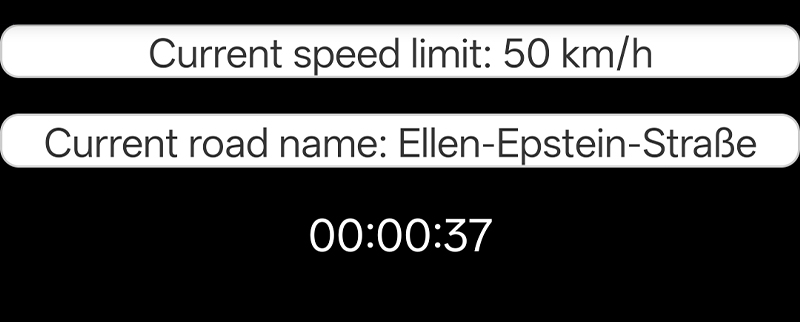
        <p>The <a href="https://github.com/heremaps/here-sdk-examples/tree/master/examples/latest/navigate/android/Java/NavigationWarners">"NavigationWarners"</a> app shows how to implement various navigation events such as speed limit and lane assistance during turn-by-turn navigation. Only available for <i>Navigate</i>.</p>
      </div>
    </div>

    
    <div class="card">
        <img src="https://files.readme.io/99ec6590dd9662db3e8306756e658765b4d4eed04594294ce7489f735f64411b-android-code_snippet_placeholder.jpg" />
        <div class="card-content">
          <h3>Use spatial audio navigation</h3>
        </div>
      <div class="description">
        <p>The <a href="https://github.com/heremaps/here-sdk-examples/tree/master/examples/latest/navigate/android/Java/SpatialAudioNavigation">"SpatialAudioNavigation"</a> app shows how to make use of spatial audio notifications for TTS voices during guidance. Only available for <i>Navigate</i>.</p>
      </div>
    </div>

    
    <div class="card">
        <img src="https://files.readme.io/99ec6590dd9662db3e8306756e658765b4d4eed04594294ce7489f735f64411b-android-code_snippet_placeholder.jpg" />
        <div class="card-content">
          <h3>Handle rerouting during navigation</h3>
        </div>
      <div class="description">
        <p>The <a href="https://github.com/heremaps/here-sdk-examples/tree/master/examples/latest/navigate/android/Java/Rerouting">"Rerouting"</a> app shows how the HERE SDK can be used to handle rerouting during guidance after a driver left the route. Only available for <i>Navigate</i>.</p>
      </div>
    </div>

    
    <div class="card">
        <img src="https://files.readme.io/99ec6590dd9662db3e8306756e658765b4d4eed04594294ce7489f735f64411b-android-code_snippet_placeholder.jpg" />
        <div class="card-content">
          <h3>Use navigation for trucks</h3>
        </div>
      <div class="description">
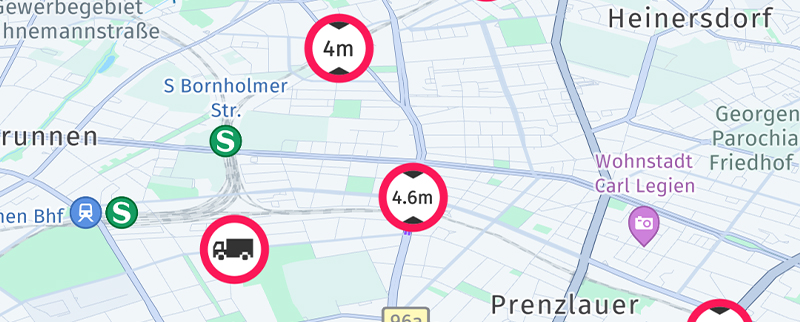
        <p>The <a href="https://github.com/heremaps/here-sdk-examples/tree/master/examples/latest/navigate/android/Java/TruckGuidance">"TruckGuidance"</a> app shows how the HERE SDK can be used to calculate routes specific for trucks and many more truck-related features. Only available for <i>Navigate</i>.</p>
      </div>
    </div>

    
    <div class="card">
        <img src="https://files.readme.io/cf088e6f792130dd146dd9c760c7b6ac8a5dc77bd9166a290662c011f4ca079d-android-examples-navigation_headless.jpg" />
        <div class="card-content">
          <h3>Start navigation headlessly without a map view</h3>
        </div>
      <div class="description">
        <p>The <a href="https://github.com/heremaps/here-sdk-examples/tree/master/examples/latest/navigate/android/Java/NavigationHeadless">"NavigationHeadless"</a> app show the HERE SDK can be set up to navigate without following a route in the most simplest way - and without showing a map view. Only available for <i>Navigate</i>.</p>
      </div>
    </div>

    
    <div class="card">
        <img src="https://files.readme.io/68ca88e3289279a152cc1c3b28f4b002673d88fe16887246fca01dffe73d63c3-android-examples-offlinemaps.jpg" />
        <div class="card-content">
          <h3>Use offline maps</h3>
        </div>
      <div class="description">
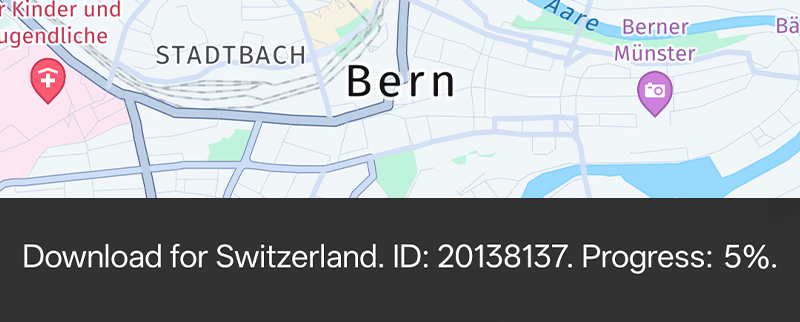
        <p>The <a href="https://github.com/heremaps/here-sdk-examples/tree/master/examples/latest/navigate/android/Java/OfflineMaps">"OfflineMaps"</a> app shows how the HERE SDK can work fully offline and how offline map data can be downloaded for continents and countries. Only available for <i>Navigate</i>.</p>
      </div>
    </div>

    
    <div class="card">
        <img src="https://files.readme.io/99ec6590dd9662db3e8306756e658765b4d4eed04594294ce7489f735f64411b-android-code_snippet_placeholder.jpg" />
        <div class="card-content">
          <h3>Integrate Indoor maps</h3>
        </div>
      <div class="description">
        <p>The <a href="https://github.com/heremaps/here-sdk-examples/tree/master/examples/latest/navigate/android/Java/IndoorMap">"IndoorMap"</a> app shows how to integrate private venues. Only available for <i>Navigate</i>.</p>
      </div>
    </div>

    
    <div class="card">
        <img src="https://files.readme.io/99ec6590dd9662db3e8306756e658765b4d4eed04594294ce7489f735f64411b-android-code_snippet_placeholder.jpg" />
        <div class="card-content">
          <h3>Integrate reusable building blocks</h3>
        </div>
      <div class="description">
        <p>The <a href="https://github.com/heremaps/here-sdk-examples/tree/master/examples/latest/navigate/android/Java/UnitTesting">"HERESDKUnits"</a> app demonstrates how to modularize your application UI and extract HERE SDK features - such as map-scheme switching - into small, reusable units. Only available for <i>Navigate</i>.</p>
      </div>
    </div>

    
    <div class="card">
        <img src="https://files.readme.io/99ec6590dd9662db3e8306756e658765b4d4eed04594294ce7489f735f64411b-android-code_snippet_placeholder.jpg" />
        <div class="card-content">
          <h3>Write unit tests for the HERE SDK</h3>
        </div>
      <div class="description">
        <p>The <a href="https://github.com/heremaps/here-sdk-examples/tree/master/examples/latest/navigate/android/Java/UnitTesting">"UnitTesting"</a> app helps you mock SDK classes for solid unit testing.</p>
      </div>
    </div>

  </div>
  `}
</HTMLBlock>

Most example apps are available in both Java and Kotlin. Kotlin apps are identified by the suffix "-Kotlin". Unless otherwise noted, the same app can be executed with Explore or Navigate credentials.

## How to build an example app

Choose an example of your choice, then:

1. Add the HERE SDK framework to the app's `libs` folder.
2. Insert your HERE credentials (`access_key_id` and `access_key_secret`) in the `MainActivity.java` file.

Now you are ready to open the project with Android Studio and you can instantly execute the app on your device or simulator.

To learn how the HERE SDK integrates into apps, see [Integrate the HERE SDK](android-integrate-here-sdk).

## List of demo apps

* If you are interested to see a demo of the features the HERE SDK has to offer - or if you simply want to see all features in action, check the [HERE WeGo](https://www.here.com/products/wego) application. This app uses the same technology stack that empowers the HERE SDK.
* Alternatively, you can build and run the reference application (available only for Flutter) which you can find as an [open source project on GitHub](https://github.com/heremaps/here-sdk-ref-app-flutter). This app shows most features of Navigate including the features from Explore in an release-ready app with easy-to-understand UX flows and reusable UI assets.

### About the reference application

The [reference application](https://github.com/heremaps/here-sdk-ref-app-flutter) for the HERE SDK for Flutter (Navigate) shows how a complex and release-ready project targeting iOS and Android devices may look like. You can use it as a source of inspiration for your own HERE SDK based projects - in parts or as a whole. Many parts of the app overlap with Explore - however, guidance requires the HERE SDK (Navigate).

![Screenshots from the HERE SDK Reference Application for Flutter.](https://files.readme.io/1475166d37bd005c4449f2bb852d22bef9763b74502b106036a2ea76193b2540-android-ref_app.png)

The reference application can be used as a base project to start your own app development.

On top, the reference application offers a lot of ready-made assets that can be used for your own apps based on the terms shown on the [GitHub](https://github.com/heremaps/here-sdk-ref-app-flutter) page.

Below you can find the available selection of maneuver icons that can be shown to indicate a maneuver action - for example, during turn-by-turn guidance.

![Screenshot: Showing available maneuver icons.](https://files.readme.io/550ffaf71caaaa5e26441207c7fd2d91d718fdfb13a86472e5161de6bfe8b077-android-maneuver_icons.jpg)

The reference application also contains a variety of other icons, such as map markers, to get you started quickly with your own application.

![Screenshot: Graphical assets used by the ref app.](https://files.readme.io/277f64c5f9d76ad0fb6a9e86d7905fb33f05d7939a687d5ffa1500fa0e714a77-android-ref_app_assets.jpg)

Below you can find an overview of selected features along with the related code that can be used in your own projects.

* **Main menu / landing page:** The landing page displays a map with an options tab on the top left and a search button on the bottom right: [Source for Main Menu and Landing Page](https://github.com/heremaps/here-sdk-ref-app-flutter/blob/master/lib/landing_screen.dart).
* **Search:** The search result option takes you to the exact requested location with a cyan-colored placeholder: [SearchResult Source Code](https://github.com/heremaps/here-sdk-ref-app-flutter/blob/master/lib/search/search_results_screen.dart).
* **Search suggestions:** Search suggestions are loaded as soon as typing starts: [Search Suggestion and Popup Source Code](https://github.com/heremaps/here-sdk-ref-app-flutter/blob/master/lib/search/search_popup.dart).
* **Place detail info bubble:** The place detail popup shows a detailed view of the selected place: [Source Code for Place Detail Popup](https://github.com/heremaps/here-sdk-ref-app-flutter/blob/master/lib/search/place_details_popup.dart).
* **Routing:** The routing section in providing a visual overview of the fastest route available to reach your location: [Source Code for Routing](https://github.com/heremaps/here-sdk-ref-app-flutter/blob/master/lib/routing/routing_screen.dart).
* **Route preference for different vehicles:** Simulated location events (along the route) are provided for different vehicles as per their route preference: [Source Code for Route Preference for Different Vehicles](https://github.com/heremaps/here-sdk-ref-app-flutter/blob/master/lib/route_preferences/route_preferences_screen.dart).
* **Navigate along a route:** Navigating becomes easier with the clean and crisp navigation provided to take you the requested location efficiently: [Source Code for Navigating along a route](https://github.com/heremaps/here-sdk-ref-app-flutter/blob/master/lib/navigation/navigation_screen.dart).
* **Positioning and user consent:** [Source Code](https://github.com/heremaps/here-sdk-ref-app-flutter/blob/master/lib/positioning/positioning.dart).
* **Offline maps:** [Source Code](https://github.com/heremaps/here-sdk-ref-app-flutter/blob/master/lib/download_maps/download_maps_screen.dart).

More reusable icons can be found in the official [HERE Icon Library](https://github.com/heremaps/here-icons).

### How to build the reference application

Build instructions are given on the GitHub page hosting the [reference application](https://github.com/heremaps/here-sdk-ref-app-flutter).

Note that only major versions of the HERE SDK for Flutter are supported.