
HERE WeGo Pro admin responsibilities
As an admin, you control which drivers have access to HERE WeGo Pro functions. You can invite, activate, reactivate, and deactivate drivers.
Entitling drivers and billing in HERE WeGo Pro
Access to HERE WeGo Pro requires the following:
- A HERE platform account.
- A paid subscription. To sign up for a subscription, contact HERE WeGo Pro.
Once you have a subscription, you can contact HERE support to invite your drivers to the app and generate activation keys, which allows your drivers to use HERE WeGo Pro features, such as truck routing.
Inviting and activating drivers in HERE WeGo Pro
To invite and activate drivers, the recommended approach is to use activation keys. To obtain activation keys, contact HERE WeGo Pro using the "Contact Us" button in the page. For existing customer, you can create a support ticket or reach out to [email protected]
Alternatively, if you prefer your drivers to login with an account, you can follow the steps below:
- Send an email to HERE WeGo Pro that provides a list of your drivers' email addresses. The HERE WeGo Pro team activates access to premium features using these emails.
- Your drivers must download the HERE WeGo Pro app and create an account using the information provided in their invitation email. After signing in, the driver can use truck navigation.
Active users and billing in HERE WeGo Pro
HERE bills you based on your total monthly active users. The following diagram outlines the three options for how to count users:
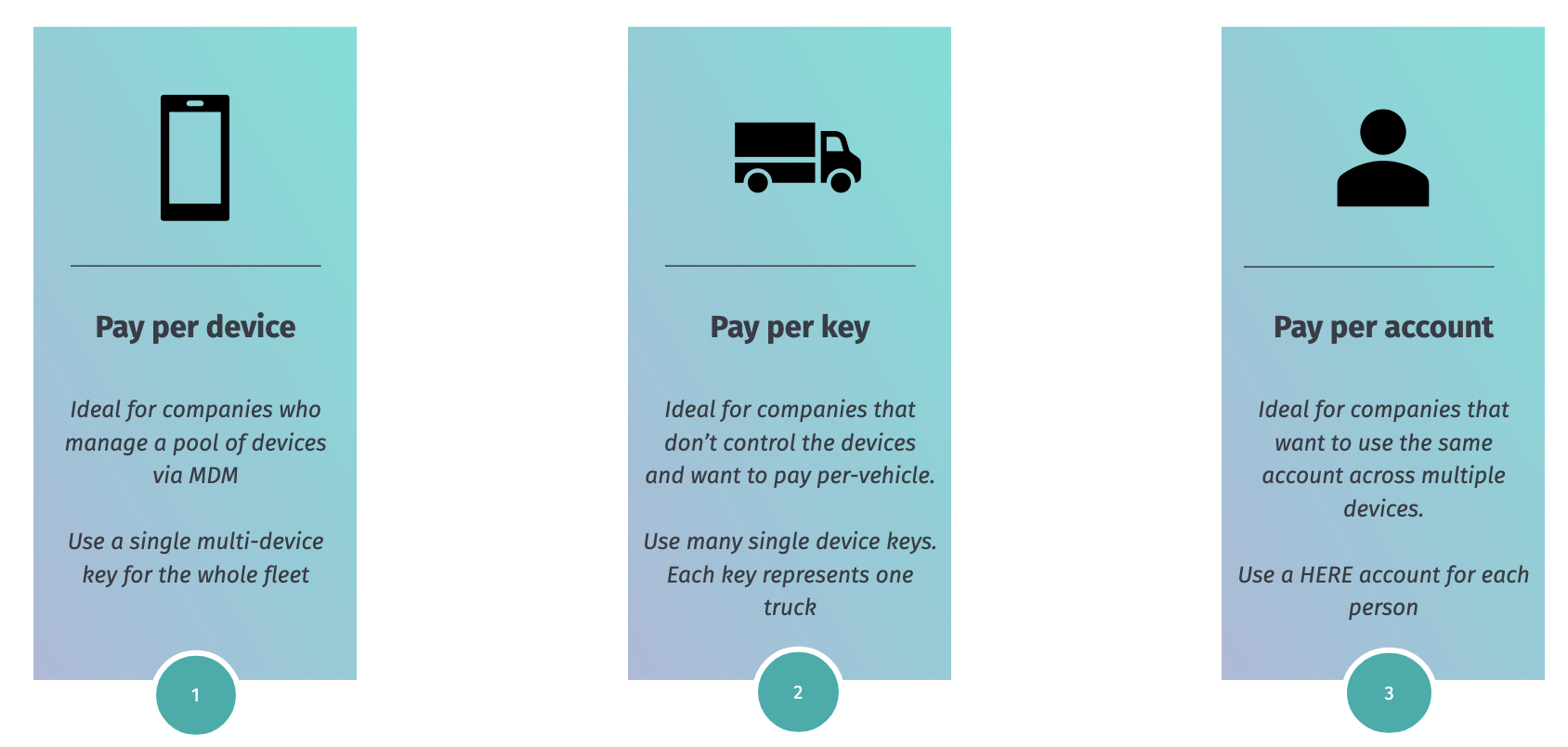
About active users in HERE WeGo Pro
The following apply to active users:
- An active user is any user (as previously defined) accessing HERE WeGo Pro in a given calendar month.
- If a user never opens the app during the month, it isn't counted for that month.
- If a user loses access to HERE WeGo Pro before the end of the month, it won't count towards billing from the following month.
Paid Features and Configurations in HERE WeGo Pro
Using our API it's possible to enable certain paid features and configurations. The key difference is that paid features are broad in scope and count towards billing, while configurations are more specific, gives some control over app behavior, and don't affect billing.
Paid Features in HERE WEGo Pro
The features below have an impact on billing. As we introduce more paid features, each of them will be metered and priced independently.
- ALL_TRUCK_FEATURE: enables truck navigation (the core of WeGo Pro). MAUs with this feature count towards billing for WeGo Pro
- LIVE_TRACKING: enables tracking the location and ETAs of drivers. Currently in Beta
Configurations for HERE WeGo Pro
The configurations below have no impact on billing. They're generally used to lock certain settings
- WIFI_ONLY_MAP_DOWNLOAD: allows map download only over Wi-Fi
- HIDE_NON_TRUCK_MODES: hides every transportation mode except truck and pedestrian.
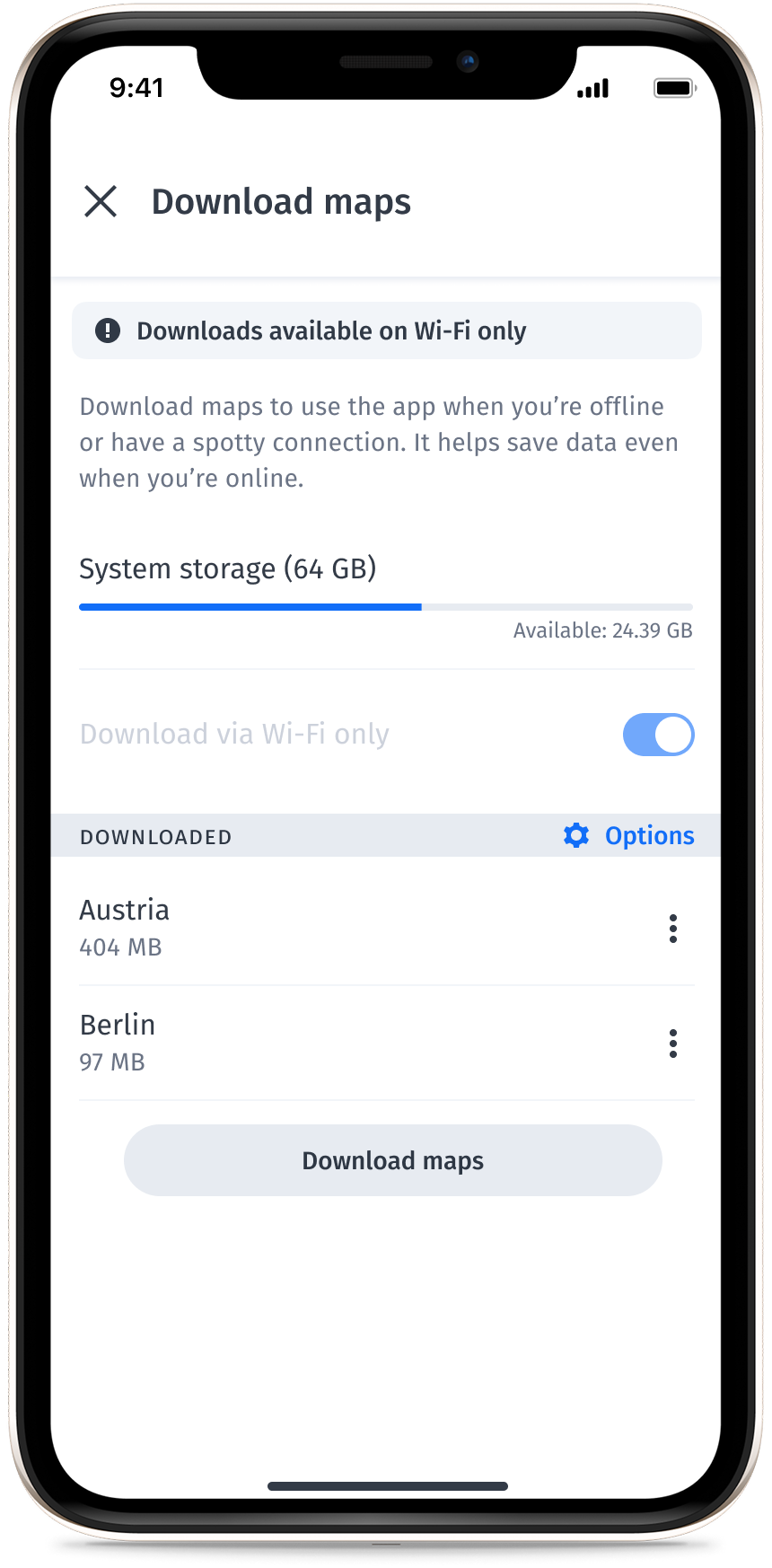
Download over WiFi only in HERE WeGo Pro
When you apply this configuration, the setting "Download via Wi-Fi only" is automatically selected and the user can't manually change it. The following image shows this:
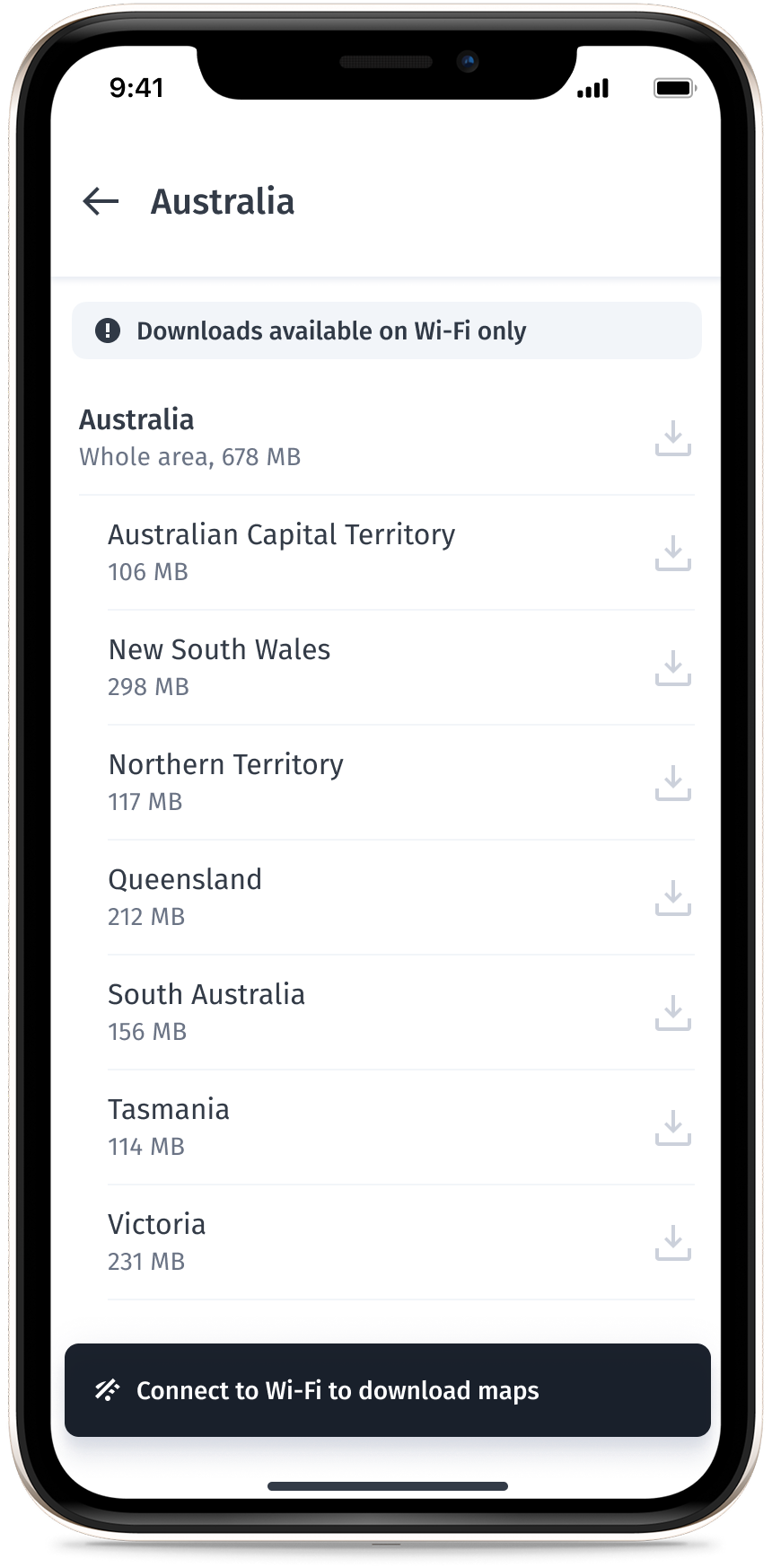
The following image shows the list of maps to download is disabled when not connected to Wi-Fi.
Hide non-truck modes in HERE WeGo Pro
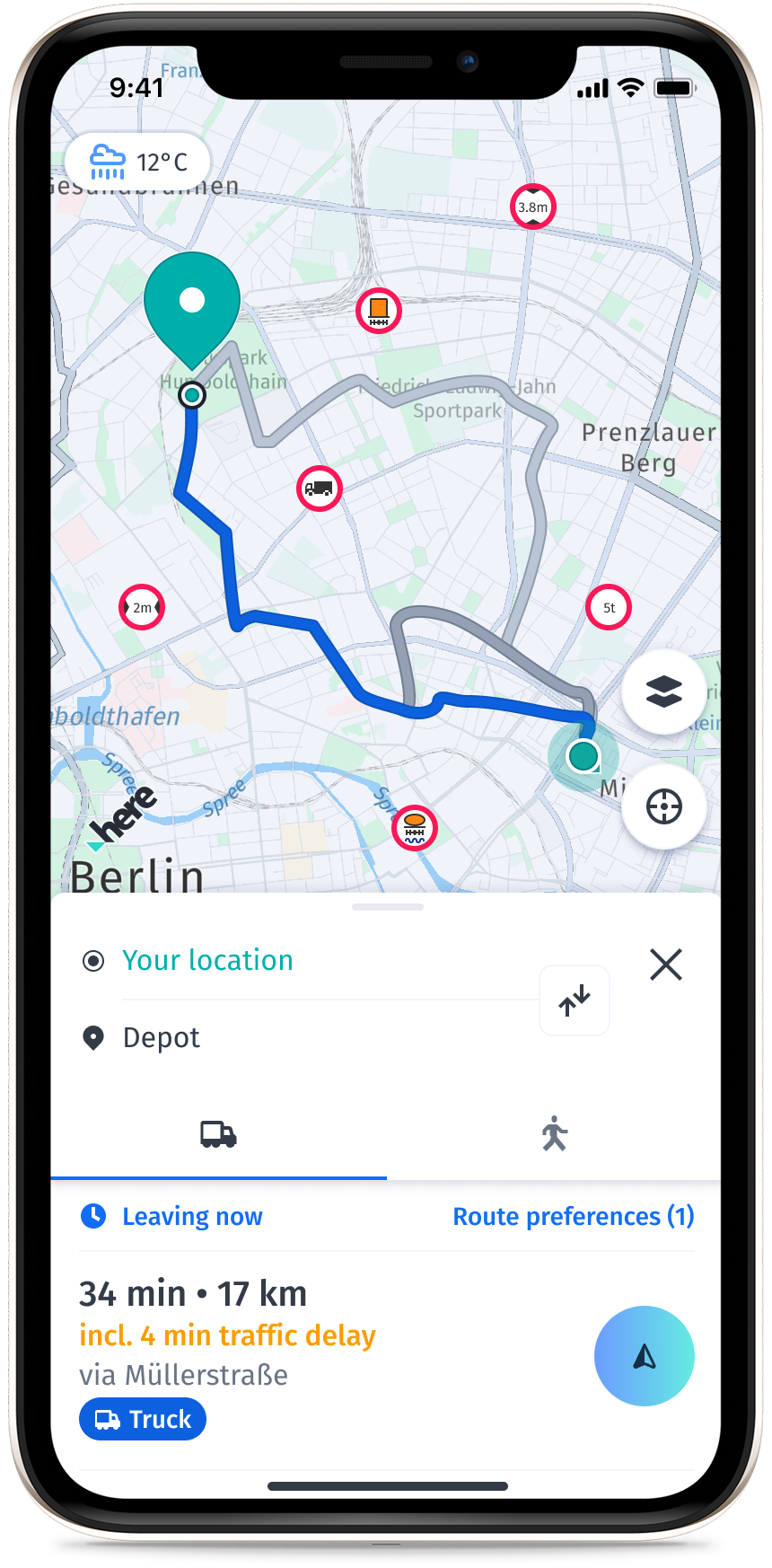
Enabling this feature hides all transportation modes except truck and pedestrian. However, if you receive a deeplink for a transportation mode other than truck or pedestrian, the default is to open it in truck mode.
The following image shows the hide non-truck mode enabled.
Enabling paid features and configurations for HERE WeGo Pro
In our management API both paid features and configurations are collectively called "features," and are assigned to users/keys via feature groups.
You can enable features for specific activation keys or by user. To change the list of features and configurations available to you, contact the team at [email protected].
To apply a feature group to an activation key, you can use our API.
To apply a feature group to a user, contact the team at [email protected].
Updated 29 days ago