

Reverse geocoding using Postman
This tutorial is an introduction to Reverse Geocoding using Postman.
Reverse Geocoding is the process of converting geocoordinates (latitude and longitude) to human readable addresses. This contrasts with Forward Geocoding, which receives an address as input and returns the matching latitude and longitude for a specific address. HERE maintains a global database of postal addresses mapped to GPS/GNSS locations. The Forward Geocoding API provides access to this database through the Internet. Forward and Reverse Geocoding are often used in fleet management, connected driving, and asset tracking.
| Forward Geocoding | Reverse Geocoding |
|---|---|
| Translate a destination address into latitude and longitudinal coordinates. | Convert the current position (latitude and longitude) of an asset into a postal address. This is useful when trying to locate an asset on a map and to visually verify the destination. |
The following examples demonstrate Forward and Reverse Geocoding:
Prerequisites
-
Get a HERE account. For more information, see Get started.
-
API key. If you have a HERE account, you can use your personal API key for this tutorial. For more information on HERE API keys, see Get started.
Reverse Geocoding API request
To search for an address, you must provide geocoordinates to the /revgeocode endpoint. An application, for example, could interpret a click location and pass geocoordinates to the /revgeocode endpoint to obtain a postal address.
The following request passes latitude and longitude information for Long Island City to the endpoint.
- Latitude: 40.730610
- Longitude: -73.935242
Note
Replace “YOUR-API-KEY” with your personal API key.
https://revgeocode.search.hereapi.com/v1/revgeocode?apikey=YOUR-API-KEY&at=40.730610,-73.935242&lang=en-USThe API request returns a response in JSON format as follows:
{
    "items": [
        {
            "title": "38-20 Review Ave, Long Island City, NY 11101, United States",
            "id": "here:af:streetsection:luxVAiVu6grOpILoeMx5lD:CgcIBCDbisQgEAEaBTM4LTIw",
            "resultType": "houseNumber",
            "houseNumberType": "PA",
            "address": {
                "label": "38-20 Review Ave, Long Island City, NY 11101, United States",
                "countryCode": "USA",
                "countryName": "United States",
                "state": "New York",
                "county": "Queens",
                "city": "Long Island City",
                "district": "Sunnyside",
                "street": "Review Ave",
                "postalCode": "11101",
                "houseNumber": "38-20"
            },
            "position": {
                "lat": 40.7309,
                "lng": -73.93551
            },
            "access": [
                {
                    "lat": 40.73142,
                    "lng": -73.93488
                }
            ],
            "distance": 39,
            "mapView": {
                "west": -73.94095,
                "south": 40.72911,
                "east": -73.93019,
                "north": 40.7387
            }
        }
    ]
}
Reverse Geocoding using Postman
Create a new GET request. Copy and paste the following /revgeocode endpoint URL. Replace YOUR-API-KEY with your personal HERE API key.
https://revgeocode.search.hereapi.com/v1/revgeocode?apikey=YOUR-API-KEY&at=40.730610,-73.935242&lang=en-US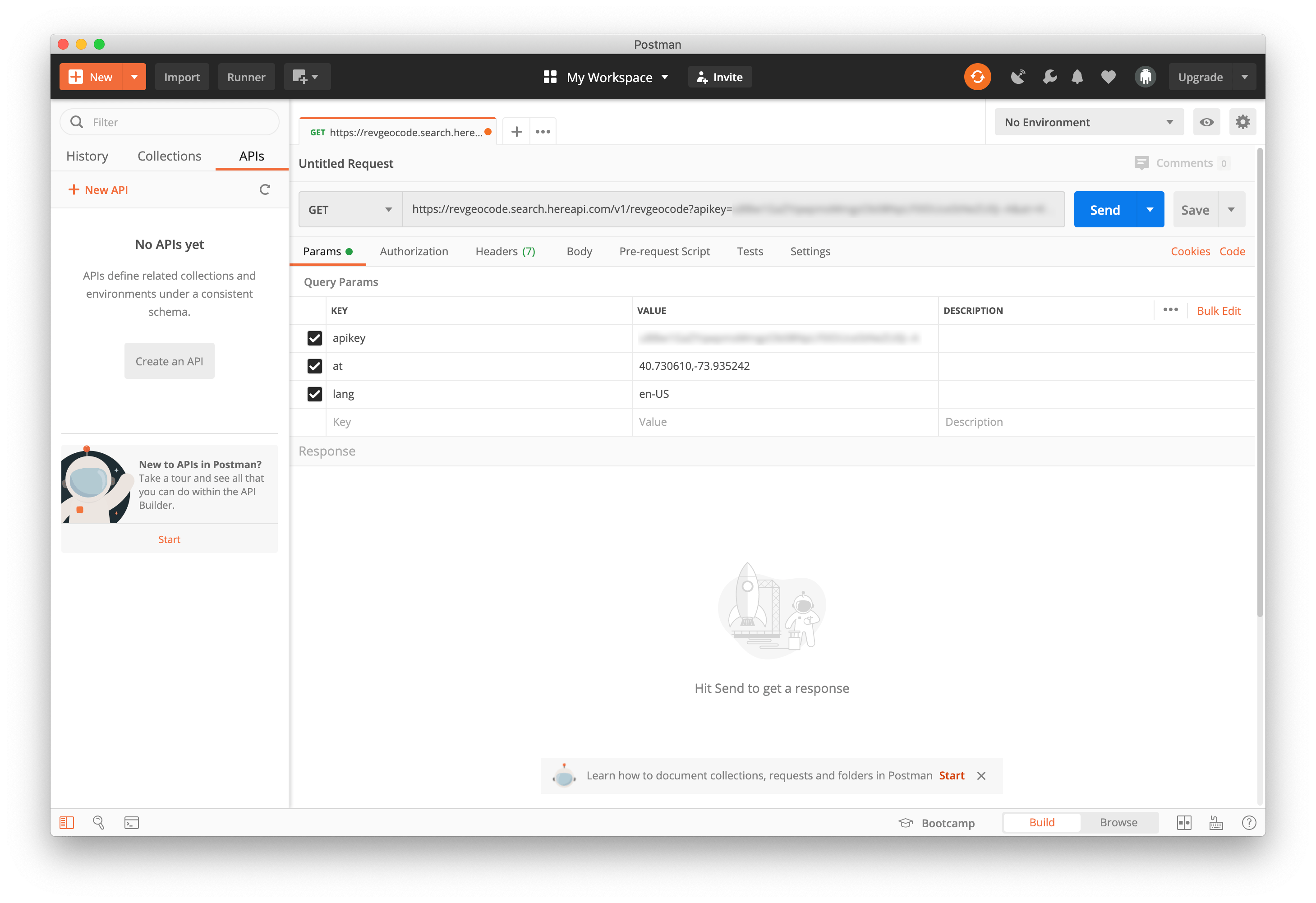
To send the request, click the Send button.
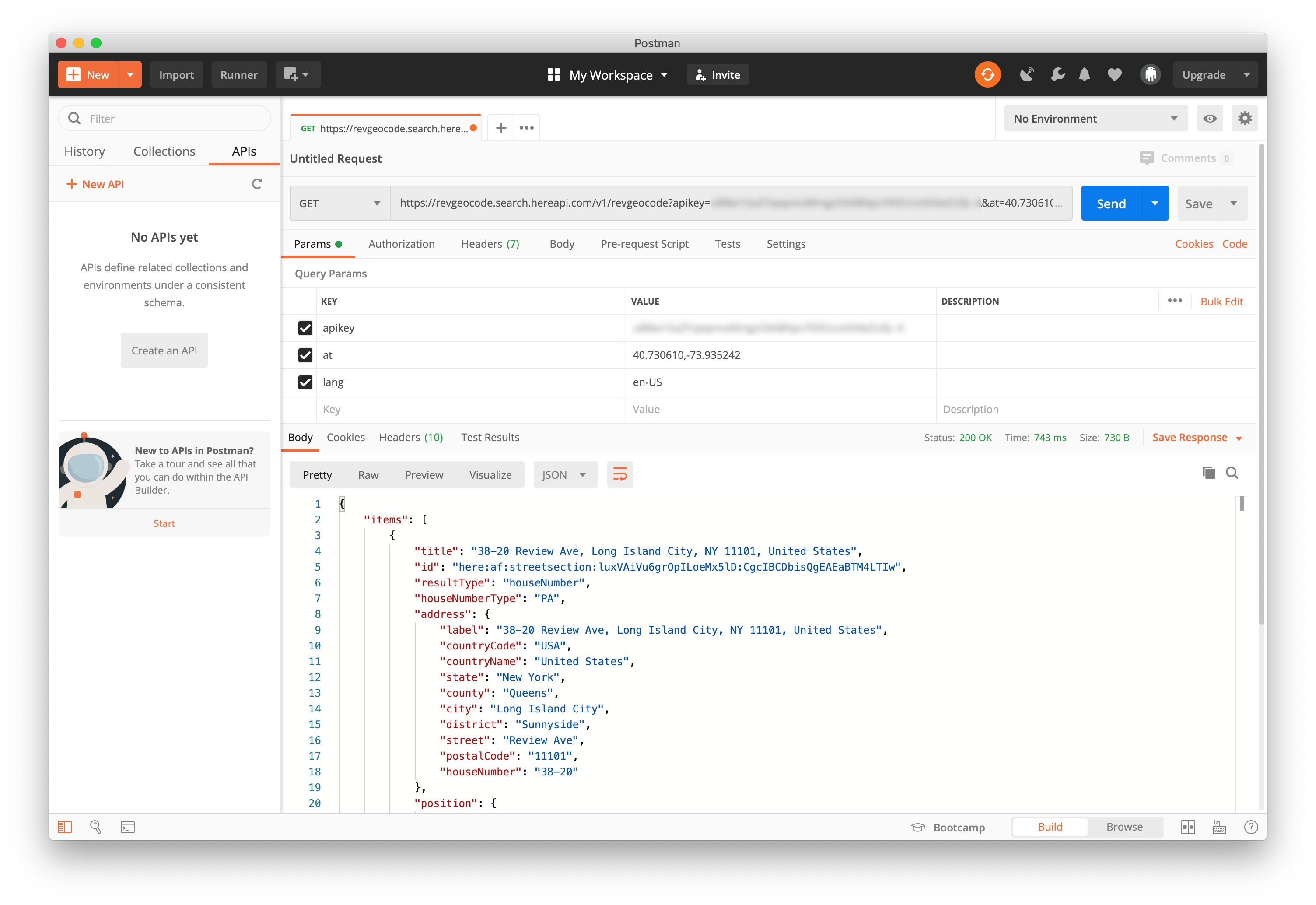
The response includes the following data elements:
resultType- HERE Geocoding and Search supports multiple location object types (place, street, locality).title- a localized string of the result. For example, a place, or a complete address.address- a breakdown of the result address into fields.position- the geopositioned (latitude and longitude) result.access- the geo-position of access to the result. For example, the main entrance to a building.id- the identifier of the item. The value can be used to retrieve the same object using the/lookupendpoint.distance- the distance in meters from the position specified in the query parameter.mapView- bounding box of the location optimized for display.
Add the showMapReferences query parameter to a new request
showMapReferences query parameter to a new requestUse the showMapReferences parameter value, cmVersion in the following request to return the core map version number of the region where the result is located. For more information, see showMapReferences parameter.
https://revgeocode.search.hereapi.com/v1/revgeocode?apikey=<YOUR-API-KEY>&at=51.1657,10.4515&lang=en-US&showMapReferences=cmVersionThe result is as follows:
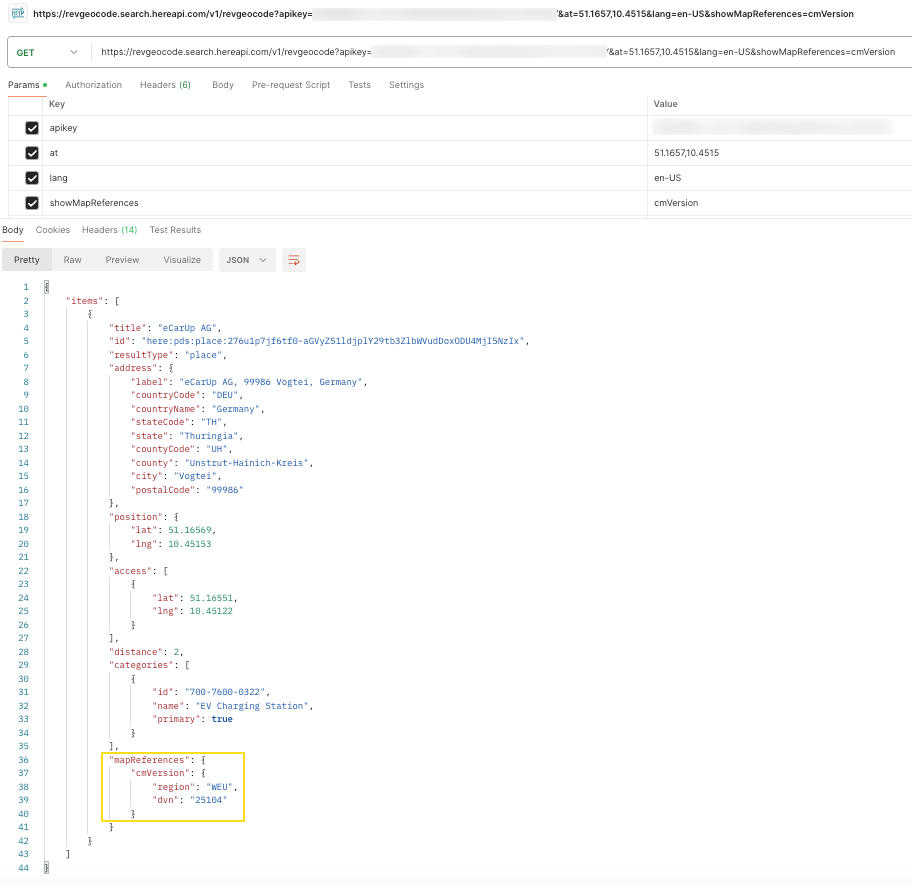
For more information, see the API reference.
Conclusion
You completed an exercise that used Postman to send a Reverse Geocode request.
Updated 6 months ago