

How to find geo-coordinates using Autosuggest
This tutorial demonstrates how to use autosuggest to build an application that receives a street address and places a marker on a map. The tutorial is developed using HERE Maps API for JavaScript.
Applications such as vehicle tracking, routing, and weather forecasting require geocoordinates. The HERE Geocoding and Search API locates geocoordinates of addresses, places, localities and administrative areas (e.g. city, state and country), and allows you to use both forward and reverse geocoding. Note that forward geocoding allows you to find the coordinates from a known address.
This tutorial uses autosuggest. For information on reverse geocoding, see reverse geocode.
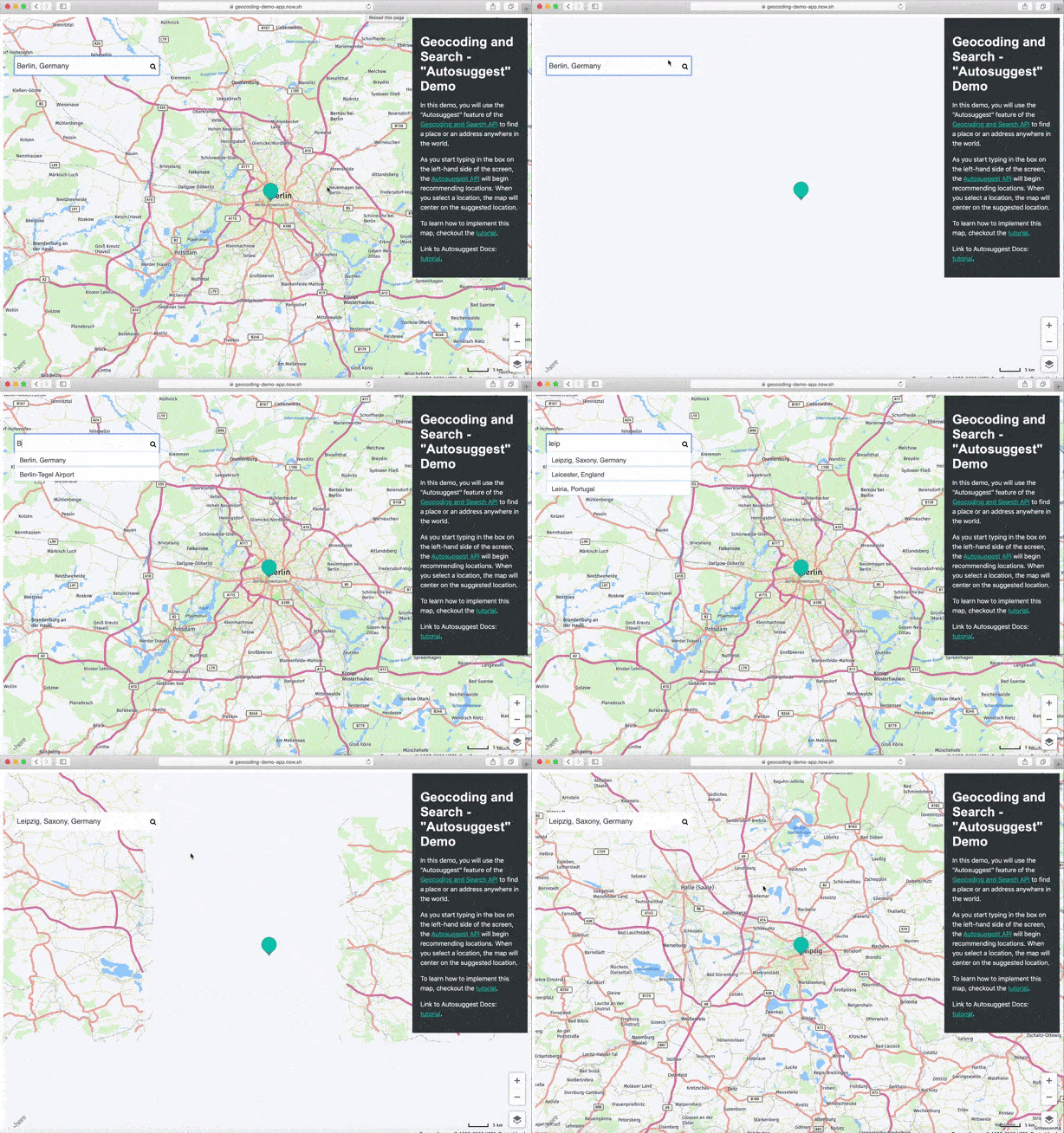
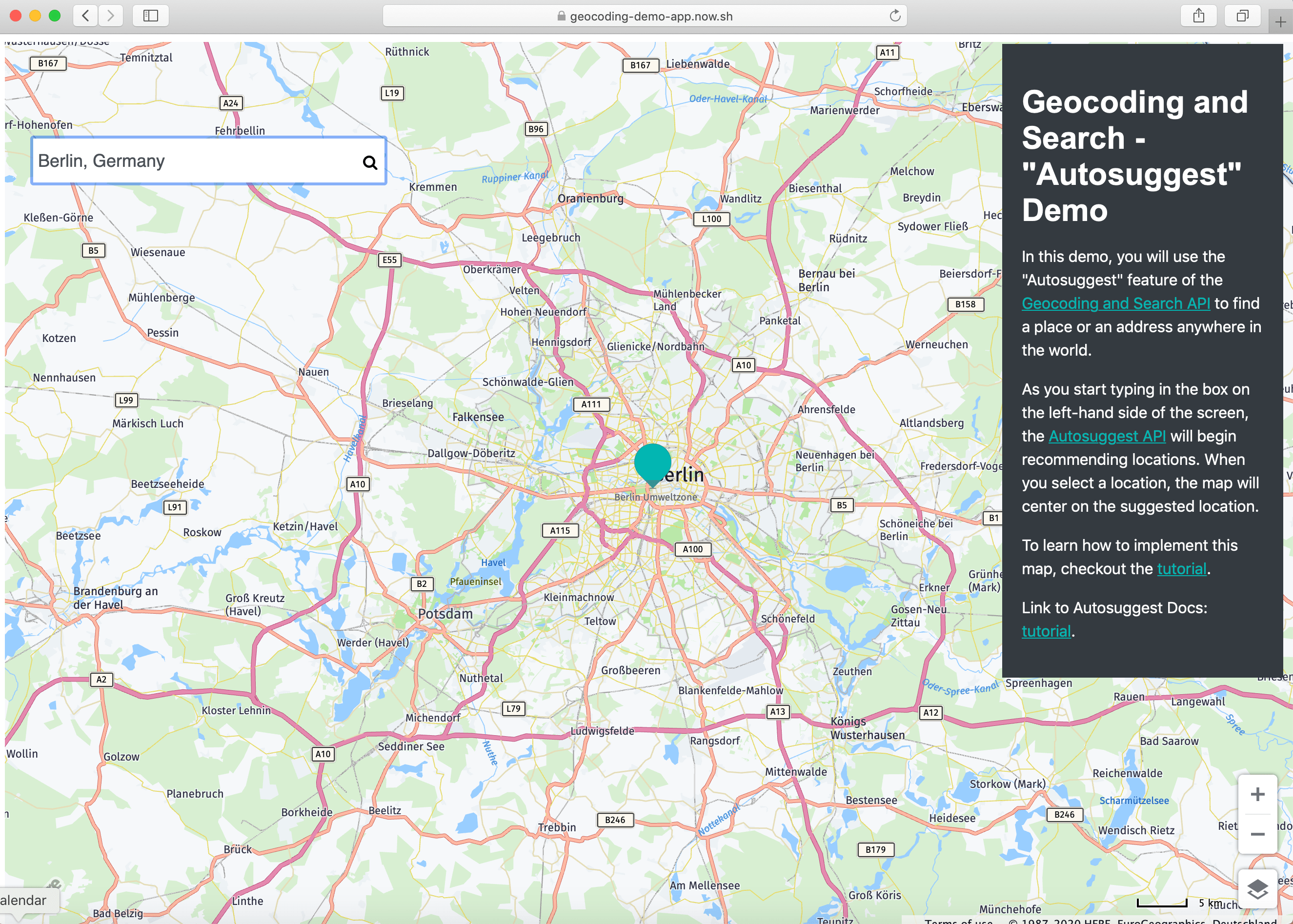
The following screen capture shows the completed tutorial.
Prerequisites
- Experience working with JavaScript and REST APIs
- Get a HERE account. For more information, see Get started.
- API key. If you have a HERE account, you can use your personal API key for this tutorial. For more information on HERE API keys, see Get started.
Roadmap
- Create a basic HERE map.
- Add a search box to the map.
- Implement the Geocoding and Search API to find the geocoordinates.
- Add a marker to the map.
Create a Basic HERE Map
To create a HERE map:
- Create a new
index.htmlfile in your editor. - Copy and paste the following code and replace
HERE-API-KEYwith your personal key.
<!DOCTYPE html>
<html lang="en">
<head>
<meta charset="UTF-8">
<meta name="viewport" content="width=device-width, initial-scale=1.0">
{/* HERE JS libs*/}
<link rel="stylesheet" type="text/css" href="https://js.api.here.com/v3/3.1/mapsjs-ui.css" />
<script type="text/javascript" src="https://js.api.here.com/v3/3.1/mapsjs-core.js"></script>
<script type="text/javascript" src="https://js.api.here.com/v3/3.1/mapsjs-service.js"></script>
<script type="text/javascript" src="https://js.api.here.com/v3/3.1/mapsjs-ui.js"></script>
<script type="text/javascript" src="https://js.api.here.com/v3/3.1/mapsjs-mapevents.js"></script>
{/* HERE JS libs*/}
{/* style sheet*/}
<link href="https://stackpath.bootstrapcdn.com/font-awesome/4.7.0/css/font-awesome.min.css" rel="stylesheet">
{/* end of style sheet*/}
<style>
 .dropdown {
  position: absolute;
  z-index: 99999;
  list-style-type: none;
  width: 360px;
  border: rgb(15, 22, 33);
  list-style: none;
  top: 135px;
}
input{
  z-index: 9999; font-size: 18px;
  font-family: 'Allerta', Helvetica, Arial, sans-serif;
  color: #495057;position: absolute; top: 100px; left: 20px;
  width: 350px; height: 35px; padding: 5px; margin-left: 17px;
  margin-top: 7px; border: none;
}
ul{
  list-style: none; background-color: white; padding: 0px;
  margin-left: 29px;
width: 360px;
}
li{
  list-style-type: none;
  height: 12px;
  padding: 12px;
  box-shadow: rgb(158, 202, 237) 0px 0px 4px;
  display: list-item;
  text-align: -webkit-match-parent;
  font-family: 'Allerta', Helvetica, Arial, sans-serif;
  color: #495057;
  }
li:hover {
  background-color: yellowgreen;
}
#list {
  cursor: pointer;
}
.fa-search-custom {
  position: absolute;
  left: 375px;
  top: 123px;
  z-index: 99999;
}
</style>

<title>Geocoding API Demo</title>
</head>
  <body>
  <div style="height: 100vh;width: 100vw;" id="mapContainer" class="container-1"></div>
    <script>
    	const personalApiKey = `<YOUR-API-KEY>`; // Your personal API key
    	var platform = new H.service.Platform({
            apikey: personalApiKey,
        });
        var defaultLayers = platform.createDefaultLayers();

        //Step 2: initialize a map - this map is centered over Europe
        var map = new H.Map(document.getElementById('mapContainer'),
            defaultLayers.vector.normal.map, {
            center: { lat: 50, lng: 5 },
            zoom: 4,
            pixelRatio: window.devicePixelRatio || 1
        });
        // add a resize listener to make sure that the map occupies the whole container
        window.addEventListener('resize', () => map.getViewPort().resize());
        //Step 3: make the map interactive
        // MapEvents enables the event system
        // Behavior implements default interactions for pan/zoom (also on mobile touch environments)
        var behavior = new H.mapevents.Behavior(new H.mapevents.MapEvents(map));
    </script>
  </body>
  </html>
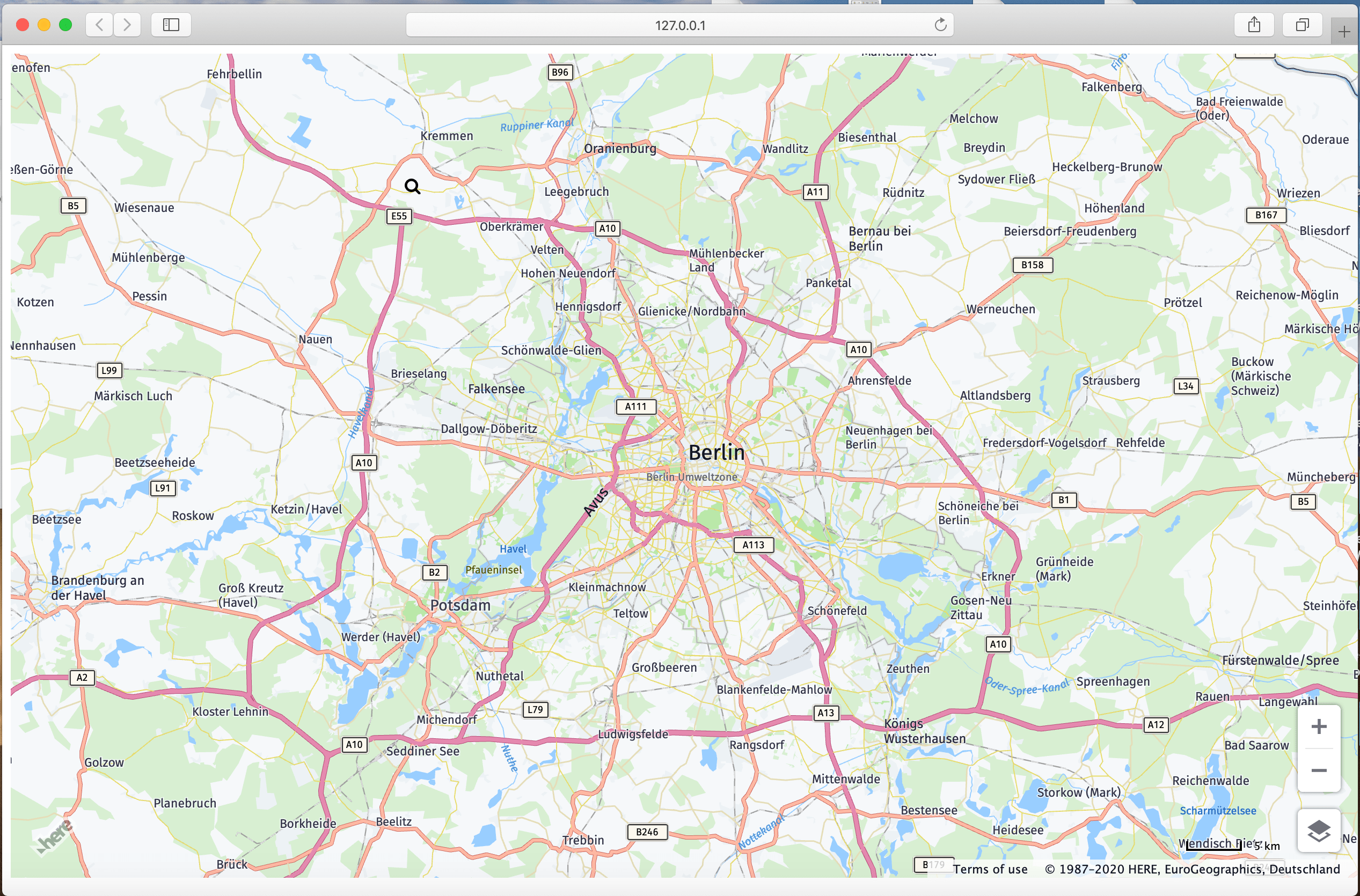
This code will render a web map similar to the image below.
Add a Search Box to the Map
Copy the following HTML snippet inside the mapContainer div tag after the script tag.
<div style="height: 100vh; width: 100vw;" id="mapContainer" class="container-1">
  <input placeholder="Search for a Place or an Address." type="text" name="search" id="search" value="Berlin, Germany" autocomplete="off" onkeyup="autosuggest(this)" autofocus/>
  <i class="fa fa-search fa-search-custom" aria-hidden="true"></i>
  <div class="dropdown">
    <ul id="list"></ul>
  </div>
</div>
Implement the Geocoding and Search API to Find the Geocoordinates
The following Autosuggest endpoint is used to find coordinates of a location:
https://autosuggest.search.hereapi.com/v1/autosuggest?at=52.5199813,13.3985138&limit=5&q=res&apiKey=YOUR_API_KEY_HEREThe response to the request, above is as follows:
{
  "items": [
    {
      "title": "Hackescher Hof",
      "id": "here:pds:place:276u33db-fb00197ffa5041b2b656ea3d23145dca",
      "resultType": "place",
      "address": {
        "label": "Hackescher Hof, Rosenthaler Straße 40, 10178 Berlin, Deutschland"
      },
      "position": { "lat": 52.52401, "lng": 13.40249 },
      "distance": 523,
      "categories": [ { "id": "100-1000-0000" }, ... ],
      "foodTypes": [ { "id": "300-000" }, ... ],
      "highlights": { "title": [ ], "address": { "label": [ ] } }
    },
    {
      "title": "restaurant",
      "id": "here:cm:ontology:restaurant",
      "resultType": "categoryQuery",
      "href": "http://ci.opensearch.dev.api.here.com/v1/discover?q=restaurant&_ontology=restaurant&at=52.51998%2C13.39851",
      "highlights": { "title": [{ "start": 0, "end": 3 }] }
    },
    {
      "title": "Cordobar",
      "id": "here:pds:place:276u33db-6b5445c1f1854148a8b351822a0ddc0c",
      "resultType": "place",
      "address": {
        "label": "Cordobar, Große Hamburger Straße 32, 10115 Berlin, Deutschland"
      },
      "position": { "lat": 52.52572, "lng": 13.39888 },
      "distance": 639,
      "categories": [ { "id": "100-1000-0000" }, ... ],
      "foodTypes": [ { "id": "300-000" }, ... ],
      "highlights": { "title": [ ], "address": { "label": [ ] } }
    },
    {
      "title": "McDonald's",
      "id": "here:pds:place:276u33db-dc6f6db9cef943c1b1ff3f74b30f03f9",
      "resultType": "place",
      "address": {
        "label": "McDonald's, Friedrichstraße 142, 10117 Berlin, Deutschland"
      },
      "position": { "lat": 52.52003, "lng": 13.38812 },
      "distance": 703,
      "categories": [{ "id": "100-1000-0009" }],
      "foodTypes": [{ "id": "800-067" }],
      "highlights": { "title": [ ], "address": { "label": [ ] } }
    },
    {
      "title": "Meliá Berlin",
      "id": "here:pds:place:276u33db-10e35e5ad0b0460e9fe49fc85a2bb8e7",
      "resultType": "place",
      "address": {
        "label": "Meliá Berlin, Friedrichstraße 103, 10117 Berlin, Deutschland"
      },
      "position": { "lat": 52.52138, "lng": 13.38833 },
      "distance": 706,
      "categories": [ { "id": "100-1000-0000" }, ... ],
      "foodTypes": [{ "id": "300-000" }, ... ],
      "highlights": { "title": [ ], "address": { "label": [ ] } }
    }
  ]
}
The /autosuggest endpoint returns address suggestions based on search box input. To enable Autosuggest, add the following code to the <script> tag in your HTML file:
const autosuggest = (e) => {
  if(event.metaKey) {
    return
  }
  let searchString = e.value
  if (searchString != "") {
    fetch(`https://autosuggest.search.hereapi.com/v1/autosuggest?window.apiKey=${apikey}&at=33.738045,73.084488&limit=5&resultType=city&q=${searchString}&lang=en-US`)
    .then(res => res.json())
    .then((json) => {
      if (json.length != 0) {
        document.getElementById("list").innerHTML = ``;
        let dropData = json.items.map((item) => {
          if ((item.position != undefined) & (item.position != ""))
            document.getElementById("list").innerHTML += `<li onClick="addMarkerToMap(${item.position.lat},${item.position.lng})">${item.title}</li>`;
          });
      }
    });
  }
};
Add a Marker to the Map
Copy the following code snippet to the script tag below the autosuggest function in the index.html file.
  // to get default location
  function getDeafultLocation(){
      var lat=52.5159;
      var lng=13.3777;
      var title = "Berlin, Germany";
      addMarkerToMap(lat, lng, title);
  }
  const addMarkerToMap = (lat, lng, title) => {
      map.removeObjects(map.getObjects())
      document.getElementById("search").value =  title;
      var selectedLocationMarker = new H.map.Marker({ lat, lng });
      map.addObject(selectedLocationMarker);
      document.getElementById("list").innerHTML = ``;
      map.setCenter({ lat, lng }, true);
  };
Final HTML Code
<!DOCTYPE html>
<html lang="en">
  <head>
    <meta charset="UTF-8" />
    <meta name="viewport" content="width=device-width, initial-scale=1.0" />
    <link
      rel="stylesheet"
      type="text/css"
      href="https://js.api.here.com/v3/3.1/mapsjs-ui.css"
    />
    <script
      type="text/javascript"
      src="https://js.api.here.com/v3/3.1/mapsjs-core.js"
    ></script>
    <script
      type="text/javascript"
      src="https://js.api.here.com/v3/3.1/mapsjs-service.js"
    ></script>
    <script
      type="text/javascript"
      src="https://js.api.here.com/v3/3.1/mapsjs-ui.js"
    ></script>
    <script
      type="text/javascript"
      src="https://js.api.here.com/v3/3.1/mapsjs-mapevents.js"
    ></script>
    <link
      href="https://stackpath.bootstrapcdn.com/font-awesome/4.7.0/css/font-awesome.min.css"
      rel="stylesheet"
    />
    <style>
      .dropdown {
        position: absolute;
        z-index: 99999;
        list-style-type: none;
        width: 360px;
        border: rgb(15, 22, 33);
        list-style: none;
        top: 135px;
      }
      input {
        z-index: 9999;
        font-size: 18px;
        font-family: "Allerta", Helvetica, Arial, sans-serif;
        color: #495057;
        position: absolute;
        top: 100px;
        left: 20px;
        width: 350px;
        height: 35px;
        padding: 5px;
        margin-left: 17px;
        margin-top: 7px;
        border: none;
      }
      ul {
        list-style: none;
        background-color: white;
        padding: 0px;
        margin-left: 29px;
        width: 360px;
      }
      li {
        list-style-type: none;
        height: 12px;
        padding: 12px;
        box-shadow: rgb(158, 202, 237) 0px 0px 4px;
        display: list-item;
        text-align: -webkit-match-parent;
        font-family: "Allerta", Helvetica, Arial, sans-serif;
        color: #495057;
      }
      li:hover {
        background-color: yellowgreen;
      }
      #list {
        cursor: pointer;
      }
      .fa-search-custom {
        position: absolute;
        left: 375px;
        top: 123px;
        z-index: 99999;
      }
    </style>
    <title>Geocoding Demo</title>
  </head>
  <body>
    <div
      style="height: 100vh; width: 100vw"
      id="mapContainer"
      class="container-1"
    >
      <input
        placeholder="Search for a Place or an Address."
        type="text"
        name="search"
        id="search"
        value="Berlin, Germany"
        autocomplete="off"
        onkeyup="autosuggest(this)"
        autofocus
      />
      <i class="fa fa-search fa-search-custom" aria-hidden="true"></i>
      <div class="dropdown">
        <ul id="list"></ul>
      </div>
    </div>
  </body>
  <script>
    const personalApiKey = `<YOUR-API-KEY>`; // Your personal API key
    function moveMapToBerlin(map) {
      map.setCenter({ lat: 52.5159, lng: 13.3777 });
      map.setZoom(10);
    }
    var platform = new H.service.Platform({
      apikey: personalApiKey,
    });
    var defaultLayers = platform.createDefaultLayers();

    //Step 2: initialize a map - this map is centered over Europe
    var map = new H.Map(
      document.getElementById("mapContainer"),
      defaultLayers.vector.normal.map,
      {
        center: { lat: 50, lng: 5 },
        zoom: 4,
        pixelRatio: window.devicePixelRatio || 1,
      }
    );
    // add a resize listener to make sure that the map occupies the whole container
    window.addEventListener("resize", () => map.getViewPort().resize());

    //Step 3: make the map interactive
    // MapEvents enables the event system
    // Behavior implements default interactions for pan/zoom (also on mobile touch environments)
    var behavior = new H.mapevents.Behavior(new H.mapevents.MapEvents(map));

    // Create the default UI components
    var ui = H.ui.UI.createDefault(map, defaultLayers);
    // Now use the map as required...
    window.onload = function () {
      moveMapToBerlin(map);
      getDefaultLocation();
    };
    const autosuggest = (e) => {
      if (event.metaKey) {
        return;
      }

      let searchString = e.value;
      if (searchString != "") {
        fetch(
          `https://autosuggest.search.hereapi.com/v1/autosuggest?apiKey=${personalApiKey}&at=33.738045,73.084488&limit=5&resultType=city&q=${searchString}&lang=en-US`
        )
          .then((res) => res.json())
          .then((json) => {
            if (json.length != 0) {
              document.getElementById("list").innerHTML = ``;
              let dropData = json.items.map((item) => {
                if ((item.position != undefined) & (item.position != ""))
                  document.getElementById(
                    "list"
                  ).innerHTML += `<li onClick="addMarkerToMap(${item.position.lat},${item.position.lng},'${item.title}')">${item.title}</li>`;
              });
            }
          });
      }
    };
    // to get default location after loading the page
    function getDefaultLocation() {
      var lat = 52.5159;
      var lng = 13.3777;
      var title = "Berlin, Germany";
      addMarkerToMap(lat, lng, title);
    }
    // adding marker to map
    const addMarkerToMap = (lat, lng, title) => {
      map.removeObjects(map.getObjects());
      document.getElementById("search").value = title;
      var selectedLocationMarker = new H.map.Marker({ lat, lng });
      map.addObject(selectedLocationMarker);
      document.getElementById("list").innerHTML = ``;
      map.setCenter({ lat, lng }, true);
    };
  </script>
</html>
Conclusion
You completed an application that receives a street address and places a marker on a map. This required:
- HERE Geocoding and Search to search for an address.
- Development using HERE Maps API for JavaScript.
Updated 6 months ago