

HERE WeGo Pro Mobile Device Management (MDM) support
If your company uses a Mobile Device Management (MDM) solution, this guide will help you easily setup HERE WeGo Pro.
Licensing HERE WeGo Pro
When using MDM, the recommended way to activate WeGo Pro is by using a MULTI_DEVICE activation key (see Pay per device)
Deploying HERE WeGo Pro
If supported by your MDM solution, the app can be retrieved directly from the Google Play Store: HERE WeGo
If this is not possible, contact us at [email protected] and we will provide you with an Android apk.
In the future we will allow customers to directly download release apks.
Activating HERE WeGo Pro
As of release 4.21.200 HERE WeGo Pro supports injecting the activation key using Managed App Config
See below an example using SOTI
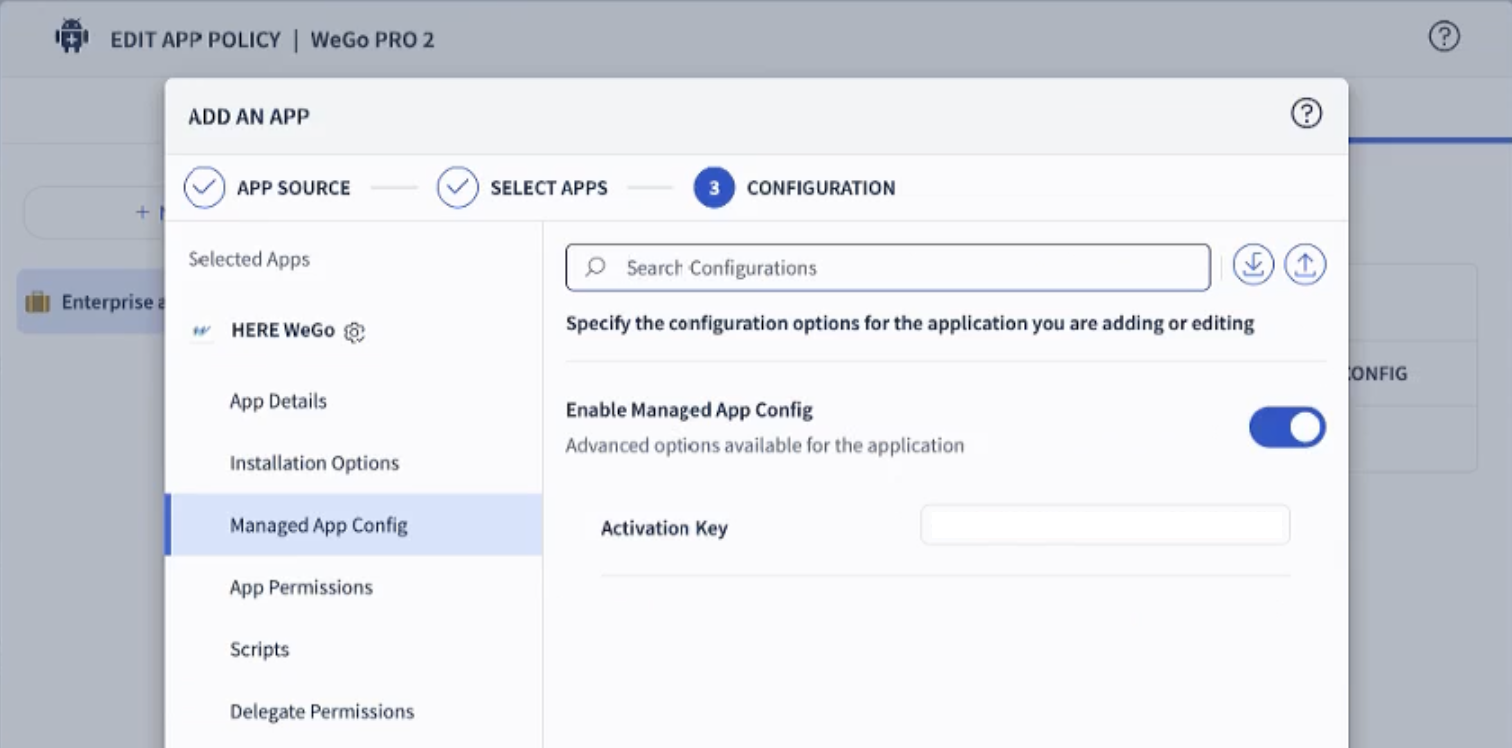
Alternative: sending an android intent
In older versions of WeGo Pro, where App Config is not supported, it's possible to activate the app by triggering an Android intent. See below for examples
The format of the activation url is documented here
Post-activation actions
After activation, it's also possible to trigger further configuration steps by triggering intents (on Android only), using our deeplink format.
The most relevant use case is pre-setting the vehicle dimensions. See here for details.
How to trigger intents
To trigger an intent, please refer to the documentation of your MDM solution. Some examples are provided below.
Depending on the action you want to perform (e.g. activation, or passing settings), choose the right deeplink url format. See: deeplinking.
SOTI
This uses the sendintent command
sendintent -a "intent:REPLACE-WITH-DEEPLINK-URL#Intent;action=android.intent.action.VIEW;component=com.here.app.maps/com.here.app.wego.MainActivity;end"Workspace ONE / AirWatch
mode=implicit,broadcast=false,action=android.intent.action.VIEW,data=REPLACE-WITH-DEEPLINK-URLComplete example
sendintent -a "intent:https://share.here.com/s/truckparams?m=tr&vw=5000#Intent;action=android.intent.action.VIEW;component=com.here.app.maps/com.here.app.wego.MainActivity;end"Updated 13 days ago