

Tangram
インタラクティブ マップ用の JavaScript ライブラリである Leaflet と、2D および 3D マップのレンダリング エンジンである Tangram を使用して地図を作成し、HERE Map Data を表示する方法を学習します。
前提条件
API キーを入手する:まだアカウントをお持ちでない場合は、HERE プラットフォーム アカウントにサインアップして API キーを生成します。詳細については「IDとアクセス管理の開発者ガイド」を参照してください。
HTML 構造を設定する
マップオブジェクトを含む新しいHTMLファイルを作成します。
<!DOCTYPE html>
<html lang="en">
<head>
  <meta charset="UTF-8">
  <meta name="viewport" content="width=device-width, initial-scale=1.0">
  <title>HERE Map with Tangram</title>
  <!-- Include Leaflet CSS -->
  <link rel="stylesheet" href="https://unpkg.com/[email protected]/dist/leaflet.css" crossorigin="">
</head>
<body onload="initialize_map()">
  <!-- Create a div to hold the map -->
  <div id="my_map_div" style="width:1000px; height:500px"></div>
  <!-- Include Tangram and Leaflet JavaScript libraries -->
  <script src="https://unpkg.com/tangram/dist/tangram.min.js"></script>
  <script src="https://unpkg.com/[email protected]/dist/leaflet.js" crossorigin=""></script>
  <script>
    // JavaScript code for initializing the map goes here
  </script>
</body>
</html>
特にこのユースケースでは、HTML 定義に以下の要素を含める必要があります。
- Leaflet CSS スタイルシートを含む
<link>要素。 - Tangram JavaScript ライブラリを含む
<script>要素。 - Leafletライブラリを含む
<script>要素。
注
前のHTMLスニペットで示したように、TangramおよびLeafletライブラリをインポートする
<script>要素を、Leaflet CSSスタイルシートをインポートする<link>要素の後に配置するようにしてください。
JavaScriptを使用して地図を初期化する
<body> セクションの <script> タグ内に、マップを初期化する JavaScript コードを追加します。このコードは、Leaflet マップを作成し、それに Tangram レイヤーを追加します。
// Function to initialize the map
function initialize_map() {
  // Create a Leaflet map instance
  // Set the initial view to downtown New York coordinates (latitude: 40.707160, longitude: -74.008227)
  // Set the initial zoom level to 13
  var map = L.map('my_map_div', {
  }).setView([40.707160, -74.008227], 13);

  // Construct the URL for the Tangram scene
  var sceneUrl = 'https://assets.vector.hereapi.com/styles/berlin/base/tangram/tilezen';
  sceneUrl += '?apiKey=YOUR_API_KEY'; // Replace YOUR_API_KEY with your actual HERE API key

  // Add a Tangram layer to the map
  Tangram.leafletLayer({
    scene: sceneUrl, // Specify the URL of the Tangram scene
    attribution: '©2024 HERE Technologies' // Attribution text for the map data
  }).addTo(map); // Add the Tangram layer to the Leaflet map
}
このスクリプトは次のアクションを実行します。
-
initialize_map()関数内で、スクリプトは Leaflet マップ インスタンスを作成し、初期ビューを特定の座標に設定し、初期ズーム レベルを指定します。 -
TangramシーンのURLを構築します。
注
YOUR_API_KEYを実際のHERE APIキーに置き換えます。 -
最後に、
Tangram.leafletLayer()メソッドとaddTo(map)メソッドを使用して、地図にTangramレイヤーを追加します。
ブラウザー ウィンドウにマップを表示する
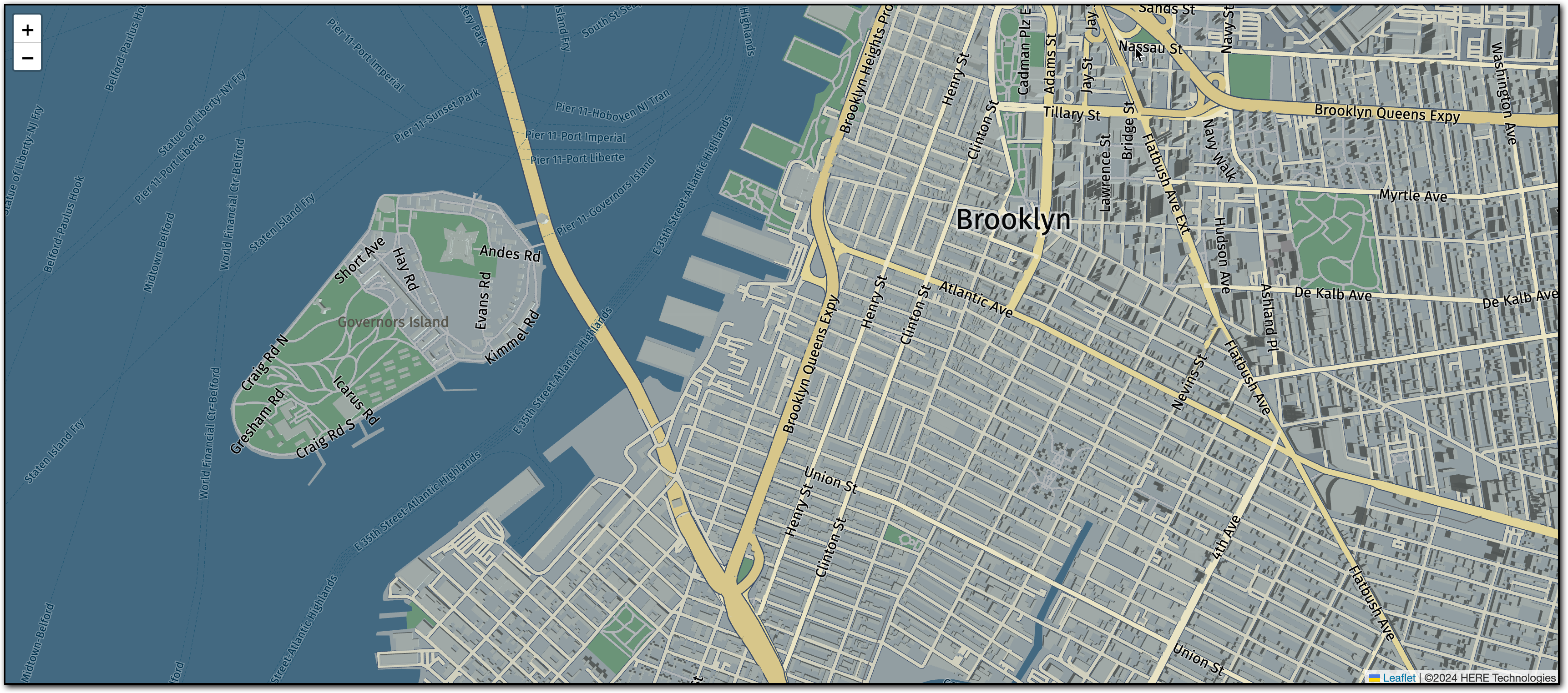
この HTML と JavaScript の設定を使用するには、HTML ファイルを保存してウェブ ブラウザーで開きます。次の図に示すように、ブラウザーには、指定された座標を中心とした地図がTangram レイヤーとともに表示されます。
ヒント
このチュートリアルの地図では
baseスタイルが使用されています。Tangram マップで使用できる他の HERE スタイルを表示するには、次の URL にアクセスしてください。https://assets.vector.hereapi.com/styles/berlin
次のステップ
HERE Vector Tile APIによって提供されるデータを含む他の地図のレンダリングのユースケースの詳細については、「例」を参照してください。
3 か月前の更新