

Using OAuth 2.1 in the HERE Platform (Machine-to-Machine)
This guide explains how to use OAuth 2.1 for machine-to-machine access in the HERE platform. It is intended for developers integrating backend services, automation, or platform-to-platform workloads that require access tokens without user interaction.
OAuth 2.1 is recommended when a service needs to call HERE APIs or HERE-connected resources without the actions of a signed-in user. Common use cases include:
- Batch jobs.
- Platform integrations.
- Data pipelines.
- Scheduled processing.
- Service-to-service communication.
The mandatory baseline algorithm is
RS256.
If your use case requires a human user to sign in and grant access, configure a user-delegated OAuth flow instead of client credentials.
Overview
When using OAuth 2.1 authentication, your application registers credentials in HERE, stores a private key, creates a signed JWT assertion, and exchanges that assertion for an access token at the token endpoint.
The recommended client authentication method is a private_key_jwt using a registered JSON web key (JWK).
The general workflow is:
- Create or register an application on the HERE platform.
- Create OAuth 2.1 credentials for the application.
- Upload or register the public JWK for the app.
- Store the matching private key in your own secure environment.
- Create a signed JWT client assertion.
- Send a
client_credentialstoken request. - Use the returned access token to call the target API.
OAuth 2.1 strengthens OAuth security guidance and makes secure defaults the baseline, with clients authenticating on every token request.
Requirements
The following elements are required when using OAuth2.1:
- A HERE application that is configured to use machine-to-machine credentials.
- A registered OAuth 2.1 credential for the application.
- A public JWK associated with the application.
- The corresponding private key stored by your service.
- The token endpoint URL for the HERE authorization server.
- The scopes required for the APIs you plan to call.
| Item | Description |
|---|---|
| Client ID | Unique identifier for your HERE application credential. |
| JWK | Your application's registered public key in JSON Web Key format. |
| Private key | The private key that matches the registered JWK. |
| Token endpoint | HERE authorization server endpoint for issuing tokens. |
| Scope | Requested permission set for the token. |
How to authenticate with OAuth 2.1
In the HERE platform, OAuth 2.1 is available as a credential option for applications. When selected, it enables JWT-based client authentication.
How to create OAuth 2.1 credentials with the platform web app
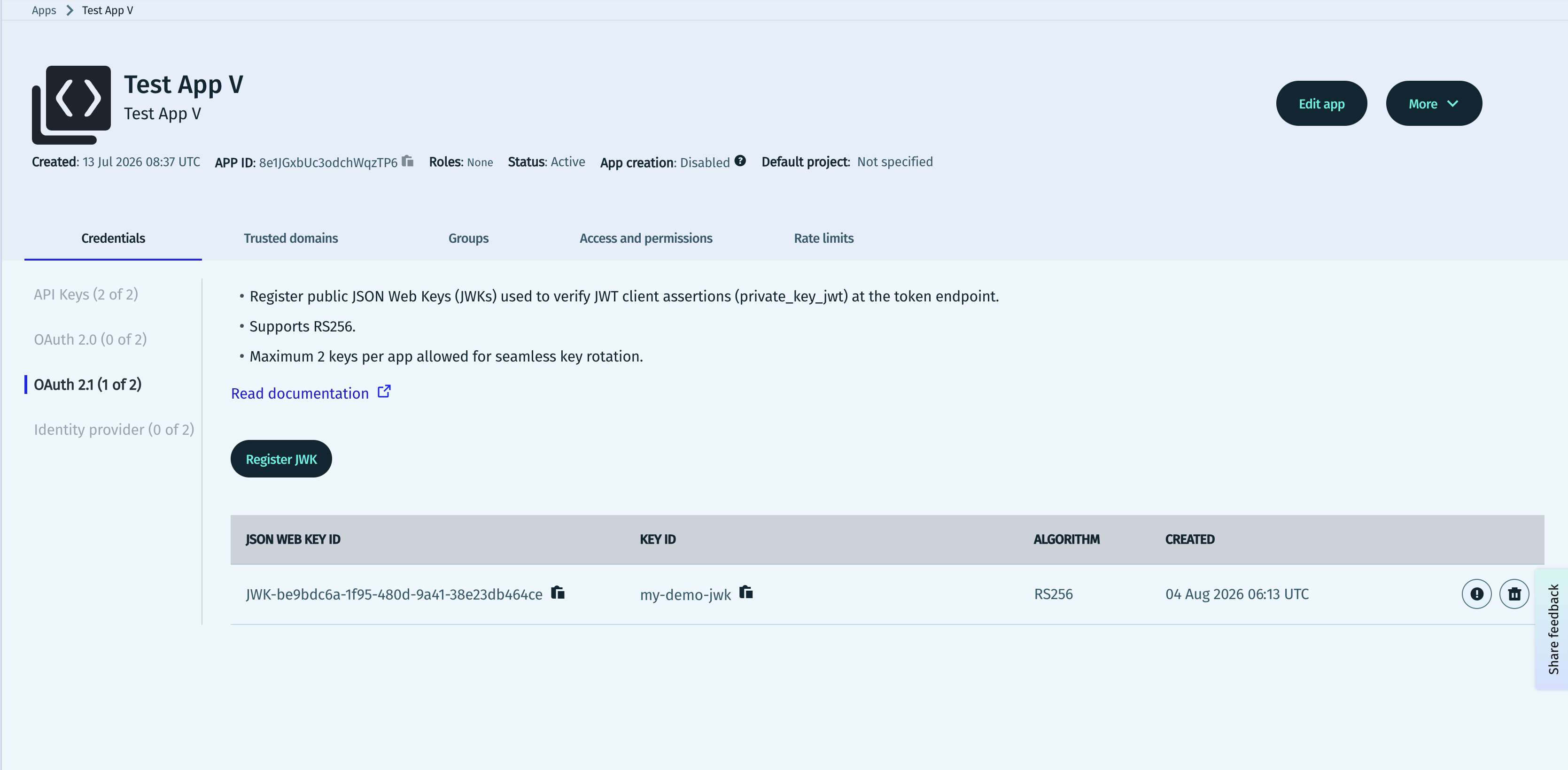
- Navigate to Access Manager > Apps and then select your application. Click Register JWK.
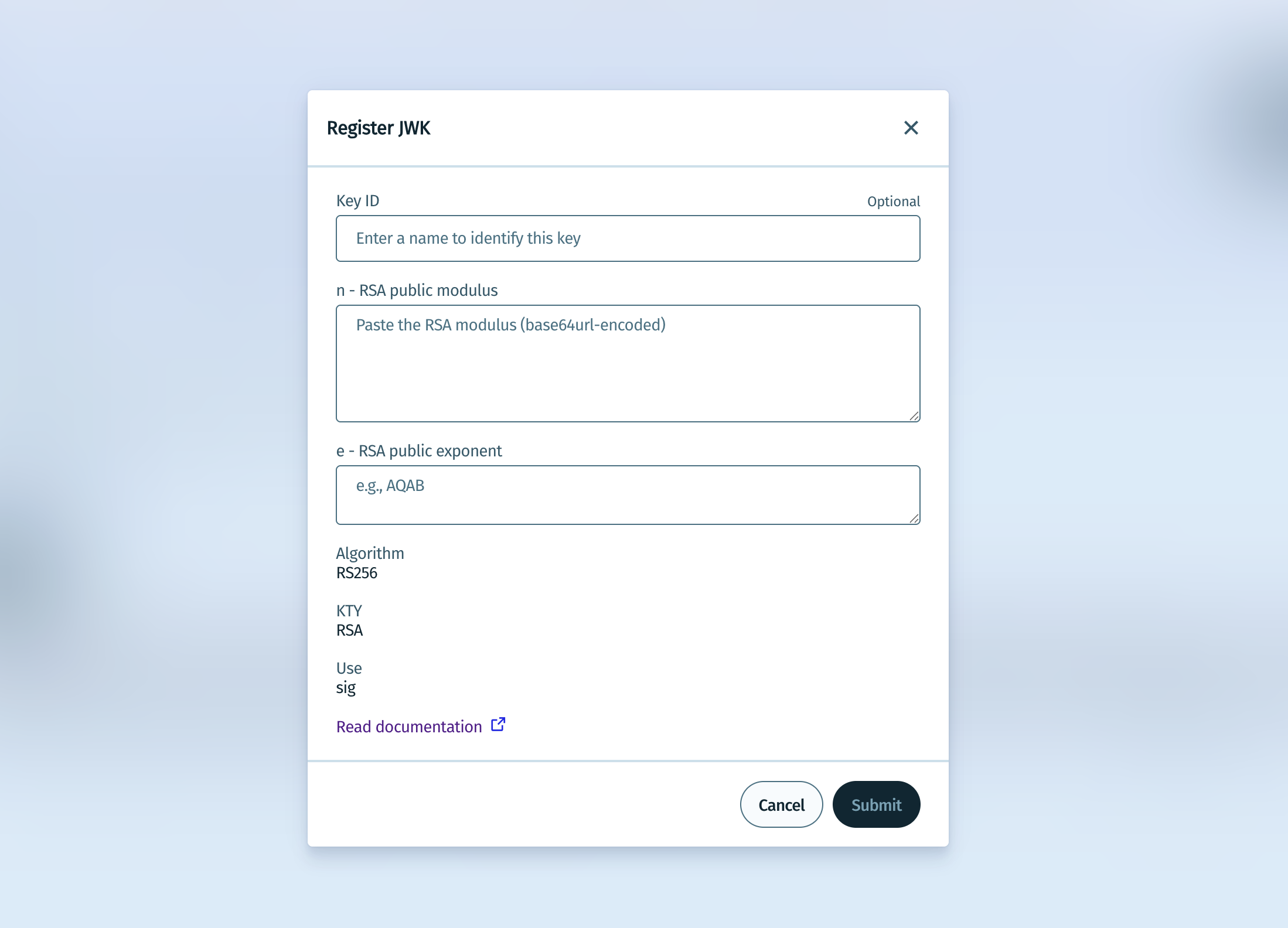
- Enter a name for the key, as well as the modulus and exponent for the private RSA key.
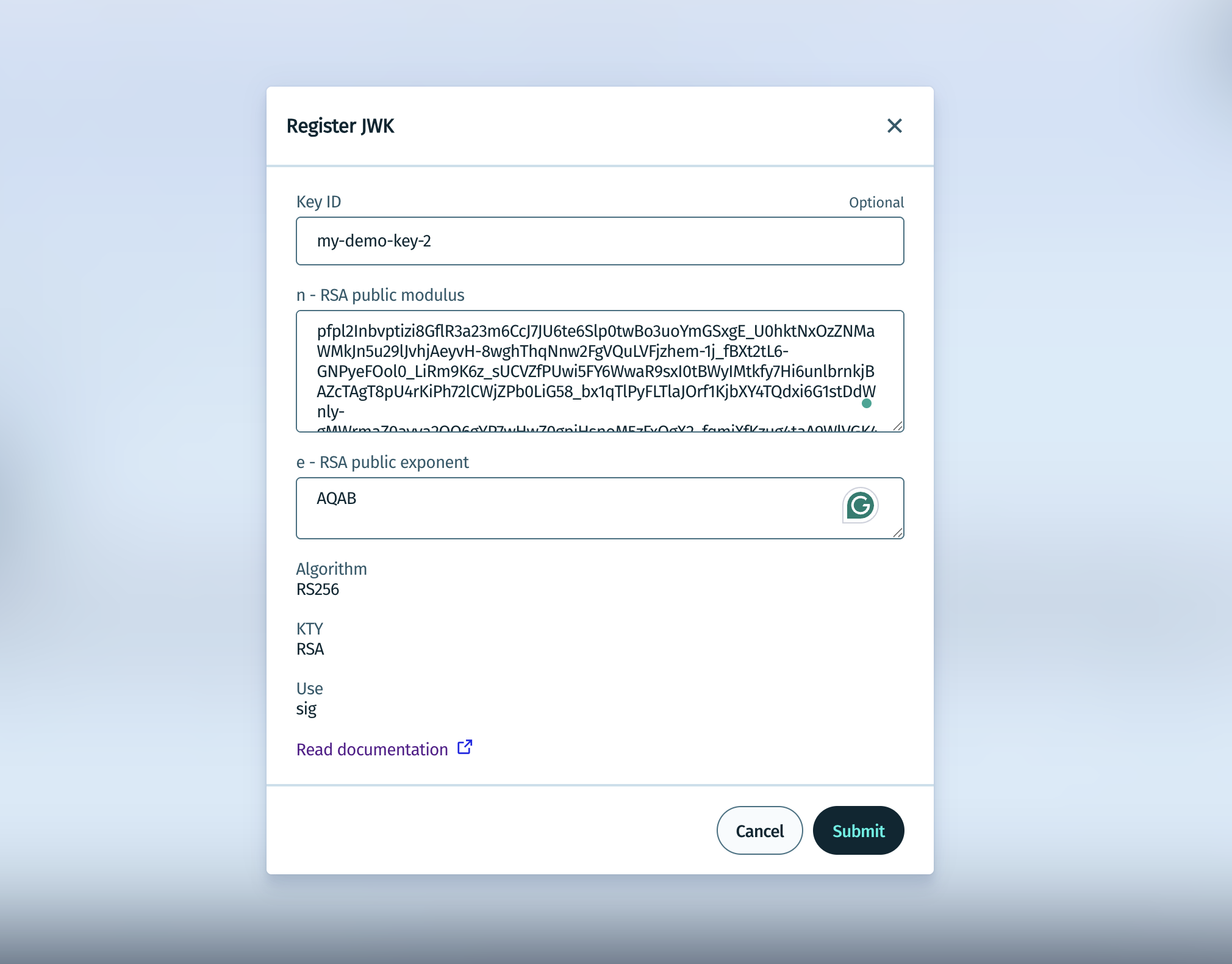
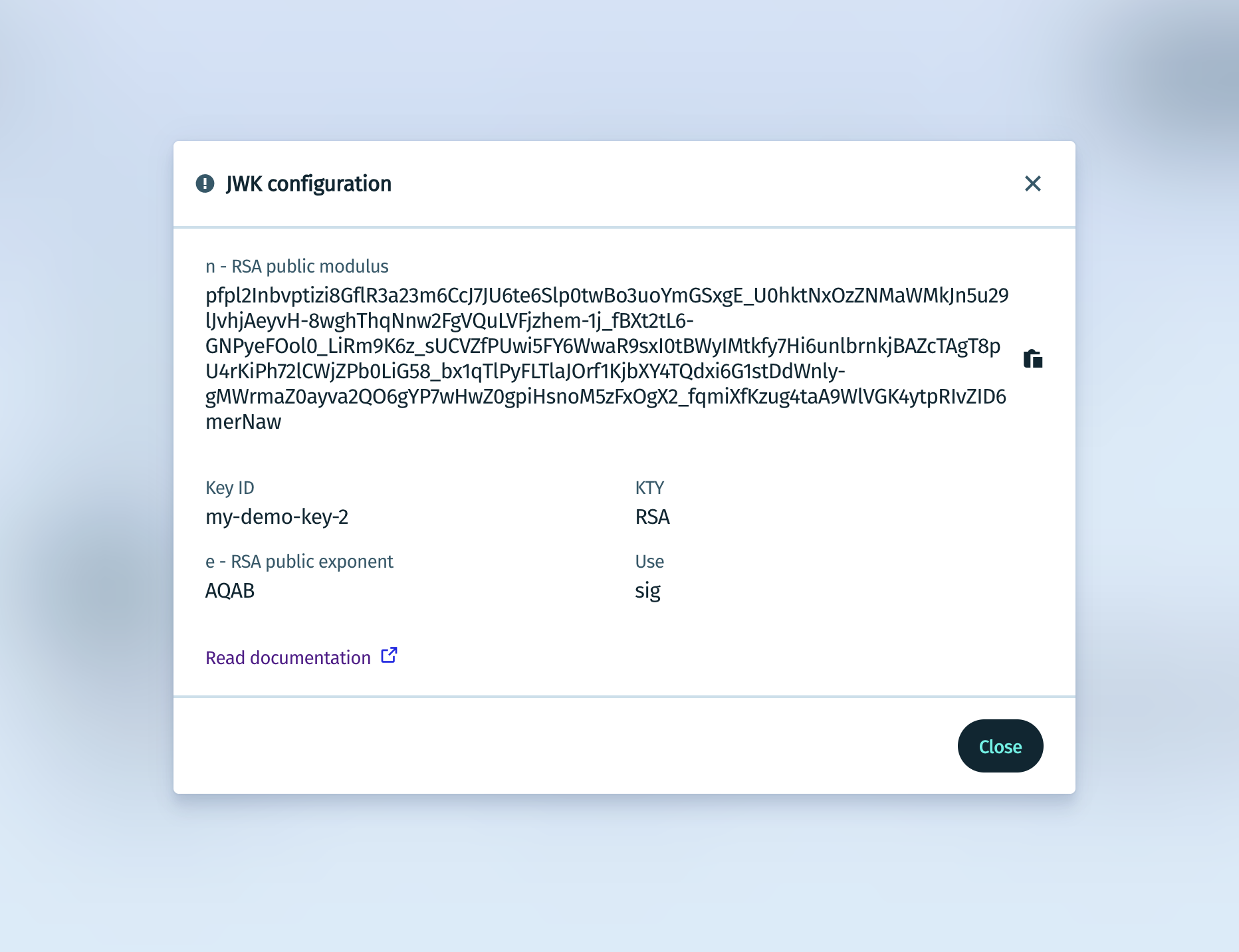
- Click Submit to create the new JWK.
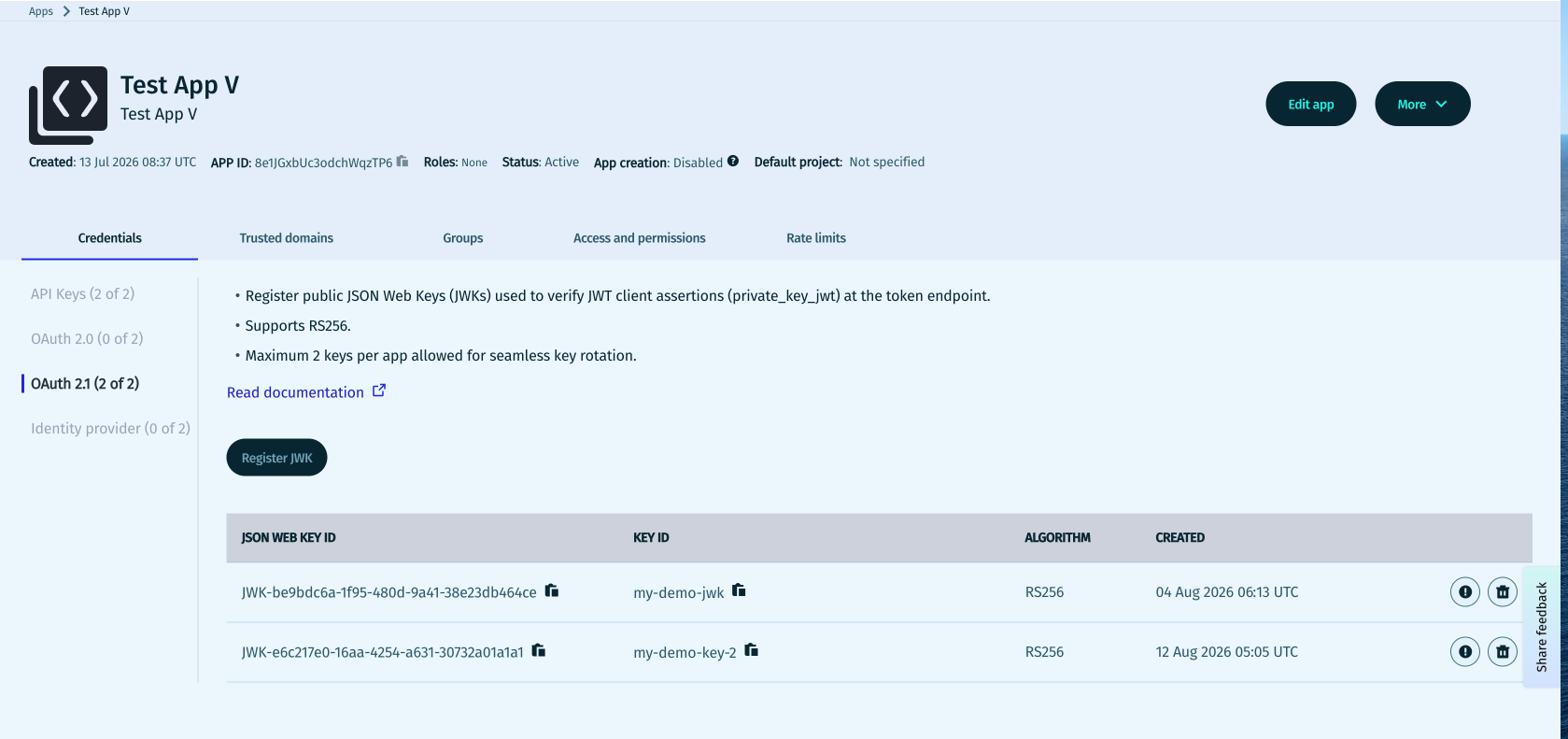
The use of two JWKs allow for safer key rotation, in which you add a new key, switch signing to the new private key, then remove the old JWK after traffic has moved to the new key.
Register a public JWK
The HERE platform validates JWT client assertions against a public JWK associated with the app. For initial setup, statically-uploaded JWKs are recommended.
For public RSA keys, the important components are:
n— RSA public moduluse— RSA public exponentkid— optional but strongly recommended key identifier, with a maximum length of 256 characters. Permitted characters are:- Uppercase letters:
[A-Z] - Lowercase letters:
[a-z] - Digits:
0-9 - Periods:
. - Underscores:
_ - Hyphens:
-
- Uppercase letters:
Below is an example RSA public JWK.
{
  "kty": "RSA",
  "kid": "rsa-key-1",
  "alg": "RS256",
  "use": "sig",
  "n": "0vx7agoebGcQSuu...base64url-modulus...",
  "e": "AQAB"
}Never upload a private key to the HERE platform, as only the public JWK must be registered.
Create the JWT client assertion
Your service must create a JWT and sign it with the private key that matches the registered JWK. The JWT is then sent as the client_assertion in the token request.
The assertion must include these core claims:
| Claim | Definition |
|---|---|
iss | Issuer. For self-issued client authentication, this should identify the client. |
sub | Subject. For client authentication, this should identify the client. |
aud | Audience. This should identify the authorization server, which is commonly the token endpoint. |
iat | The time the assertion was issued, or created. |
exp | The expiration time for the assertion. |
jti | A unique token identifier for replay protection. |
Example JWT header
{
  "alg": "RS256",
  "kid": "rsa-key-1",
  "typ": "JWT"
}
Example JWT payload
{
  "iss": "your-client-id",
  "sub": "your-client-id",
  "aud": "https://account.api.here.com/oauth2/token",
  "iat": 1760000000,
  "exp": 1760000300,
  "jti": "8f1c3b2a-2fd1-4f2b-a2f6-7d52f2d8d401"
}
The assertion must be:
- Integrity-protected.
- Unexpired.
- Targeting the correct audience.
- If
client_idis also sent, it must match the client represented by the assertion.
Request an access token
To request a token, send a POST request to the token endpoint using application/x-www-form-urlencoded.
curl --request POST "https://account.api.here.com/oauth2/token" \
  --header "Content-Type: application/x-www-form-urlencoded" \
  --data-urlencode "grant_type=client_credentials" \
  --data-urlencode "client_assertion_type=urn:ietf:params:oauth:client-assertion-type:jwt-bearer" \
  --data-urlencode "client_assertion=eyJhbGciOiJSUzI1NiIsImtpZCI6InJzYS1rZXktMSJ9.eyJpc3MiOiJ5b3VyLWNsaWVudC1pZCIsInN1YiI6InlvdXItY2xpZW50LWlkIiwiYXVkIjoiaHR0cHM6Ly9hY2NvdW50LmhlcmUuY29tL29hdXRoMi90b2tlbiIsImlhdCI6MTc2MDAwMDAwMCwiZXhwIjoxNzYwMDAwMzAwLCJqdGkiOiI4ZjFjM2IyYS0yZmQxLTRmMmItYTJmNi03ZDUyZjJkOGQ0MDEifQ.signature" \
  --data-urlencode "scope=your-requested-scope"
A successful response returns an access token that your service can present to the target API.
{
  "access_token": "eyJ...token...",
  "token_type": "Bearer",
  "expires_in": 86399,
  "scope": "your-requested-scope"
}
Discovery, metadata, and platform behavior
Clients use authorization server metadata wherever possible. For machine-to-machine workflows, HERE supports OAuth authorization server discovery and metadata conventions.
Important metadata fields for OAuth 2.1 client credentials include:
token_endpointgrant_types_supportedtoken_endpoint_auth_methods_supportedtoken_endpoint_auth_signing_alg_values_supported
Expected machine-to-machine metadata characteristics include support for:
client_credentialsgrant typeprivate_key_jwtauthentication methodRS256signing algorithm, with possible future support for additional algorithms
{
  "issuer": "https://account.api.here.com",
  "token_endpoint": "https://account.api.here.com/oauth2/token",
  "token_endpoint_auth_methods_supported": [
    "private_key_jwt"
  ],
  "token_endpoint_auth_signing_alg_values_supported": [
    "RS256"
  ],
  "grant_types_supported": [
    "client_credentials"
  ],
  "response_types_supported": [
    "token"
  ]
}
How to create OAuth 2.1 credentials with the HERE CLI
You can also create a JWK via the HERE CLI. For more information, see the documentation.
Security requirements and best practices
- Use HTTPS for all requests.
- Store private keys in a secure key management system.
- Use short-lived JWT assertions.
- Generate a unique
jtifor each assertion. - Keep token scope as narrow as possible.
- Rotate keys regularly and use the second JWK slot to avoid downtime.
- Confirm that requested APIs accept the scopes you request.
It's recommended to use private_key_jwt with machine-to-machine clients in production environments for easier credential handling, faster rotation, and higher auditability.
Troubleshooting
| Issue | Possible cause | Possible fix |
|---|---|---|
invalid_client | Invalid JWT signature, wrong key, wrong authentication method, or client mismatch | Verify kid, registered JWK, signature algorithm, and that iss/sub match the client |
invalid_grant | Malformed, expired, or otherwise invalid assertion | Check exp, iat, aud, clock skew, and JWT structure |
| Token request rejected | Required form parameters are missing, or the request uses an unsupported scope. | Review grant_type, client_assertion_type, client_assertion, and scope values |
| JWT not recognized | Unknown JWK or mismatched kid | Confirm the public JWK is registered for the correct app and the header kid matches it. |
Also be aware of the following common implementation mistakes:
- Signing with a private key that does not match the uploaded JWK.
- Using an incorrect audience value in the JWT.
- Reusing the same assertion repeatedly.
- Sending multiple client authentication methods in one request.
- Requesting broader scopes than the app is allowed to use.
FAQ
Do I need a user login for OAuth 2.1 client credentials?
No. This flow is for applications acting on their own behalf, so there is no end-user sign-in step.
Which signing algorithm should I use first?
Use RS256, which is the mandatory baseline algorithm.
Can I register more than one key?
Yes, you can use up to two JWKs per app.
Should I use a client secret or a JWT assertion?
Use a JWT assertion whenever possible, as it is the recommended method for HERE OAuth 2.1 machine-to-machine authentication.
Updated last month