

Geospatial filters
Requests for multiple flow or incident objects require the in parameter to be provided, which specifies a geospatial filter defining a region in which the data will be returned.
Note
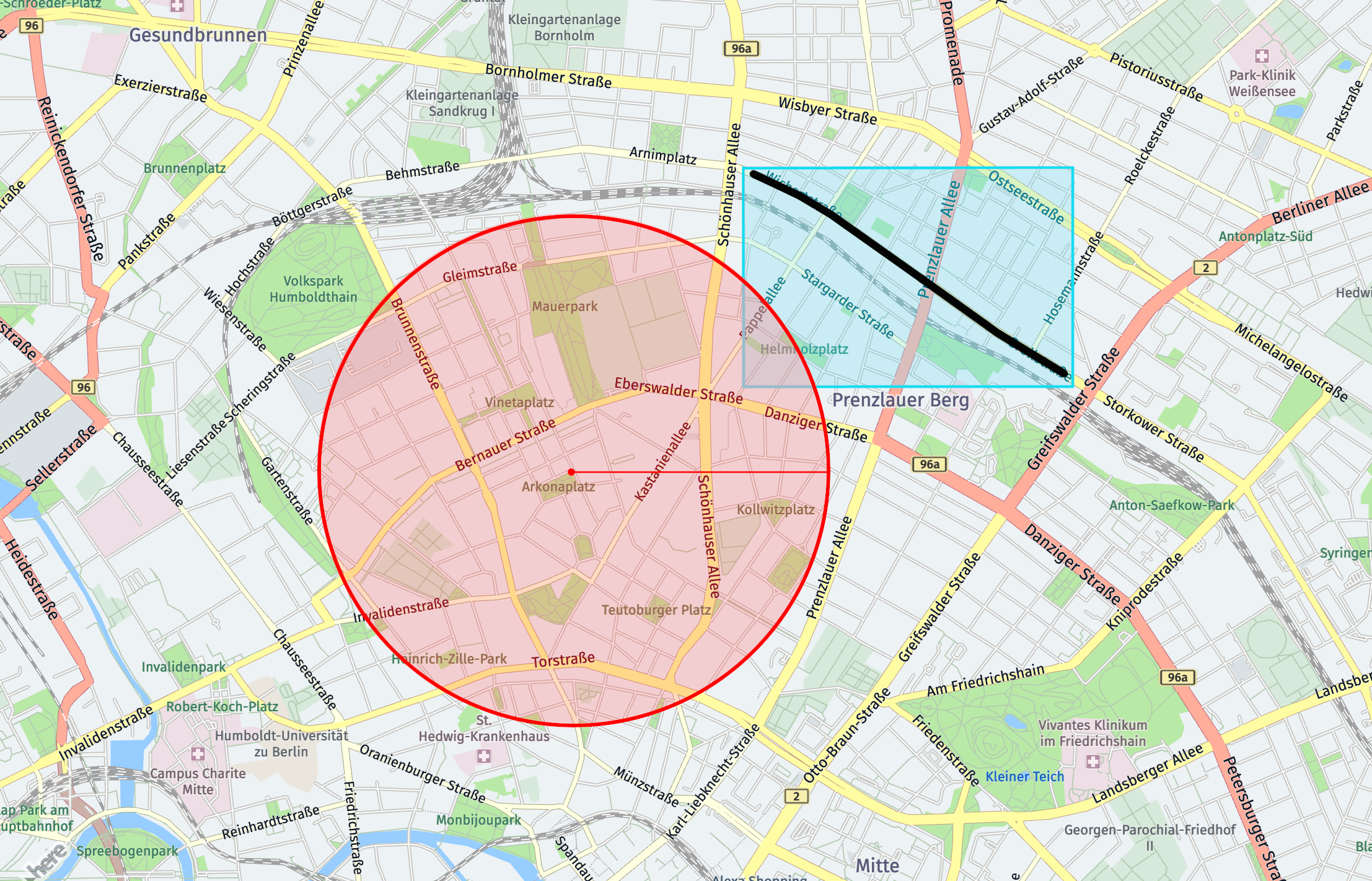
In some cases, the returned traffic event may not be strictly within the specified geospatial filter, but it will be
very close. This is caused by the matching method between geospatial filter and traffic event. Each traffic event
has a bounding box associated to include the locations which the traffic event covers. If there is any intersection
between the bounding box of traffic event and the specified geospatial filter, the traffic event will be returned
although it is not located in the specified geospatial filter. A graphical representation can be seen below.
There are four different geospatial filter types that can be used:
- Circle
- Bounding box
- Corridor
- Topology Segment Reference
Data types
Below data types are used by listed geospatial filters.
- latitude: decimal
- longitude: decimal
- radius: integer
- polyline: string
- refReplacements: string
- segments: string
Circle
The circle geospatial filter is defined by a center point and a radius measured in meters. The center point must be provided as WGS84 coordinates.
Note
The maximum radius permitted for a circle filter is 50 Km (50000 meters).
As URL parameter:
- Format:
in=circle:{latitude},{longitude};r={radius} - Example:
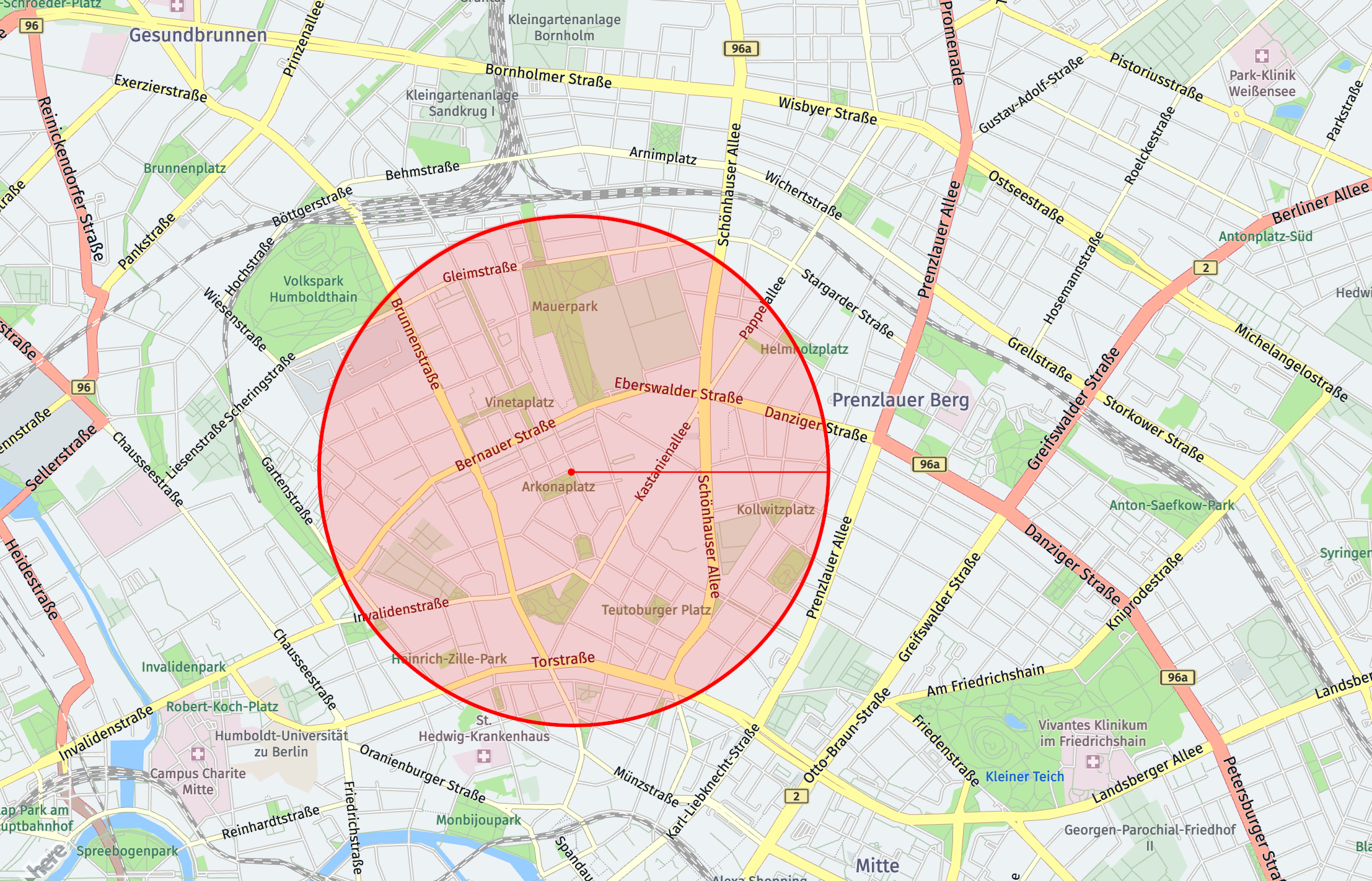
in=circle:52.537675,13.40302;r=1000
As POST body:
- Format:
"in": { "type": "circle", "center": {"lat": {latitude}, "lng": {longitude}}, "radius": {radius} } - Example:
"in": {
    "type": "circle",
    "center": {"lat": 52.537675, "lng": 13.40302},
    "radius": 1000
}
The example given above describes a circle centered on the coordinates 52.537675, 13.40302 with a radius of 1000 meters (1 kilometer). A graphical representation can be seen below.
Bounding box
The bounding box geospatial filter is defined by two longitude values and two latitude values. The format is specified below.
Note
The maximum width and height for a bounding box filter is 1 degree.
As URL parameter:
- Format:
in=bbox:{west longitude},{south latitude},{east longitude},{north latitude} - Example:
in=bbox:13.386969,52.527129,13.424134,52.549420
As POST body:
-
Format:
"in": { "type": "bbox", "west": {west longitude}, "south": {south latitude}, "east": {east longitude}, "north": {north latitude} } -
Example:
"in": {
    "type": "bbox",
    "west": 13.386969,
    "south": 52.527129,
    "east": 13.424134,
    "north": 52.549420
}
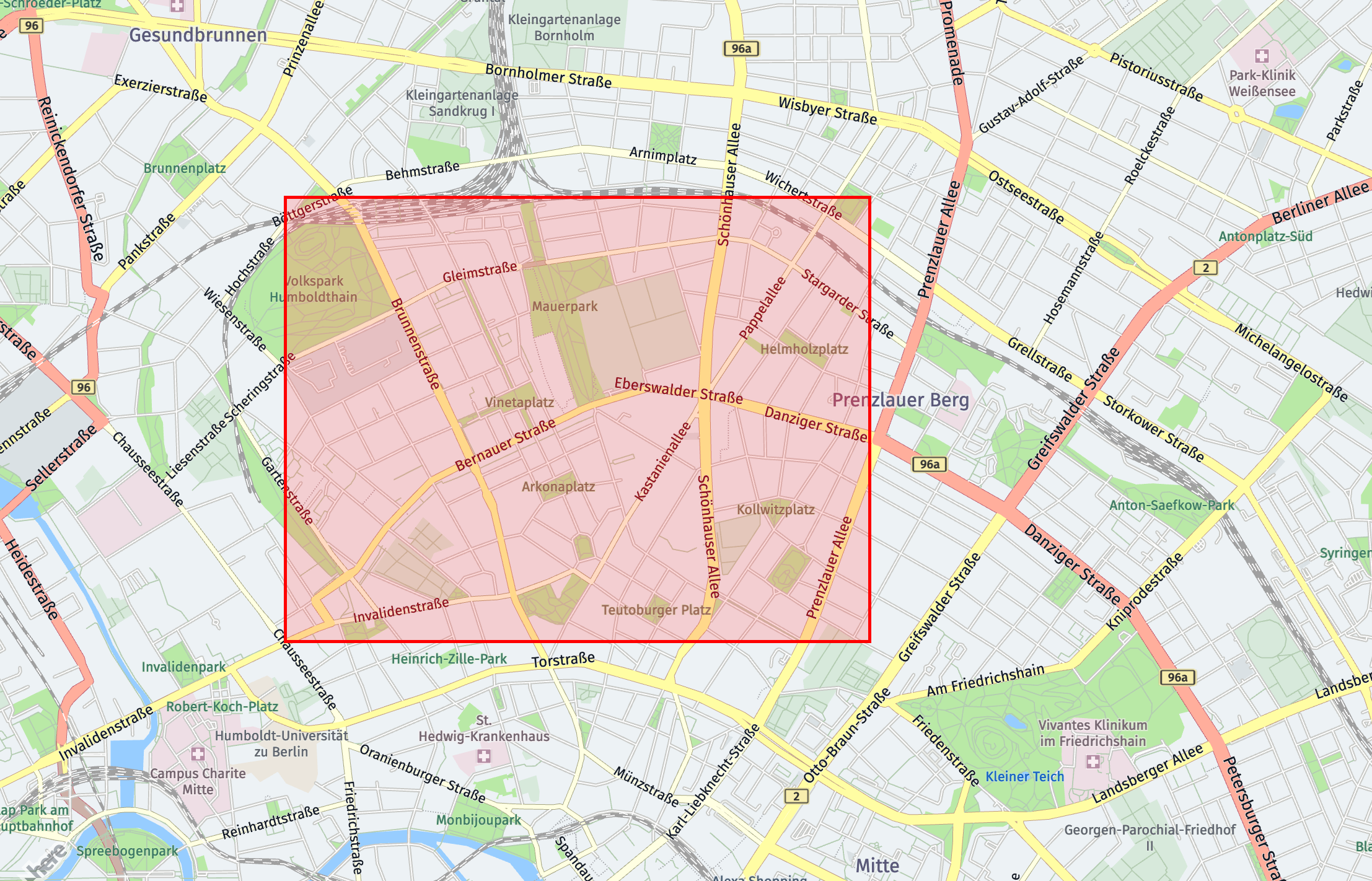
The example given above describes a bounding box with the following limits:
- Western limit at longitude
13.386969 - Southern limit at latitude
52.527129 - Eastern limit at longitude
13.424134 - Northern limit at latitude
52.549420
A graphical representation can be seen below.
Corridor
The corridor geospatial filter is defined by a list of two or more coordinates and a radius in meters. The coordinates are provided as a polyline in Flexible Polyline encoding.
The radius is the distance on either side of the points forming the corridor, so the width of the corridor is twice the radius.
Note
The maximum number of points for a corridor is 300, the maximum length for a corridor is 500 Km (500000 meters) and the maximum radius is 5 Km (5000 meters).
For long corridor with too large polyline string, POST method of HTTP request should be used to avoid exceeding URI length limit (i.e. 1000 characters).
As URL parameter:
- Format:
in=corridor:{polyline};r={radius} - Example:
in=corridor:BG-6kmkDw1zwZqqG6xmBsgL5rGmwFgqZ_oEw1d;r=230
As POST body:
-
Format:
"in": { "type": "corridor", "corridor": "{polyline}", "radius": {radius} } -
Example:
"in": {
    "type": "corridor",
    "corridor": "BG-6kmkDw1zwZqqG6xmBsgL5rGmwFgqZ_oEw1d",
    "radius": 230
}
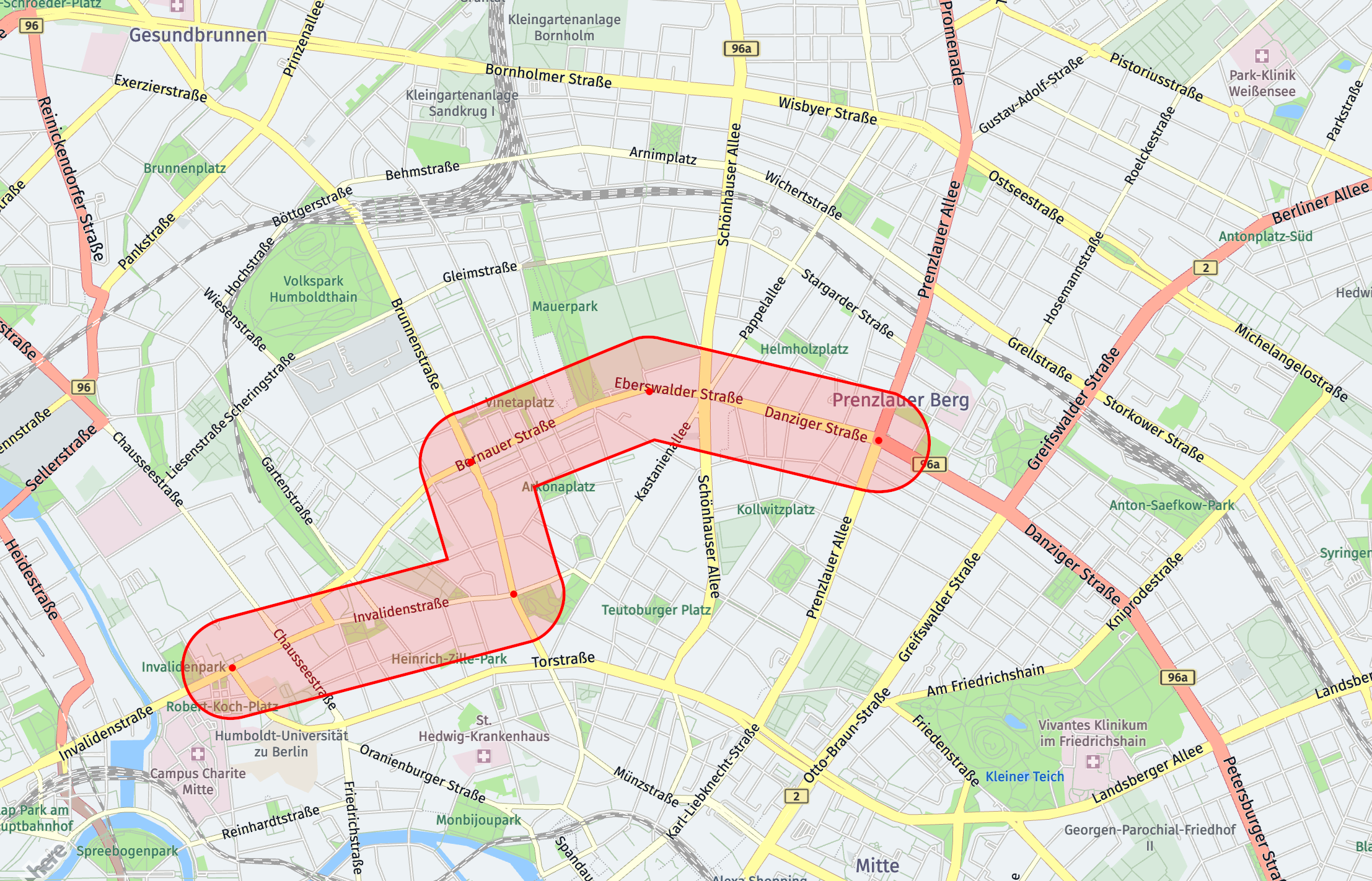
To create the example above, you must first define a corridor by the following 5 points:
52.529583, 13.37941652.532820, 13.39915752.538458, 13.39589652.541277, 13.40885652.539085, 13.424048
This corresponds to the Flexible Polyline BG-6kmkDw1zwZqqG6xmBsgL5rGmwFgqZ_oEw1d. The specified radius is 230 meters, and the distance from one side of the corridor to the other is 460 meters.
A graphical representation can be seen below.
Topology segment reference
The topology segment reference geospatial filter is defined by a series of segment references, with optional reference replacements. Segment references specify the exact road segments to include in the filter. The reference replacements is optional parameter, used for the compact representation of the topology segment references.
Note
The maximum number of supported segment references is 100. Additionally, the URI length for GET requests is limited to 2000 characters.
As URL parameter:
- Format:
in=segmentRef:{segment refs};rr={refReplacements} - Example:
in=segmentRef:$0::377894440:$1:190307851#-0..1,$0::377894440:$1:99994475#+0..1,$0::377894440:$1:484412450#+0..1,$0::377894441:$1:144195424#+0..1,$0::377894441:$1:207551710#-0..1,$0::377894441:$1:76771992#+0..1,$0::377894441:$1:487984106#+0..1,$0::377894441:$1:487970484#+0..1,$0::377894441:$1:86785295#+0..1,$0::377894441:$1:531360041#+0..1,$0::377894441:$1:89123581#+0..1,$0::377894441:$1:531389452#+0..1,$0::377894441:$1:859836198#-0..1,$0::377894441:$1:859837047#+0..1,$0::377894441:$1:859838073#+0..1,$0::377894441:$1:859837508#-0..1,$0::377894441:$1:179812597#+0..1,$0::377894441:$1:105842781#+0..1,$0::377894441:$1:104623676#+0..1,$0::377894441:$1:104623677#+0..1,$0::377894441:$1:104623674#+0..1,$0::377894441:$1:192254744#-0..1,$0::377894441:$1:484433488#+0..1,$0::377894441:$1:78865338#+0..0.12233102324472997,$0::377894441:$1:78865338#+0.12233102301189933..1,$0::377894441:$1:105961077#+0..1,$0::377894441:$1:102089406#+0..1,$0::377894441:$1:102089407#+0..1,$0::377894443:$1:95507280#+0..1,$0::377894443:$1:98357361#+0..1,$0::377894443:$1:77041562#+0..1,$0::377894443:$1:94423640#+0..1;rr=hrn:here:data::olp-here:rib-2:7334,here:cm:segment
As POST body:
- Format:
"in": { "type": "segmentRef", "refReplacements": {string}, "segments": [string] } - Example:
"in": {
    "type": "segmentRef",
    "useRefReplacements": true,
    "refReplacements": {
        "0": "hrn:here:data::olp-here:rib-2:7334",
        "1": "here:cm:segment"
    },
    "segments": [
        {"ref": "$0::377894440:$1:190307851#-0..1"},
        {"ref": "$0::377894440:$1:99994475#+0..1"},
        {"ref": "$0::377894440:$1:484412450#+0..1"},
        {"ref": "$0::377894441:$1:144195424#+0..1"},
        {"ref": "$0::377894441:$1:207551710#-0..1"},
        {"ref": "$0::377894441:$1:76771992#+0..1"},
        {"ref": "$0::377894441:$1:487984106#+0..1"},
        {"ref": "$0::377894441:$1:487970484#+0..1"},
        {"ref": "$0::377894441:$1:86785295#+0..1"},
        {"ref": "$0::377894441:$1:531360041#+0..1"},
        {"ref": "$0::377894441:$1:89123581#+0..1"},
        {"ref": "$0::377894441:$1:531389452#+0..1"},
        {"ref": "$0::377894441:$1:859836198#-0..1"},
        {"ref": "$0::377894441:$1:859837047#+0..1"},
        {"ref": "$0::377894441:$1:859838073#+0..1"},
        {"ref": "$0::377894441:$1:859837508#-0..1"},
        {"ref": "$0::377894441:$1:179812597#+0..1"},
        {"ref": "$0::377894441:$1:105842781#+0..1"},
        {"ref": "$0::377894441:$1:104623676#+0..1"},
        {"ref": "$0::377894441:$1:104623677#+0..1"},
        {"ref": "$0::377894441:$1:104623674#+0..1"},
        {"ref": "$0::377894441:$1:192254744#-0..1"},
        {"ref": "$0::377894441:$1:484433488#+0..1"},
        {"ref": "$0::377894441:$1:78865338#+0..0.12233102324472997"},
        {"ref": "$0::377894441:$1:78865338#+0.12233102301189933..1"},
        {"ref": "$0::377894441:$1:105961077#+0..1"},
        {"ref": "$0::377894441:$1:102089406#+0..1"},
        {"ref": "$0::377894441:$1:102089407#+0..1"},
        {"ref": "$0::377894443:$1:95507280#+0..1"},
        {"ref": "$0::377894443:$1:98357361#+0..1"},
        {"ref": "$0::377894443:$1:77041562#+0..1"},
        {"ref": "$0::377894443:$1:94423640#+0..1"}
    ]
}
To create the example above, the series of topology segment references may be obtained by making a routing API call. The following endpoint can be used to retrieve segment references along a specified route: Routing API
From the response, the list of segment references can be extracted from the span objects along the route.
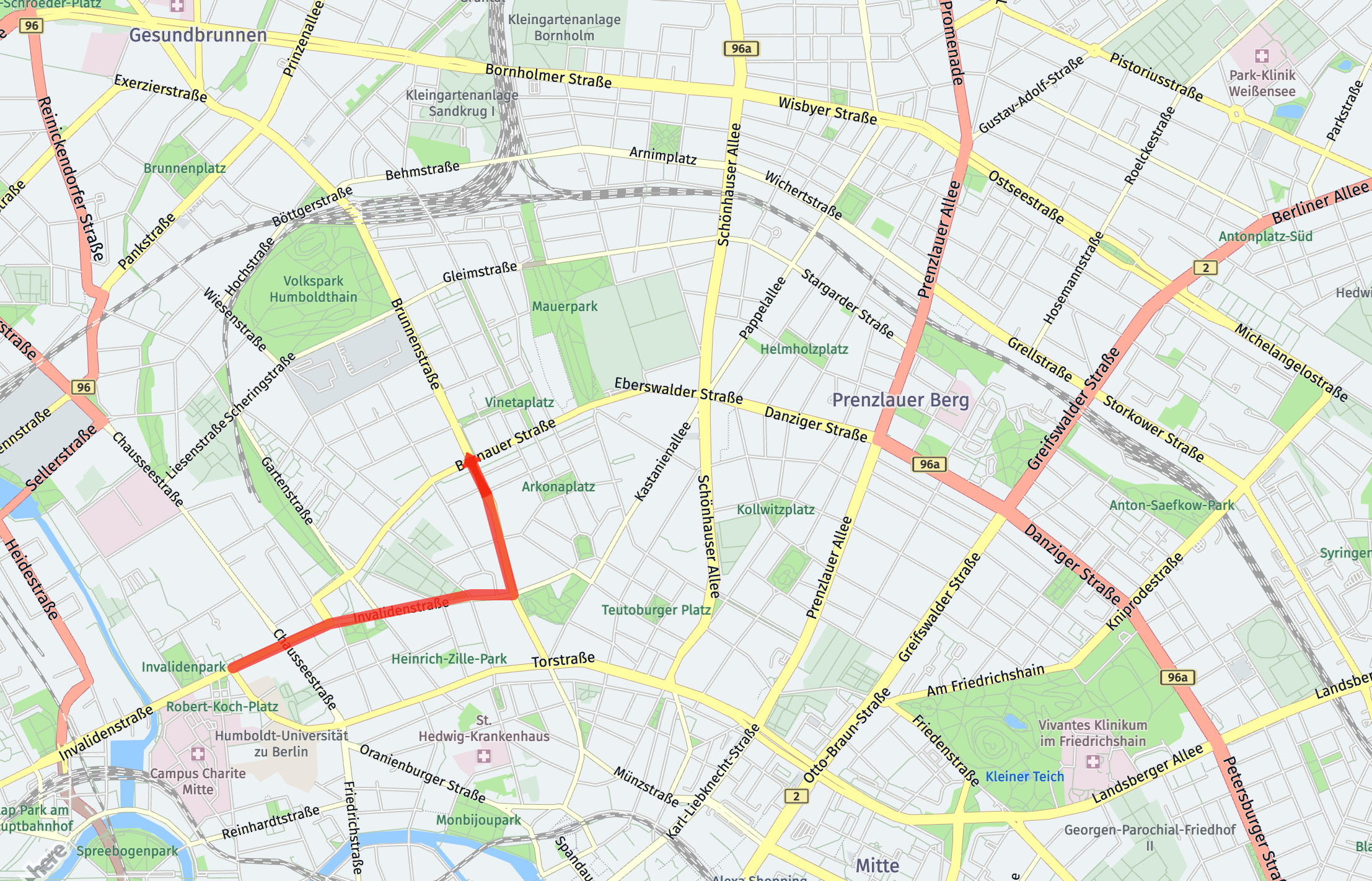
A graphical representation can be seen below.
Updated 5 months ago