

Using HERE Maps API for JavaScript
The HERE Traffic Raster Tile API provides transparent tiles that allow you to use the service along with the HERE Maps API for JavaScript. This combination allows traffic flows to be rendered along with the base map and/or labels.
For more information on HERE Maps API for JavaScript, see the HERE Maps API for JavaScript - Developer Guide.
Adding a traffic layer
You can call the following function that takes the map as a parameter and adds a traffic layer:
function trafficLayer(map) {
  var tileProvider = new H.map.provider.ImageTileProvider({
    min: 8,
    max: 20,
    getURL: function (row, column, zoom) {
      return (
        "https://traffic.maps.hereapi.com/v3/flow/mc/" +
        zoom +
        "/" +
        row +
        "/" +
        column +
        "/png?apiKey=<apiKey>"
      );
    },
    tileSize: 256,
    opacity: 1,
  });

  var overlayLayer = new H.map.layer.TileLayer(tileProvider);
  map.addLayer(overlayLayer);
}
Calling the function, trafficLayer(map); will overlay the traffic information.
Base map with traffic and labels
You can render traffic flow along with labels on top of a base map using the HERE Maps API for JavaScript.
Creating the base map
The base map can be created by setting the layer to either <layers>.vector.normal.map for a vector-based base map or <layers>.raster.normal.base for a raster-based base map.
For example, the following code sets a raster-based base map:
var map = new H.Map(
  document.getElementById("map"),
  defaultLayers.raster.normal.base,
  {
    center: new H.geo.Point(52.515, 13.405),
    zoom: 14,
    pixelRatio: 1,
    hiRes: true,
    engineType: H.map.render.RenderEngine.EngineType.P2D,
  }
);
Adding traffic and label layers
By following a similar method to the example above, you can call the following function:
function labelLayer(map) {
  var tileProvider = new H.map.provider.ImageTileProvider({
    min: 8,
    max: 20,
    getURL: function (x, y, z) {
      return (
        "https://maps.hereapi.com/v3/label/mc/" +
        z +
        "/" +
        x +
        "/" +
        y +
        "/png?apiKey=<apiKey"
      );
    },
    tileSize: 256,
    opacity: 1,
  });
  tileProvider.getCache().setMaxSize(196608);
  var overlayLayer = new H.map.layer.TileLayer(tileProvider);

  map.addLayer(overlayLayer);
}
The functions can then be called in the following order:
trafficLayer(map);
labelLayer(map);
Which produces the following result:
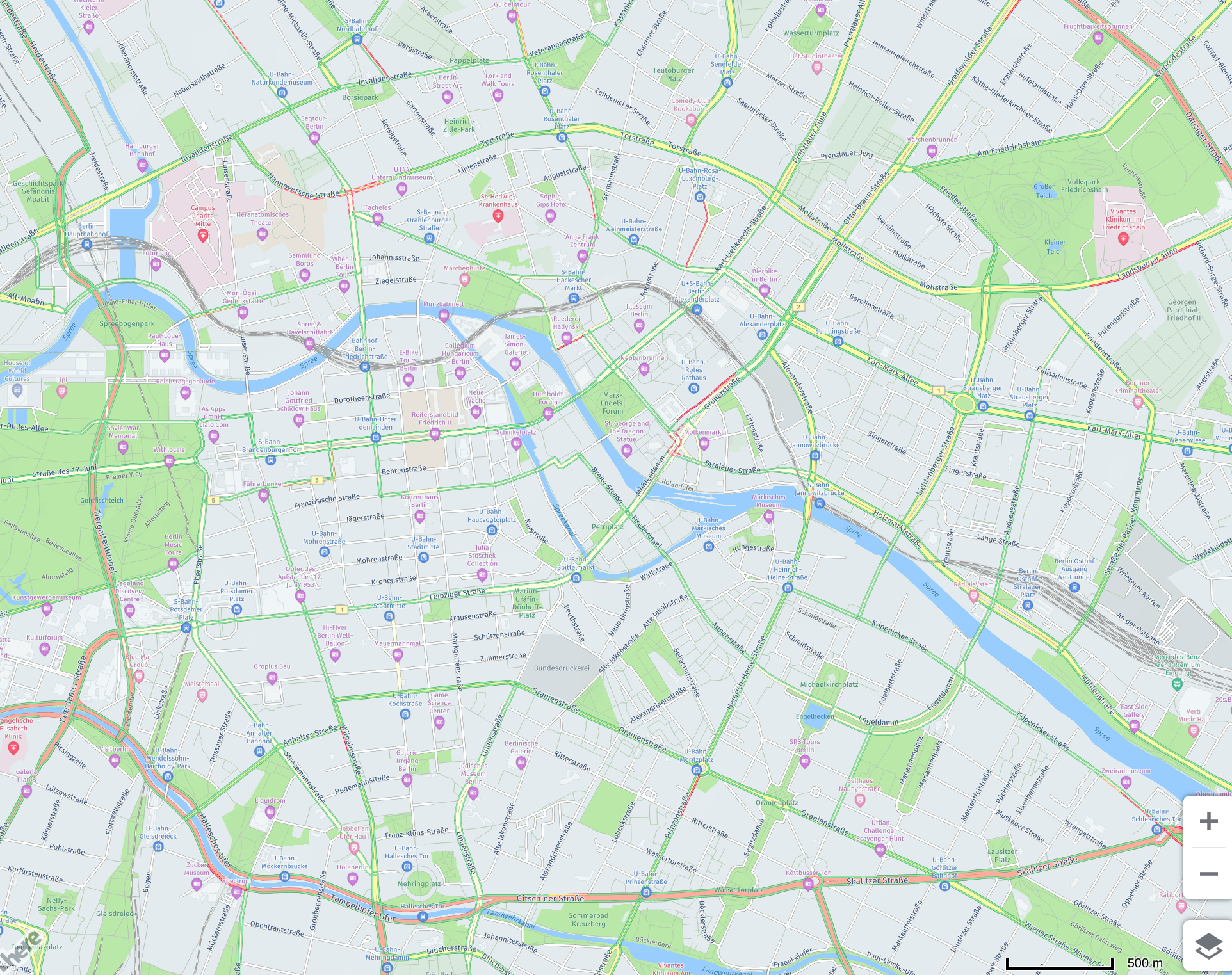
Base map with traffic
You can create a base map by following the example in the previous section.
You can then call the function trafficLayer(map); to render the traffic flow on top of the base map. This produces the following result:
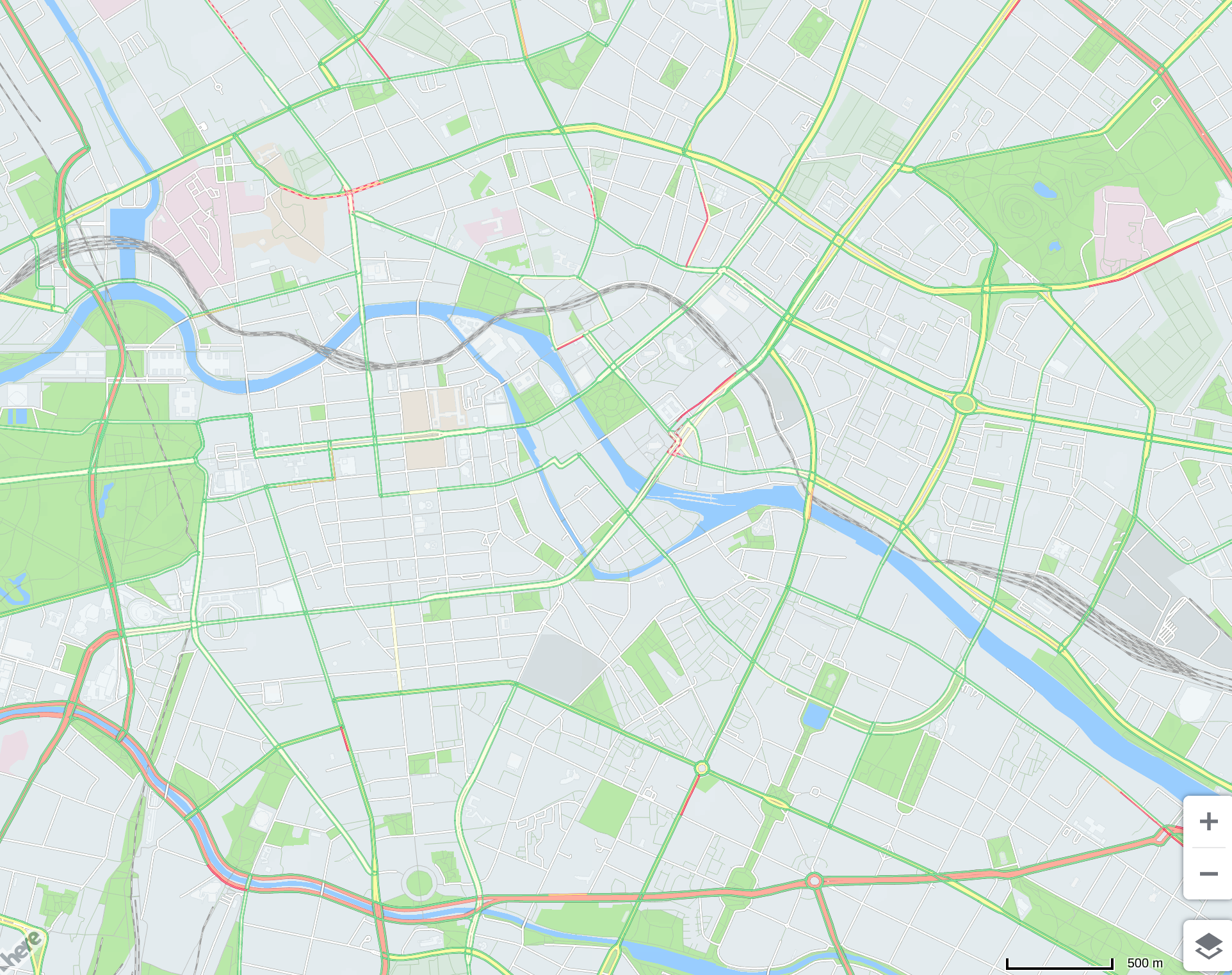
Traffic with labels
You can render traffic flow along with labels using the HERE Maps API for JavaScript.
Creating a Transparent Base
The transparent base can be set by creating a map with an empty layer, such as in the following example:
var emptyLayer = new H.map.layer.Layer();
var map = new H.Map(document.getElementById("map"), emptyLayer, {
  center: new H.geo.Point(52.515, 13.405),
  zoom: 14,
  pixelRatio: 1,
  hiRes: true,
  engineType: H.map.render.RenderEngine.EngineType.P2D,
});
You can then call the following function:
function labelLayer(map) {
  var tileProvider = new H.map.provider.ImageTileProvider({
    min: 8,
    max: 20,
    getURL: function (x, y, z) {
      return (
        "https://maps.hereapi.com/v3/label/mc/" +
        z +
        "/" +
        x +
        "/" +
        y +
        "/png?apiKey=<apiKey"
      );
    },
    tileSize: 256,
    opacity: 1,
  });
  tileProvider.getCache().setMaxSize(196608);
  var overlayLayer = new H.map.layer.TileLayer(tileProvider);

  map.addLayer(overlayLayer);
}
The functions can then be called in the following order:
trafficLayer(map);
labelLayer(map);
Which produces the following result:
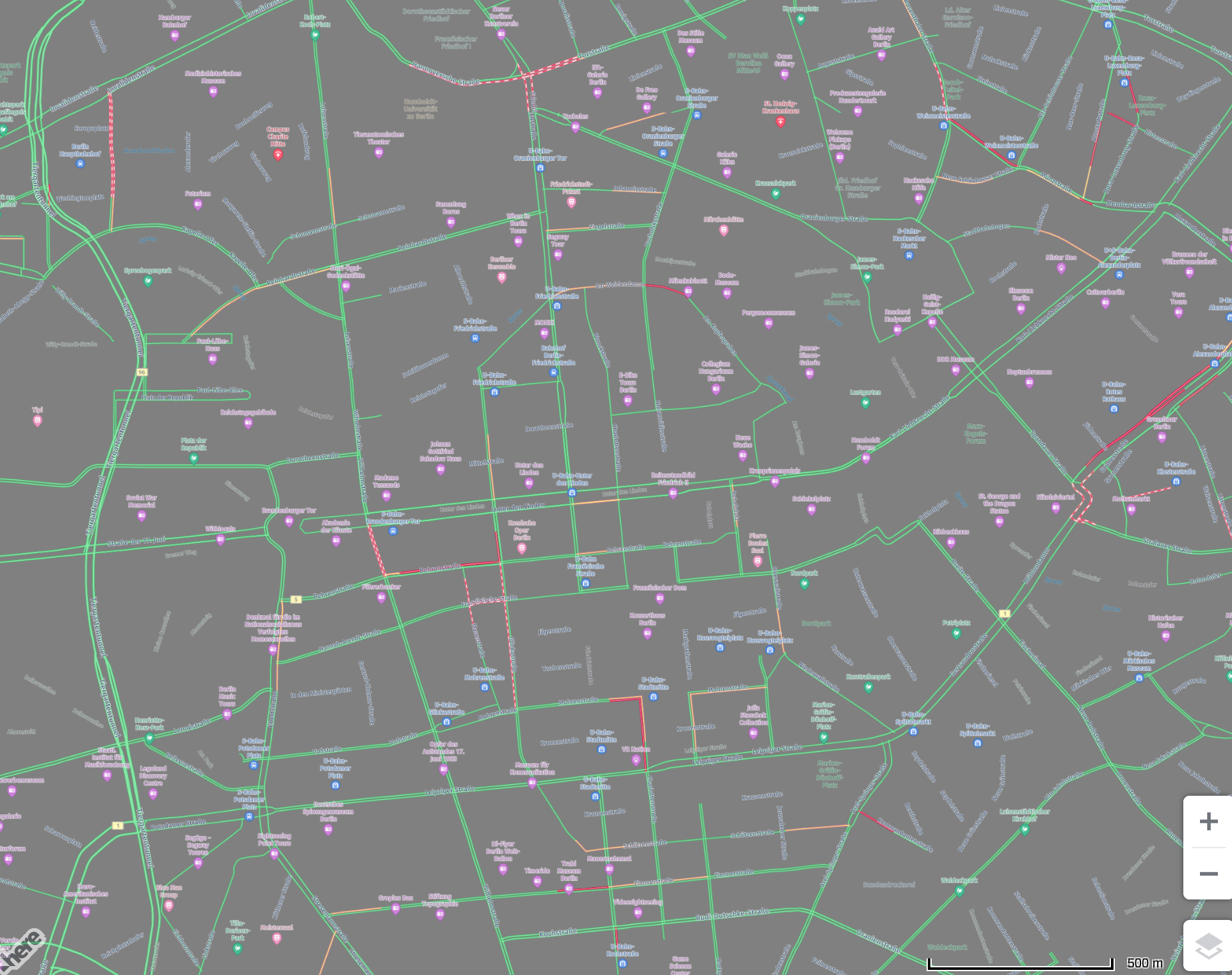
Updated 4 months ago