

HERE Routing API Reference Client
The HERE Routing API Reference Client is an interactive web application that allows you to explore and test HERE Routing API v8 directly in the browser. Create routing requests, visualize routes on a map, and inspect request and response data in real time, without writing application code.
To access HERE Routing API Reference Client, go to https://demo.routing.ext.here.com/.
Note
The reference client is intended to complement the documentation. Not all features are represented. For production use and supported parameters of HERE Routing API v8, refer to the Developer Guide and the API Reference.
How it works
-
Define waypoints
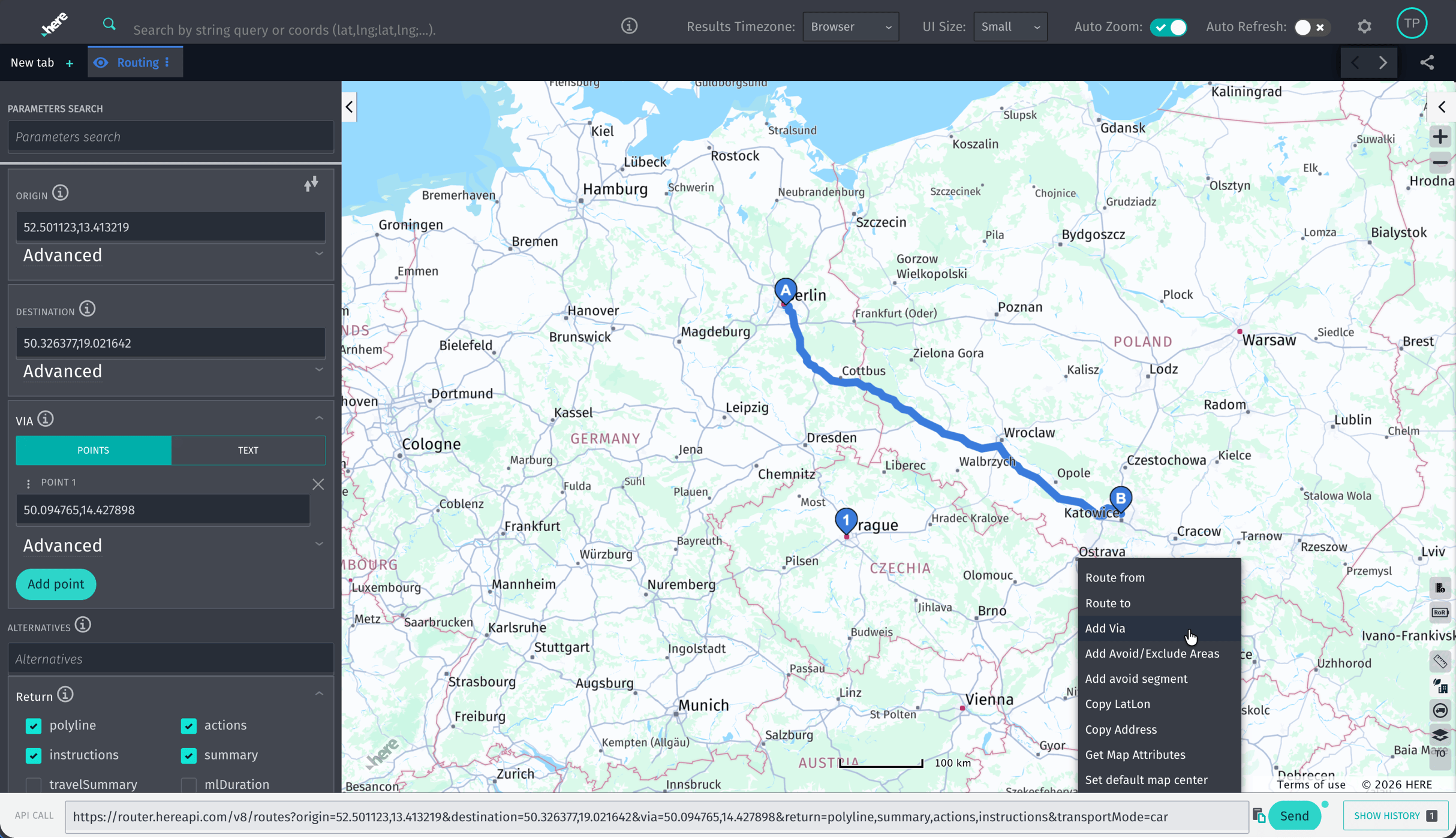
Specify origin, destination, and intermediate waypoints - provide coordinates or right-click on a HERE map and select Route from, Route to, or Route Via. Add multiple waypoints to model complex routing scenarios.
-
Configure routing options
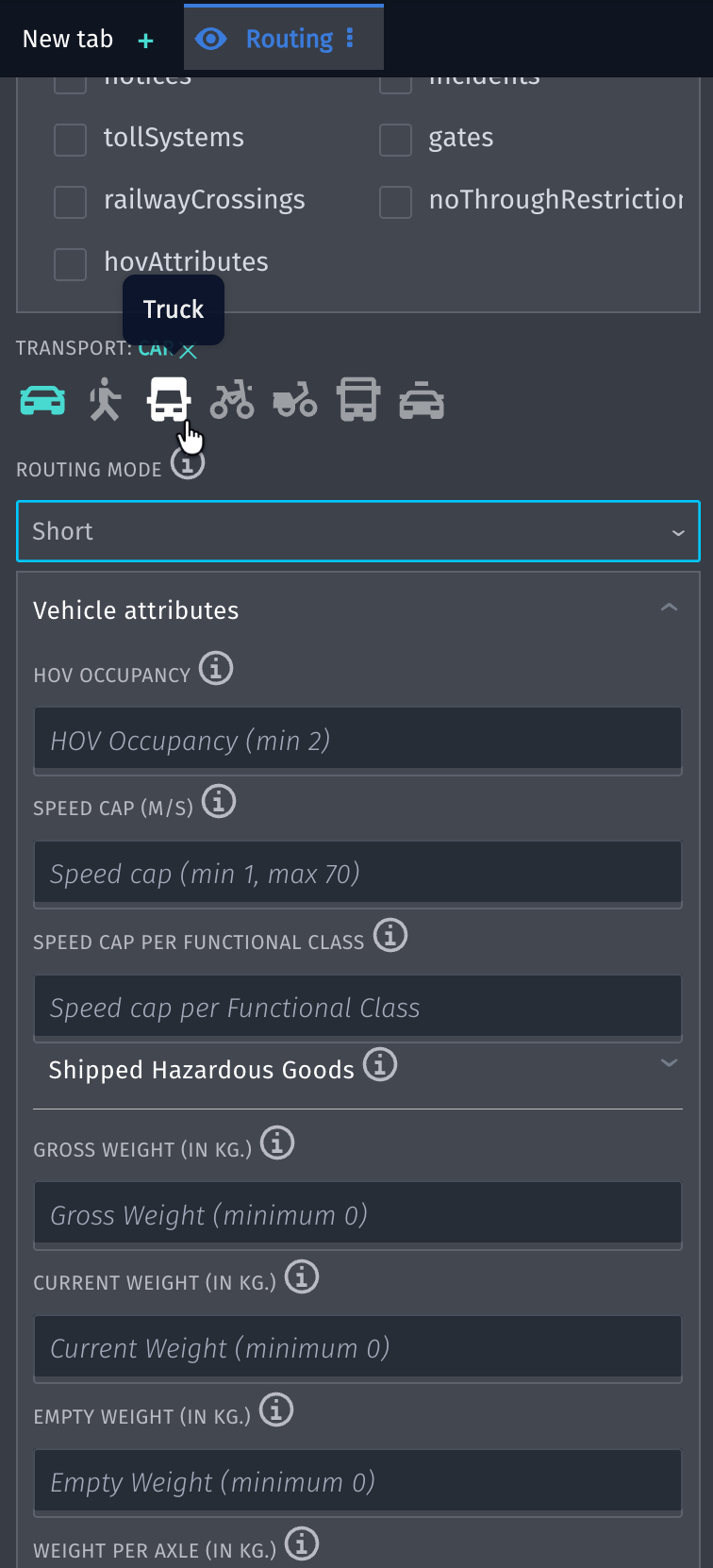
Access commonly used parameters, such as transport mode, routing type, and vehicle‑specific options. See the API call change as you add or adjust parameters.
-
Visualize results
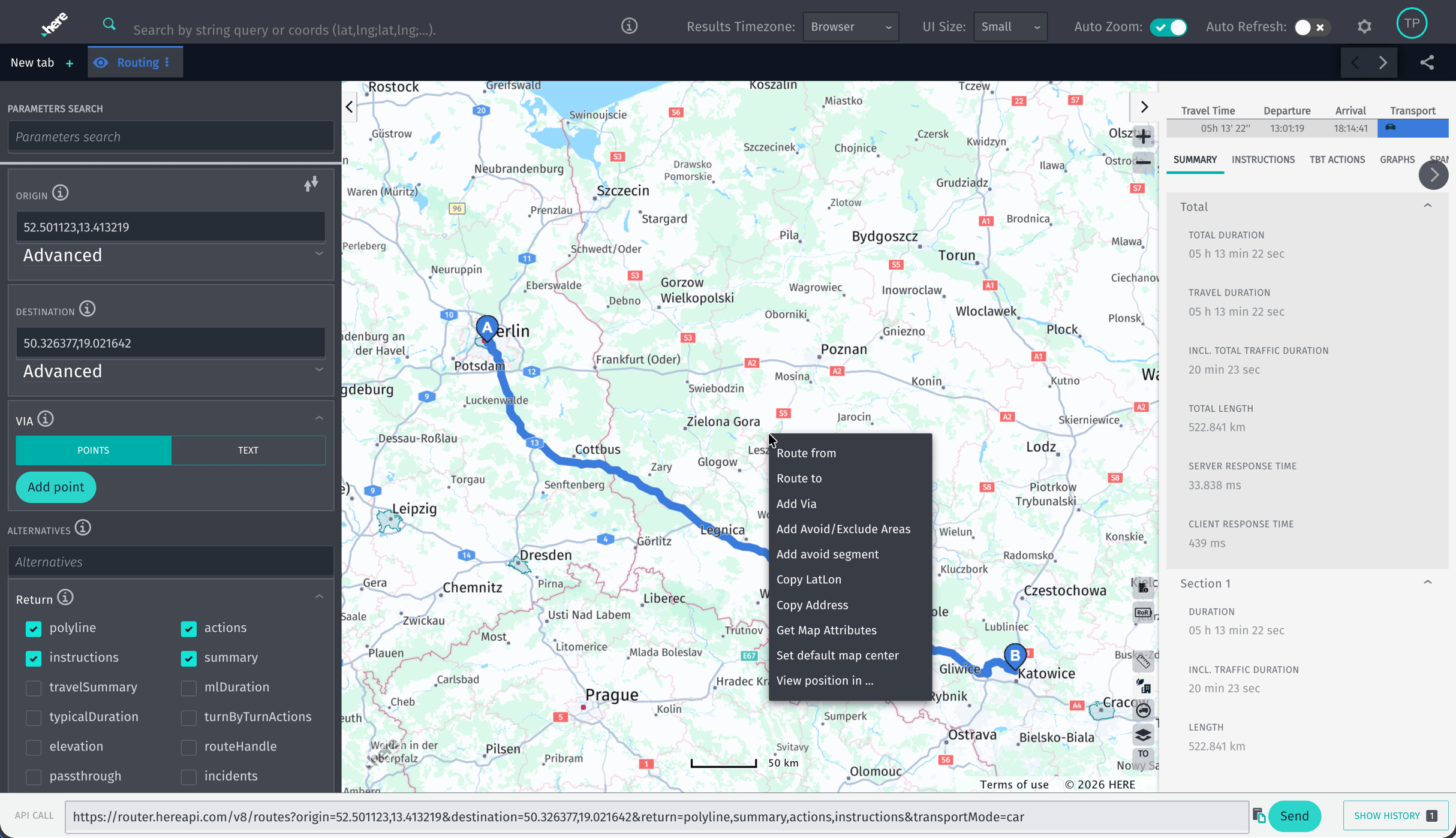
See routes displayed on the map and get summaries that include travel time, route length, and ETA.
-
Inspect requests and responses
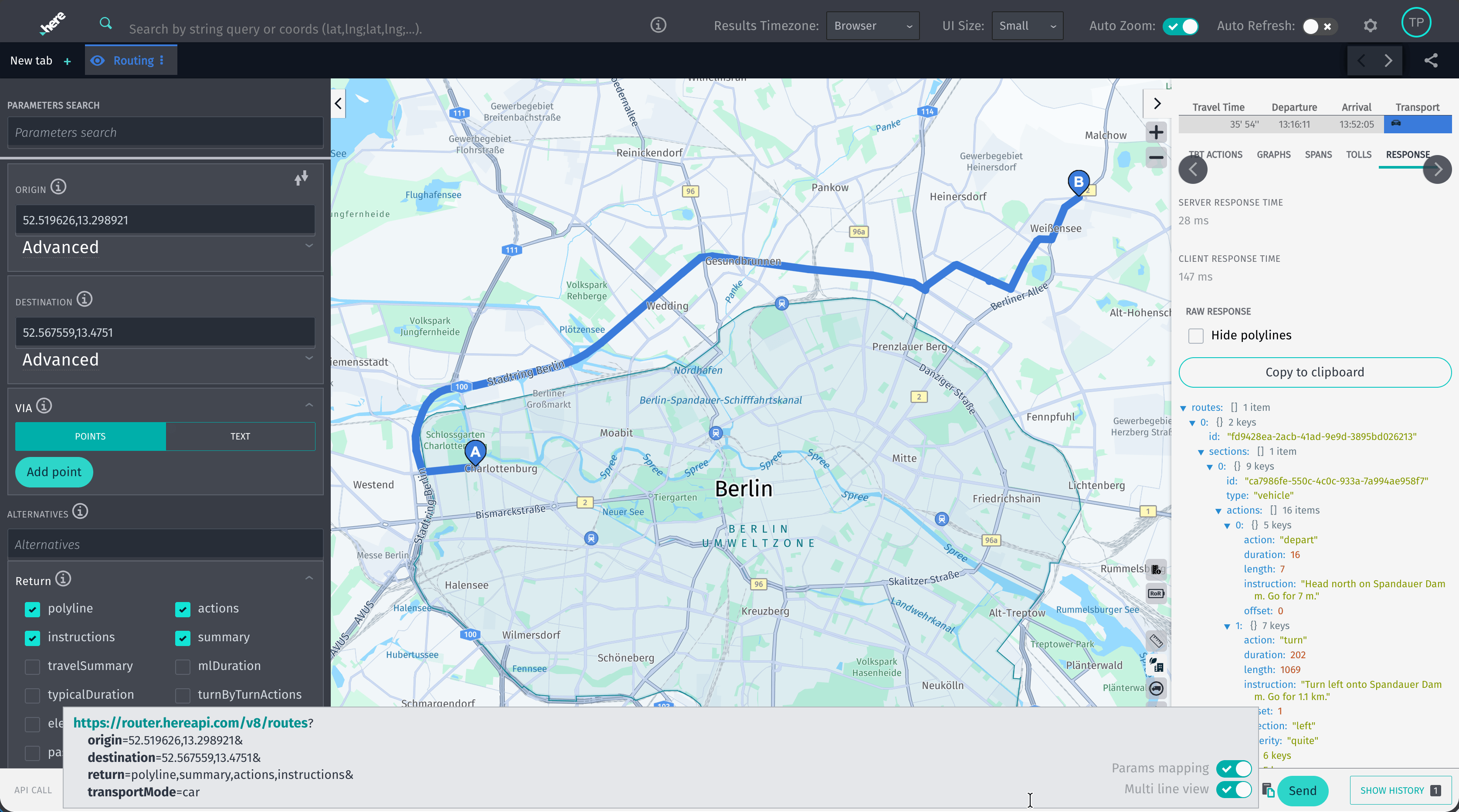
The Reference Client shows the HTTP for HERE Routing API v8 it builds based on the choices you make in the UI.
Click Send to calculate the route in the Reference Client, or copy the request as a cURL or URL to run it yourself. The complete JSON response is also returned with route calculation.
Access for free
To use the Reference Client, you must log in to your HERE platform account.
Go to https://platform.here.com/portal/sign-up to sign up and start for free.
Note
All request sent through the Reference Client are executed against your account and consume your HERE Routing API v8 transaction quota.
For more information, see the HERE platform pricing.
Next steps
- See HERE Routing API v8 Transport modes overview to learn about calculating routes for specific transport types.
- See Waypoints overview to learn about waypoints - locations on the map that allow you to shape the route to your needs.
- See Vehicle properties to learn how to include the physical properties of the vehicle in the request and how that affects route calculation.
Updated last month