How to calculate a matrix in Region mode
The following tutorial provides an example of a simple 3 x 3 matrix in Berlin, Germany with these origins and destinations:
- Alexanderplatz at (52.52103, 13.41268)
- Brandenburg Gate at (52.51628, 13.37771)
- Tempelhof Field at (52.47342, 13.40357)
To calculate a car distance matrix, you can use the request below. Since the request does not specify a destinations array, the origins are taken as destinations and the resulting matrix is a 3 x 3 matrix.
The region definition is a bounding box around the waypoints with a small margin added to be able to properly route in the vicinity of the waypoints.
By default, the service calculates a travel times matrix, but since we want to get distances in the response instead of times, the request specifies the matrixAttributes property with the value distances.
{
    "origins": [
        {"lat": 52.52103, "lng": 13.41268},
        {"lat": 52.51628, "lng": 13.37771},
        {"lat": 52.47342, "lng": 13.40357}
    ],
    "regionDefinition": {
        "type": "boundingBox",
        "north": 52.53,
        "south": 52.46,
        "west": 13.35,
        "east": 13.42
    },
    "matrixAttributes": ["distances"]
}
Visualized, it looks as follows:
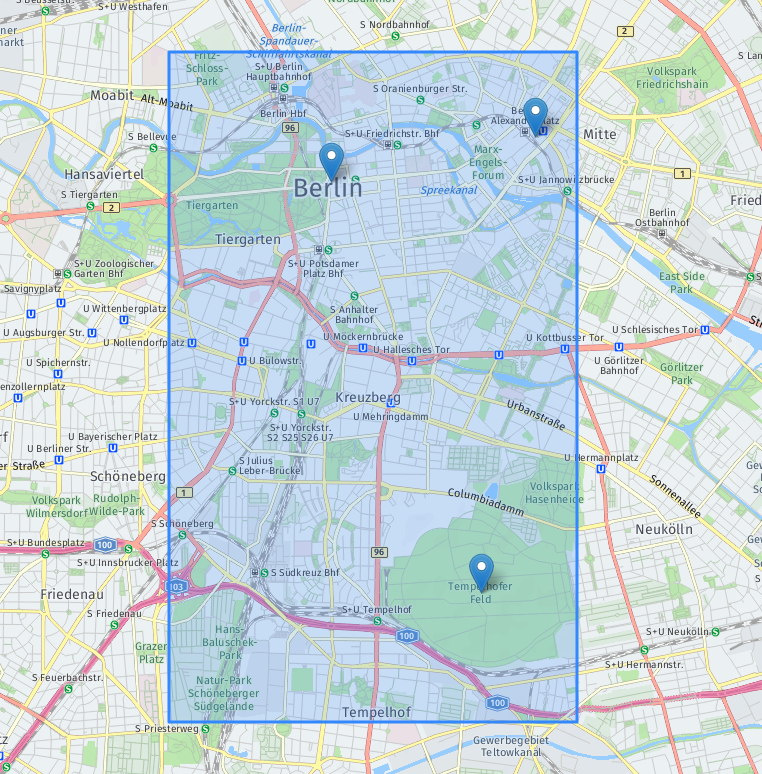
The markers are the origins/destinations and the bounding box is the blue rectangle.
The full procedure of submitting a matrix request is described in the Get started with HERE Matrix Routing API v8 section. The response looks as follows:
{
    "matrixId": "0b7f828f-49c8-43e4-9727-063eafbf7d7a",
    "matrix": {
        "numOrigins": 3,
        "numDestinations": 3,
        "distances": [0, 2907, 6446, 3258, 0, 5954, 6669, 5966, 0]
    },
    "regionDefinition": {
        "type": "boundingBox",
        "north": 52.53,
        "south": 52.46,
        "west": 13.35,
        "east": 13.42
    }
}
The response corresponds to this matrix with entries in meters:
| orig\dest | 1 | 2 | 3 |
|---|---|---|---|
| 1 | 0 | 2908 | 11262 |
| 2 | 3506 | 0 | 10207 |
| 3 | 11333 | 9414 | 0 |
autoCircle region definition
autoCircle region definitionInstead of defining a bounding box around the origins, you can request for a circle to be automatically derived. The request below is for the same as the one above, but using the autoCircle feature.
{
    "origins": [
        {"lat": 52.52103, "lng": 13.41268},
        {"lat": 52.51628, "lng": 13.37771},
        {"lat": 52.47342, "lng": 13.40357}
    ],
    "regionDefinition": {
        "type": "autoCircle"
    },
    "matrixAttributes": ["distances"]
}
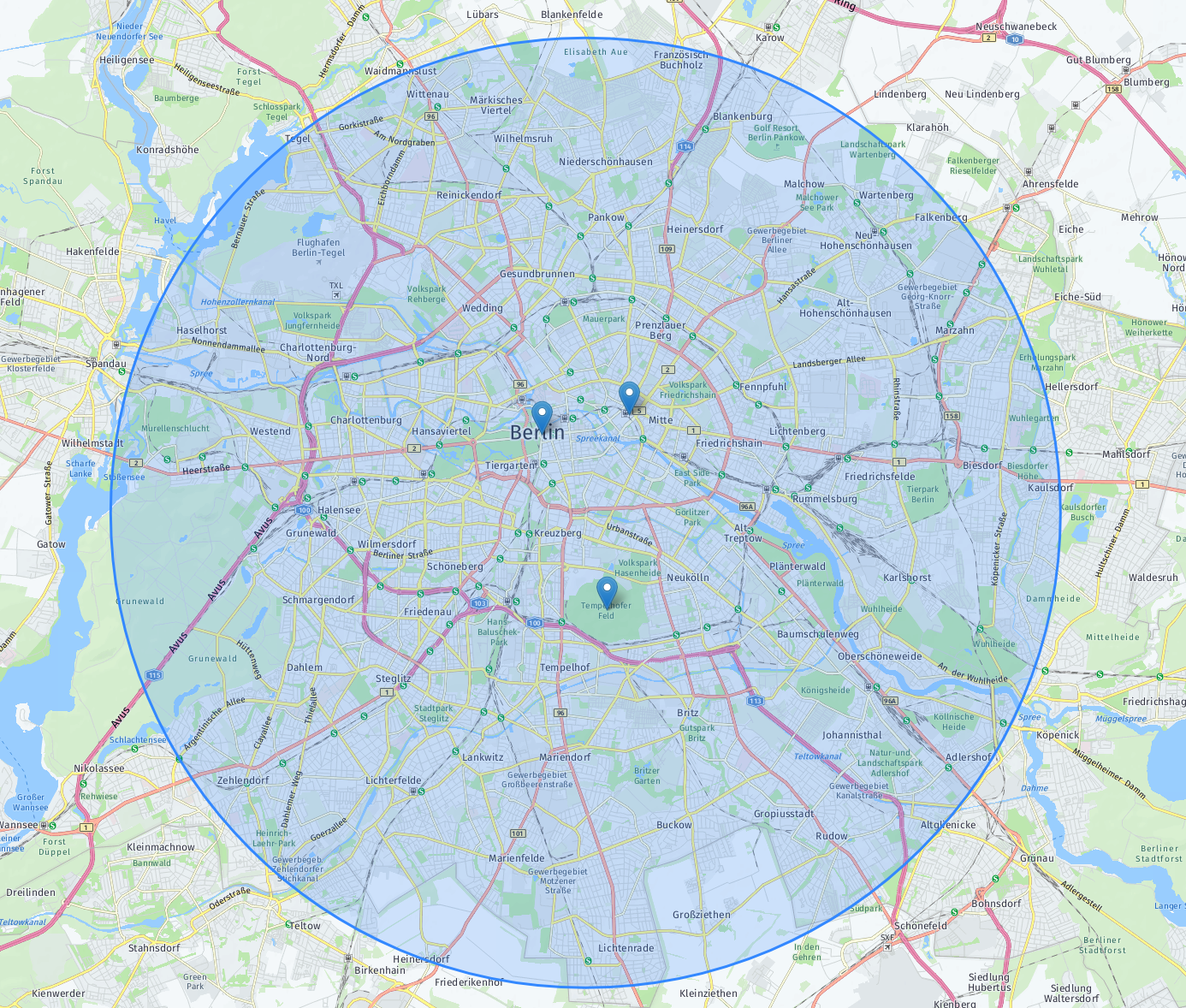
Since the margin field is not provided, the service uses a default value of 10 kilometers.
The derived circle is returned in the matrix response:
{
    "matrixId": "05fef3ee-dd1a-450f-a5fe-15c95b7ee8a0",
    "matrix": {
        "numOrigins": 3,
        "numDestinations": 3,
        "distances": [0, 2907, 6446, 3258, 0, 5954, 6669, 5966, 0 ]
    },
    "regionDefinition": {
        "type": "circle",
        "center": {"lat": 52.497225, "lng": 13.395195},
        "radius": 12900
    }
}
Here is the region visualized:
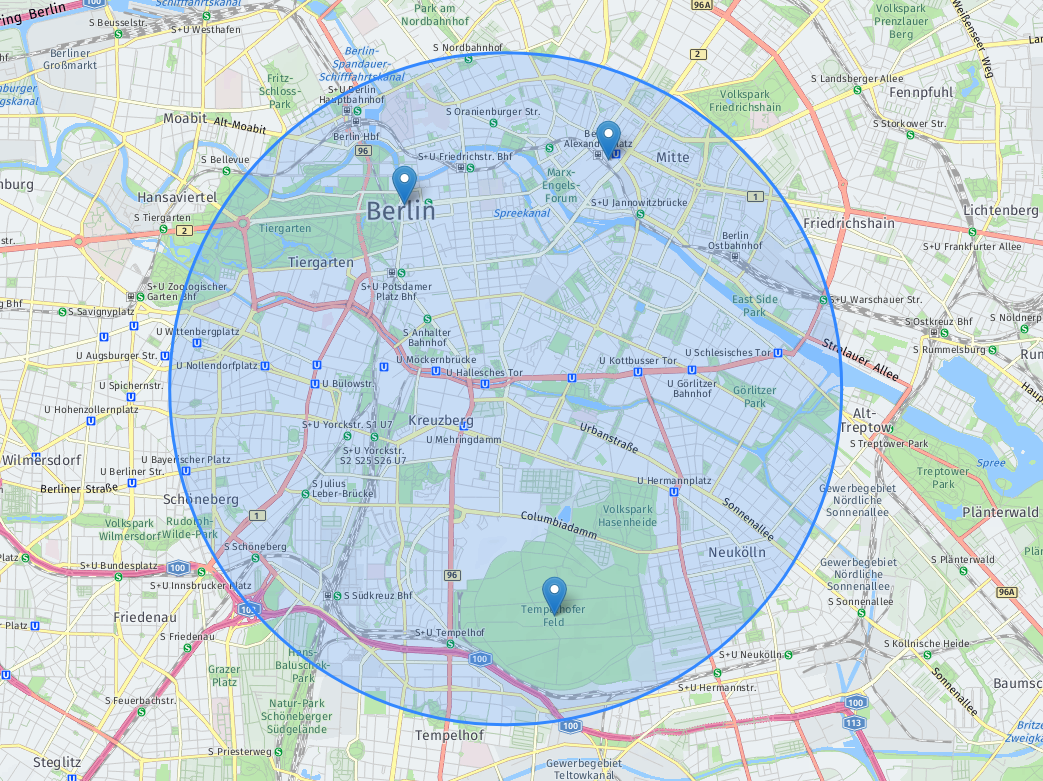
You can decrease the size of the region by providing a smaller margin:
{
    "origins": [
        {"lat": 52.52103, "lng": 13.41268},
        {"lat": 52.51628, "lng": 13.37771},
        {"lat": 52.47342, "lng": 13.40357}
    ],
    "regionDefinition": {
        "type": "autoCircle",
        "margin": 1000
    },
    "matrixAttributes": ["distances"]
}
This is the corresponding matrix response:
{
    "matrixId": "b76f08be-9cc2-4a4e-9b27-deb766df9e90",
    "matrix": {
        "numOrigins": 3,
        "numDestinations": 3,
        "distances": [0, 2907, 6446, 3258, 0, 5954, 6669, 5966, 0 ]
    },
    "regionDefinition": {
        "type": "circle",
        "center": {"lat": 52.497225, "lng": 13.395195},
        "radius": 3900
    }
}
The circle contains the origins with a smaller margin:
The autoCircle has a parameter maxRadius that can be used to limit the region size that would be used to calculate matrix entries in a limited region. This is particularly helpful if you need to do one of the following:
- Make sure you always get a result, even if the
autoCirclewould normally exceed the region size limits. - Limit response time by making sure the region does not grow too big.
For the waypoints that are matched to the margin, or outside the calculated auto autoCircle, you will instead get errorCodes = 4 for the corresponding entries.
{
    "origins": [
        {"lat": 52.586821, "lng": 13.581717},
        {"lat": 52.607613, "lng": 13.197346},
        {"lat": 52.4087162, "lng": 13.2962859},
        {"lat": 52.3999995, "lng": 17.0103584}
    ],
    "regionDefinition": {
        "type": "autoCircle",
        "maxRadius": 20000
    },
    "matrixAttributes": ["distances"]
}
This is the corresponding matrix response:
{
    "matrixId": "b76f08be-9cc2-4a4e-9b27-deb766df9e90",
    "matrix": {
        "numOrigins": 4,
        "numDestinations": 4,
        "distances": [
            0,      50367,  40323,  0,
            49747,  0,      39525,  0,
            40119,  30042,  0,      0,
            0,      0,      0,      0
         ],
        "errorCodes": [
            0, 0, 0, 4,
            0, 0, 0, 4,
            0, 0, 0, 4,
            4, 4, 4, 4
        ]
    },
    "regionDefinition": {
        "type": "circle",
        "center": {"lat": 52.5081646, "lng": 13.3895315},
        "radius": 27062
    }
}
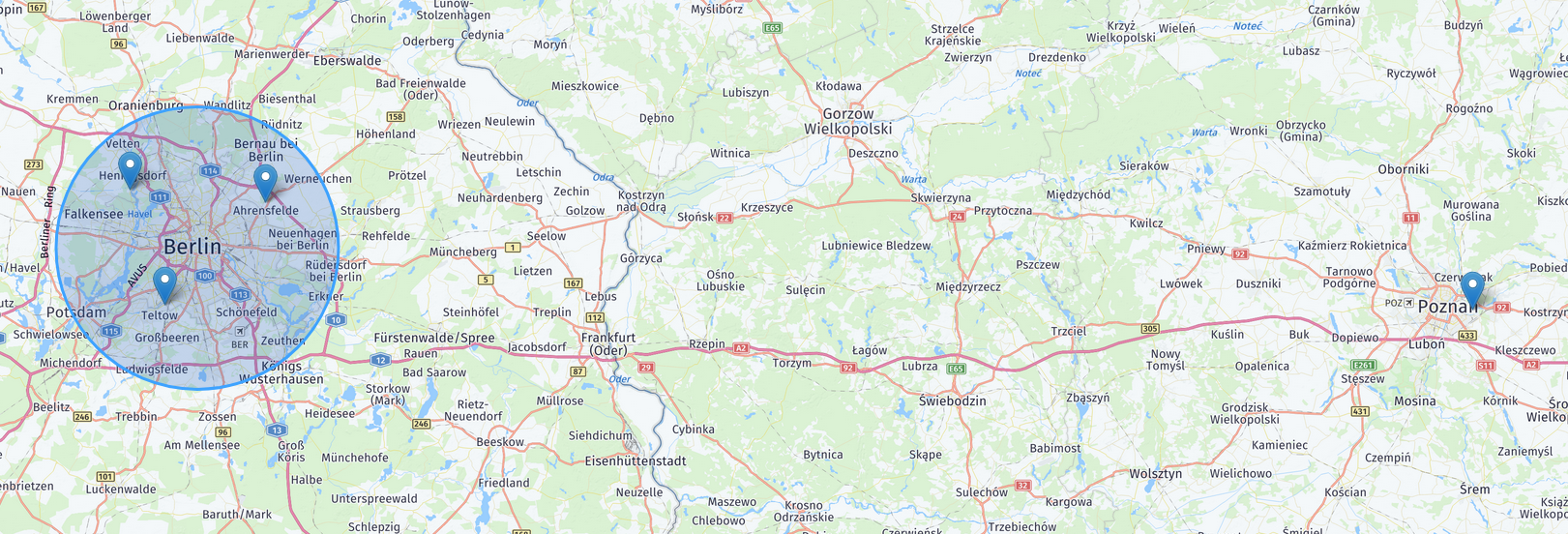
You can see the waypoints and the calculated autoCircle in the figure below: