

Using Traffic Analytics
Traffic Analytics can be delivered in two ways, depending on your use case and commercial agreement:
- Standalone data files generated by HERE according to an agreed specification. The format of these data files is described in this document.
- Through a web portal, where you can enter your own queries.
Web portal users can enter queries against the database, which may take between a minute and 24 hours to process depending on the scope and complexity of the query. Query results return as an email containing a link to download the results.
Navigate to https://trafficanalytics.here.com to use the Traffic Analytics website and sign in with the account you previously created. Your HERE account email must be the same email address you supplied when you licensed Traffic Analytics. You can license the product either way, but if you are a customer of the web portal, you can use it to enter queries against the database. Queries may process between a few minutes and 24 hours, depending on their scope and complexity. When the results are ready, you receive an email containing a link which allows you to download the results.
Note
Traffic Analytics is only available to users of 21 years and older. Ensure that your HERE account profile includes a birth date.
After you sign in, the Traffic Analytics web page appears, as shown in the following image. Enter your query on this page.
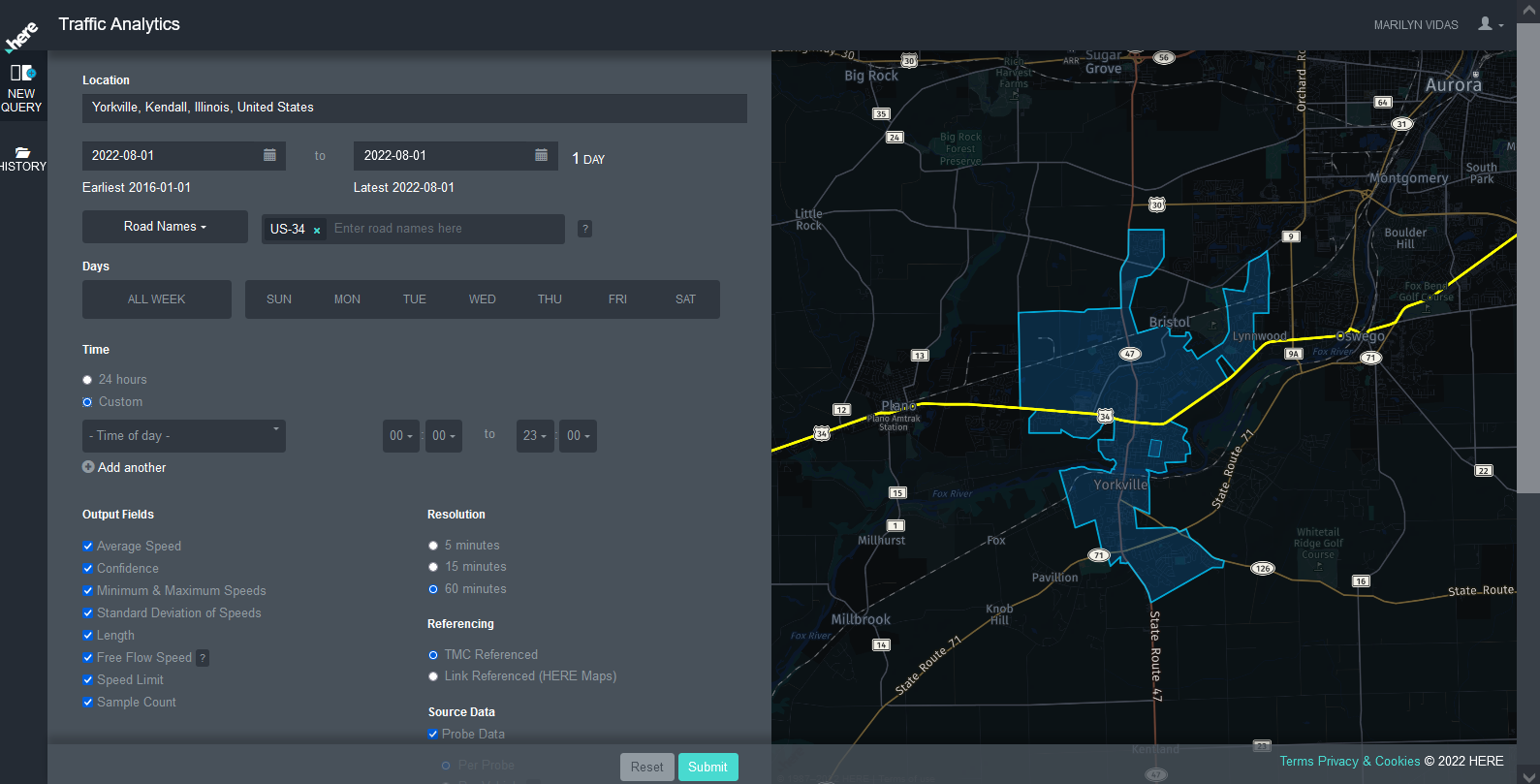
The scalability of the Traffic Analytics system isn't unlimited. The three variables which impact the scale of a query the most are the number of road segments, the date range, and whether you use gap filling. It's easy to mistakenly construct a query which would generate terabytes of data. Such a query fails, since the system’s limit is currently in the range of hundreds of gigabytes. When a query fails, Traffic Analytics doesn't generate a notification.
If you need data over a wide area and time span, you shouldn't use the gap filling option. You should consider dividing the request into multiple queries. Limit your gap-filled queries to a month or less, and limit your non-gap-filled queries to a year or less, if you are working at a district/state, regional, or national level. These guidelines are approximate, since it depends on the amount of data generated.
Once data for a day has become available it doesn't change, and repeated queries for the same history return the same result. The only exception to this rule is that annual map version updates can occasionally change how the probe data matches to road segments, because the road geometry changes. The entire six-year history updates when the map version changes, so some historical samples may remap at this time.
For more information, see:
- Query criteria for Traffic Analytics
- Location for Traffic Analytics (HERE Map admin levels 1-4)
- Date range for Traffic Analytics
- TMC codes for Traffic Analytics
- How to use time filters for Traffic Analytics
- Resolution of data in time increments for Traffic Analytics
- Road segment referencing for Traffic Analytics
- Source data for Traffic Analytics
- Select output fields for Traffic Analytics
- Submit your Traffic Analytics query
Updated 5 months ago