

Schematic map view
The schematic map view displays map features in a diagram form. The schematic maps contain map elements for each available styling category in their respective feature type.
Use schematic map view to:
- Explore how styles vary across attribute combinations.
- Spot missing or inconsistent styling.
- Compare visual variables like color, size, HSV, shape, and texture - helping you to refine style concepts, validate completeness, and visually document map designs.
Use schematic map view to catch and fix styling issues before exporting your custom map!
The currently supported schematic map diagrams are:
- Landuse types
- Landuse types overlapped with representative collection of road types
- Landuse types from Japan data
- Landuse types from Japan data overlapped with representative collection of road types
- POIs
Controlling schematic map
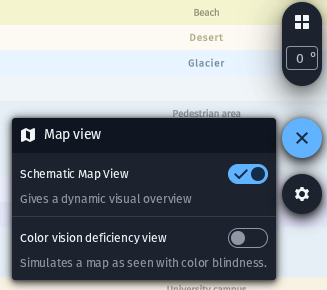
Enable schematic map
The feature can be toggled on and off from the map view controls.
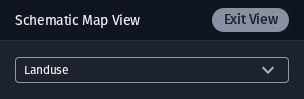
Schematic map settings
The Schematic Map View settings popup has a dropdown control for selecting the map type to view. The Exit View button exits the schematic map state, restoring the full main map view back into the map viewport.
Updated 3 months ago
Did this page help you?