

Modifiers panel overview
Modifiers are powerful adjustments that allow you to easily change individual or multiple items of your map style. Modifiers allow you to make iterative styling overrides while still having the ability to maintain finer control over individual items in the Attributes.
The Modifiers function together with the other editing panels, forming a flexible toolkit for combining various edit operations. They are non-destructive and can be easily managed to explore stylistic variations.
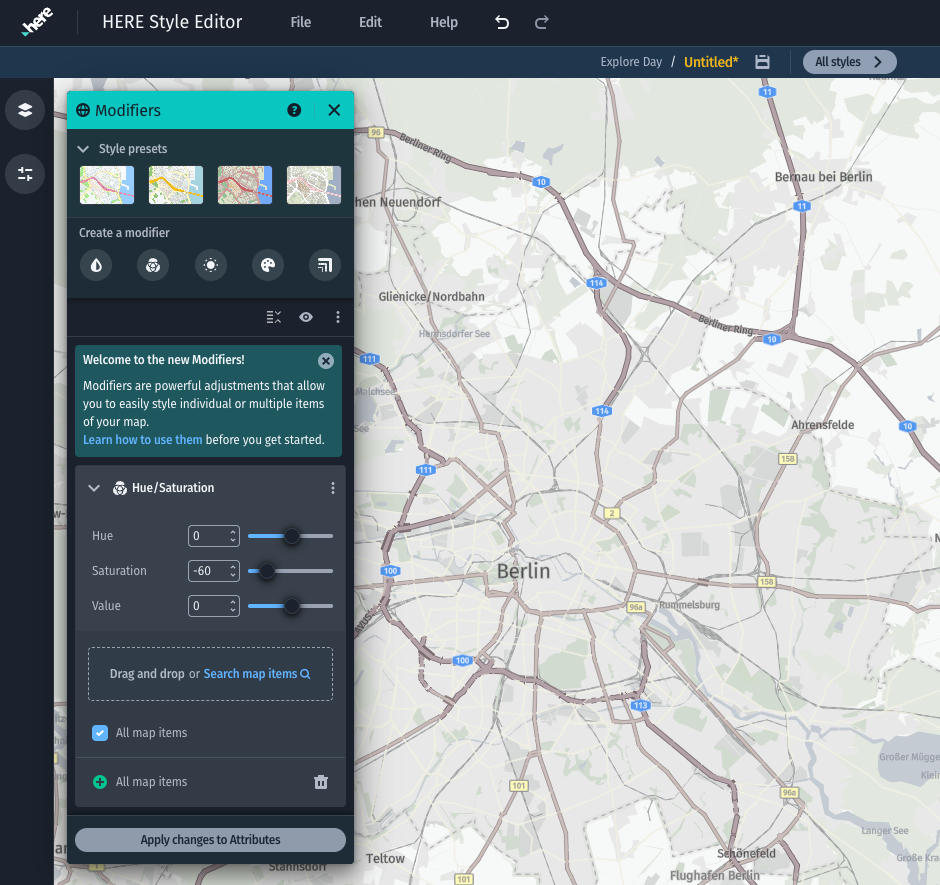
Single desaturation modifier applied to land polygons
Modifier Targets
Modifiers can be used to affect any part of the map style, including and excluding elements as needed. The scope can be anything from a single type of land use color to the entirety of the style.
To specify the target scope you can either use the search field within a single modifier, or alternatively drag and drop elements from the Layers and Attributes panels. Both methods can be also combined as needed.
Each item in the target scope can be either included or excluded. With this mechanism you can target style items such as "edit all map elements, with the exception of items related to water".
You can also use the map picking feature to find and click interesting elements from the visual map, and then drag the map picking results from the attributes panel into the modifier target scope.
Modifier Types
| Icon | Modifier | Description |
|---|---|---|
 | Color Tone | Blend in a color with the high, mid, and low color values of the map style. Try modifying the high or mid tones on a lighter map style, and use the mid and low tones on a dark map style. |
 | Hue/Saturation | Adjust the overall hue, saturation, and value of the map style. |
 | Brightness/Contrast | Increase or decrease the brightness and darkness of colors to affect the contrast between layers. |
 | Color | Modify colors with a combination of a color and a blend mode. |
 | Multiply | Increase or decrease numerical values by a multiplication factor. |
 | Add/Subtract | Increase or decrease numerical values by a fixed number. |
For information on using Modifiers, see Modifier usage.
Updated 3 months ago