
Custom map styles
Note
The 3.1 version of this API has been deprecated. For continued support and feature development, upgrade to the latest 3.2 version.
The styles element provides an easy way to extend the embedded style and reuse it across different layers. The custom style can have style properties pre-set and individual layers can use overrides. The following example demonstrates how to extend the lines embedded style and create a dashed-line custom style. In the styles section, it defines the name of the custom style (dashed-lines), the name of the default style from which it inherits (the base section), and the draw section that describes how geometries with the given style render (and in which properties of the base style you can use them).
For example, see the following style configuration snippet:
sources:
    omv:
        type: OMV
styles:
    dashed-lines:
        base: lines
        draw:
            dash: [2, 2]
            color: [0.055, 0.604, 0.914, 1.00]
layers:
    water_areas:
        data: {source: omv, layer: water}
        draw:
            dashed-lines:
                order: 1
                width: 5px
    roads:
        data: {source: omv, layer: roads}
        draw:
            dashed-lines:
                order: 2
                width: 1px
                color: red
The style configuration from the preceding example renders features as shown in the following example:
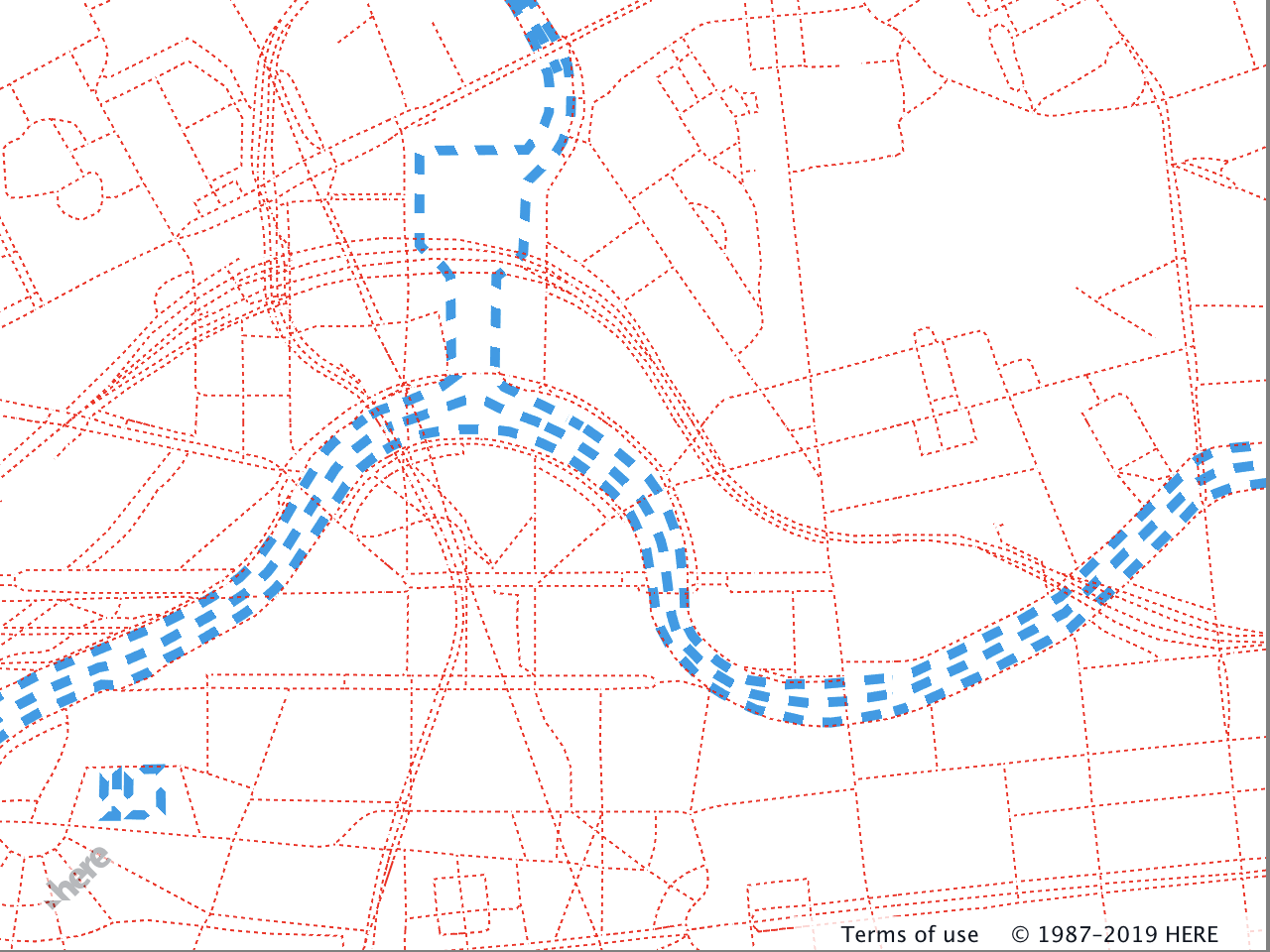
The following list provides a description of the properties and values that form the configuration style section.
-
Style name - A unique string that identifies the custom style. The string is a key in the
stylessection and the value is the style definition. In the following example, there are two custom styles with the namesred_lineandgreen_polygon.styles: red_line: base: lines draw: color: red green_polygon: base: polygons draw: color: green -
base-string(optional) - Defines the name of the style from which the custom style inherits. The possible values can be the names of embedded styles (points,linesand so on), or other custom styles. In the following snippet, thered_linestyle inherits the width from thethick_linecustom style.styles: thick_line: base: lines draw: width: 4px red_line: base: thick_line draw: color: red -
draw(optional) - A block level element that contains the drawing parameters of the given style. The applicable parameters depend on the style that you use as thebaseormix. For more information, see Default map styles. -
mix(optional) -[...string]- Creates a mix of several custom styles. In the following example, the new custom style is using the properties from thethick_lineandred_linestyles.styles: thick_line: base: lines draw: width: 4px red_line: base: thick_line draw: color: red thick_red_line: mix: [red_line, thick_line]
Next steps
For more information on vector map styling, see Practical examples and applications.
Updated last month