
Display custom overlays
Note
The 3.1 version of this API has been deprecated. For continued support and feature development, upgrade to the latest 3.2 version.
The HERE Maps API for JavaScript provides an easy means of overlaying the region on the map with the bitmap image. The H.map.Overlay object can be used to render static or dynamic data using static images fetched from the server or dynamic procedural bitmap. The overlay object also offers an easy way to animate the data. Data can include weather information, or any other data that can change over time.
Adding an overlay to the map
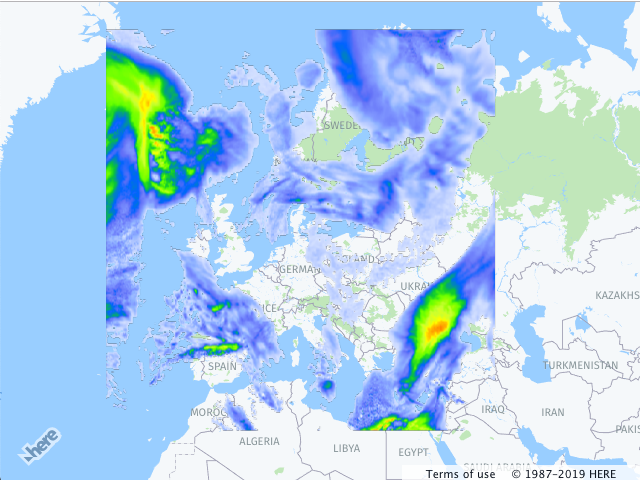
The example below demonstrates how to add an image overlay to the map.
// instantiate a map object:
var map = new H.Map(...);

// create an overlay that will use a weather map as a bitmap
var overlay = new H.map.Overlay(
  new H.geo.Rect(
    70.72849153520343, -24.085683364175395,
    29.569664922291, 44.216452317817016
  ),
  'https://heremaps.github.io/maps-api-for-javascript-examples/image-overlay/data/0.png'
);

// add overlay to the map
map.addObject(overlay);
The code creates a map object (see also Quick Start), instantiates an overlay, providing the bounding box of the area that it must cover and an image URL, and, finally, adds the overlay to the map. The image below shows the result.
Updated last month