
Apply custom geopolitical views
Note
The 3.1 version of this API has been deprecated. For continued support and feature development, upgrade to the latest 3.2 version.
By using the HERE Vector Tile API in conjunction with the Maps API for JavaScript, you can present borders that are subject to varying viewpoints, allowing you to meet diverse user preferences and geopolitical considerations. Whether you want to emphasize borders based on international agreements or showcase them from the standpoint of a specific country, the HERE Vector Tile API enables you to create maps that faithfully represent disputed boundaries.
Disputed borders are encoded within the boundaries layer, through the kind:xx property, where xx represents the supported country code, reflecting the political standpoint of a particular country.
For more information on how to get the list of supported geopolitical views, see the corresponding Geopolitical views article in the HERE Vector Tile API documentation.
The default style configuration in the HERE Vector Tile API showcases the international perspective. In the following example, a dashed border is displayed, indicating the combined territory of Jammu and Kashmir along with Ladakh, situated between Pakistan and India.
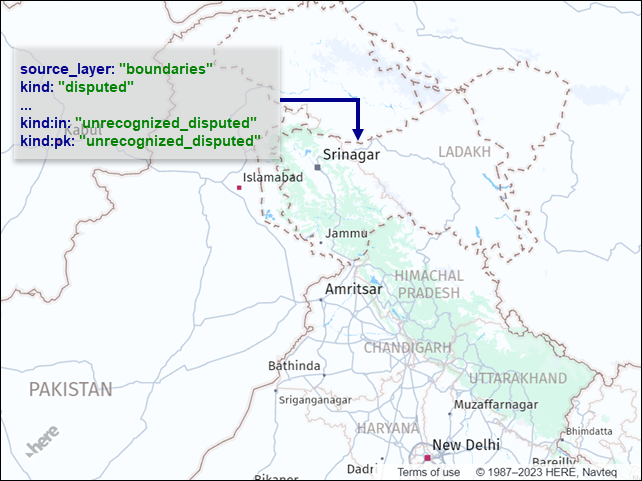
Apply geopolitical views
To switch the map display from the international perspective to a geopolitical view of a particular country, you can use YAML style configuration or Maps API for JavaScript.
Style configuration
In the YAML file that serves as the base for your map style configuration, add the global root element and then set the political_view property of that element to the country code whose geopolitical view you want to reflect on the map. See the following example for India:
global:
  political_view: in
For more information, see YAML file structure overview.
Maps API
To apply a geopolitical view programmatically, in the <script> element of your HTML file, add the following code after the code responsible for map initialization:
// assuming the base layer is an OMV layer
map
  .getBaseLayer()
  .getProvider()
  .getStyle()
  .setProperty("global.political_view", "pk");
This code sets the geopolitical view of the map to Pakistan (pk).
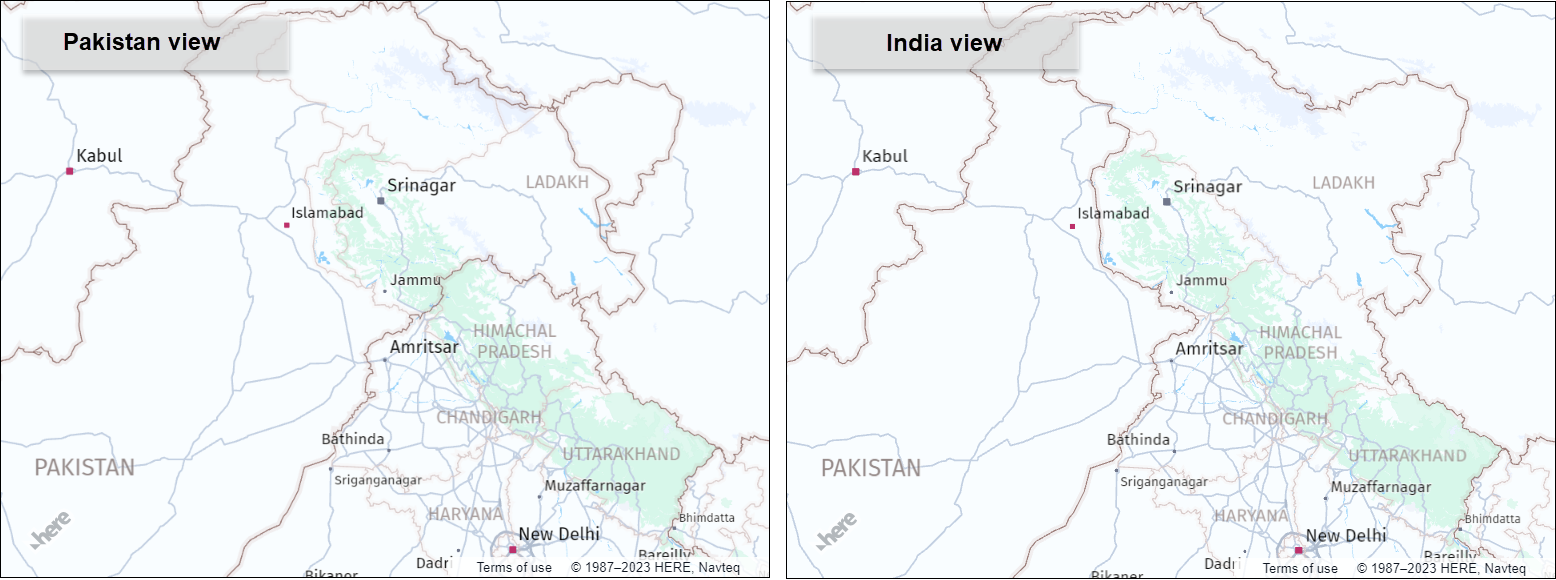
Result: The following figure shows how Maps API for JavaScript renders disputed borders, depending on the selected geopolitical view:
Updated last month