
How to use avoid options
Isoline calculations supports the same avoid options that normal route calculation used, but their effects are a bit different:
- An avoid option in route calculation would avoid using specific segments if possible, but still use them if required, issuing a critical notice.
- An avoid option in isoline calculation is excluding segments from the isoline, making sure the area only contains segments that would not result in critical notices during route calculation.
Example: Avoiding controlled access highway
One can see the impact of the avoid options on the isoline by comparing requests with and without them.
curl -gX GET 'https://isoline.router.hereapi.com/v8/isolines?'\
'origin=51.487480%2C9.009091&'\
'range[type]=distance&'\
'range[values]=5000&'\
'transportMode=car&'\
'apiKey=YOUR_API_KEY'curl -gX GET 'https://isoline.router.hereapi.com/v8/isolines?'\
'origin=51.487480%2C9.009091&'\
'range[type]=distance&'\
'range[values]=5000&'\
'transportMode=car&'\
'avoid[features]=controlledAccessHighway&'\
'apiKey=YOUR_API_KEY'The resulting isolines are:
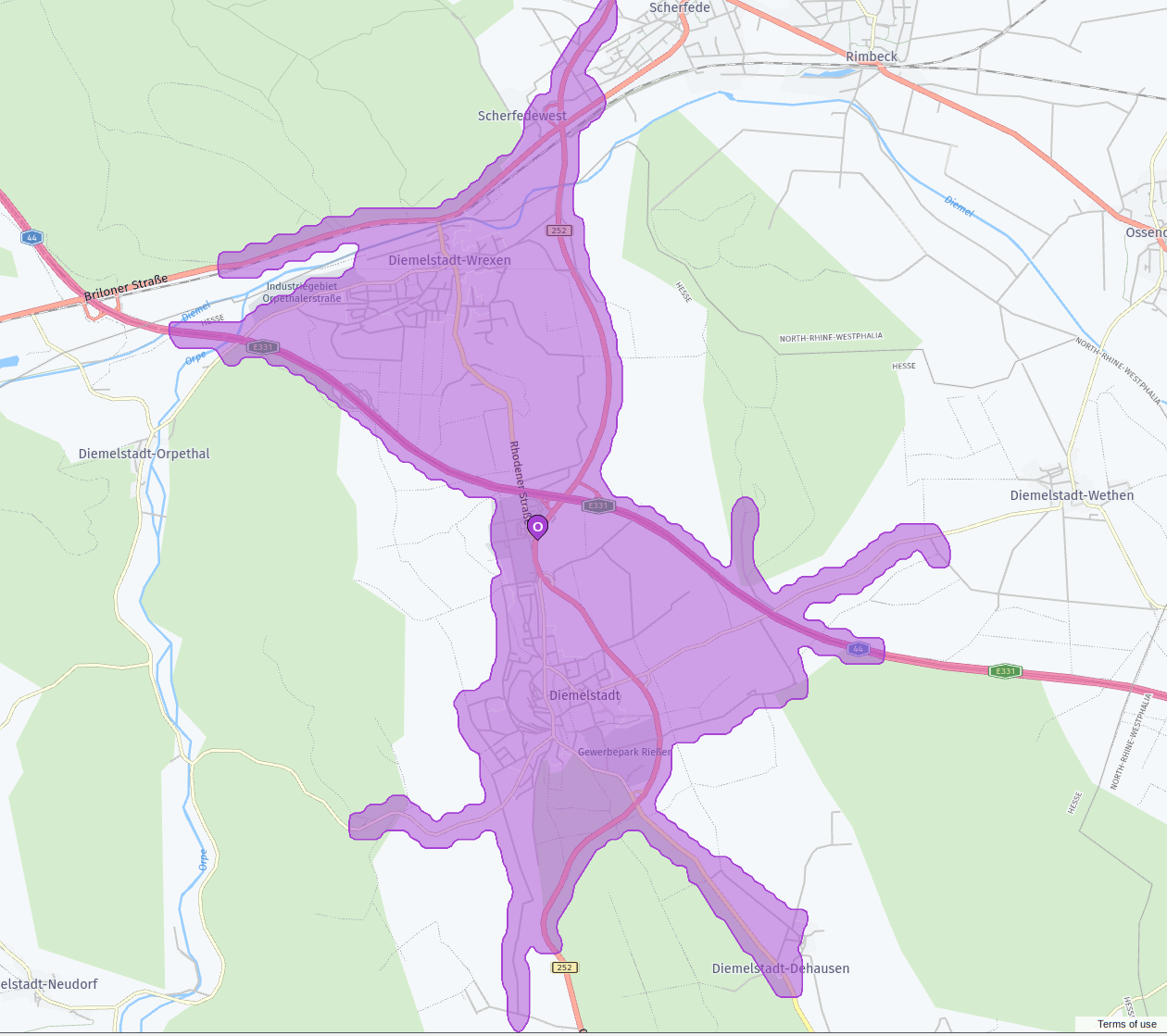
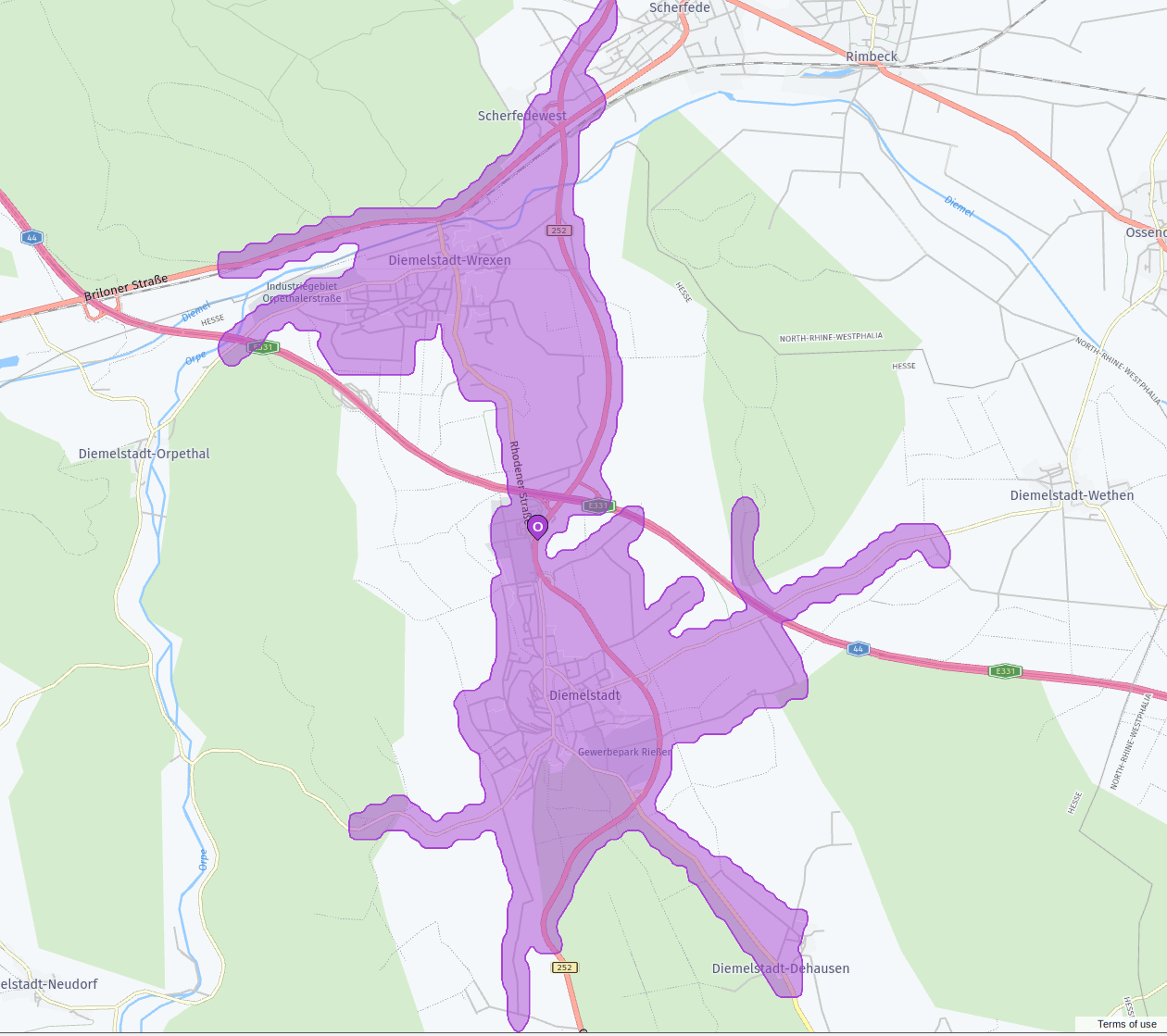
Example: Empty isoline due to avoid options
If the isoline starts on segments that are avoided the resulting isoline will just contain the origin (as the user cannot calculate a route anywhere without getting a critical notice).
curl -gX GET 'https://isoline.router.hereapi.com/v8/isolines?'\
'origin=51.490899%2C9.011935&'\
'range[type]=distance&'\
'range[values]=5000&'\
'transportMode=car&'\
'avoid[features]=controlledAccessHighway&'\
'apiKey=YOUR_API_KEY'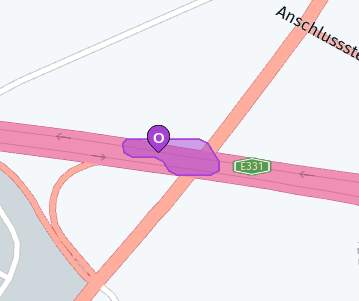
Note
Isoline is an area of reach from or to a given point on the map, based on time, distance or fuel/energy consumption.
- For details on the structure of isoline response, see HERE Isoline Routing v8 response structure.
- To learn about multi-component isolines, see Isoline with multiple components.
Updated 8 days ago