
How to optimize isolines
There are two ways you can optimize isoline routing:
- Server-centric, using the
optimizeForparameter which defines the granularity with which the requested isoline is calculated. You can choose betweenperfomance,quality, orbalanced(default). This can increase the speed of calculation turnover sacrificing accuracy. - Client-centric, using the
shape[maxPoints]parameter, which defines the number of points provided to draw the requested isoline on the map. This can reduce the load put on the client app that interprets the API response sacrificing accuracy.
Server-centric optimization
To control the speed of isoline calculation and balance it with isoline accuracy, use the optimizeFor parameter in your request.
The parameter takes one of the three values:
balanced- The default value, used when theoptimizeForparameter is not added to a request. Offers a good compromise between calculation speed and accuracy, suitable for most use cases.performance- Decreases the calculation accuracy by ignoring less important roads to improve performance.quality- Prioritizes calculation accuracy by taking the most roads into consideration.
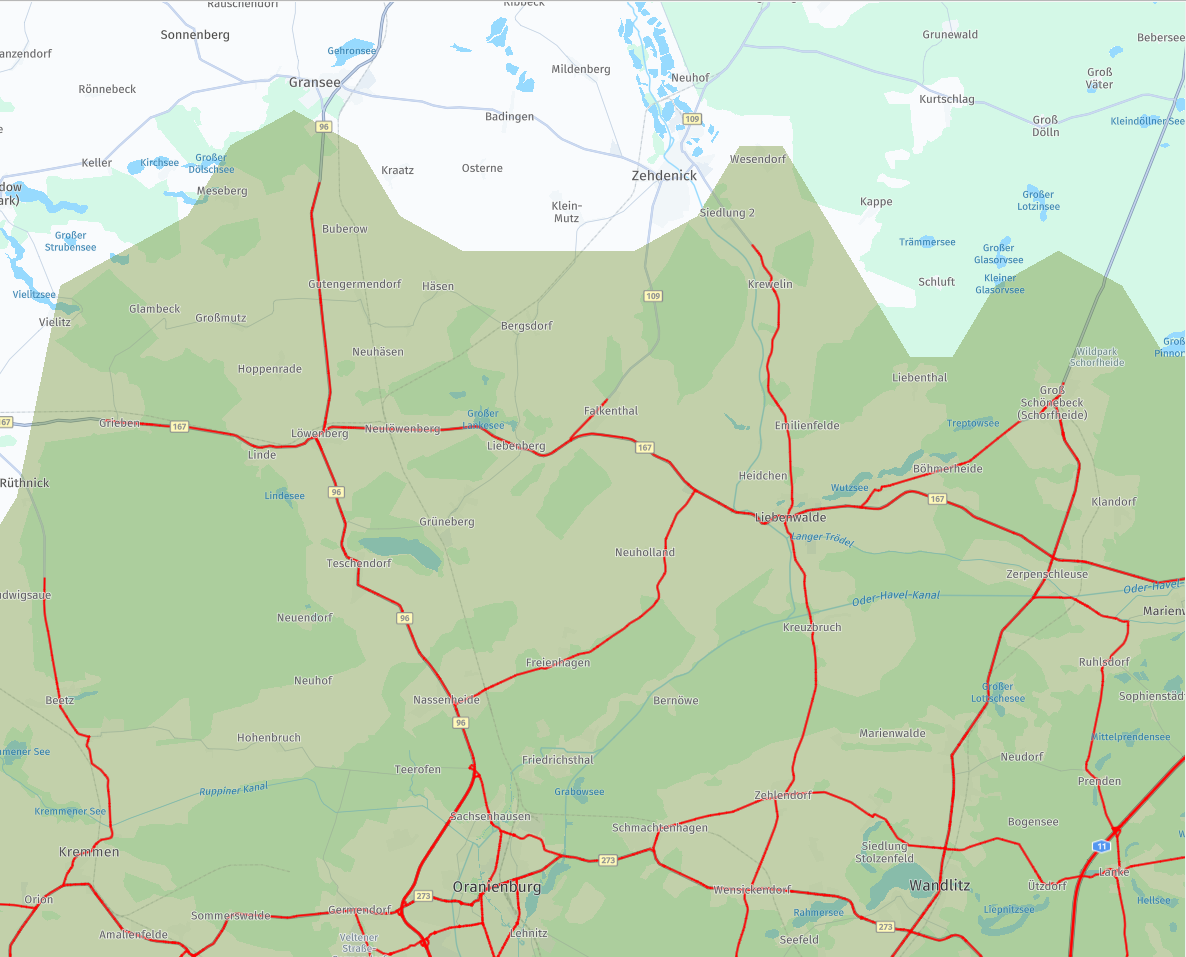
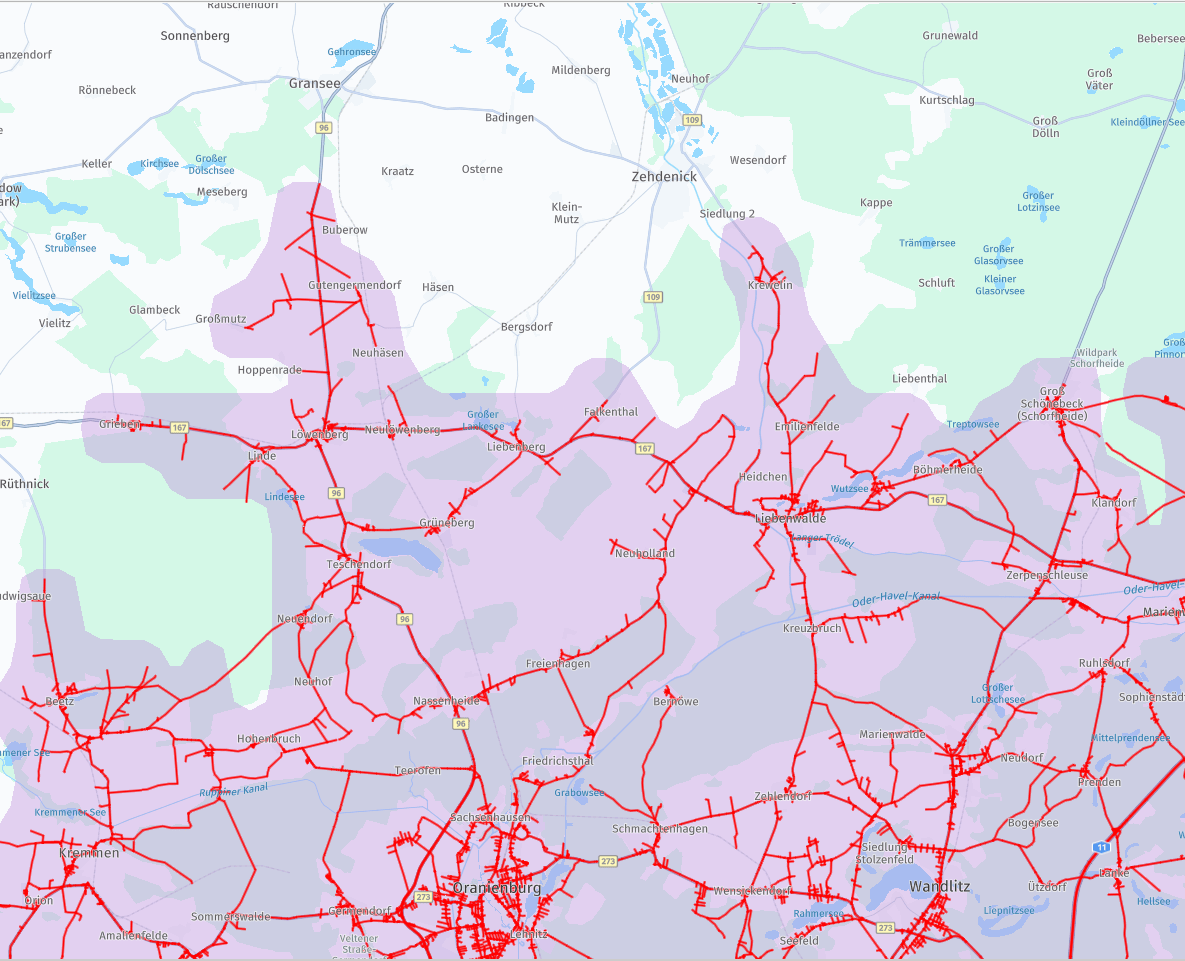
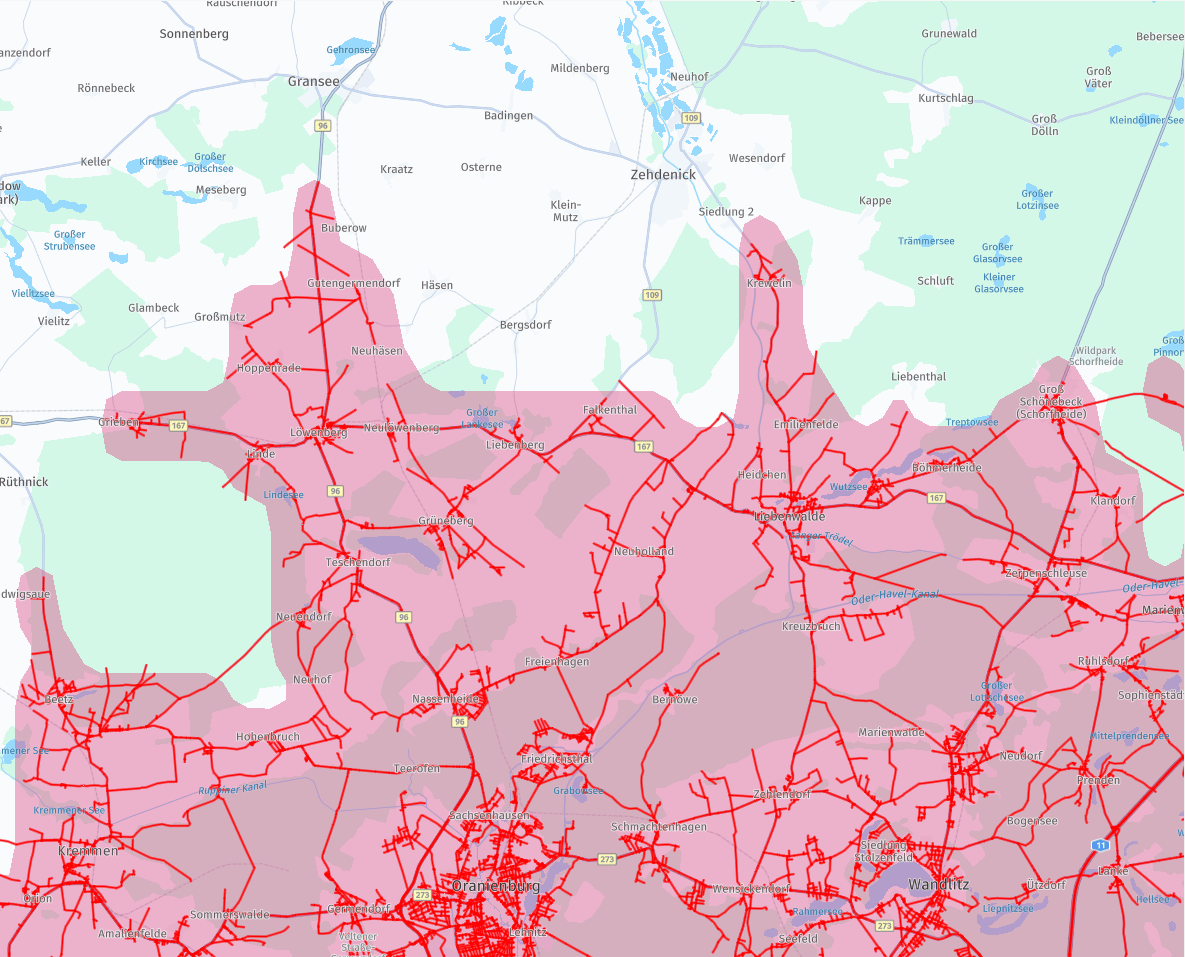
The following images present the result of one isoline calculation.
The only thing that changes is the value of the optimizeFor parameter.
The roads highlighted in red are used for the calculation.
Note how the number of highlighted roads increases between images as they showcase calculations using the performance, balanced, and quality modes.
Note
The difference in accuracy between the
qualityandperformancemodes becomes less significant the larger the area of the isoline calculation. Theperformancemode limits the number of lower Functional Class roads used in calculations to improve performance. In case of larger areas, roads of lower Functional Class are excluded from calculations in alloptimizeFormodes.
Client-centric optimization
Using the shape[maxPoints] parameter, you can control the number of geometry points of the calculated isoline.
The lower the number of geometry points, the easier it becomes for the client app to render the shape of the calculated isoline.
Using this parameter doesn't influence the server-side performance.
Reducing the number of geometry points results in the isoline shape being less detailed and accurate to the calculation.
The lowest possible value of the shape[maxPoints] parameter is 30. For optimal results, it's recommended to use values of over 100.
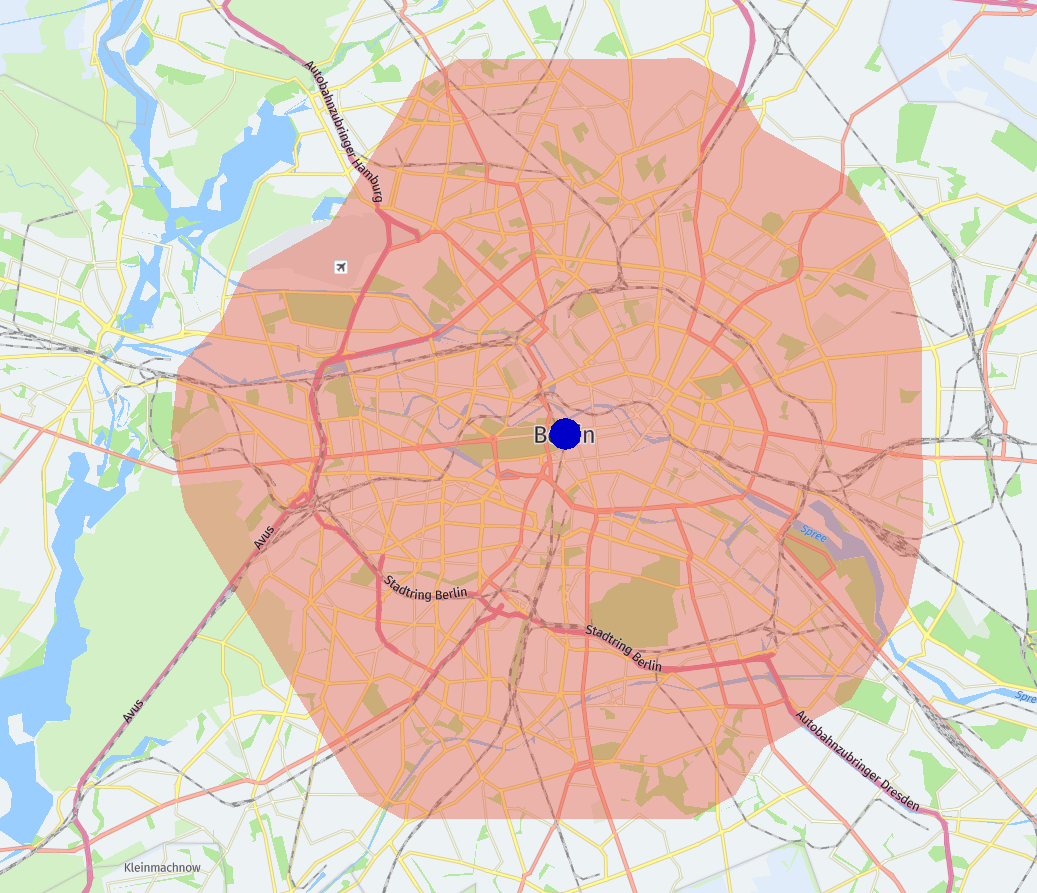
The following example illustrates how the shape of the isoline changes when the shape[maxPoints]=50 parameter is added to the request.
Note how the borders of the shape become rounded when shape[maxPoints]=50 is used and how the reach of the isoline into the airport area in the north-east changes.
curl -gX GET 'https://isoline.router.hereapi.com/v8/isolines?'\
'transportMode=car&'\
'origin=52.51578,13.37749&'\
'range[type]=distance&'\
'range[values]=10000&'\
'shape[maxPoints]=50&'\
'routingMode=short&'\
'apiKey=YOUR_API_KEY'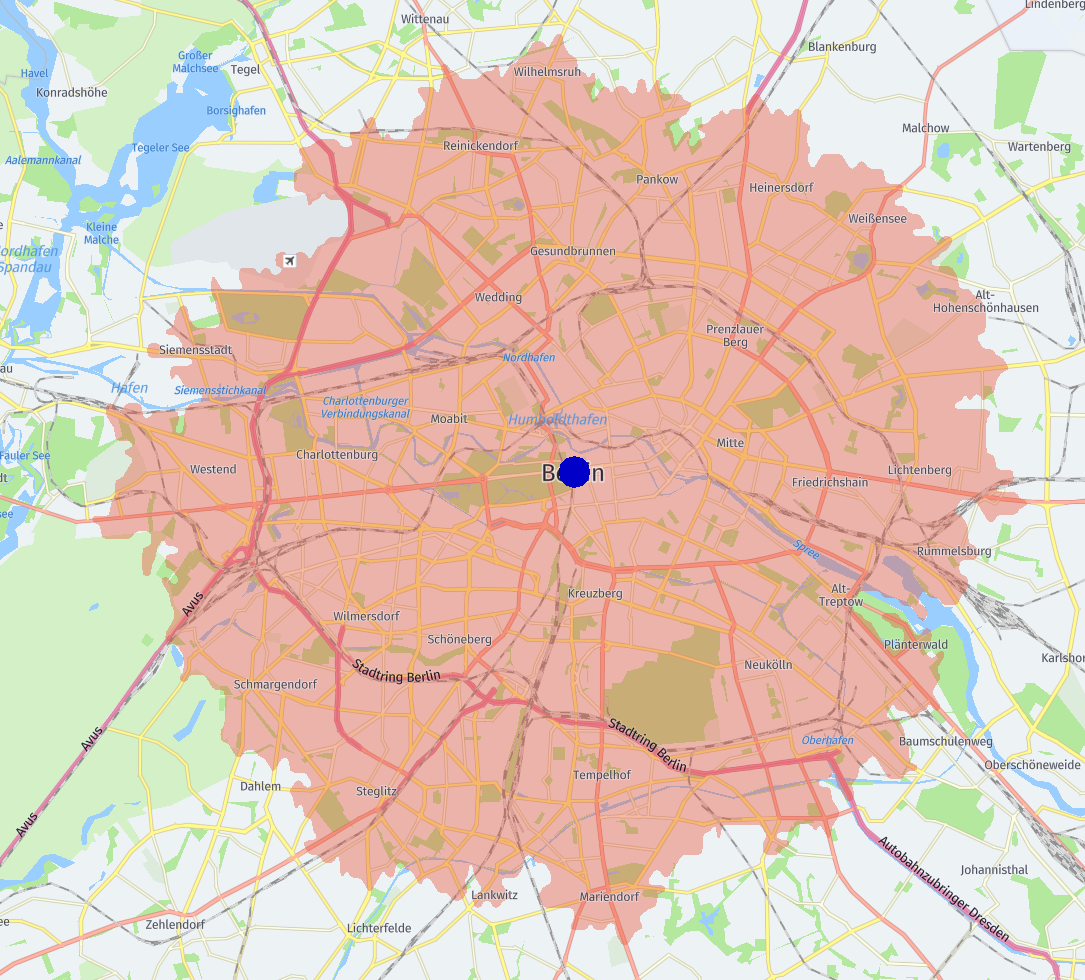
Updated 8 days ago