

How to run example apps
The Data Inspector Library provides example applications designed to help you understand the different use cases. There are two ways to access the examples:
- Follow this link to access the examples hosted
on the HERE platform. You can start investigating Data Inspector capabilities right away, without any installations. The only thing you need is to log into the platform. - Follow the steps described in the Install Example Apps chapter to install
and run the examples locally. Once installed, open the examples athttp://localhost:5000/.
Each example runs in the Data Inspector application window (represented by the DataInspector class) and explains a single feature of a certain Data Inspector Library component or a combination of various features. 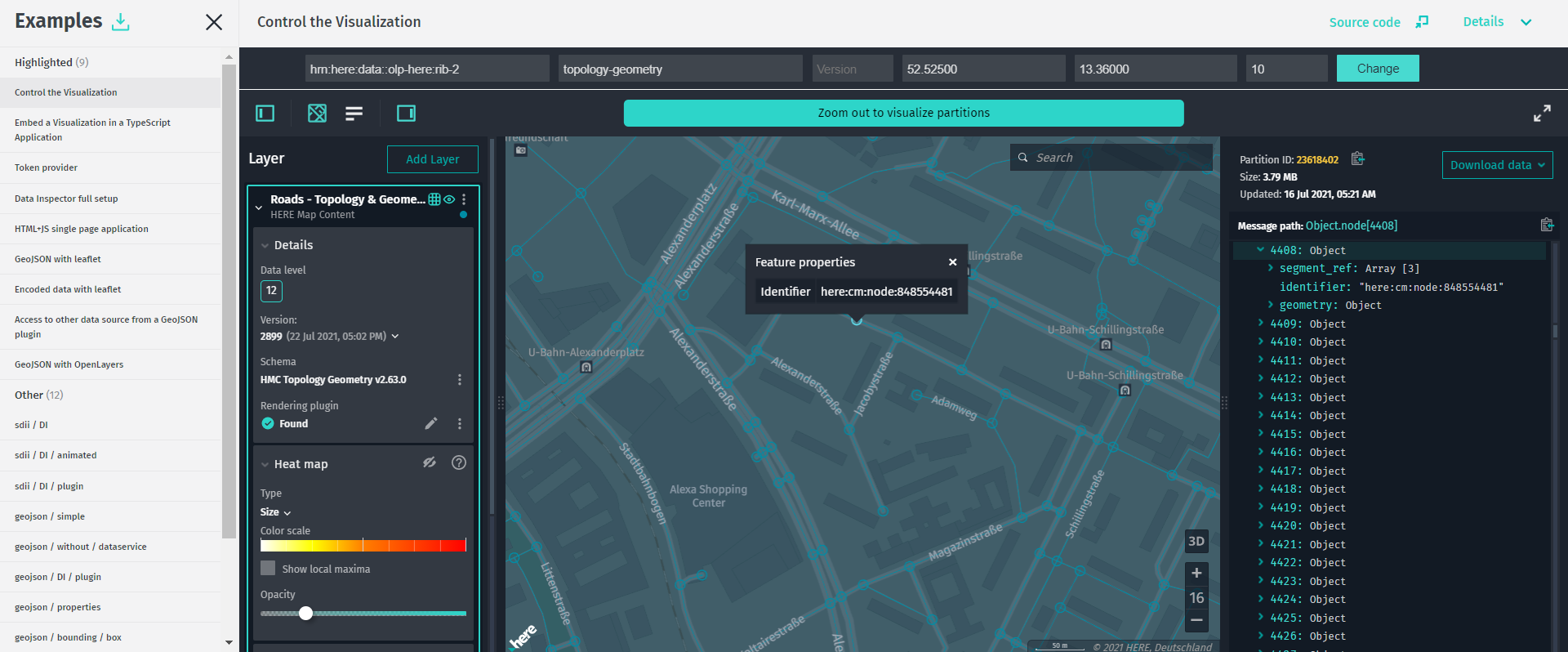 Click the Details button to view a detailed example description.
To view the source code of an example, click the Source code button.
To download a ZIP archive with the sources of all example applications, click the Download examples button.
Examples list
This chapter describes all the examples that the Data Inspector Library contains, including their source code (click to expand):
Highlighted
Control the Visualization
[snippet](src/verity_control_DI.ts)Embed the Visualization in a TypeScript Application
[snippet](src/verity_interactive_DI_basic.ts)Token Provider
[snippet](src/tokenProvider/server/token-provider.js)Data Inspector Full Setup
[snippet](src/verity_interactive_DI_full.ts)HTML+JS Single Page Application
Click here to open the app.
{% include "examples-explained/verity_js_integration.md" %}GeoJSON with Leaflet
[snippet](src/verity_leaflet_geojson.js)Encoded Data with Leaflet
[snippet](src/verity_leaflet_protobuf.js)Access to Other Data Source from a GeoJSON Plugin
[snippet](src/verity_DI_geojson_plugin_external_ds.ts)GeoJSON with OpenLayers
[snippet](src/verity_openlayers_geojson.js)Other
sdii / DI
[snippet](src/other_sdii_DI.ts)sdii / DI / animated
[snippet](src/other_sdii_DI_animated.ts)sdii / DI / plugin
[snippet](src/other_sdii_DI_plugin.ts)geojson / simple
[snippet](src/other_geojson_simple.ts)geojson / without / dataservice
[snippet](src/other_geojson_without_dataservice.ts)geojson / DI / plugin
[snippet](src/other_geojson_DI_plugin.ts)geojson / properties
[snippet](src/other_geojson_properties.ts)geojson / bounding / box
[snippet](src/other_geojson_bounding_box.ts)geojson / tilegrid
[snippet](src/other_geojson_tilegrid.ts)geojson / events
[snippet](src/other_geojson_events.ts)geojson / contenttype / versioned
[snippet](src/other_geojson_contenttype_versioned.ts)geometrydataprovider / speedlimits / DI
[snippet](src/other_geometrydataprovider_speedlimits_DI.ts)DI / object / store / layer
[snippet](src/other_DI_object_store_layer.ts)DI / interactive / map / layer
[snippet](src/other_DI_interactive_map_layer.ts)Updated 7 months ago