

How to update a GeoJSON data source
The generated code has an instance of GeoJsonDataSource that visualizes data from the uploaded file. Let's modify it to visualize a custom GeoJSON object. To do this, open the index.ts file and modify it as explained below.
First, add this import of FeatureCollection and MapViewEventNames to the import section of the file:
import { FeatureCollection } from "@here/olp-geojson-datasource";
import { MapViewEventNames } from "@here/harp-mapview";
Then, add the following code to the end of the createGeoJsonDataSource function in the index.ts file, just before the row with return geoJsonDataSource;:
const geoJsonData: FeatureCollection = {
    "type": "FeatureCollection",
    "features":
        [{
            "type": "Feature",
            "geometry":
                {
                    "type": "Polygon",
                    "coordinates": [
                        [
                            [13.304, 52.499],
                            [13.350, 52.458],
                            [13.430, 52.468],
                            [13.441, 52.521],
                            [13.371, 52.537],
                            [13.304, 52.499]
                        ]
                    ]
                },
            "properties": {},
        }]
};

if (dataInspector.mapView !== undefined) {
    dataInspector.mapView.addEventListener(MapViewEventNames.DataSourceConnect, event => {
        if (geoJsonDataSource !== undefined && event.dataSourceName === geoJsonDataSource.name) {
            geoJsonDataSource.renderGeoJson(geoJsonData); // visualize the GeoJSON object
        }
    });
}
After refreshing the page, you should see a pentagon shape covering the central area of Berlin rendered on the map: 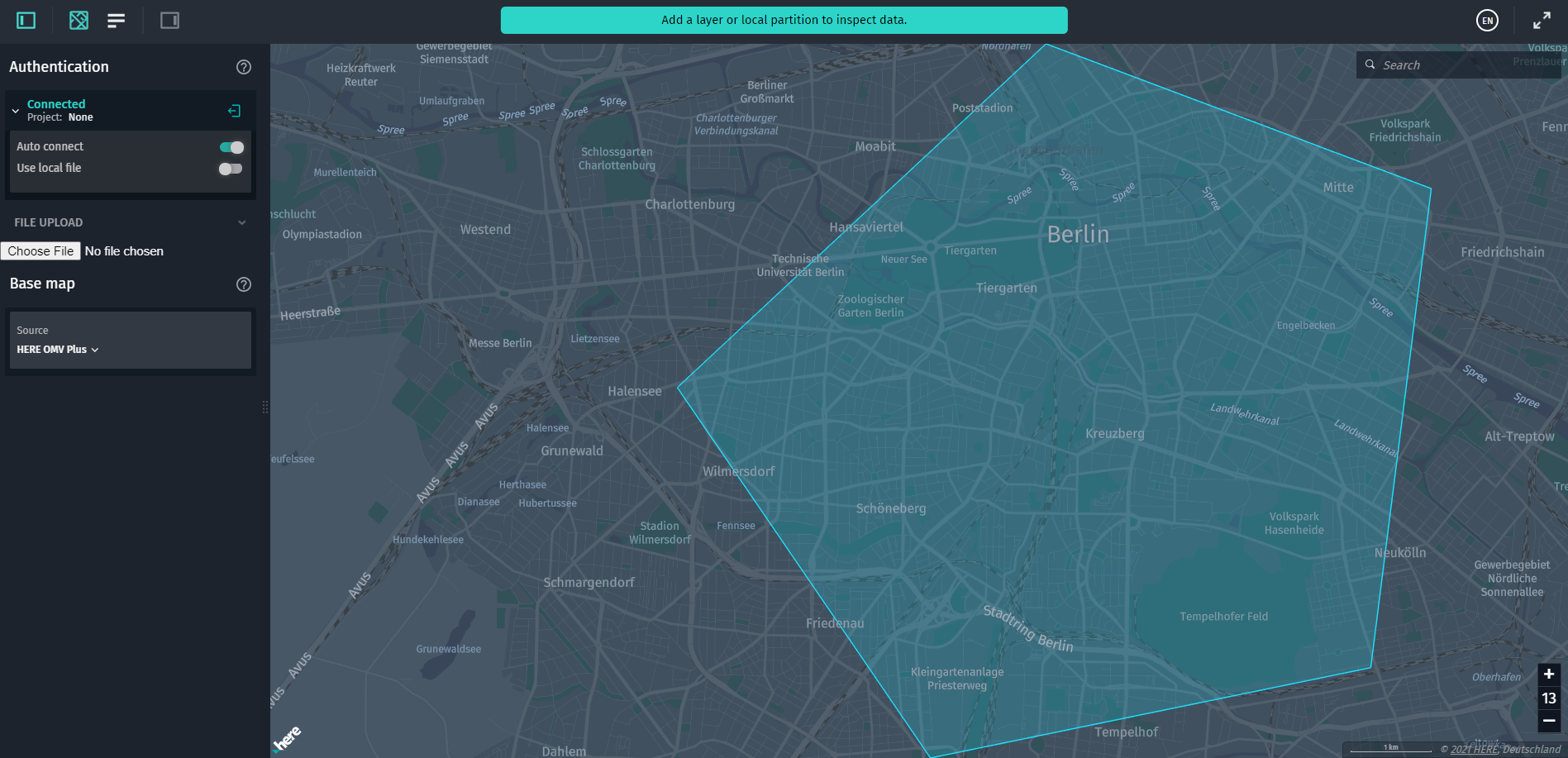 Changelog API reference
Updated 7 months ago
Did this page help you?