

Flink Dashboard for stream pipelines
Overview
Stream pipelines have a useful tool for monitoring and inspecting stream jobs' execution. The Flink framework includes a Web Console that is active for all Flink jobs in the Running state. Similar to the Flink Dashboard, it is called the Flink Dashboard and can be accessed directly from within HERE Workspace. This article explains how to access the Flink UI and some of its basic functions.
Using Flink Dashboard
Flink Dashboard is automatically started when a stream pipeline job is initiated. It can be accessed from the HERE platform portal or from the OLP CLI.
The best way to reach the Flink Dashboard is through the HERE platform portal. Figure 1 shows a typical display for a running batch pipeline. On the right side of the screen you can see two links: See Log and Open Flink Dashboard.  Alternately, OLP CLI command
 pipeline job show can be used to get the pipeline UI URL for the Flink Dashboard for a Stream pipeline.
: Logging in If you have not already logged into the Flink Dashboard in your current session, you will be requested to do so using the normal HERE platform sign-in dialog. Use your normal HERE platform credentials. Cookies are used to maintain your current session information.
The Open Flink Dashboard link in the portal or the pipeline UI URL link in the CLI opens the Flink Dashboard in your browser as illustrated in figure 2. 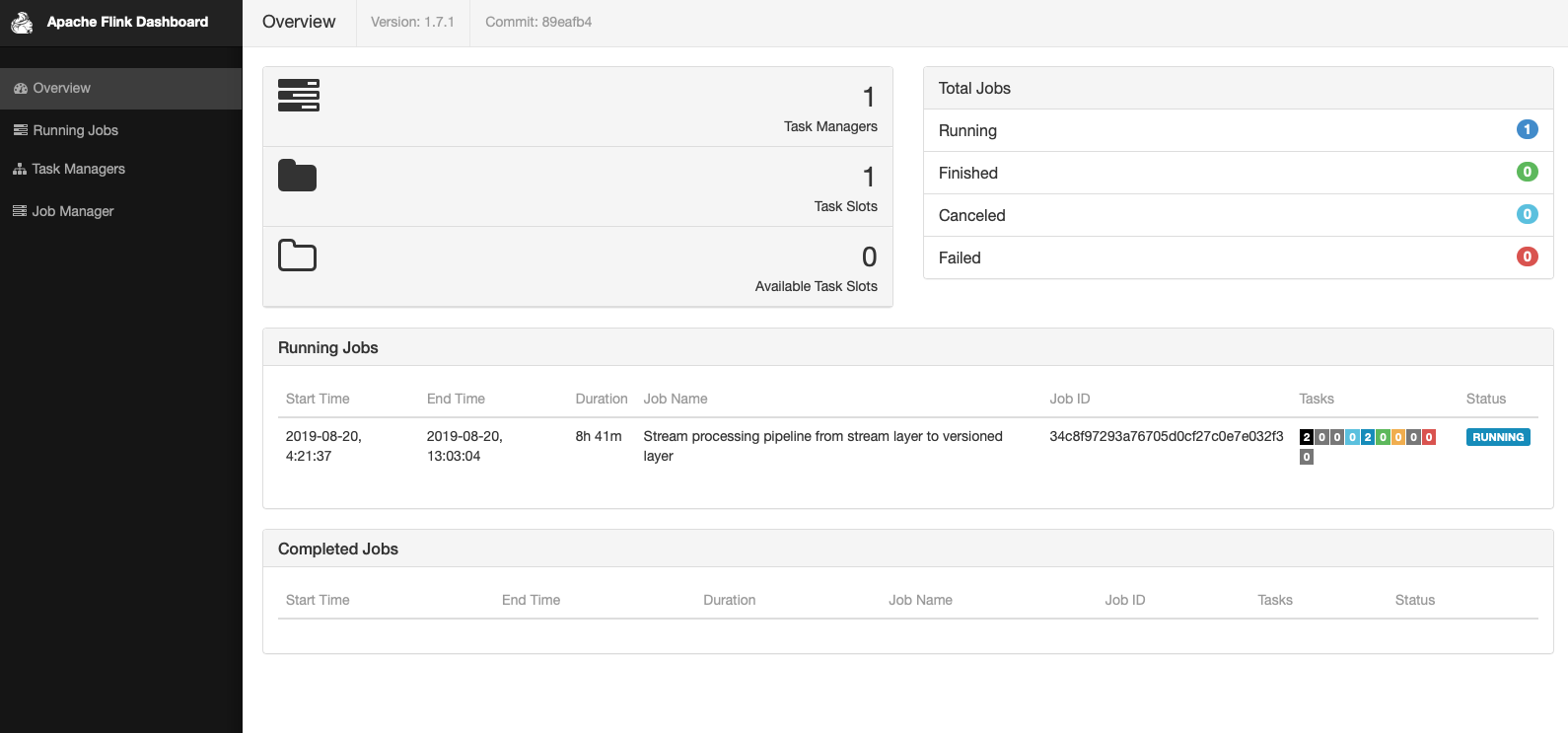 The Flink Dashboard provides important details about the Running jobs, Taskmanager, Jobmanager, Backpressure.
This version of the Flink Dashboard has been modified to be compatible with HERE Workspace. There are some functions that might be available in a native Flink environment that are not available here. For example, it is not allowed to manage the Flink job from within the Flink Dashboard, that is, a job cannot be submitted or canceled from the Flink Dashboard in HERE Workspace. All pipeline operations are only allowed from the pipeline UI. When referring to other Flink Dashboard documentation references, you may see discussions of features that are missing here. Those missing features are not compatible with HERE Workspace.
See Also
Updated 7 months ago