

How to publish data
How to publish data
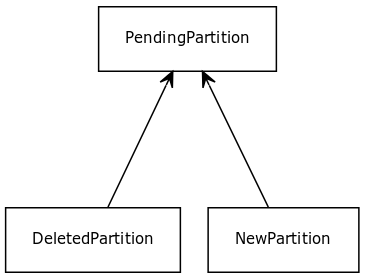
The image below illustrates the data publication model. You can mix all layer
types in the same publication.
The HERE platform supports following types of layers. For details on each layer
type, see the dedicated chapters:
- versioned
- volatile
- index
- stream
- objectstore
Publish to a versioned layer
Simplified Publication Process
Just as with the simplified metadata publication for a versioned layer, you can
publish both data and metadata with a single step. The snippet below
automatically starts a batch publication, publishes the data and metadata using
that batch publication, and finalizes the batch. The call finishes once the data
has been processed and is available in the catalog.
// create writeEngine for a catalog
val writeEngine = DataEngine().writeEngine(catalogHrn)

// list of dependencies for this publication
val dependencies = Seq.empty[VersionDependency]

val partitions: Source[PendingPartition, NotUsed] =
  Source(
    List(
      NewPartition(
        partition = newPartitionId1,
        layer = versionedLayerId,
        data = NewPartition.ByteArrayData(blobData)
      ),
      DeletedPartition(
        partition = deletedPartitionId,
        layer = versionedLayerId
      )
    )
  )

writeEngine.publishBatch2(parallelism = 10,
                          layerIds = Some(Seq(versionedLayerId)),
                          dependencies = dependencies,
                          partitions = partitions)
// create writeEngine for source catalog
WriteEngine writeEngine = DataEngine.get(myActorSystem).writeEngine(catalogHrn);
// parallelism defines how many parallel requests would be made to fetch the data
int parallelism = 10;
// list of dependencies for this publication
List<VersionDependency> dependencies = Collections.emptyList();
NewPartition newPartition =
new NewPartition.Builder()
.withPartition(partitionId)
.withData(blobData)
.withLayer(layer)
.build();
DeletedPartition deletedPartition =
new DeletedPartition.Builder().withPartition(deletedPartitionId).withLayer(layer).build();
ArrayList<PendingPartition> partitionList = new ArrayList<>();
partitionList.add(newPartition);
partitionList.add(deletedPartition);
Source<PendingPartition, NotUsed> partitions = Source.from(partitionList);
CompletableFuture<Done> futurePublish =
writeEngine
.publishBatch2(parallelism, Optional.of(Arrays.asList(layer)), dependencies, partitions)
.toCompletableFuture();Distributed publications
The HERE platform allows you to process and publish a large number of partitions
in a distributed manner.
For versioned layers, this is a three-step process:
- start the publication process to initiate a new batch publication and during
which you receive abatch token, normally this operation happens on the
master or a driver node in the cluster. - different workers upload data/metadata, attaching them to same
batch token - once all data is sent to server, you needs to finalize the batch publication
upload, normally this operation happens on the master or a driver node in the
cluster.
Upon receiving the complete batch request, the server starts processing the
publications to create the next catalog version.
The following snippet illustrates how to publish multiple requests to a
versioned layer:
// create publishApi and writeEngine for source catalog
val publishApi = DataClient().publishApi(catalogHrn, settings)
val writeEngine = DataEngine().writeEngine(catalogHrn)

// start batch publication
publishApi
  .startBatch2(None, Some(Seq(versionedLayerId)), Seq.empty)
  .flatMap { batchToken =>
    //start worker 1 with upload data and publishing metadata
    val worker1 =
      publishApi.publishToBatch(batchToken, partitions1.mapAsync(parallelism = 2) {
        partition =>
          writeEngine.put(partition)
      })

    //start worker 2 with upload data and publishing metadata
    val worker2 =
      publishApi.publishToBatch(batchToken, partitions2.mapAsync(parallelism = 2) {
        partition =>
          writeEngine.put(partition)
      })

    // wait until workers are done uploading data/metadata
    for {
      _ <- worker1
      _ <- worker2
    } yield batchToken

  }
  .flatMap { batchToken =>
    //signal to server complete batch publication
    publishApi.completeBatch(batchToken)
  }
// create publishApi and writeEngine for source catalog
PublishApi publishApi = DataClient.get(myActorSystem).publishApi(catalogHrn);
WriteEngine writeEngine = DataEngine.get(myActorSystem).writeEngine(catalogHrn);
// start a batch, publish partitions, complete batch
CompletableFuture<Done> futurePublish =
publishApi
.startBatch2(baseVersion, Optional.empty(), Collections.emptyList())
.thenCompose(
batchToken -> {
// start worker 1 with upload data and publishing metadata
Source<PendingPartition, NotUsed> partitionsOnWorker1 =
arbitraryPendingPartitions1;
CompletableFuture<Done> worker1 =
publishApi
.publishToBatch(
batchToken,
partitionsOnWorker1.mapAsync(
2, partition -> writeEngine.put(partition)))
.toCompletableFuture();
// start worker 2 with upload data and publishing metadata
Source<PendingPartition, NotUsed> partitionsOnWorker2 =
arbitraryPendingPartitions2;
CompletableFuture<Done> worker2 =
publishApi
.publishToBatch(
batchToken,
partitionsOnWorker2.mapAsync(
2, partition -> writeEngine.put(partition)))
.toCompletableFuture();
// wait until workers are done upload
return worker1.thenCombine(worker2, (done, done2) -> batchToken);
})
.thenCompose(
batchToken -> {
return publishApi.completeBatch(batchToken);
})
.toCompletableFuture();Publish to a stream layer
Data published to a stream layer is not versioned. It becomes immediately
available to consumers for processing. The data can be retrieved by subscribing
to the stream layer.
The snippet below illustrates how to publish to a stream layer.`
// create writeEngine and queryApi for a catalog
val writeEngine = DataEngine().writeEngine(catalogHrn)
val queryApi = DataClient().queryApi(catalogHrn)

// subscribe to receive new publications from stream layer
queryApi.subscribe("stream-layer",
                   ConsumerSettings("test-consumer"),
                   partition => println("Received " + new String(partition.partition)))

val partitions =
  Source.single(
    NewPartition(
      partition = newPartitionId1,
      layer = streamingLayerId,
      data = NewPartition.ByteArrayData(blobData),
      dataSize = dataSize,
      checksum = checksum,
      compressedDataSize = compressedDataSize,
      timestamp = Some(timestamp) // optional, see explation below
    )
  )

writeEngine.publish(partitions)
// create writeEngine and queryApi for a catalog
QueryApi queryApi = DataClient.get(myActorSystem).queryApi(catalogHrn);
WriteEngine writeEngine = DataEngine.get(myActorSystem).writeEngine(catalogHrn);
// subscribe to receive new publications from stream layer
queryApi.subscribe(
"stream-layer",
new ConsumerSettings.Builder().withGroupName("test-consumer").build(),
partition -> processPartition(partition));
NewPartition newPartition =
new NewPartition.Builder()
.withPartition(partitionId)
.withData(blobData)
.withLayer(layer)
.withDataSize(dataSize)
.withCompressedDataSize(compressedDataSize)
.withChecksum(checksum)
.withTimestamp(OptionalLong.of(timestamp)) // optional, see explation below
.build();
Source<PendingPartition, NotUsed> partitions = Source.single(newPartition);
writeEngine.publish(partitions);If the optional parameter timestamp is given then it is used as is. If this
parameter is not present then the current time is used by default
(System.currentTimeMillis()). Providing a timestamp can be useful if your
workflows require you to capture "event" time, otherwise the current time
represents the "ingestion" time.
NoteKafka data/record deletion as configured by your stream layer TTL (Time to
Live) configuration is triggered by thetimestampparameter. If you
therefore provide the timestamp, the stream layer data will be deleted based
on that timestamp + the configured TTL (Time to Live). By default, the data
will be purged from Kafka using the "ingestion" timestamp + the configured
TTL. This differentiation can be important to consider if your use case
requires that the stream data be deleted within a certain time post ingestion.
The Kafka record TTL (time to live) is defined in the Kafka broker.
Publish to a volatile layer
A volatile layer is a key/value store where values for a given key can change
and only the latest value is retrievable. As new data is published, old data is
overwritten. You must publish a new version of the metadata if there are going
to be breaking changes on the data that consumers are expecting to read in the
layer.
If you need to publish a new version to a volatile layer, use
version dependencies to upload the partitions using the batch publication.
The snippet below illustrates how to use version dependencies.
// get base version to commit a new version
val publishApi = DataClient().publishApi(catalogHrn)

publishApi.getBaseVersion().flatMap { baseVersion =>
  // compute next version to be used in Md5BlobIdGenerator
  val nextVersion =
    baseVersion
      .map(_ + 1L)
      .getOrElse(0L)

  // create writeEngine for a catalog with a deterministic BlobIdGenerator
  val writeEngine =
    DataEngine().writeEngine(catalogHrn, new StableBlobIdGenerator(nextVersion))

  // list of dependencies for this publication
  val dependencies = Seq.empty[VersionDependency]

  // given a list partitions to commit
  val partitions: Source[PendingPartition, NotUsed] =
    Source(
      List(
        NewPartition(
          partition = newPartitionId1,
          layer = volatileLayerId,
          data = maybeEmptyData
        ),
        NewPartition(
          partition = newPartitionId2,
          layer = volatileLayerId,
          data = maybeEmptyData
        )
      )
    )

  // upload data
  val commitPartitions: Source[CommitPartition, NotUsed] =
    partitions.mapAsync(parallelism = 10) { pendingPartition =>
      writeEngine.put(pendingPartition)
    }

  // publish version to metadata
  publishApi
    .publishBatch2(baseVersion, Some(Seq(volatileLayerId)), dependencies, commitPartitions)
}
// get base version to commit a new version
PublishApi publishApi = DataClient.get(myActorSystem).publishApi(catalogHrn);
publishApi
.getBaseVersion()
.thenCompose(
baseVersion -> {
// compute next version to be used in Md5BlobIdGenerator
Long nextVersion = baseVersion.isPresent() ? baseVersion.getAsLong() + 1 : 0;
// create writeEngine for a catalog with a deterministic BlobIdGenerator
BlobIdGenerator idGenerator =
new StableBlobIdGenerator.Builder().withVersion(nextVersion).build();
WriteEngine writeEngine =
DataEngine.get(myActorSystem).writeEngine(catalogHrn, idGenerator);
// list of dependencies for this publication
List<VersionDependency> dependencies = Collections.emptyList();
NewPartition newPartition1 =
new NewPartition.Builder()
.withPartition(partitionId1)
.withLayer(layer)
.withData(maybeEmptyData)
.build();
NewPartition newPartition2 =
new NewPartition.Builder()
.withPartition(partitionId2)
.withLayer(layer)
.withData(maybeEmptyData)
.build();
ArrayList<PendingPartition> partitionList = new ArrayList<>();
partitionList.add(newPartition1);
partitionList.add(newPartition2);
Source<PendingPartition, NotUsed> partitions = Source.from(partitionList);
int parallelism = 10;
// upload data
Source<CommitPartition, NotUsed> commitPartitions =
partitions.mapAsync(parallelism, writeEngine::put);
// publish version to metadata
CompletionStage<Done> done =
publishApi.publishBatch2(
baseVersion,
Optional.of(Arrays.asList(layer)),
dependencies,
commitPartitions);
return done;
});If you only need to update data in a volatile layer, use the generic publish
method.
The snippet below illustrates how to use publish.
// create queryApi for a catalog to find latest version
val queryApi = DataClient().queryApi(catalogHrn)

queryApi.getLatestVersion().flatMap { maybeLatestVersion =>
  val latestVersion =
    maybeLatestVersion.getOrElse(throw new IllegalArgumentException("No version found!"))

  // create writeEngine for a catalog with a deterministic BlobIdGenerator
  val writeEngine =
    DataEngine().writeEngine(catalogHrn, new StableBlobIdGenerator(latestVersion))

  val partitions: Source[PendingPartition, NotUsed] =
    Source(
      List(
        NewPartition(
          partition = newPartitionId1,
          layer = volatileLayerId,
          data = someData
        ),
        NewPartition(
          partition = newPartitionId2,
          layer = volatileLayerId,
          data = someData
        )
      )
    )

  // publish data without batch token
  partitions
    .mapAsync(parallelism = 10) { partition =>
      writeEngine.put(partition)
    }
    .runWith(Sink.ignore)
}
// create queryApi for a catalog to find latest version
QueryApi queryApi = DataClient.get(myActorSystem).queryApi(catalogHrn);
CompletionStage<Done> completionStage =
queryApi
.getLatestVersion(OptionalLong.empty())
.thenCompose(
maybeLatestVersion -> {
if (!maybeLatestVersion.isPresent())
throw new IllegalArgumentException("No version found!");
Long latestVersion = maybeLatestVersion.getAsLong();
// create writeEngine for a catalog with a deterministic BlobIdGenerator
BlobIdGenerator idGenerator =
new StableBlobIdGenerator.Builder().withVersion(latestVersion).build();
WriteEngine writeEngine =
DataEngine.get(myActorSystem).writeEngine(catalogHrn, idGenerator);
NewPartition newPartition1 =
new NewPartition.Builder()
.withPartition(partitionId1)
.withLayer(layer)
.withData(someData)
.build();
NewPartition newPartition2 =
new NewPartition.Builder()
.withPartition(partitionId2)
.withLayer(layer)
.withData(someData)
.build();
ArrayList<PendingPartition> partitionList = new ArrayList<>();
partitionList.add(newPartition1);
partitionList.add(newPartition2);
Source<PendingPartition, NotUsed> partitions = Source.from(partitionList);
int parallelism = 10;
// publish data without batch token
CompletionStage<Done> done =
partitions
.mapAsync(parallelism, writeEngine::put)
.runWith(Sink.ignore(), myMaterializer);
return done;
});Delete from a volatile layer
When you need to delete the metadata and data from a volatile layer, you can use
the following two step process.
-
First, you delete the data using
DataEngine.writeEnginewith
DeletePartitionobject. ADeletePartitionis similar toNewPartition
but contains thedataHandleinstead of the payload. This was the referenced
blob object (the data) is deleted. -
Second, you delete the metadata by using
PublishApi.publishBatchwith the
CommitPartitionobject you got from thewriteEngineprevious API call.
If you skip the second step you get the same result as if the volatile partition
is expired; the data is gone but the metadata is still there.
The snippet below illustrates how to delete data and metadata from volatile
layer.
// get base version to commit a new version
val publishApi = DataClient().publishApi(catalogHrn)

publishApi.getBaseVersion().flatMap { baseVersion =>
  // compute next version to be used in Md5BlobIdGenerator
  val nextVersion =
    baseVersion
      .map(_ + 1L)
      .getOrElse(0L)

  // create writeEngine for a catalog with a deterministic BlobIdGenerator
  val writeEngine =
    DataEngine().writeEngine(catalogHrn, new StableBlobIdGenerator(nextVersion))

  // list of dependencies for this publication
  val dependencies = Seq.empty[VersionDependency]

  val queryApi = DataClient().queryApi(catalogHrn)
  val filter = VolatilePartitionsFilter.byIds(Set(deletePartitionId1, deletePartitionId2))
  val partitions: Seq[Partition] = Await
    .result(queryApi.getVolatilePartitionsAsIterator(volatileLayerId, filter), Duration.Inf)
    .toSeq

  // prepare list of partitions to be deleted
  @nowarn("msg=match may not be exhaustive")
  def getDeletedPartitions: Source[PendingPartition, NotUsed] =
    Source(
      partitions.map {
        case referencePartition: ReferencePartition =>
          val dataHandle = referencePartition.getDataHandle
          val partitionId = referencePartition.partition
          DeletedPartition(
            partition = partitionId,
            layer = volatileLayerId,
            dataHandle = Some(dataHandle)
          )
      }.toList
    )

  val deletePartitions: Source[PendingPartition, NotUsed] = getDeletedPartitions
  // delete data
  val commitPartitions: Source[CommitPartition, NotUsed] =
    deletePartitions.mapAsync(parallelism = 10) { pendingPartition =>
      writeEngine.put(pendingPartition)
    }

  // publish version to metadata
  publishApi
    .publishBatch2(baseVersion, Some(Seq(volatileLayerId)), dependencies, commitPartitions)
}
// get the partitions from partitionIds
QueryApi queryApi = DataClient.get(myActorSystem).queryApi(catalogHrn);
VolatilePartitionsFilter filter =
new VolatilePartitionsFilter.Builder()
.withIds(new HashSet<String>(Arrays.asList(partitionId1, partitionId2)))
.build();
final List<Partition> partitions = new ArrayList<Partition>();
try {
queryApi
.getVolatilePartitionsAsIterator(layerId, filter, Collections.emptySet())
.toCompletableFuture()
.get()
.forEachRemaining(partitions::add);
} catch (Exception exp) {
partitions.clear();
}
// get base version to commit a new version
PublishApi publishApi = DataClient.get(myActorSystem).publishApi(catalogHrn);
publishApi
.getBaseVersion()
.thenCompose(
baseVersion -> {
// compute next version to be used in Md5BlobIdGenerator
Long nextVersion = baseVersion.isPresent() ? baseVersion.getAsLong() + 1 : 0;
// create writeEngine for a catalog with a deterministic BlobIdGenerator
BlobIdGenerator idGenerator =
new StableBlobIdGenerator.Builder().withVersion(nextVersion).build();
WriteEngine writeEngine =
DataEngine.get(myActorSystem).writeEngine(catalogHrn, idGenerator);
ArrayList<PendingPartition> partitionList = new ArrayList<>();
for (Partition p : partitions) {
if (p instanceof ReferencePartition) {
ReferencePartition referencePartition = (ReferencePartition) p;
partitionList.add(
new DeletedPartition.Builder()
.withLayer(layerId)
.withPartition(referencePartition.getPartition())
.withDataHandle(referencePartition.getDataHandle())
.build());
}
}
Source<PendingPartition, NotUsed> pendingPartitions = Source.from(partitionList);
int parallelism = 10;
// upload data
Source<CommitPartition, NotUsed> commitPartitions =
pendingPartitions.mapAsync(parallelism, writeEngine::put);
// publish version to metadata
CompletionStage<Done> done =
publishApi.publishBatch2(
baseVersion,
Optional.of(Arrays.asList(layerId)),
Collections.emptyList(),
commitPartitions);
return done;
});
NoteBlobIdGenerator
It is recommended to use theStableBlobIdGeneratorto create the write
engine for uploading volatile partitions. If you define your own
BlobIdGenerator ensure that the methodgenerateVolatileBlobId(partition)is
stable, that is, for a certain partition it generates sameblobIdon each
call. By defaultgenerateVolatileBlobIdreturns the result of
generateBlobId. So if this method is stable it should be fine otherwise it
must be overridden, as having a non stable blobIds for volatile partitions can
create orphaned blobs.Custom
blobIdGeneratorexample bellow:
class CustomBlobIdGenerator extends BlobIdGenerator {

  override def generateBlobId(partition: NewPartition): String =
    UUID.randomUUID.toString

  override def generateVolatileBlobId(partition: NewPartition): String =
    "volatile-partition-" + partition.partition

}
public class JavaCustomBlobIdGenerator implements BlobIdGenerator {
@Override
public String generateBlobId(NewPartition partition) {
return UUID.randomUUID().toString();
}
@Override
public String generateVolatileBlobId(NewPartition partition) {
return "volatile-partition-" + partition.partition();
}
}Publish to an index layer
Data published to an index layer is not versioned but is indexed. To publish and
index the data, you have two options:
- You can separately publish and index the data by calling the methods
WriteEngine.put and PublishApi.index. - Or you can call the method WriteEngine.uploadAndIndex that both publishes and
indexes the data of a partition.
The snippet below illustrates how to create a new partition that can later be
published to an index layer.
// How to define NewPartition for Index layer
val newPartition = NewPartition(
  partition = "",
  layer = indexLayerId,
  data = ByteArrayData(bytes),
  fields = Some(
    Map(
      "someIntKey" -> IntIndexValue(42),
      "someStringKey" -> StringIndexValue("abc"),
      "someBooleanKey" -> BooleanIndexValue(true),
      "someTimeWindowKey" -> TimeWindowIndexValue(123456789L),
      "someHereTileKey" -> HereTileIndexValue(91956L)
    )),
  metadata = Some(
    Map(
      "someKey1" -> "someValue1",
      "someKey2" -> "someValue2"
    )),
  checksum = Some(checksum),
  crc = Some(crc),
  dataSize = Some(dataSize)
)
// How to define NewPartition for Index layer
NewPartition newPartition =
new NewPartition.Builder()
.withPartition("")
.withLayer(indexLayerId)
.withData(bytes)
.addIntField("someIntKey", 42)
.addStringField("someStringKey", "abc")
.addBooleanField("someBooleanKey", true)
.addTimeWindowField("someTimeWindowKey", 123456789L)
.addHereTileField("someHereTileKey", 91956L)
.addMetadata("someKey1", "someValue1")
.addMetadata("someKey2", "someValue2")
.withChecksum(Optional.of(checksum))
.withDataSize(OptionalLong.of(dataSize))
.build();
NoteThe Metadata parameter is an additional key-value collection that is not
related to any index key. A Metadata key is a user-defined field that can
store extra information about a record such as the ingestion time:
Map("ingestionTime" -> "1532018660873").The
NewPartition.fieldsclass member is also called index attributes on the
portal or indexDefinitions in the OLP CLI.
The snippet below illustrates how to upload data and to index partition with
single method WriteEngine.uploadAndIndex.
// The example illustrated how to upload data and to index partition
// with single method WriteEngine.uploadAndIndex
writeEngine.uploadAndIndex(Iterator(newPartition))
// The example illustrated how to upload data and to index partition
// with single method WriteEngine.uploadAndIndex
Iterator<NewPartition> partitions = Arrays.asList(newPartition).iterator();
CompletionStage<Done> publish = writeEngine.uploadAndIndex(partitions);The snippet below illustrates how to upload data with WriteEngine.put and then
to index partition with PublishApi.publishIndex
// How to upload data with WriteEngine.put and
// index the partition with PublishApi.publishIndex
val putAndIndex: Future[Done] =
  for {
    commitPartition <- writeEngine.put(newPartition)
    _ <- publishApi.publishIndex(indexLayerId, Iterator(commitPartition))
  } yield Done
// How to upload data with WriteEngine.put and
// index the partition with PublishApi.publishIndex
CompletionStage<Done> putAndIndex =
writeEngine
.put(newPartition)
.thenCompose(
commitPartition -> {
Iterator<CommitPartition> commitPartitions =
Arrays.asList(commitPartition).iterator();
return publishApi.publishIndex(indexLayerId, commitPartitions);
});Update an index layer
When you need to change the data in an index layer, you can use the
PublishApi.updateIndex API call. The method takes 3 arguments:
layer- The layer id of the layer which should be updated.additions- A list of partitions to add. Note that you must first upload the
data blob using WriteEngine.put before you can add the corresponding
partition.deletions- A list of partitions to delete.
The following snippet demonstrates the usage of the PublishApi.updateIndex
API:
val updateIndex: Future[Done] = {
  // partitions to add
  // see above how to define a new partition for an index layer
  val additions = Seq(newPartition)
  // partitions to remove
  // use CommitPartition.deletedIndexPartition to define a partition its data handle that
  // you plan to remove
  val removals = Seq(CommitPartition.deletedIndexPartition(dataHandle, indexLayerId))

  for {
    // first you have to upload corresponding blobs of the new partitions to the Blob Store
    committedAdditions <- Future.sequence(additions.map(p => writeEngine.put(p)))
    _ <- publishApi.updateIndex(indexLayerId, committedAdditions.iterator, removals.iterator)
  } yield Done
}
CompletionStage<Done> updateIndex =
writeEngine
// first you have to upload corresponding blobs of the new partitions
// to the Blob Store
.put(newPartition)
.thenCompose(
commitPartition -> {
Iterator<CommitPartition> additions = Arrays.asList(commitPartition).iterator();
// use DeleteIndexPartitionBuilder to define partitions that you plan to remove
CommitPartition deletePartition =
new CommitPartition.Builder()
.deleteIndexPartition()
.withLayer(indexLayerId)
.withDataHandle(dataHandle)
.build();
Iterator<CommitPartition> removals = Arrays.asList(deletePartition).iterator();
return publishApi.updateIndex(indexLayerId, additions, removals);
});Delete from an index layer
When you need to delete the metadata and data in an index layer, you can use the
PublishApi.deleteIndex API call. The delete operation will be scheduled when
the PublishApi.deleteIndex API call is successful.
The method takes 2 arguments:
layer- The layer id of the layer from that some records should be deleted.queryString- A string written in the
RSQL query language to
query the index layer.
The method returns:
deleteId- A string which can later be used to query the delete status.
For checking delete status, you can use QueryApi.queryIndexDeleteStatus API
call.
The method takes one argument:
deleteId- The delete request id returned fromPublishApi.deleteIndexAPI
call.
The method returns:
DeleteIndexesStatusResponse- The response will provide information on the
state and number of partitions deleted at the time of delete status request.
The snippet below demonstrates the usage of the PublishApi.deleteIndex API and
the QueryApi.queryIndexDeleteStatus API:
import scala.concurrent.Await
import scala.concurrent.duration._

val queryString = "someIntKey>42;someStringKey!=abc"
val deleteId =
  Await.result(publishApi.deleteIndex(indexLayerId, queryString), 45.seconds)

// Note that the delete operation for deleting records in index layer is an async operation
// This example will return the current status of the delete request
// If user wants to wait for the delete status to be in Succeeded state, user may have to
// perform multiple delete status calls
// It is recommended to use exponential backoff policy to reduce the rate of delete status
// calls to the server
val deleteStatusResponse =
  Await.result(queryApi.queryIndexDeleteStatus(indexLayerId, deleteId), 5.seconds)
println("Current state of index delete request is " + deleteStatusResponse.state)
String queryString = "someIntKey>42;someStringKey!=abc";
String deleteId =
publishApi.deleteIndex(indexLayerId, queryString).toCompletableFuture().join();
// Note that the delete operation for deleting records in index layer is an async operation
// This example will return the current status of the delete request
// If user wants to wait for the delete status to be in Succeeded state, user may have to
// perform multiple delete status calls
// It is recommended to use exponential backoff policy to reduce the rate of delete status
// calls to the server
DeleteIndexesStatusResponse deleteStatusResponse =
queryApi.queryIndexDeleteStatus(indexLayerId, deleteId).toCompletableFuture().join();
System.out.println(
"Current state of index delete request is " + deleteStatusResponse.state());Upload an object to the Object Store layer
The Object Store layer is a key/value store. You can upload data to an existing
or a non-existing key. The data is mutable and parallel writes are allowed. You
can publish keys with / to create a hierarchical structure, so that you can
list the keys under the same prefix.
The following code snippet shows how to upload data to the Object Store layer:
// create writeEngine for a catalog
val writeEngine = DataEngine().writeEngine(catalogHrn)

writeEngine.uploadObject2(layer,
                          key,
                          NewPartition.ByteArrayData(blobData),
                          Some(ContentTypes.`application/json`.toString()))
// create writeEngine for a catalog
WriteEngine writeEngine = DataEngine.get(myActorSystem).writeEngine(catalogHrn);
CompletableFuture<Done> futureUploadObject =
writeEngine
.uploadObject2(
layer,
key,
new NewPartition.ByteArrayData(blobData),
Optional.of(ContentTypes.APPLICATION_JSON.toString()),
Optional.empty())
.toCompletableFuture();Delete an object from the Object Store layer
An object can be deleted from the Object Store layer. You submit a delete
request and the object will eventually be deleted from the layer.
The following code snippet shows how to delete an object from Object Store
layer:
// create writeEngine
val writeEngine = DataEngine().writeEngine(catalogHrn)

writeEngine.deleteObject(layer, key)
// create writeEngine
WriteEngine writeEngine = DataEngine.get(myActorSystem).writeEngine(catalogHrn);
CompletableFuture<Done> futureUploadObject =
writeEngine.deleteObject(layer, key).toCompletableFuture();Copy an object within the Object Store layer
Object Store allows server side copying of an object within the same layer.
The following code snippet shows how to copy an object within the same Object
Store layer:
// create writeEngine
val writeEngine = DataEngine().writeEngine(catalogHrn)

writeEngine.copyObject(layer, destinationKey, sourceKey)
// create writeEngine
WriteEngine writeEngine = DataEngine.get(myActorSystem).writeEngine(catalogHrn);
CompletableFuture<Done> futureUploadObject =
writeEngine.copyObject(layer, destinationKey, sourceKey).toCompletableFuture();Publish to an Interactive Map layer
To publish data to an interactive map layer, use the Publish API. Send your data
to the layer using the POST, PUT or PATCH requests of the 'interactive' api. Use
Delete request to delete the Data from an interactive map layer.
Upload data to an Interactive Map layer
When you want to upload the specified feature to an interactive map layer, you
can use thePublishApi.putFeature API call.
The method takes 3 arguments:
layer- The layer ID of the layer which should be updated.feature- The feature to upload in the interactive map layer.featureId- The feature ID of the feature.
When you want to upload the specified FeatureCollection to an interactive map
layer, you can use thePublishApi.putFeatureCollection API call.
The method takes 2 arguments:
layer- The layer ID of the layer which should be updated.featureCollection- The FeatureCollection to upload in an interactive map
layer.
The following snippet demonstrates the usage of the
PublishApi.putFeatureCollection API:
// create publishApi
val publishApi = DataClient().publishApi(catalogHrn, settings)

val featureCollection =
  FeatureCollection(
    features = immutable.Seq(
      Feature(id = Some("feature-1"),
              geometry = Some(Point(coordinates = Some(immutable.Seq(10.0, 12.0)))),
              properties = Some(Map("prop1" -> "some-value", "prop2" -> 10)))
    ))

val futureResponse = publishApi.putFeatureCollection(layerId, featureCollection)
val response = Await.result(futureResponse, timeout)
// create queryApi
PublishApi publishApi = DataClient.get(myActorSystem).publishApi(catalogHrn);
// Map of properties in the feature
Map properties = new HashMap();
properties.put("prop1", "some-value");
properties.put("prop2", 10);
Feature feature =
new Feature.Builder()
.withId("feature-1")
.withGeometry(
new Point.Builder()
.withCoordinates(new ArrayList<>(Arrays.asList(10.0, 12.0)))
.build())
.withProperties(properties)
.build();
FeatureCollection featureCollection =
new FeatureCollection.Builder()
.withFeatures(new ArrayList<>(Arrays.asList(feature)))
.build();
FeatureCollection response =
publishApi.putFeatureCollection(layerId, featureCollection).toCompletableFuture().join();Geo-coordinates
Interactive map layer works with geo-coordinates. The meaning of a
geo-coordinate is defined by
GeoJSON RFC7946. Citing
RFC7946 chapter "Position":
"A position is an array of numbers. There MUST be two or more elements. The
first two elements are longitude and latitude, or easting and northing,
precisely in that order and using decimal numbers. Altitude or elevation MAY be
included as an optional third element."
For bounding boxes citing
RFC7946 chapter "Bounding Box":
"The value of the bbox member MUST be an array of length 2*n where n is the
number of dimensions represented in the contained geometries, with all axes of
the most southwesterly point followed by all axes of the more northeasterly
point. The axes order of a bbox follows the axes order of geometries. The "bbox"
values define shapes with edges that follow lines of constant longitude,
latitude, and elevation."
Update an Interactive Map layer
When you want to update the specified FeatureCollection to the Interactive Map
layer, you can use thePublishApi.postFeatureCollection API call.
The method takes 5 arguments:
layer- The layer ID of the layer which should be updated.featureCollection- The FeatureCollection to update in an interactive map
layer.ifExist- The action to execute, when a feature with the provided ID exists.
Default is PATCH.ifNotExist- The action to execute, when a feature with the provided ID does
not exist, or the feature contains no ID. Default is CREATE.transactional- Defines, if this is a transactional operation. Default is
TRUE.
Alternatively, you can also use you can use
thePublishApi.postFeatureModifications API call.
The method takes 3 arguments:
layer- The layer ID of the layer which should be updated.featureModificationList- The featureModificationList contains a list of
FeatureModification objects. Each FeatureModification object contains a list
of features, param named onFeatureNotExists which defines action to execute
when a feature with the provided ID does not exist and param named
onFeatureExists which defines action to execute when a feature with the
provided ID existtransactional- Defines, if this is a transactional operation. Default is
TRUE.
When you want to patch the specified feature in an interactive map layer, you
can use thePublishApi.patchFeature API call.
The method takes 3 arguments:
layer- The layer ID of the layer which should be updated.feature- The feature to update in an interactive map layer.featureId- The feature ID of the feature.
The following snippet demonstrates the usage of the PublishApi.patchFeature
API:
// create publishApi
val publishApi = DataClient().publishApi(catalogHrn, settings)

val featureId = "feature-1"
val feature = Feature(geometry = Some(Point(coordinates = Some(immutable.Seq(10.0, 15.0)))))

val futureResponse = publishApi.patchFeature(layerId, feature, featureId)
val response = Await.result(futureResponse, timeout)
// create queryApi
PublishApi publishApi = DataClient.get(myActorSystem).publishApi(catalogHrn);
// The featureId to be updated
String featureId = "feature-1";
// Updated feature
Feature feature =
new Feature.Builder()
.withGeometry(
new Point.Builder()
.withCoordinates(new ArrayList<>(Arrays.asList(10.0, 15.0)))
.build())
.build();
Feature response =
publishApi.patchFeature(layerId, feature, featureId).toCompletableFuture().join();Delete from an Interactive Map layer
When you want to delete the specified features from an interactive map layer you
can use the PublishApi.deleteFeatures API call.
The method takes 3 arguments:
layer- The layer ID of the layer which should be updated.ids- List of feature IDs to be deleted.context- Interactive Map context (optional parameter) - see below for the
list of valid values.
The following snippet demonstrates the usage of the PublishApi.deleteFeatures
API:
// create publishApi
val publishApi = DataClient().publishApi(catalogHrn, settings)

// List of feature ids to delete
val ids = Seq("feature-1", "feature-2")

val futureResponse = publishApi.deleteFeatures(layerId, ids, Some(context))
val response = Await.result(futureResponse, timeout)

val deletedIds: Seq[String] = response.deleted.get
// create queryApi
PublishApi publishApi = DataClient.get(myActorSystem).publishApi(catalogHrn);
List<String> ids = new ArrayList<>(Arrays.asList("feature-1", "feature-2"));
FeatureCollection response =
publishApi.deleteFeatures(layerId, ids, Optional.of(context)).toCompletableFuture().join();
// Check the list of deleted feature Ids
List<String> deletedFeatures = response.getDeleted();Delete changesets from an Interactive Map layer
When you want to delete one or more changesets from an interactive map layer you
can use the PublishApi.deleteFeatureChanges API call.
The method takes 2 arguments:
layer- The layer ID of the layer which should be updated.versionQuery- The query parameter used to specify the versions to be
deleted
The following snippet demonstrates the usage of the
PublishApi.deleteFeatureChanges API:
// create publishApi
val publishApi = DataClient().publishApi(catalogHrn, settings)

// delete all changesets bellow version=8L
val response = publishApi.deleteFeatureChanges(
  layerId,
  VersionQuery.lessThan(8L)
)
// create publishApi
PublishApi publishApi = DataClient.get(myActorSystem).publishApi(catalogHrn);
// delete all changesets bellow version=8L
publishApi.deleteFeatureChanges(layerId, VersionQuery.lessThan(8L));Upload Features to an Interactive Map layer using Data-Engine
When you want to upload features to an interactive map layer you can use the
writeEngine.uploadIMLFeaturesAsSource API call.
The method takes 3 arguments:
layer- The layer ID of the layer which should be updated.features- Source of the features to be uploaded.batchsize- The number of features in an upload batch.
The following snippet demonstrates the usage of the
writeEngine.uploadIMLFeaturesAsSource API:
// create writeEngine
val writeEngine = DataEngine().writeEngine(catalogHrn)

val batchSize = 100

// Source of Feature to upload
val source: Source[Feature, NotUsed] = Source(featureCollection.features)

val response = writeEngine.uploadIMLFeaturesAsSource(layerId, source, Some(batchSize))
Await.result(response, timeout)
// create writeEngine
WriteEngine writeEngine = DataEngine.get(myActorSystem).writeEngine(catalogHrn);
int batchSize = 100;
// Source of feature to upload
Source<Feature, NotUsed> source = Source.from(featureCollection.getFeatures());
Done done =
writeEngine
.uploadIMLFeaturesAsSource(layerId, source, OptionalInt.of(batchSize))
.toCompletableFuture()
.join();Upload FeatureCollection to an Interactive Map layer using Data-Engine
When you want to upload a large FeatureCollection to an interactive map layer
you can use the writeEngine.uploadIMLFeatureCollection API call.
The method takes 3 arguments:
layer- The layer ID of the layer which should be updated.featureCollection- the FeatureCollection to upload.batchsize- The number of features in an upload batch.
The following snippet demonstrates the usage of the
writeEngine.uploadIMLFeatureCollection API:
// create publishApi
val writeEngine = DataEngine().writeEngine(catalogHrn)

// Large FeatureCollection to upload
val featureCollection = new FeatureCollection.JsonBuilder(json).build
val batchSize = 100

val response =
  writeEngine.uploadIMLFeatureCollection(layerId, featureCollection, Some(batchSize))
Await.result(response, timeout)
// create writeEngine
WriteEngine writeEngine = DataEngine.get(myActorSystem).writeEngine(catalogHrn);
int batchSize = 100;
// Large feature collection to upload
FeatureCollection featureCollection = new FeatureCollection.JsonBuilder(json).build();
Done done =
writeEngine
.uploadIMLFeatureCollection(layerId, featureCollection, OptionalInt.of(batchSize))
.toCompletableFuture()
.join();Valid values for Interactive Map requests
Context
DEFAULT= The default value if none is given. For composite layers the
operation occurs based on the extension rules. For normal layers this is the
only valid context.EXTENSION= The operation will be executed only in the extension and no
operation will be performed in the extended layer.SUPER= Only applicable for read-operations. The operation will be executed
only in the layer being extended (super layer).
VersionQuery
For deleting Changesets from an interactive map layer, the only supported filter
currently is lessThan a version. The filter for a specific version can be
constructed using the factory method: VersionQuery.lessThan(version)