

ジオフェンシングを通じて特定のエリアに基づいてアクションまたはイベントをトリガーする
HERE Maps API for Javascriptでは、GeofencingServiceを利用して、事前定義された仮想境界 (別名「ジオフェンス」) 内でのみ特定のアクションまたはイベントをトリガーできます。ジオフェンスではGPSやWi-Fiなどのサービスを利用して、デバイスが特定の地理的領域に出入りしたかどうかを判断します。
小売セクターを例にとると、ユーザーが特定のエリアやセンター内の特定のショップに入ったときに、ターゲットを絞ったプロモーションやオファーをプロアクティブに送信し、コンテキストに応じたエクスペリエンスを実現するショッピングセンターがジオフェンシングの一般的なユースケースとして挙げられます。
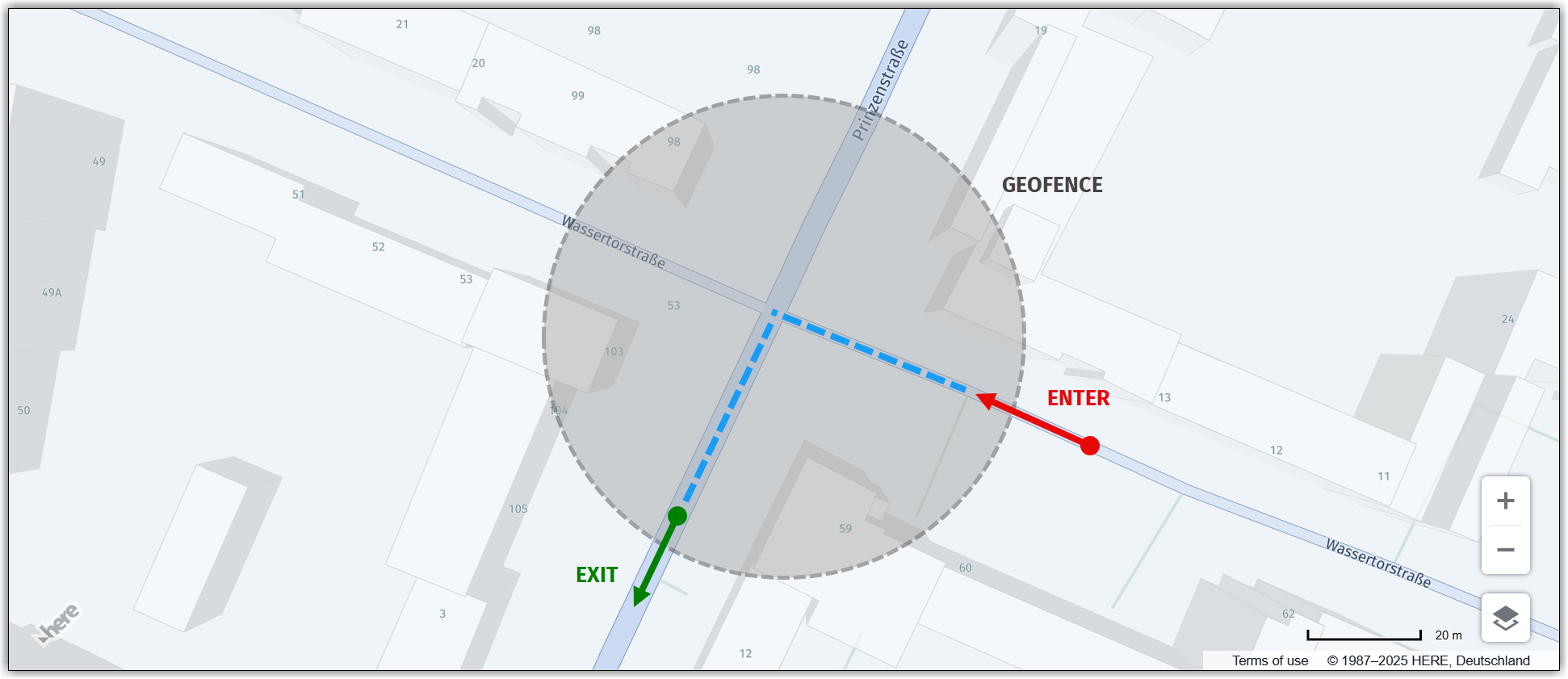
次の図は、ユーザーのデバイスがジオフェンスに入ったポイントと出たポイントをマークしたジオフェンシングの概念を示しています。
ジオフェンス内でアクションを実行する
このセクションのサンプルコードは、HERE Maps API for Javascriptを使用したジオフェンシングのユースケースを示しています。このユースケースでは、ジオフェンスの中心から半径5 kmで定義されたジオフェンス内の特定の道路レベルのすべての道路セグメントをハイライト表示することに焦点を当てています。
注
次のセクションでは、「利用開始」で説明したベースマップを基盤として、コードの追加方法を説明します。
// Get the geofencing service
platform.getGeofencingService().geofence({
  // Specify the map layer to use for geofencing (in this case, "ROAD_GEOM_FC2", representing regional roads)
  layers: 'ROAD_GEOM_FC2',

  // Define the geofence area as a point with a radius of 5000 meters
  in: 'point:52.5189,13.4158;r=5000'
},
// Callback function to handle the response from the geofencing service
(response) => {
  // Create a new object group to hold the road polylines
  const group = new H.map.Group();

  // Iterate over each geometry (shape) returned by the geofencing service
  response.geometries.forEach((g) => {
    // Convert the representation of the geometry to a usable format
    const parser = H.util.wkt.toGeometry(g.geometry)

    // Create a new polyline object from the parsed geometry
    const poly = new H.map.Polyline(parser, {
      // Style the road polylines with a red stroke color and a line width of 4 pixels
      style: {
        strokeColor: 'red',
        lineWidth: 4
      }
    });

    // Add the polyline to the map group
    group.addObject(poly);
  });

  // Add the map group to the main map object
  map.addObject(group);

  // Center the map at the bounding box encompassing all polyline objects within the group
  map.getViewModel().setLookAtData({
    bounds: group.getBoundingBox()
  });
},
// Error callback function (called if there's an error with the geofencing request)
console.error
);
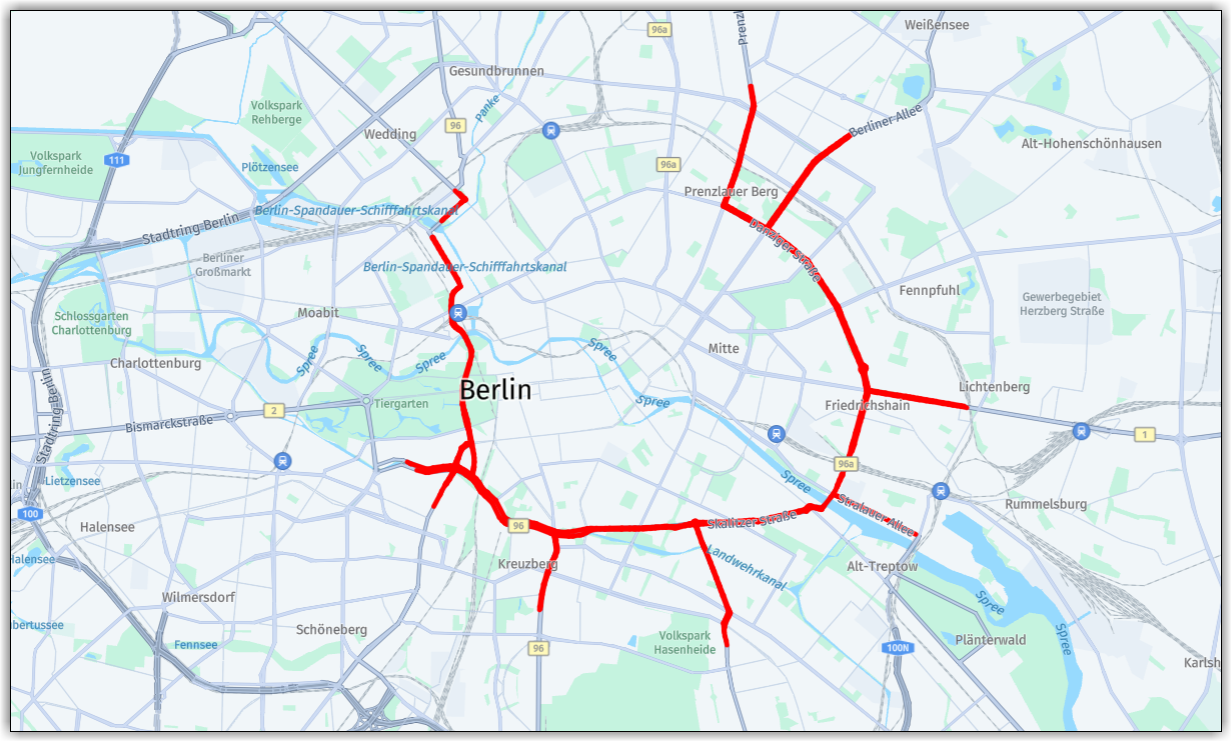
次の図は、ジオフェンスの境界内にある選択したレベルのすべての道路をポリラインでハイライト表示した地図です。
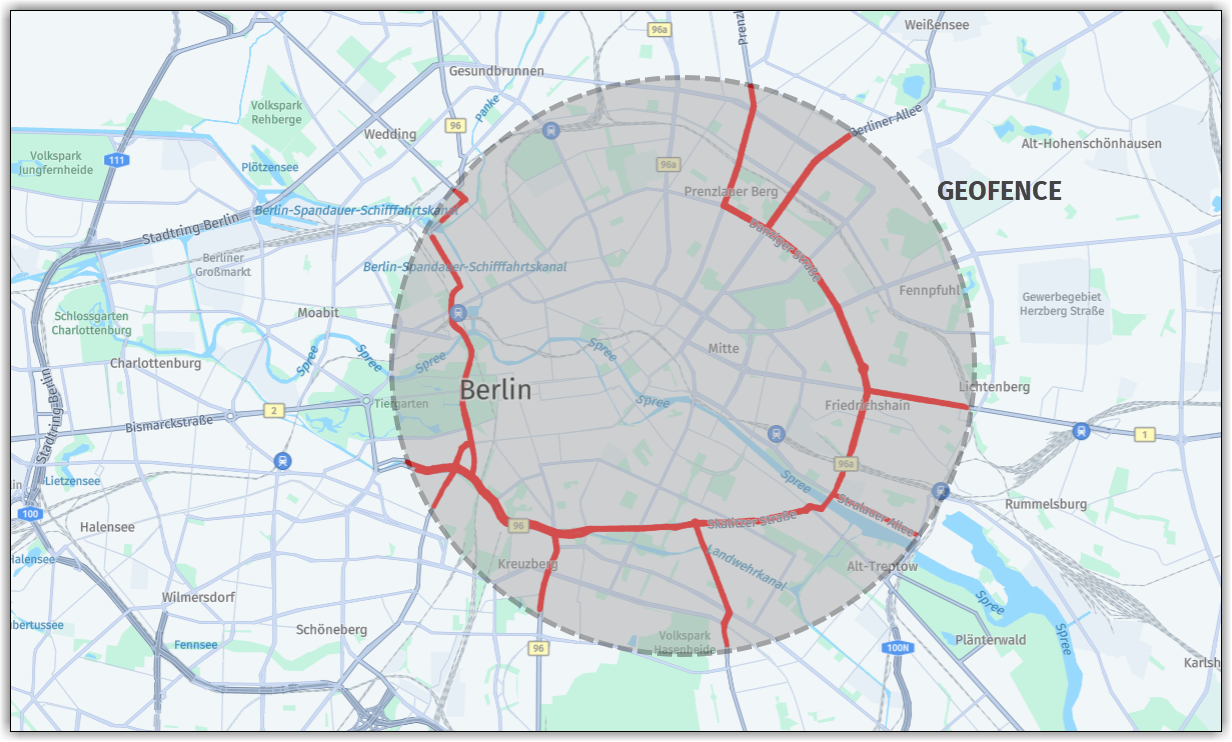
ジオフェンスの形状と範囲がわかりやすいように、次の図ではハイライトされた道路にジオフェンスの境界を重ねています。
5 か月前の更新
このページは役に立ちましたか?