

Trigger actions or events based on specific areas through geofencing
In the HERE Maps API for JavaScript, you can utilize the GeofencingService to trigger specific actions or events only within predefined virtual boundaries, also known as "geofences". Geofencing relies on services such as GPS or Wi-Fi to determine whether a device enters or leaves a specific geographic area.
For example, in the retail sector, a common use case for geofencing can be demonstrated by a shopping center that proactively sends targeted promotions or offers to users as they enter a specific area or enter a particular shop within the center, which enables a contextualized experience.
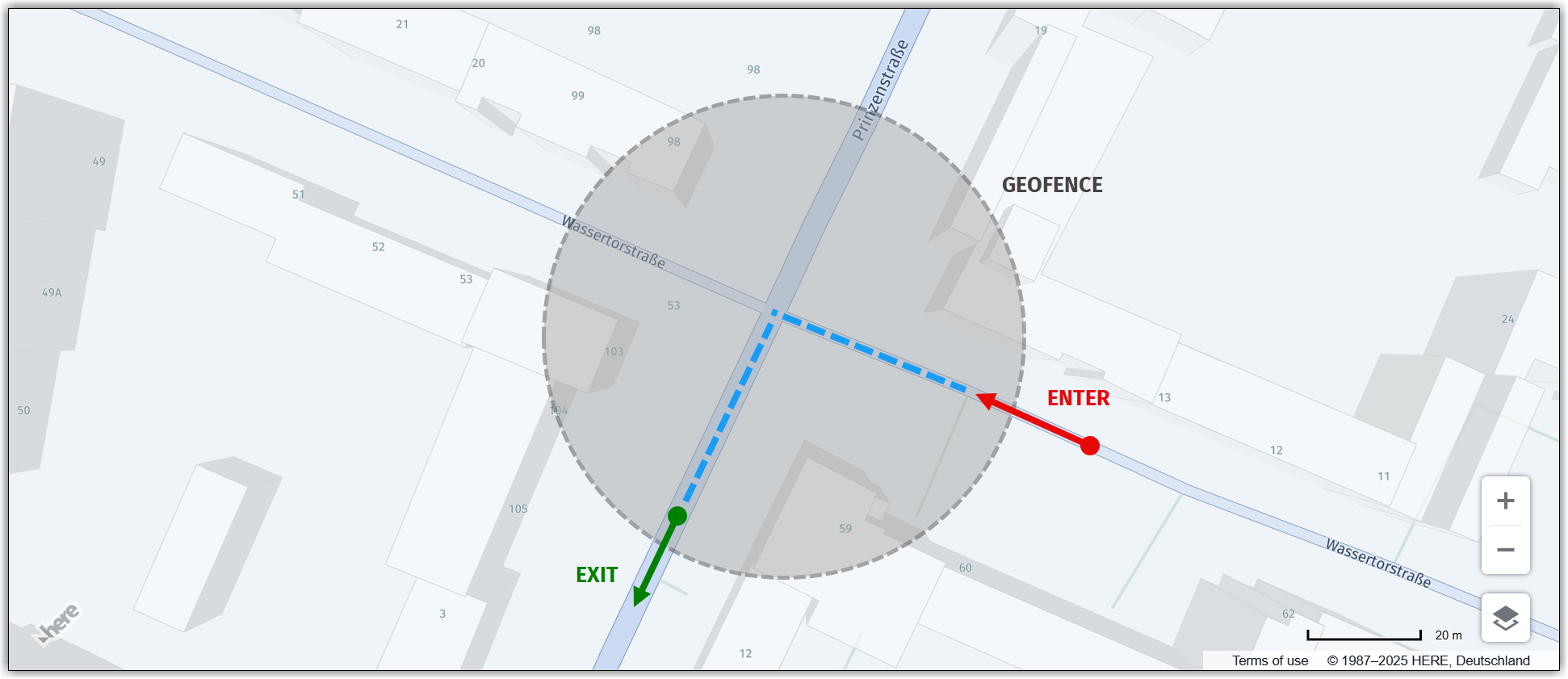
The following figure illustrates the concept of geofencing, which involves marked geofence entry and exit points for a user's device:
Perform actions within a geofence
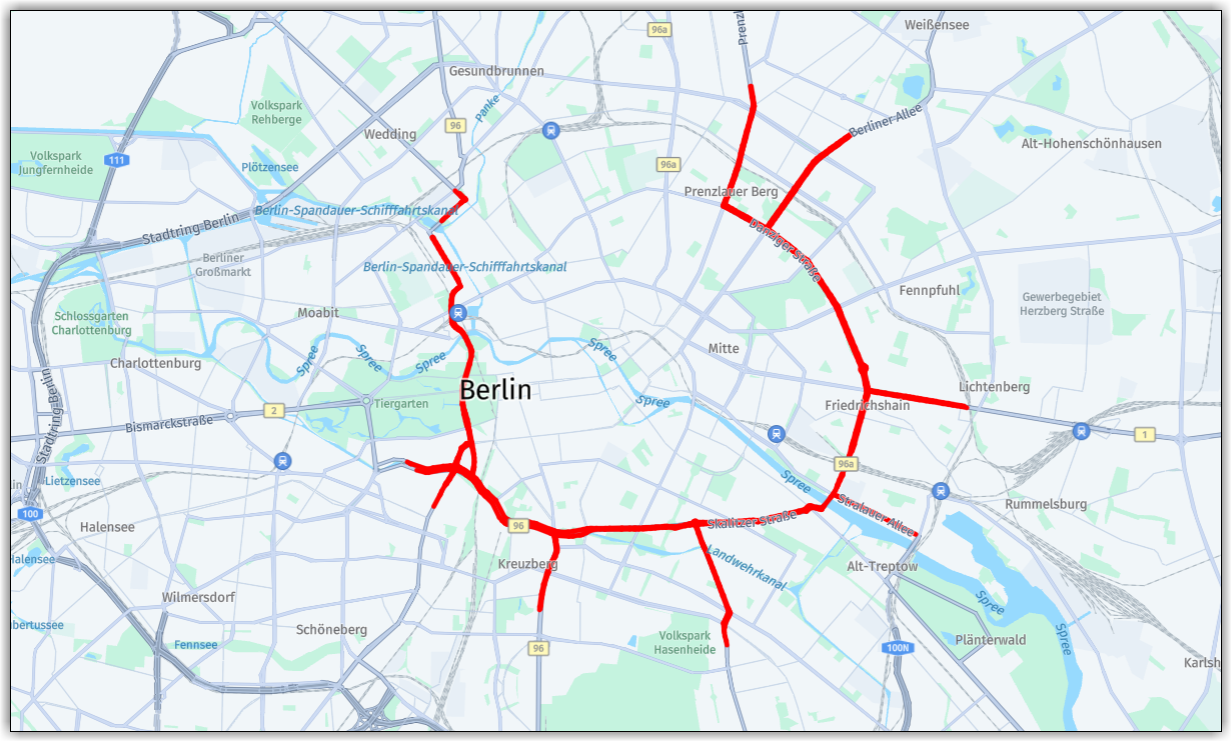
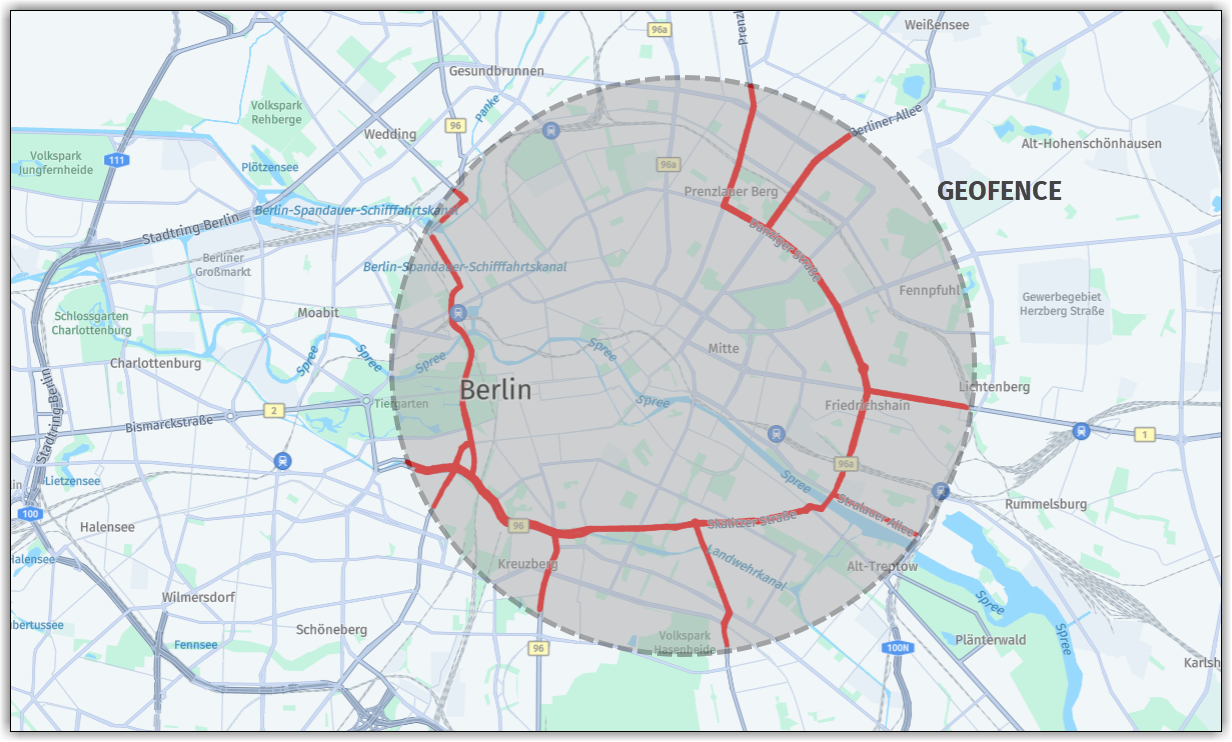
The sample code in this section illustrates a use case for geofencing with the HERE Maps API for JavaScript, focusing on highlighting all road segments for the specific road level within a geofence defined by a radius of 5 kilometers from the geofence center.
Note
The following section builds upon the base map described in Get started as the foundation for introducing code additions.
// Get the geofencing service
platform.getGeofencingService().geofence({
  // Specify the map layer to use for geofencing (in this case, "ROAD_GEOM_FC2", representing regional roads)
  layers: 'ROAD_GEOM_FC2',

  // Define the geofence area as a point with a radius of 5000 meters
  in: 'point:52.5189,13.4158;r=5000'
},
// Callback function to handle the response from the geofencing service
(response) => {
  // Create a new object group to hold the road polylines
  const group = new H.map.Group();

  // Iterate over each geometry (shape) returned by the geofencing service
  response.geometries.forEach((g) => {
    // Convert the representation of the geometry to a usable format
    const parser = H.util.wkt.toGeometry(g.geometry)

    // Create a new polyline object from the parsed geometry
    const poly = new H.map.Polyline(parser, {
      // Style the road polylines with a red stroke color and a line width of 4 pixels
      style: {
        strokeColor: 'red',
        lineWidth: 4
      }
    });

    // Add the polyline to the map group
    group.addObject(poly);
  });

  // Add the map group to the main map object
  map.addObject(group);

  // Center the map at the bounding box encompassing all polyline objects within the group
  map.getViewModel().setLookAtData({
    bounds: group.getBoundingBox()
  });
},
// Error callback function (called if there's an error with the geofencing request)
console.error
);
The following figure shows the resulting map, with all the roads of the selected level within the geofence bounds highlighted by polylines:
To better understand the shape and extent of the geofence, the following figure overlays the geofence bounds over the highlighted roads:
Updated 6 months ago