

Understand map types
When working with the HERE Maps API for JavaScript, you can select between vector, raster, and hybrid map types through the integrated map rendering services: the HERE Vector Tile API and the HERE Raster Tile API. Together, these services offer a comprehensive mapping and location-based solution to build all kind of mapping applications, also incorporating additional location service like geocoding, routing, and real-time traffic information. Each map type comes with its own strengths, with vector maps are increasingly becoming the strongest choice due to their flexibility, performance, and visual quality.
Key differences between vector and raster maps
Provided by the HERE Vector Tile API, vector maps offer map data where spatial features like roads and buildings are defined by encoded vector data rather than pixel-based images. This approach provides benefits such as scalability, interactivity, 3D and rotated views, data efficiency, easy customization, and the ability to overlay additional data.
The HERE Raster Tile API provides map data in the form of image-based representations of geographic features. This approach presents terrain, roads, landmarks, and other features as pre-rendered grids of satellite images at specific zoom levels, offering a wide range of predefined styles.
The following table showcases the key differences between the vector and raster map types:
| Feature | Vector Maps | Raster Maps |
|---|---|---|
| Rendering | Client-side (WebGL) | Server-side (static images) |
| Customization | Highly customizable styles | Limited |
| Scalability | Crisp at any zoom level | Pixelation on non-integer zoom levels |
| Interactivity | Advanced (hover, animations, etc.) | Basic (click events) |
| Bandwidth Usage | Lower (vector data) | Higher (image tiles) |
| Offline Support | Better with caching | Limited |
If you are working with raster tiles and need both realistic imagery and contextual map data, use the hybrid layer. It offers the best of both worlds by overlaying vector-based labels and roads on top of satellite imagery, for use cases that require realism
The following figure presents a side-by-side comparison between a vector map and a hybrid map, where the raster map serves as the underlying base layer:
| Vector | Hybrid |
|---|---|
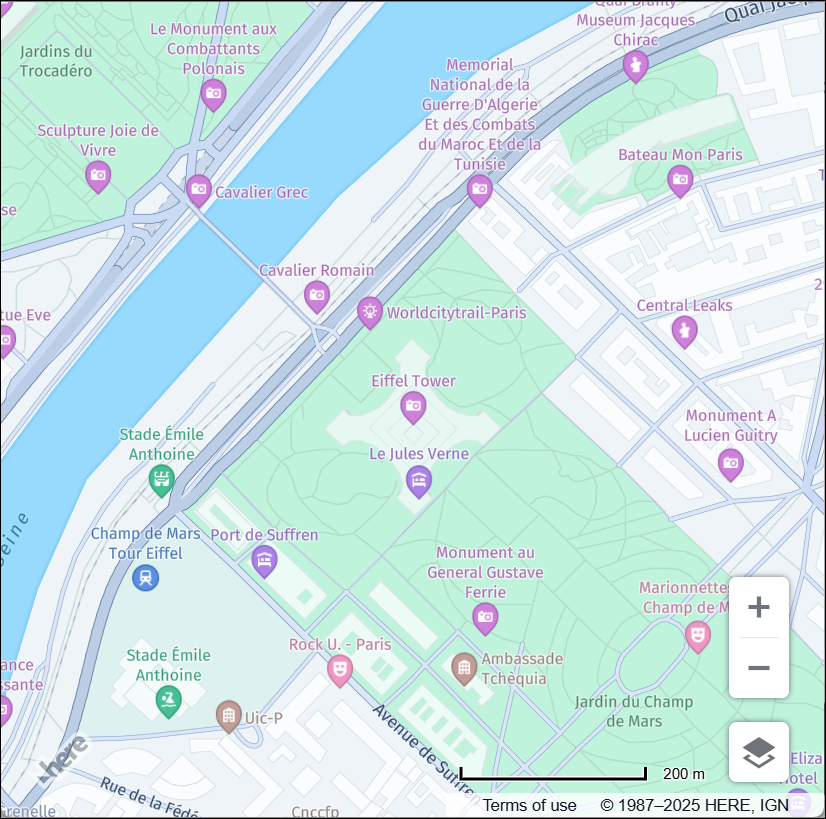 | 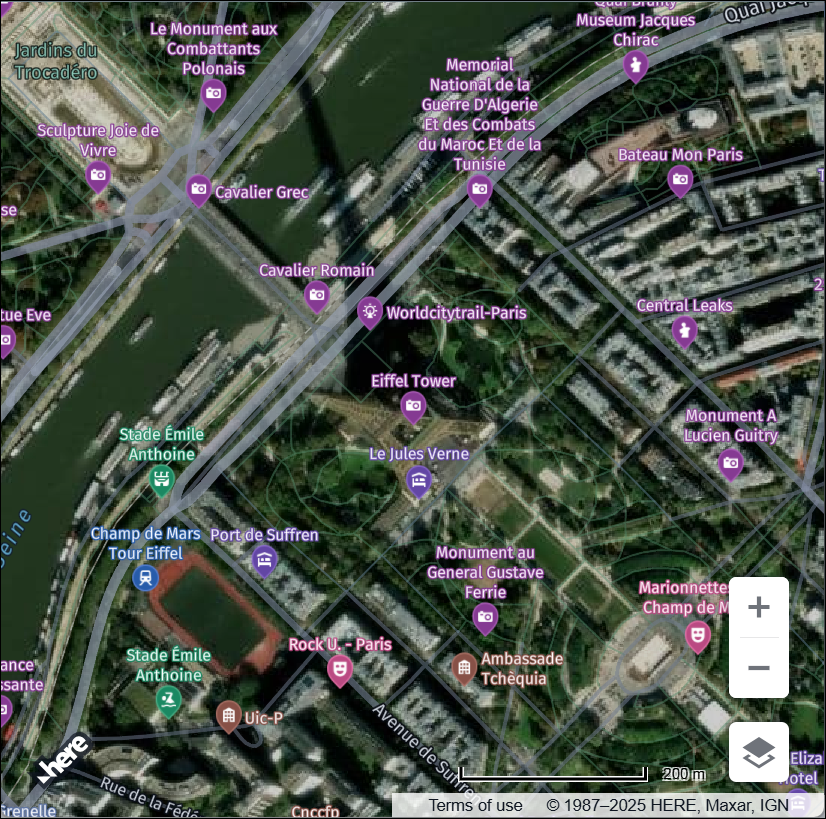 |
Set map type
Each map type is composed of one or more layers, which represent different visual or data components, such as base satellite imagery, traffic, or transit overlays. While a map type defines the overall style and format (for example, vector or raster), a layer is a modular element that you can add or remove to customize map content.
By using the createDefaultLayers method, you can quickly configure your map with predefined combinations of map types and their associated layers, without having to manually construct each layer from scratch.
The following example shows how to render a vector map through the createDefaultLayers method in the HERE Maps API for JavaScript:
const platform = new H.service.Platform({
  apikey: 'YOUR_API_KEY'
});

// Import the default map layers to set the map type
const defaultLayers = platform.createDefaultLayers();

const map = new H.Map(document.getElementById('mapContainer'),
  // Set the vector map type by using the "normal.map" vector layer
  defaultLayers.vector.normal.map, {
  center: { lat: 52.5200, lng: 13.4050 },
  zoom: 10,
  pixelRatio: window.devicePixelRatio || 1
});
To create a hybrid map, for example, the one showcased in the preceding comparison between vector and hybrid map types, configure a raster base layer, and then use the addLayer() method to overlay vector data on top of the raster image data, as shown in the following snippet:
const platform = new H.service.Platform({
  apikey: 'YOUR_API_KEY'
});

const defaultLayers = platform.createDefaultLayers();

const map = new H.Map(document.getElementById('mapContainer'),
  // Set the raster base
  defaultLayers.hybrid.day.raster, {
  center: { lat: 52.5200, lng: 13.4050 },
  zoom: 10,
  pixelRatio: window.devicePixelRatio || 1
});

// Overlay a vector map on top of the raster base by using a compatibile hybrid layer:
map.addLayer(defaultLayers.hybrid.day.vector);
By using this method, you can add other types of data to your map such as traffic layers and truck-specific layers, without the need for extensive manual configuration.
For more information, see the createDefaultLayers documentation in the API Reference.
Updated 7 months ago