

Display maps with Japan data
This section shows how to start using the HERE Maps API for JavaScript together with the HERE Vector Tile API to display Japan-specific data in the corresponding map style.
Prerequisites
Register for a HERE account. For more information, see Get started.
Tutorial objectives
By following this tutorial you accomplish the following tasks:
- Configure the HERE Maps API for JavaScript to call the
"core"layer of the Vector Tile API. - Fetch the map style that works best with the Japan data.
Load the API code libraries
The following snippet provides the complete HTML code, together with the <head> element that loads the required core, and service modules.
<!DOCTYPE html>
<html>
  <head>
    <script type="text/javascript" src="https://js.api.here.com/v3/3.2/mapsjs-core.js"></script>
    <script type="text/javascript" src="https://js.api.here.com/v3/3.2/mapsjs-service.js"></script>
    <script type="text/javascript" src="https://js.api.here.com/v3/3.2/mapsjs-mapevents.js"></script>
  </head>
  <body>
    <div style="width: 1000px; height: 480px" id="mapContainer"></div>
    <script>
    <!-- Your JavaScript code goes here -->
    </script>
  </body>
</html>
Initialize communication with back-end services
Within the <script> element of your HTML file, initialize the Platform object by passing your HERE API key, as shown in the following example:
const platform = new H.service.Platform({
  apikey: "YOUR_HERE_APIKEY",
});
Configure the map settings
Instantiate a vector map of Japan by following these steps:
-
Configure the OMV service to access vector tiles from the
coreendpoint. -
Set a Japan-specific map style using a Tokyo day-time theme (
tko.normal.day). -
Create a provider that manages vector tiles based on the configured service and the Japan-specific style.
-
Set the map language to Japanese (
"ja"). -
Create a tile layer using the provider.
-
Enable the
'all systems'mode of the'public transit'style's feature to display all the Japanese public transit systems.Note
The transit layer is designed to provide detailed information about the locally available public transportation systems, such as buses, trains, subways, and other modes of public transit. For more information, see Optional Content in the HERE Vector Tile API Developer Guide.
For example, see the following snippet:
// Configure an OMV service to use the `core` endpoint
const service = platform.getOMVService({
  path: "v2/vectortiles/core/mc",
  // Request the transit vector layer
  queryParams: {
    content: "default,transit",
  },
});
const baseUrl = `https://js.api.here.com/v3/3.2/styles/harp/oslo`;
const style = new H.map.render.harp.Style(`${baseUrl}/tko.normal.day.json`);
const provider = new H.service.omv.Provider(service, style, {
  lg: "ja",
});
const layer = new H.map.layer.TileLayer(provider, { max: 22 });

// Set feature/mode to show PT in Japan
const onChangeHandler = (event) => {
  if (event.target.getState() === H.map.render.Style.State.READY) {
      style.removeEventListener('change', onChangeHandler);
      const features = style.getEnabledFeatures();
      features.find((f) => f.feature === "public transit").mode = "all systems";
      style.setEnabledFeatures([...features]);
  }
}
style.addEventListener('change', onChangeHandler);
Initialize the map
Instantiate an H.Map object by specifying the following settings:
- The map container element
- The layer created in the previous section
- The zoom level at which to display the map
- The geographic coordinates of the point on which to center the map
For example, see the following snippet:
const map = new H.Map(document.getElementById("mapContainer"), layer, {
  zoom: 16,
  center: { lat: 35.68026, lng: 139.76744 },
});
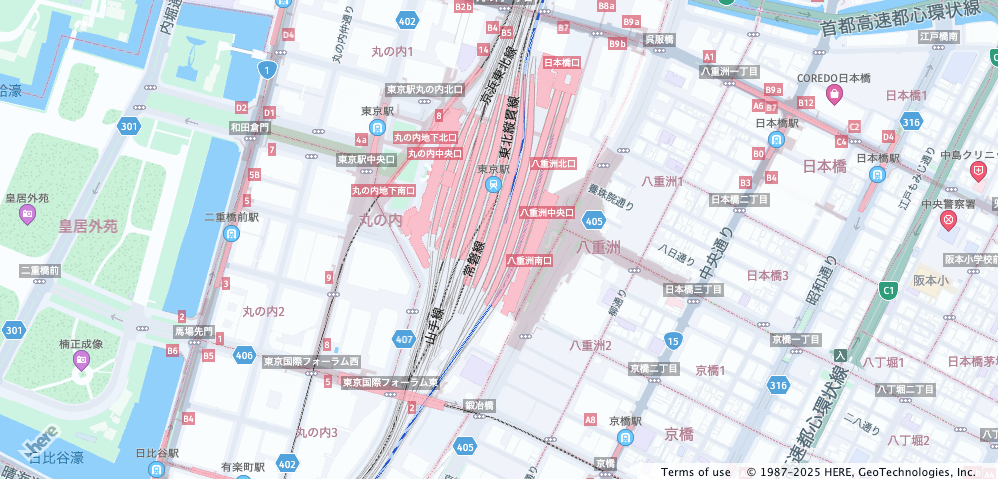
The resulting implementation creates the following non-interactive map:
Enable basic map interaction
Add interactive behavior to the map and ensure it dynamically resizes with the browser window by including the following code snippet:
// Implement default interactions for pan/zoom (also on mobile touch environments)
const behavior = new H.mapevents.Behavior(new H.mapevents.MapEvents(map));

// Enable dynamic resizing of the map, based on the current size of the enclosing container
window.addEventListener("resize", () => map.getViewPort().resize());
You can now scroll, pan, and zoom on the map.
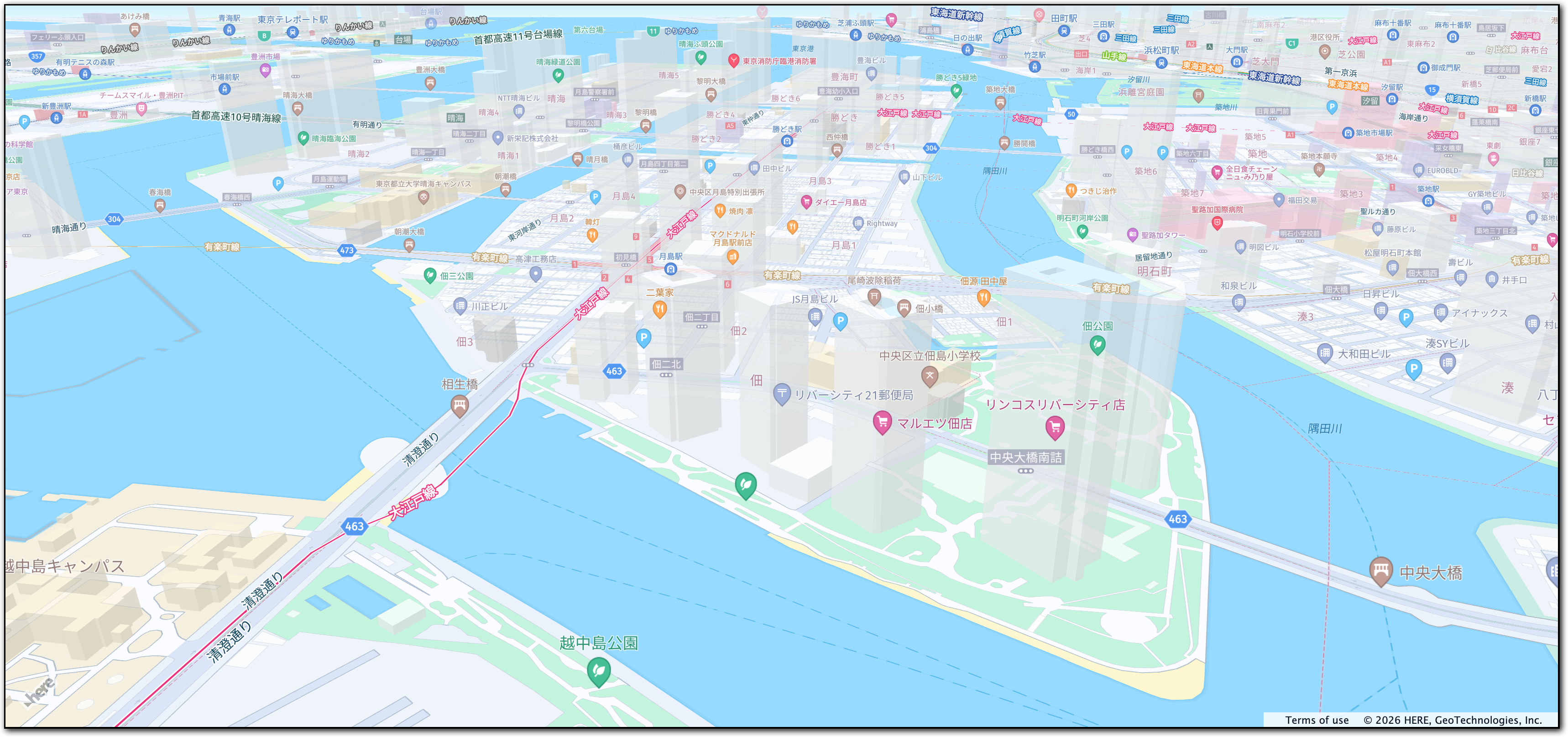
The following figure displays the interactive map tailored for the Japanese audience, created by following this tutorial:
Next steps
- To explore the design and other features of the HERE Maps API for JavaScript, see the API Reference.
- For more information about the HERE Vector Tile API, see the corresponding documentation set.
Updated 6 months ago