

Add predefined map schemes
With map schemes, you can load predefined map styles to instantly change the appearance of the map view.
The HERE SDK supports several preconfigured map schemes:
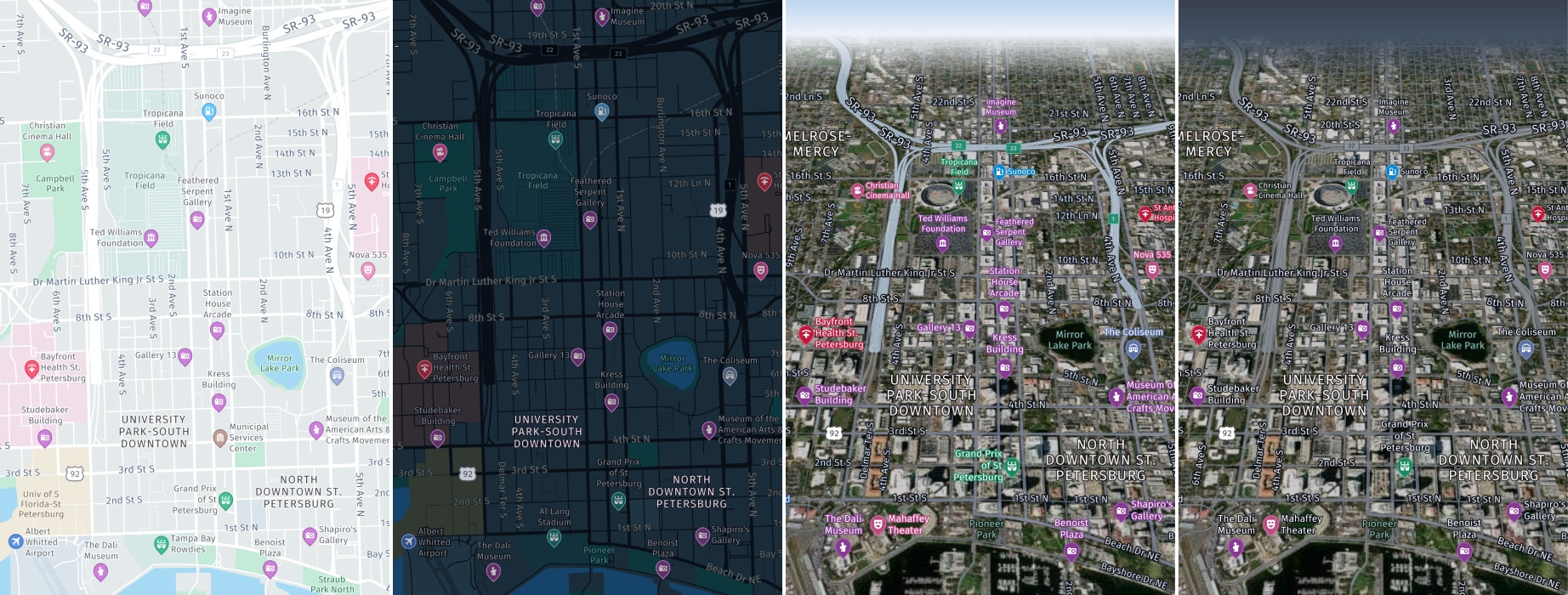
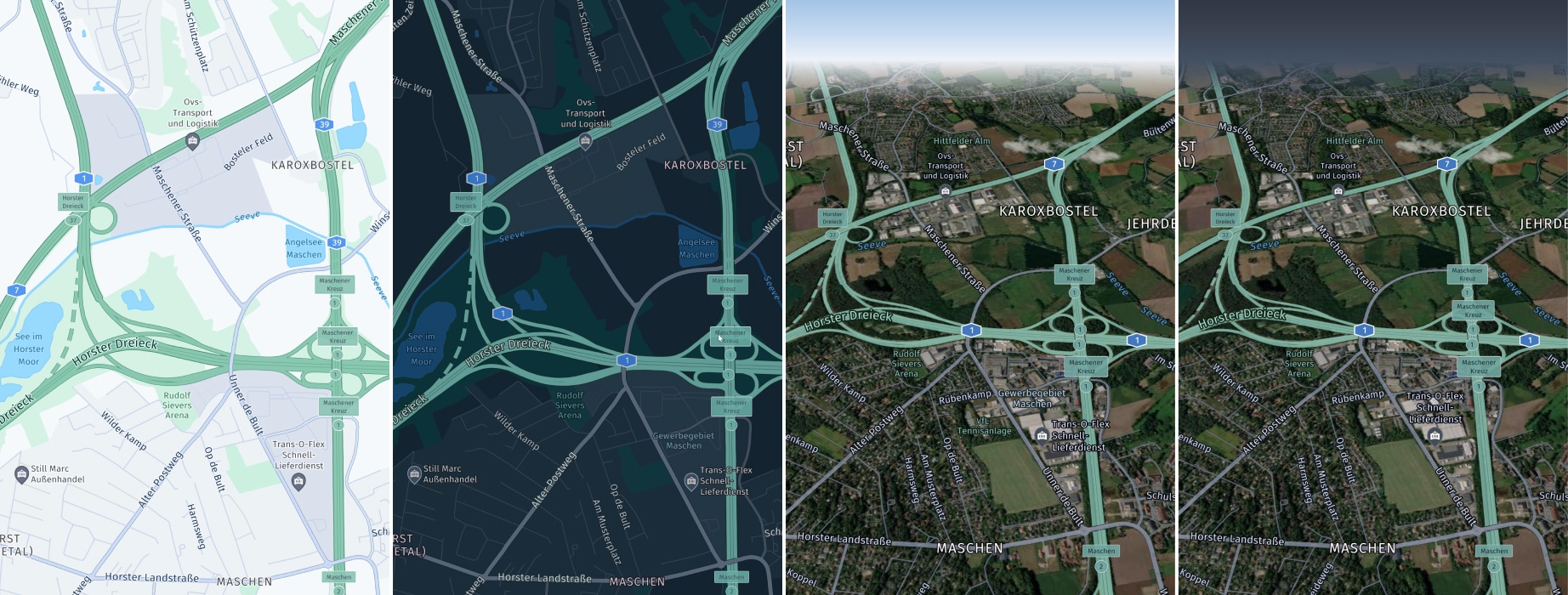
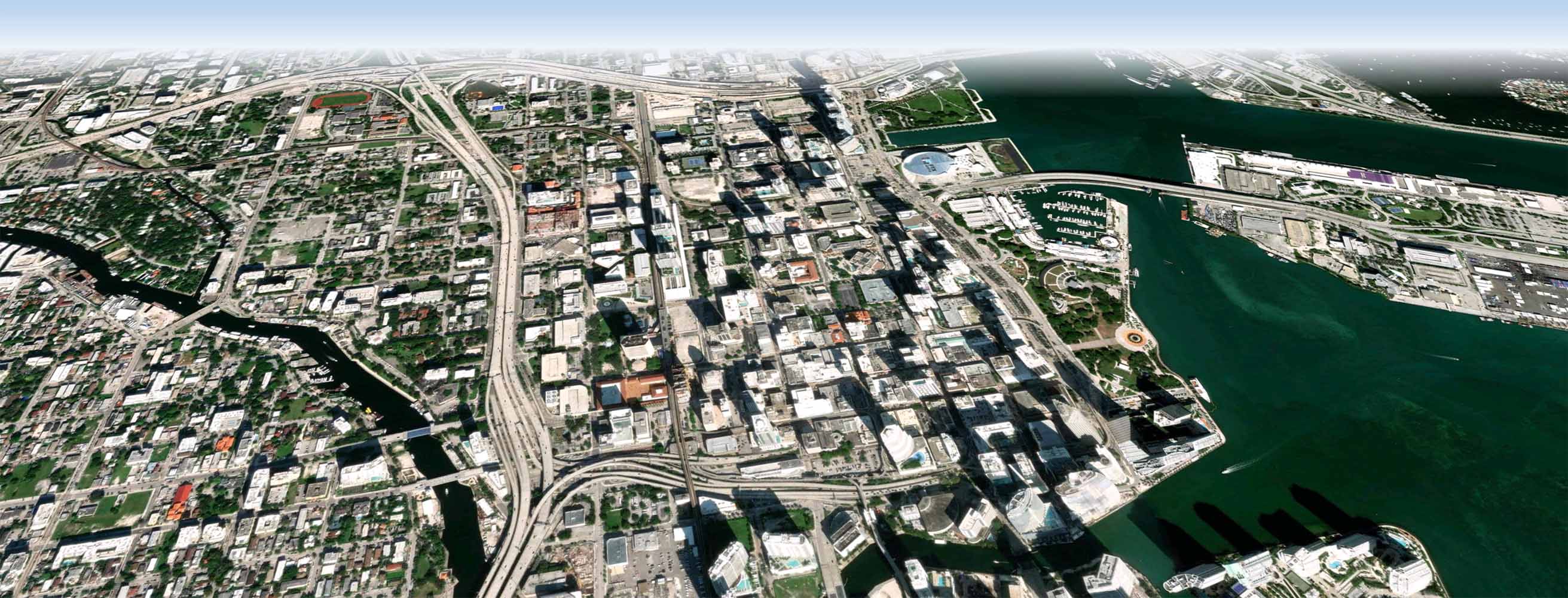
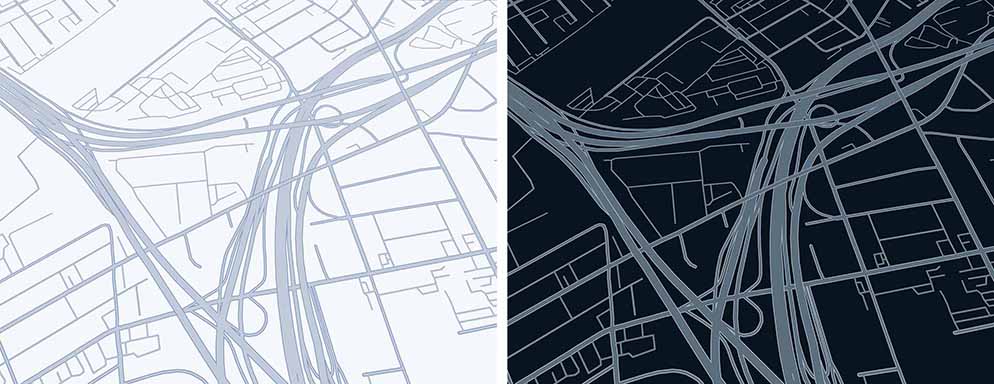
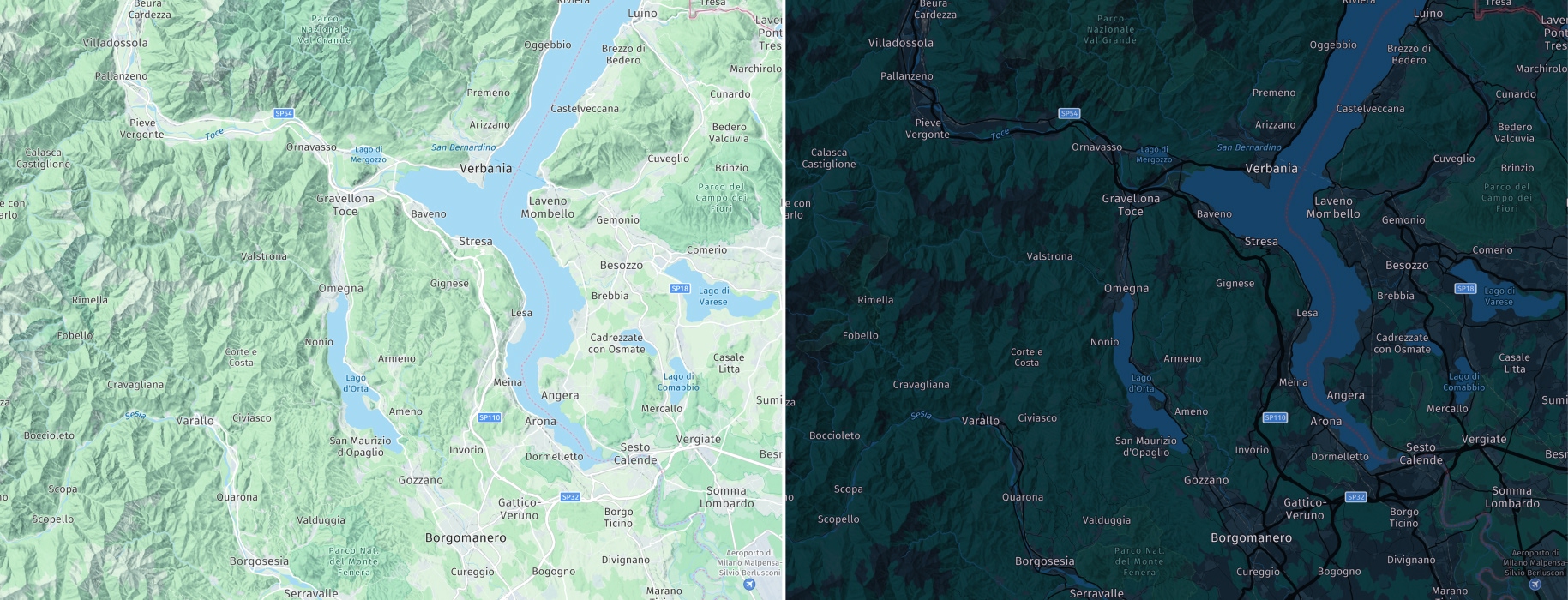
normalDay: A lossless scalable vector base map for usage during daylight.normalNight: A lossless scalable vector base map for usage during night.hybridDay: A day version hybrid map scheme combining satellite imagery with vector street network, map labels and POI information.hybridNight: A night version hybrid map scheme combining satellite imagery with vector street network, map labels and POI information.liteDay: A simplified day version of lite map schemenormalDay, featuring fewer map elements and limited color palette.liteNight: A simplified night version of lite map schemenormalNight, featuring fewer map elements and limited color palette.liteHybridDay: A simplified day version of lite hybrid map schemehybridDay, featuring fewer map elements and limited color palette.liteHybridNight: A simplified night version of lite hybrid map schemehybridNight, featuring fewer map elements and limited color palette.satellite: A bitmap based map showing satellite imagery for various zoom stages.logisticsDay: A day version map scheme with focus on fleet management content. It also enables certain POI icons to indicate, for example, truck parking or truck wash. These icons are pickable.logisticsNight: A night version of thelogisticsDaymap scheme.logisticsHybridDay: A day version logistics hybrid map scheme catering to the needs of dispatchers, fleet managers and delivery drivers, highlighting and featuring map elements relevant to logistics use cases.logisticsHybridNight: A night version of thelogisticsHybridDaymap scheme.roadNetworkDay: A day version of a scheme which highlights roads without showing other content such as labels or buildings. It is designed for usage as an additional zoomed-in mini-maps display to help drivers to orientate during navigation and to focus on the maneuver arrows which can be highlighted on top of this map scheme.roadNetworkNight: A night version of theroadNetworkDaymap scheme.topoDay: A day version map scheme highlighting geographic features such as elevation, landforms and natural landscapes to provide a clear representation of the terrain (only available with the Navigate license).topoNight: A night version of thetopoDaymap scheme (only available with the Navigate license).
Note
For the latest screenshots for each available
MapScheme, see HERE default map styles in the HERE Style Editor documentation.
Note that it is also possible to fully customize your own map styles, except for the satellite imagery.
Satellite-based map schemes are based on HERE Raster Tile API. An example of a transaction based on the HERE Raster Tile API is: Render satellite-based map schemes (satellite, hybridDay, hybridNight, liteHybridDay, liteHybridNight) on the map view.
For the HERE SDK (Explore), the MapView and all other map schemes are based on HERE Vector Tile API in combination with OMV vector tiles.
For the HERE SDK (Navigate), the MapView and all other map schemes are based on Data IO in combination with OCM vector tiles. This is applicable during online use when no map data has been cached, prefetched or installed. Data IO is also counted when downloading or updating offline maps with the MapDownloader or the MapUpdater. Applicable only for the HERE SDK (Navigate).
Note
For information about the pricing of these features, see the HERE Base Plan Pricing. If you are using the Navigate license or have other questions about pricing, contact us.
Use the following code snippet to load a map scheme:
MapScheme mapScheme = MapScheme.normalDay;

_hereMapController.mapScene.loadSceneForMapScheme(mapScheme,
    (MapError? error) {
  if (error != null) {
    print('Map scene not loaded. MapError: ${error.toString()}');
    return;
  }

  // ...
});
It is recommended to use the day variants during day time when the surrounding light is brighter. The night variants are optimized for usage when there is less light. For example, an application may switch from day to night scheme when a driver is passing through a tunnel - if you are using the HERE SDK (Navigate), you can get notified on changed road attributes to know when you are driving through a tunnel. This allows an application to switch the map scheme on the fly. Note that this is not happening automatically.
The HERE SDK is also not automatically detecting the current time of the day to switch between day and night modes. An application may decide to do this based on the user's configuration or by checking the device clock.
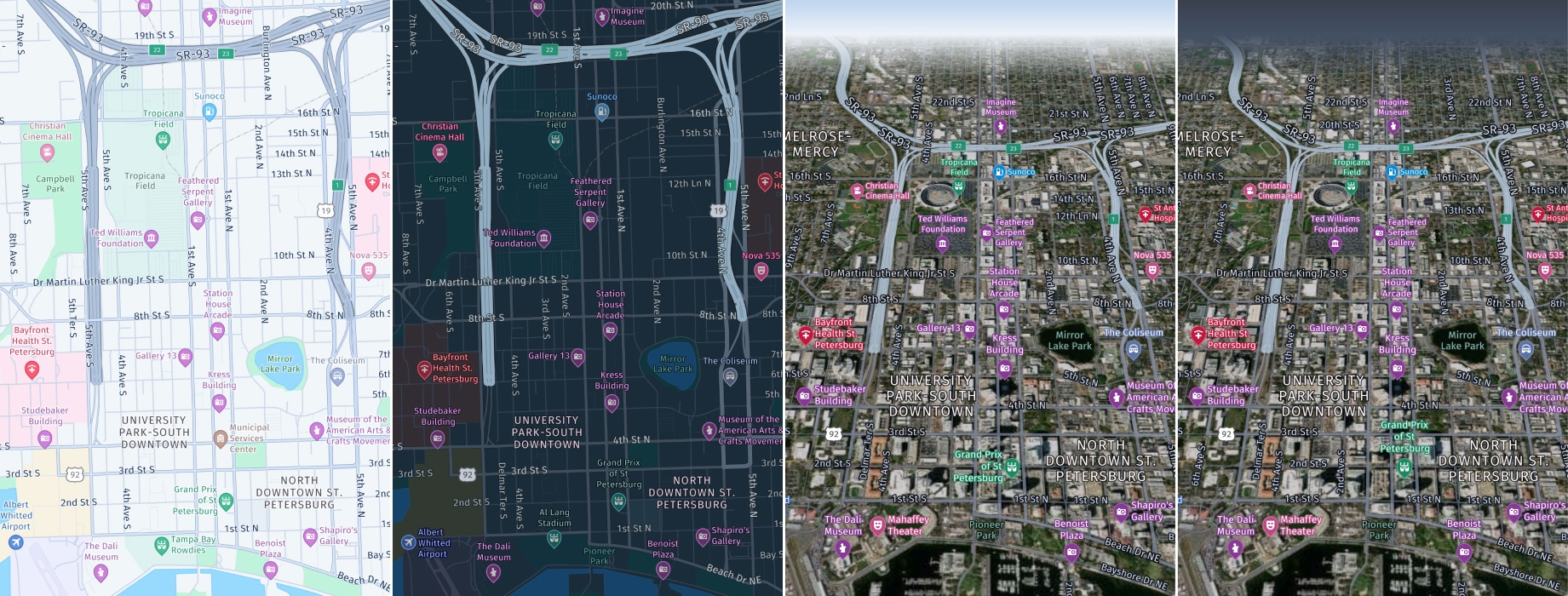
The available map styles are optimized to easily add additional content and overlays onto the base map without visual interference. The map schemes are less colorful and support a clean and neutral tone to maximize readability even in case of color blindness:
- The street network is designed in gray scales and provides a hierarchy through brightness, contrast and widths.
- Colors are overall rather bright set up.
- Key colors are grey, blue, green, white.
The HERE SDK also has lite map schemes which features fewer map elements and a more limited color palette. See below:
In addition, the HERE SDK offers a logistics map scheme that focuses more on fleet management content.
The HERE SDK also has a satellite scheme, that does not contain any labels.
The HERE SDK offers a map scheme that highlights roads without showing other content such as labels or buildings.
The HERE SDK offers a map scheme that highlights geographic features such as elevation, landforms and natural landscapes.
Updated 3 days ago