
How to use category names
By using the category names together with any available address information, you can generate a set of possible matches from which you can browse and find a specific place.
NoteThe locator searches for the Category exactly according to your entry, even with mispellings. For the highest level of accuracy, ensure the Category is correctly spelled before running the locator.
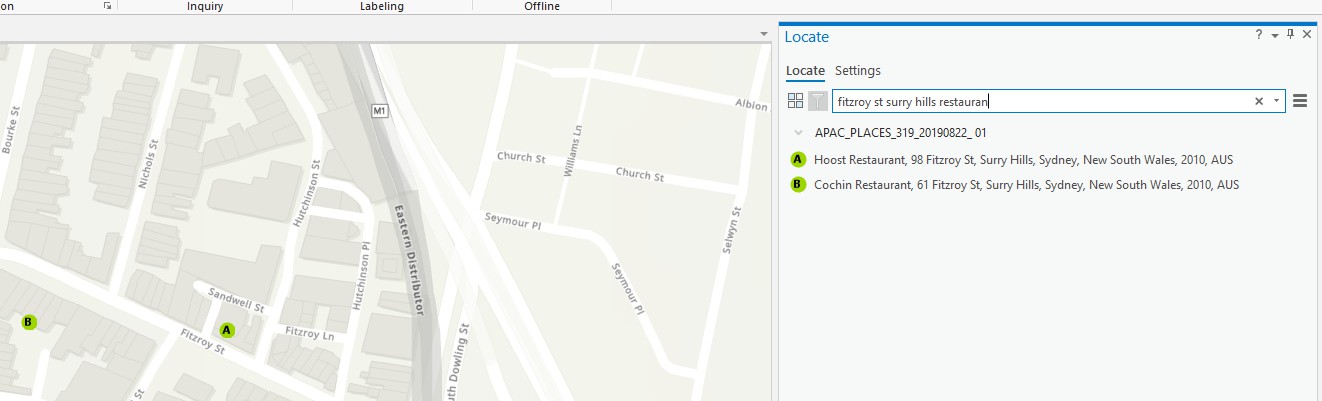
As an example, searching for "fitzroy st surry hills restauran" lists only two places (Hoost Restaurant and Cochin Restaurant) because the misspelling "restauran" is a significant part of their place name, which is the basis for the primary index. After checking the primary index, the locator recognizes address elements and uses them to further filter candidates.
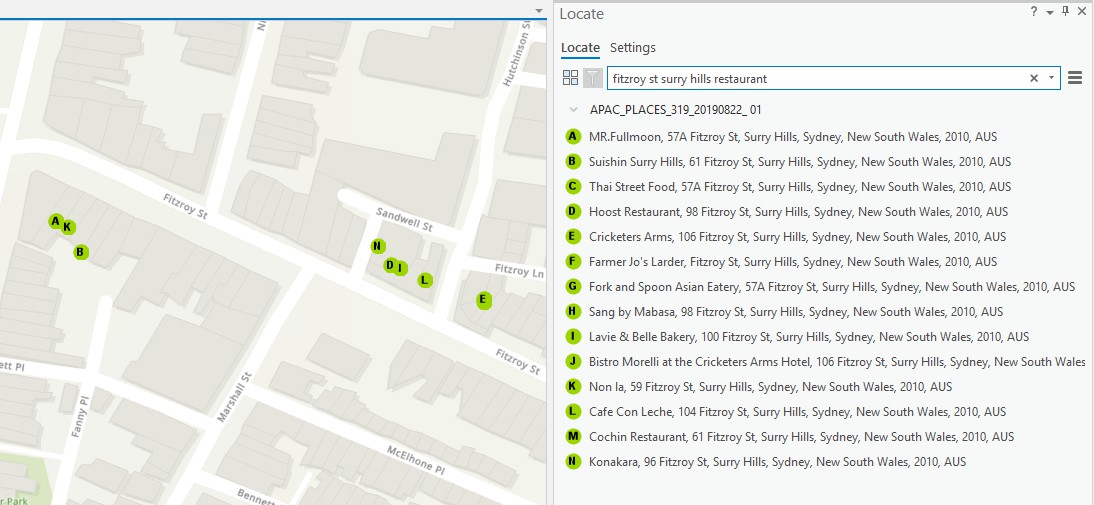
However, searching "fitzroy st surry hills restaurant" finds many more places because the locator can use the properly spelled category name to find locations listed under that category. Note that categories sometimes overlap, or a place might have an irrelevant or inaccurate category.
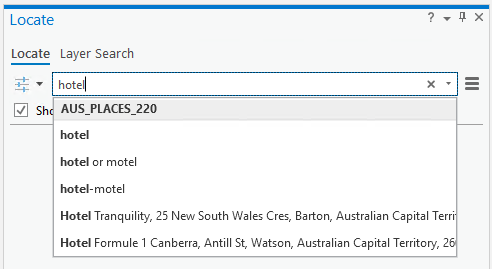
You can also use the indexed categories to search by centering the map on a limited area of interest and entering the beginning of a category name. For example, to find the hotels located in the current map area, enter "hotel" in the search box. The suggestions show the matching categories, as well as candidates with names matching the input so far.
If you select a category from this list, the locator returns a list of places from the category, sorted approximately by distance from the center of the map.
NoteIf you zoom out the map, the result may contain too many places for a given term. To fix this, zoom in to lower the amount of the map you are viewing.
Updated last month