

Apply styles
PNG and PNG8 no longer supported for satellite.day
The PNG and PNG8 image formats are no longer supported for requests that use the
satellite.daystyle.Requests for this style using PNG or PNG8 now automatically return JPEG-compressed tiles instead, with a corresponding
Content-Typeheader. Use the JPEG format directly in your requests going forward.
Control the visual appearance and content emphasis of map tiles using the style parameter.
The HERE Raster Tile API offers diverse styles suited to different application types and user needs. The following list provides sample scenarios where each style category excels:
- Navigation apps - Use
explorestyles for general-purpose maps with clear road networks - Data visualization - Apply
litestyles to reduce visual clutter when overlaying custom data - Logistics platforms - Display truck-optimized roads and restrictions with
logisticsstyles - Outdoor activities - Show terrain elevation and landforms with
topostyles for hiking or biking - Dark mode apps - Switch to
nightstyles for low-light environments
Default style is explore.day when no style parameter is specified.
Available styles
Each of the following styles is optimized for specific use cases and visual requirements. Select a style based on your application's needs, audience environment, and data visualization priorities.
| Style | Pricing |
|---|---|
explore.day | Standard |
explore.night | Standard |
explore.satellite.day | Standard |
lite.day | Standard |
lite.night | Standard |
lite.satellite.day | Standard |
logistics.day | Advanced |
logistics.night | Advanced |
logistics.satellite.day | Advanced |
topo.day | Standard |
topo.night | Standard |
satellite.day | Standard |
dem | Standard |
Request the list of available styles
Use the /info endpoint to query the available styles:
GET https://maps.hereapi.com/v3/info?apiKey={YOUR_API_KEY}Response example:
"styles": [
  "dem",
  "explore.day",
  "explore.night",
  "explore.satellite.day",
  "lite.day",
  "lite.night",
  "lite.satellite.day",
  "logistics.day",
  "logistics.night",
  "logistics.satellite.day",
  "satellite.day",
  "topo.day",
  "topo.night"
]Note
You can cache this list in your application and refresh every 24 hours.
Examples
The following examples demonstrate the visual appearance of each available style option. Each example shows a sample map request and the resulting tile for the same geographic location and zoom level, allowing you to compare how different styles present the same map data.
explore.day (default)
This style provides a general-purpose map with balanced detail showing all major features (default). Sample request:
GET https://maps.hereapi.com/v3/base/mc/13/4347/2917/png?apiKey={YOUR_API_KEY}&size=512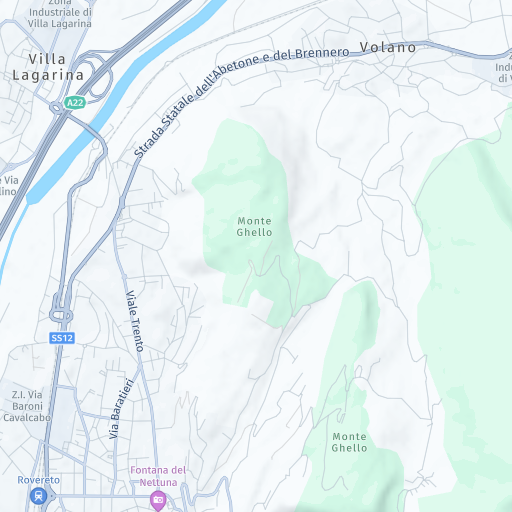
lite.day
This is a minimalist style designed for applications that overlay custom data or analytics. Sample request:
GET https://maps.hereapi.com/v3/base/mc/13/4347/2917/png?style=lite.day&apiKey={YOUR_API_KEY}&size=512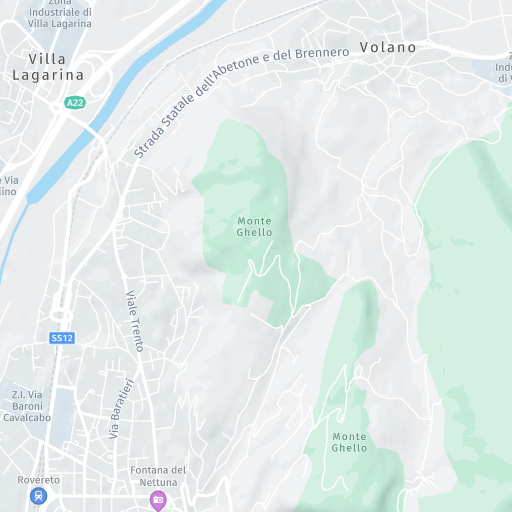
logistics.day
This is a specialized style highlighting truck-optimized roads, routing corridors, and logistics-relevant restrictions. Sample request:
GET https://maps.hereapi.com/v3/base/mc/13/4347/2917/png?style=logistics.day&apiKey={YOUR_API_KEY}&size=512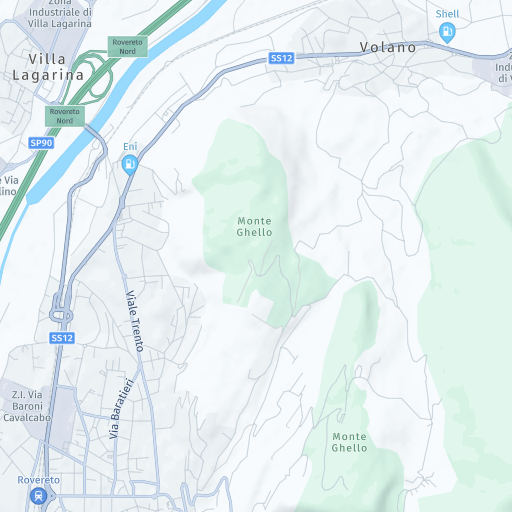
topo.day
This is a topographic style emphasizing terrain elevation, contours, and landforms. Sample request:
GET https://maps.hereapi.com/v3/base/mc/13/4347/2917/png?style=topo.day&apiKey={YOUR_API_KEY}&size=512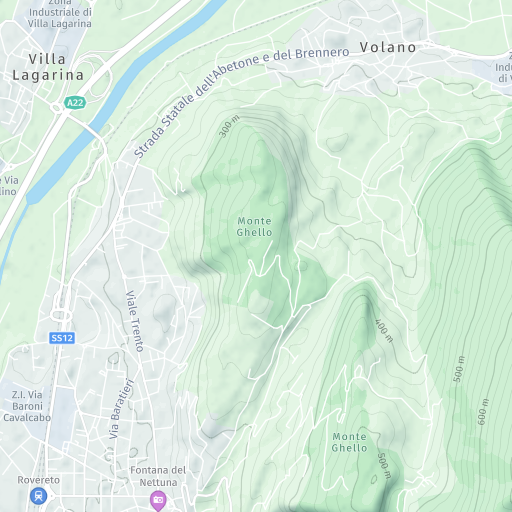
logistics.night
This is a nighttime logistics operations style with emphasis on truck routes and commercial navigation. Sample request:
GET https://maps.hereapi.com/v3/base/mc/13/4347/2917/png?style=logistics.night&apiKey={YOUR_API_KEY}&size=512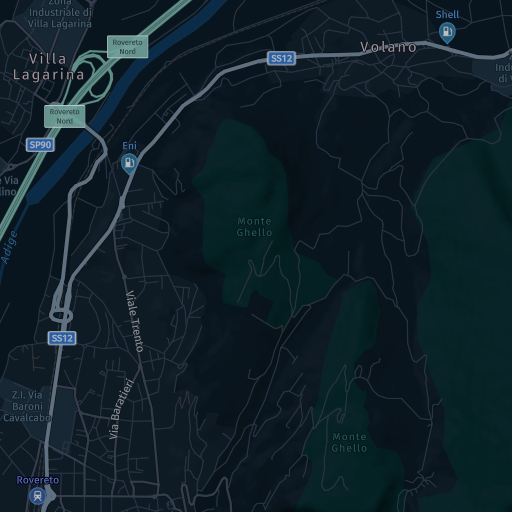
explore.night
This style provides low-light optimized map with high-contrast elements for nighttime viewing. Sample request:
GET https://maps.hereapi.com/v3/base/mc/13/4347/2917/png?style=explore.night&apiKey={YOUR_API_KEY}&size=512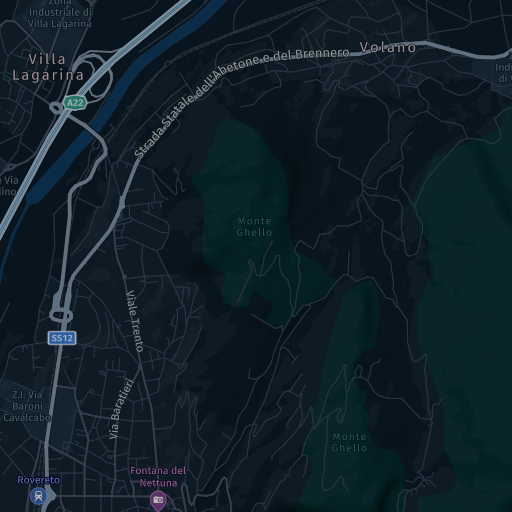
explore.satellite.day
This style provides general-purpose map overlaid on satellite imagery for rich visual context. Sample request:
GET https://maps.hereapi.com/v3/base/mc/13/4347/2917/jpeg?style=explore.satellite.day&apiKey={YOUR_API_KEY}&size=512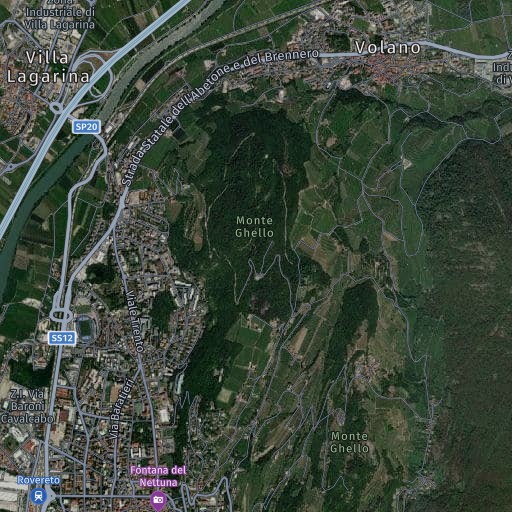
lite.night
This is a minimalist night-optimized style for custom data overlays in low-light environments. Sample request:
GET https://maps.hereapi.com/v3/base/mc/13/4347/2917/png?style=lite.night&apiKey={YOUR_API_KEY}&size=512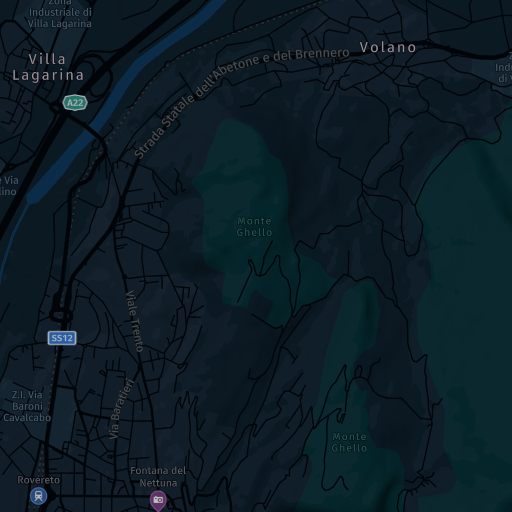
lite.satellite.day
This is a minimalist satellite-based style for applications overlaying data on satellite backgrounds. Sample request:
GET https://maps.hereapi.com/v3/base/mc/13/4347/2917/jpeg?style=lite.satellite.day&apiKey={YOUR_API_KEY}&size=512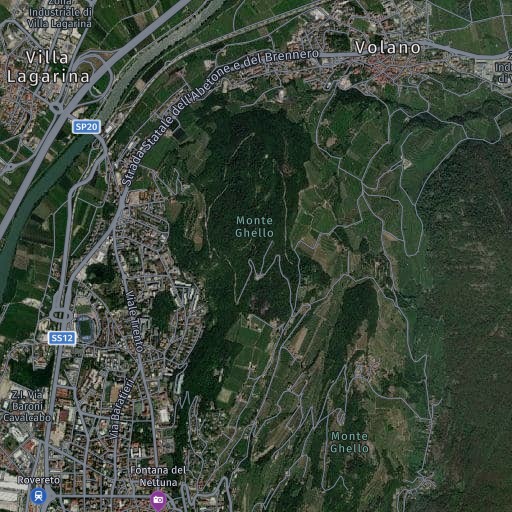
logistics.satellite.day
This is a logistics-optimized style with satellite background for geographic context in fleet operations. Sample request:
GET https://maps.hereapi.com/v3/base/mc/13/4347/2917/jpeg?style=logistics.satellite.day&apiKey={YOUR_API_KEY}&size=512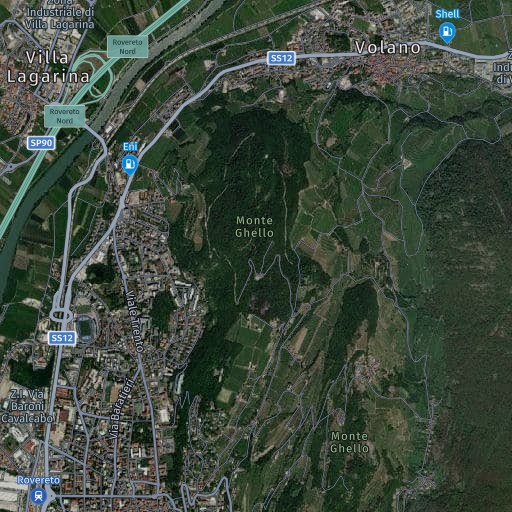
topo.night
This is a nighttime topographic style showing terrain elevation and landforms with visibility suitable for low-light environments. Sample request:
GET https://maps.hereapi.com/v3/base/mc/13/4347/2917/png?style=topo.night&apiKey={YOUR_API_KEY}&size=512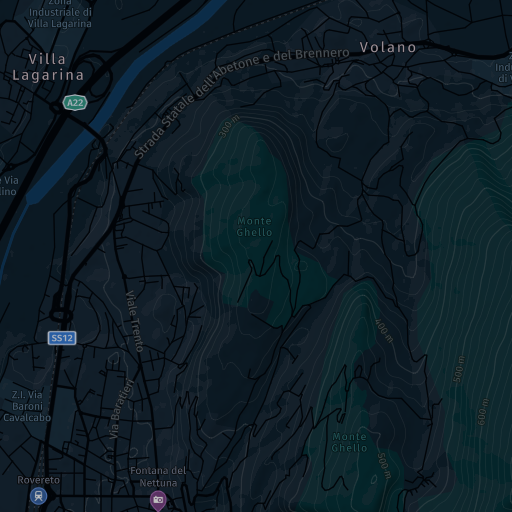
satellite.day
This style provides pure satellite imagery without map overlays or labels. Sample request:
GET https://maps.hereapi.com/v3/base/mc/13/4347/2917/jpeg?style=satellite.day&apiKey={YOUR_API_KEY}&size=512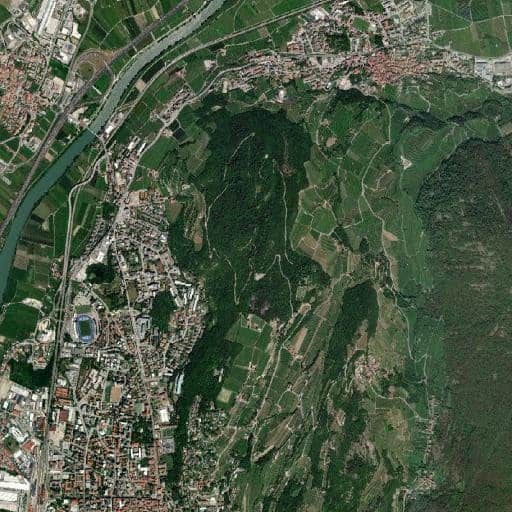
dem
The Digital Elevation Model (dem) style provides a 3D representation of the Earth's surface using a grid of encoded height values.
Key points about the dem style include:
-
The DEM style stores elevation data in the PNG format (the PNG8 format is not supported).
-
The style is not designed for direct use by humans but rather to be used by a client-side rendering engine (for example, a web browser) to create interactive and visually appealing 3D maps of terrain, including shading effects that simulate real-world illumination.
-
The DEM tiles do not contain any padding or overlap from the neighboring tiles. If you need this information (for example, for building a 3D mesh), then you can obtain it by loading the neighboring tiles and copying their data.
-
The style uses the 8-bit RGB color channels of the PNG format to encode elevation data.
To calculate the corresponding height value in meters, you can apply the following formula:
height = -10000 + ((R * 256 * 256 + G * 256 + B) * 0.1)where
R,G, andBrepresent the red, green, and blue channels of a pixel, respectively.
Note
The height values represented by the
demstyle are orthometric heights, which are heights above the geoid; a theoretical surface representing average sea level.
The following request shows how to obtain a DEM tile:
GET https://maps.hereapi.com/v3/base/mc/13/4347/2917/png?style=dem&apiKey={YOUR_API_KEY}&size=512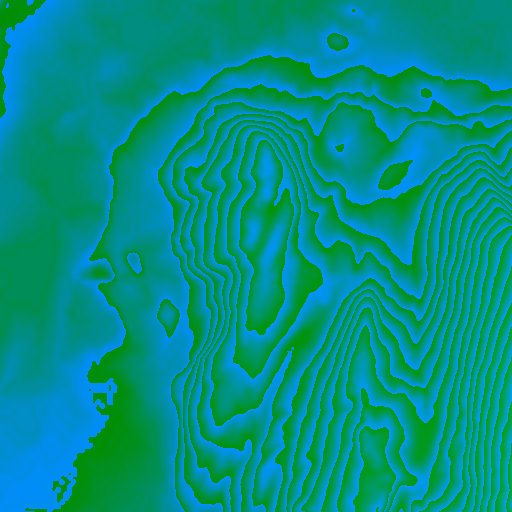
Note
The
demstyle requires PNG format and supportssize=256(default) orsize=512withscale=1
Next steps
- For more information on controlling map elements, see Control features.
- For information on supported image formats and their characteristics, see Choose image formats.
- For information on how to set raster styles while using the HERE Maps API for JavaScript as the map rendering engine, see Render raster maps with the HERE Maps API for JavaScript.
Updated 13 days ago