

Conceal cut-off labels
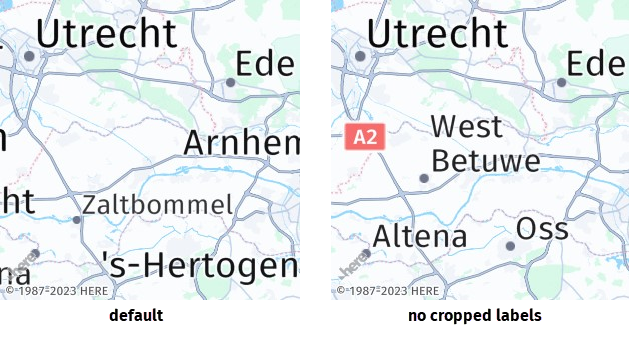
The HERE Map Image API, displays partially visible, or cropped, labels by default. However, you can turn off this behavior through the cropLabels=false parameter. This prevents labels from appearing fragmented or unclear due to limited space or map features. The main purpose of this setting is to ensure that map images display only complete and legible labels to the user, contributing to better map readability and user experience.
The following figure provides a comparison between map images with and without cropped labels:
Sample request #1:
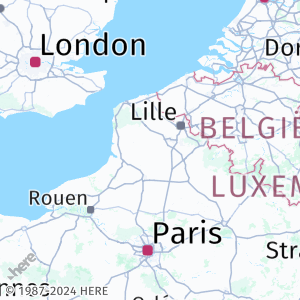
Consider the following request:
https://image.maps.hereapi.com/mia/v3/base/mc/center:50.287799,2.392539;zoom=6/300x300/png8
?apikey={YOUR_API_KEY}
&ppi=200Response:
The preceding request obtains the following response:
Sample request #2:
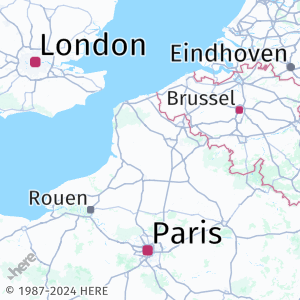
To remove cropped labels, add the cropLabels=false parameter to the request, as shown in the following example:
https://image.maps.hereapi.com/mia/v3/base/mc/center:50.287799,2.392539;zoom=6/300x300/png8
?apikey={YOUR_API_KEY}
&ppi=200
&cropLabels=falseResponse:
The API removes cropped labels, as shown in the following example:
Next steps
For more information on how to explore other map parameters related to map readability, see Adjust map readability.
Updated 7 months ago