

Add a scale bar overlay
Including a scale bar in map images aids viewers in understanding the physical dimensions depicted, ensuring consistency across images for easier comparison and comprehension. Metric (km), imperial (mi), or hybrid options (kmMi or miKm) can be used based on context and user location.
The appearance and range of the scale bar are dynamically influenced by the current zoom level and map style. As the zoom level for your images changes, the scale bar adjusts accordingly to reflect the changing spatial context, as demonstrated in the following figure:
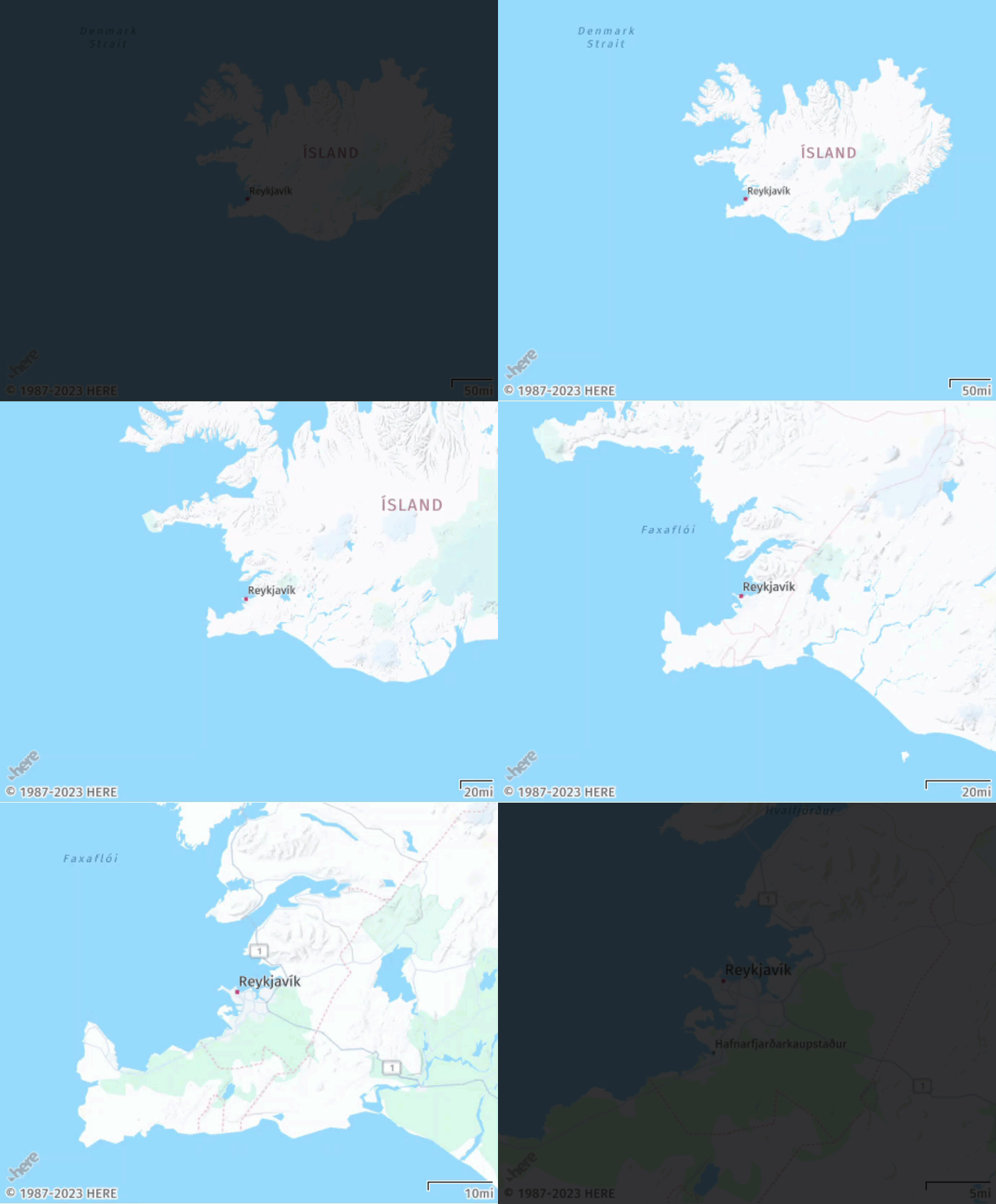
To include the scale bar overlay, incorporate the scaleBar parameter into your API request. Choose from the following values:
km- Displays the scale in metric unitsmi- Displays the scale in imperial unitskmMi- Displays a dual scale with metric units on topmiKm- Displays a dual scale with imperial units on top
Sample request:
Consider the following request:
https://image.maps.hereapi.com/mia/v3/base/mc/center:53.218849,-4.195021;zoom=12/300x300/png8
?apikey={YOUR_API_KEY}
&scaleBar=kmMiResponse:
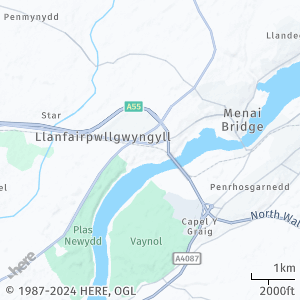
The image displays the scale information in both the metric and imperial measurement systems:
Next steps
- To explore other supported endpoints and parameters, see the API Reference.
- To gain more hands-on experience with the HERE Map Image API see the
Tutorialssection of this guide.
Updated 7 months ago