

Specify the label and icon size
HERE Raster Tile API provides a ppi parameter to render labels and icons in different sizes. The following ppi values are currently available in the HERE Raster Tile API:
ppi=100: This default value prioritizes a denser display, featuring smaller yet clearer labels and icons. For example, you can use this value for smaller, more intricate displays, it condenses more information into a limited space.ppi=200: This option provides a middle ground for label sizing, offering an ideal solution whenppi=100results in labels that are too small, andppi=400produces labels that are overly large. This enhancement ensures optimal readability and precision in your visualizations.ppi=400: This value showcases larger labels and icons, emphasizing visibility and clarity. You can use this value for larger screens because it ensures clearer and more visible details, making information easily discernible on bigger displays.
Note
Deciding between
ppi=100,ppi=200, andppi=400means finding the right balance in label and icon size for the screen's resolution. To ensure the map elements fit well, try all values on the target display. This helps pick the best setting for clear visibility and well-organized information.
Perform any of the following steps to obtain a tile with a specific ppi value:
-
Get map tile with the default label and icon size:
-
Example:
https://maps.hereapi.com/v3/base/mc/9/275/167/png ?apiKey=YOUR_HERE_API_KEY -
Response:
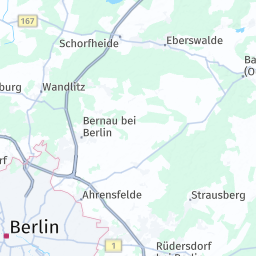
-
-
Get a map tile with medium-size labels and icons:
-
Example:
https://maps.hereapi.com/v3/base/mc/9/275/167/png ?ppi=200&apiKey={API_KEY} -
Response:
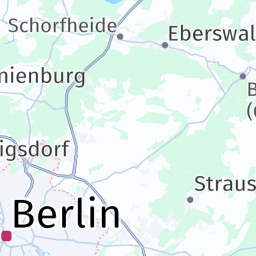
-
-
Get a map tile with larger labels and icons:
-
Example:
https://maps.hereapi.com/v3/base/mc/9/275/167/png ?ppi=400 &apiKey=YOUR_HERE_API_KEY -
Response:
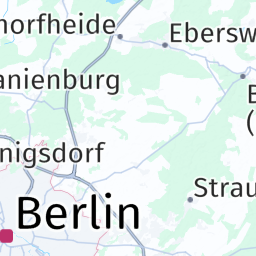
-
Updated 3 months ago