

Polygonal roads
The HERE Vector Tile API delivers roads as polygons for some regions of the world within the core map parameter. This provides more accurate and detailed representation of road geometries as you zoom in. In particular, this section describes and shows examples for Japan at zoom 14 and higher.
To retrieve polygonal roads data, you must use core for the {map} placeholder when making a parametrized Vector Tile request as in the example below. For more information about the map parameter, see Map Parameter.
https://vector.hereapi.com/v2/vectortiles/{layer}/mc/{z}/{x}/{y}/omv
Polygonal roads are represented as polygons in the landuse layer using the kind property. For more information about corresponding values, see the landuse description of the layers. The data for a road from the landuse layer contains the following:
"properties": {
    $layer: "landuse",
    $zoom: 14,
    source: "ipc",
    kind: "major_road",
    kind_detail: "secondary_city",
    sort_rank: 380,
    min_zoom: 16,
    area: 123316
}
At the same time, polygonal roads, except for those in restricted areas such as parks, pedestrian areas, or golf courses, are also represented as centerlines in the roads layer using the is_present_in_landuse property. For more information about this property, see the roads description of the layers. The data for the same road, but this time from the roads layer, contains the following:
"properties": {
    $layer: "roads",
    $zoom: 14,
    source: "ipc",
    is_present_in_landuse: true,
    kind: "major_road",
    kind_detail: "secondary",
    fclass: 4,
    name: "内堀通り",
    name:en: "Uchibori-dori Ave.",
    name:ja: "内堀通り",
    ref: "301",
    network: "JP",
    all_route_types: 4,
    shield_text: 301,
    all_shield_texts: 301,
    all_networks: "JP",
    min_zoom: 9,
    sort_rank: 379,
    oneway: "yes"
}
As a result, this allows you to filter out road centerlines while showing detailed road geometries from the landuse data.
For rendering comparison, this is how the linear roads look like:
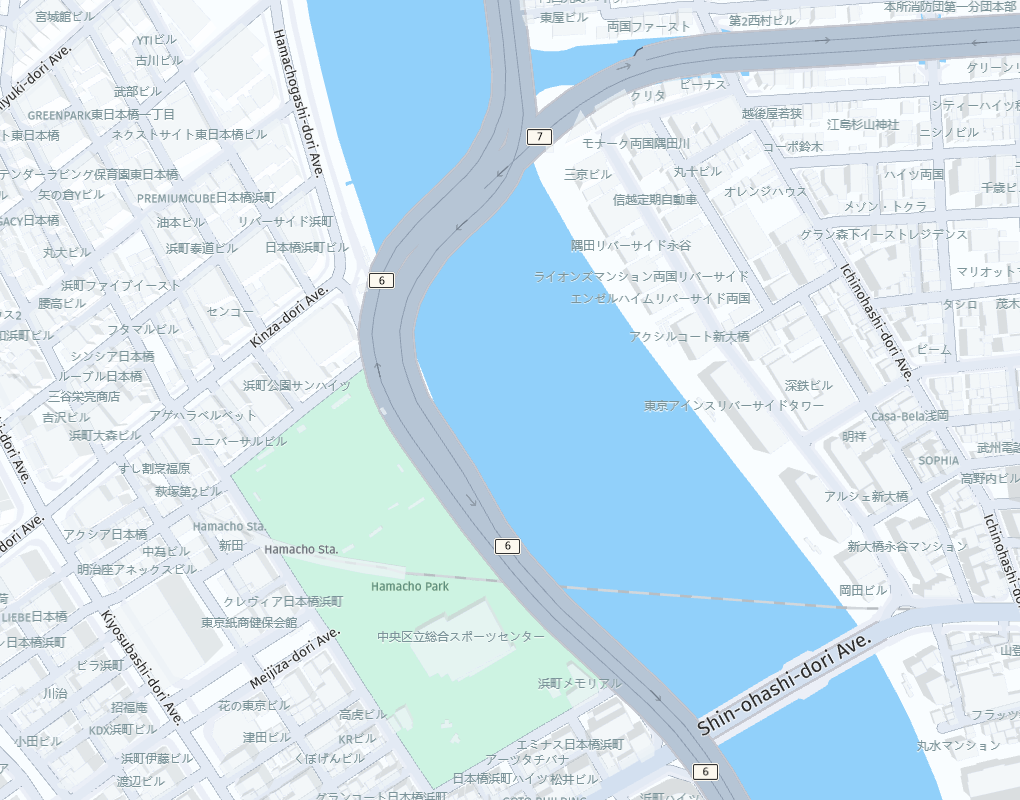
and this is their polygonal representation (notice how roads are rendered in the park area):
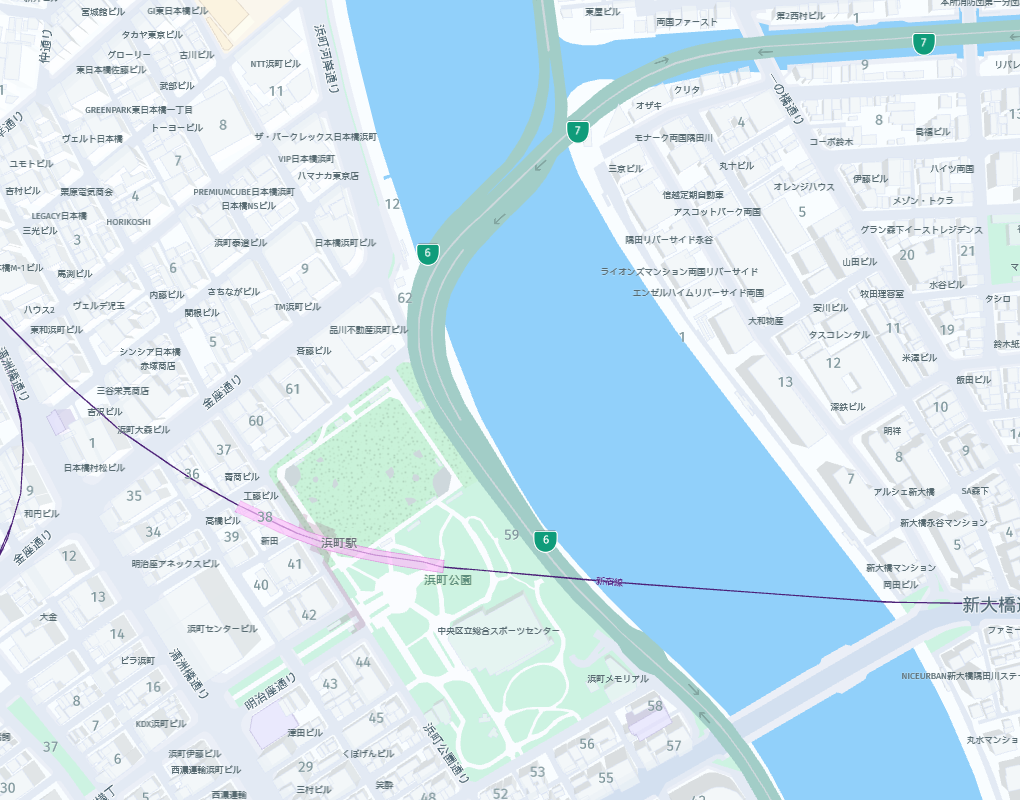
Updated 4 months ago