

Explore custom overlay options
Maps are invaluable tools for visualizing geographical data, and overlaying additional information enhances their utility. Two popular methods for achieving this are through GeoJSON and Compact Overlay Encoding.
-
GeoJSON: Allows you to define custom geographical features like points, lines, and polygons, providing flexibility for highlighting regions, plotting routes, or displaying spatial relationships.
For more information, see GeoJSON format.
-
Compact Overlay Encoding: Offers a streamlined alternative to GeoJSON, supporting the same geometry types and style properties. It's ideal for scenarios where request size matters, offering efficiency and simplicity without compromising on mapping capabilities.
For more information, see Compact overlay encoding.
Example
This example displays a static map of Chicago with two individually colored markers highlighting the location of Soldier Field (41.8625°N, 87.6166°W) and Wrigley Field (41.9483°N, 87.6555°W). These locations are the home of the Chicago Bears and Chicago Cubs respectively, and each marker displays the letter C in the club colors.
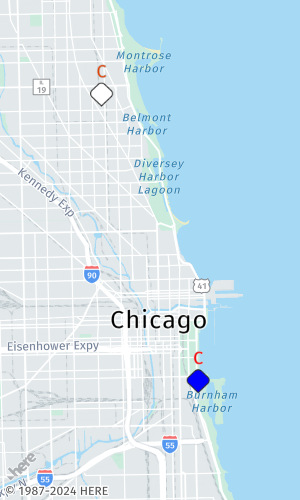
To render markers in the HERE Map Image API, you have the flexibility to use either GeoJSON or compact overlay encoding formats. These formats can be encoded as values of the geojson or overlay parameters. The following figure provides is a visual breakdown illustrating how you can translate a GeoJSON into the compact overlay encoding format.
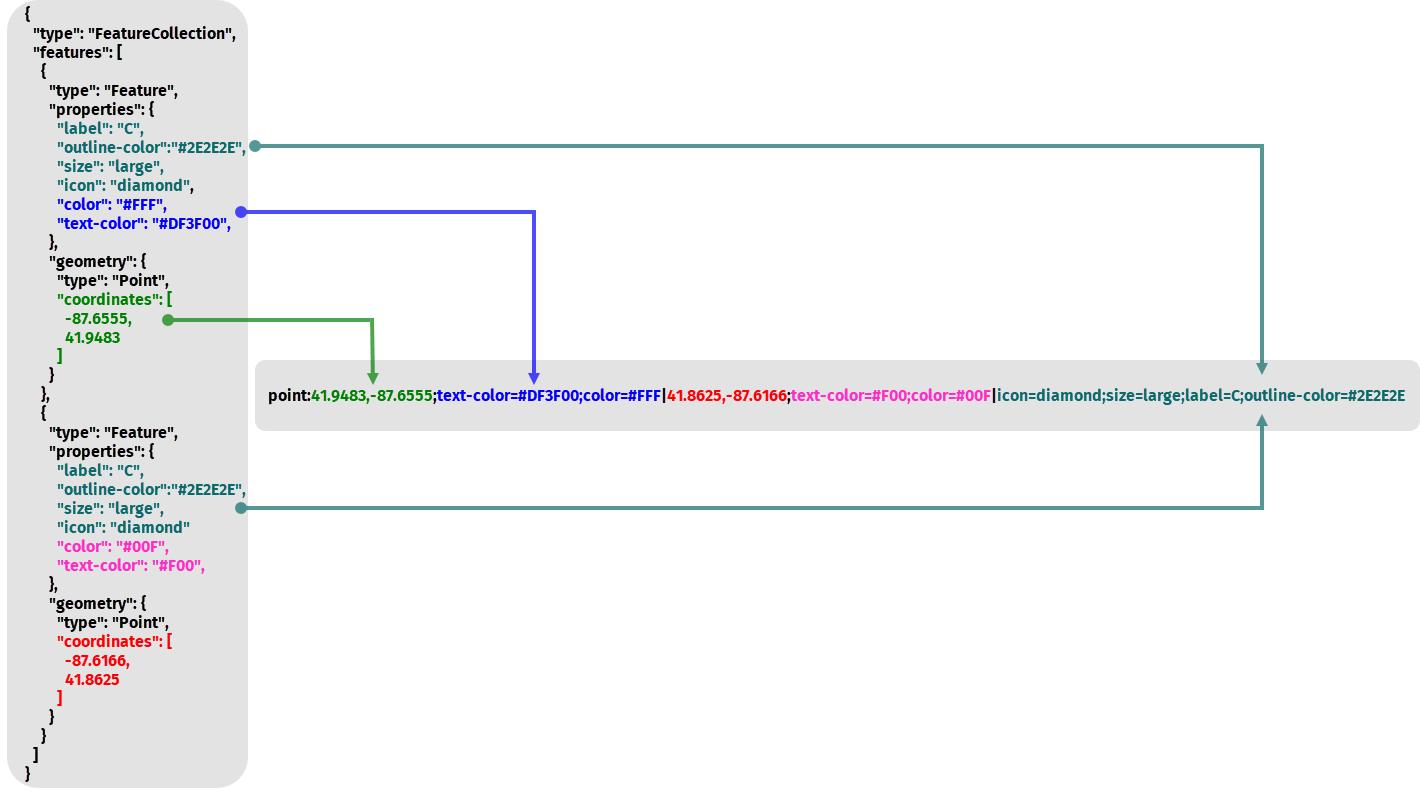
Whether you opt for the detailed specification of GeoJSON or the streamlined efficiency of compact overlay encoding, you can effectively render markers and enhance the visual representation of your geographical data within the HERE Map Image API.
Next steps
For more detailed information about custom overlay options, see the API Reference.
Updated 7 months ago