

Obtain high-resolution map tiles
You can obtain map tiles of high DPI (dots per inch) in cases where good visualization of details like street names or landmarks is crucial or the support for high-resolution map displays is required.
In the HERE Raster Tile API, you control the level of detail and clarity of an image by adjusting the scale parameter, which can have the following values:
1: The default resolution for map tiles.2: The high-resolution setting for map tiles.
In addition to setting the scale parameter to 2, to maintain the extent of geographical area captured by high-resolution tiles, you need to adjust their size according to the following pattern:
- default resolution:
size=256,scale=1 - high DPI:
size=512,scale=2
For example, if you want to increase the resolution of a tile whose size is the default 256 pixels, you must change the value of its size parameter to 512 pixels, and then increase the value of the scale parameter to 2 to make sure that the physical size of the tile remains the same, but with a higher density of detail.
The following steps demonstrate this approach by using a practical example:
-
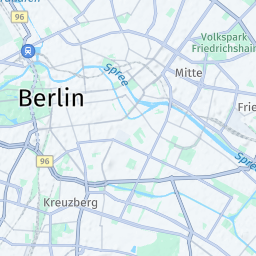
Get a map tile in the default scale and size of
256pixels:-
Example:
https://maps.hereapi.com/v3/base/mc/12/2200/1343/png ?apiKey={API_KEY} -
Response:
-
-
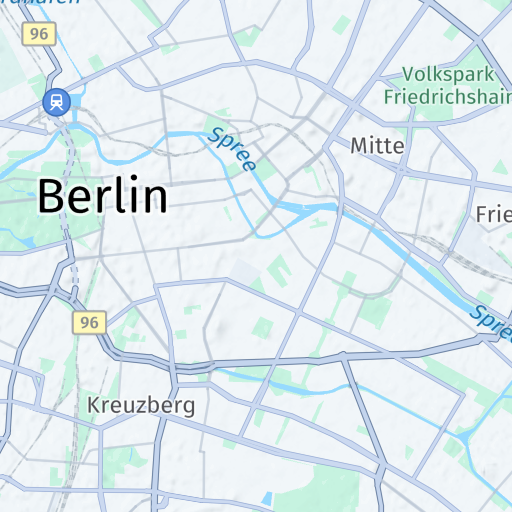
Get a high-resolution version of the map tile from the previous step:
-
Example:
https://maps.hereapi.com/v3/base/mc/12/2200/1343/png ?size=512 &scale=2 &apiKey={API_KEY} -
Response:
Note
For comparison, the following figure shows the tile generated in the previous step, except with the
scaleparameter set to1: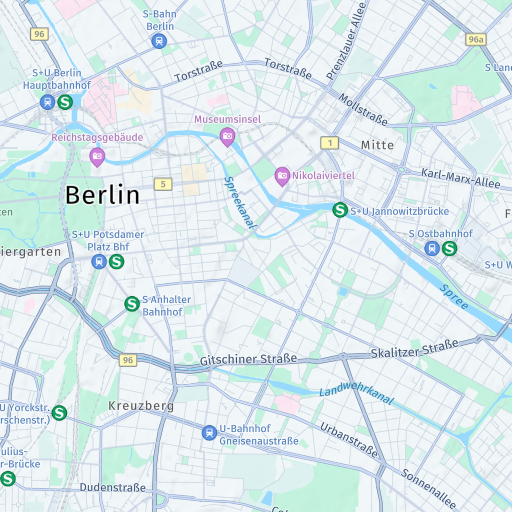
-
Next steps
- For more information about the available tile sizes, see Specify the map tile image size
- For more information about the icon and label size, see Specify the label and icon size
Updated 3 months ago