

hillshade
Content: hillshade
Geometry: polygon
Zoom: 1–13
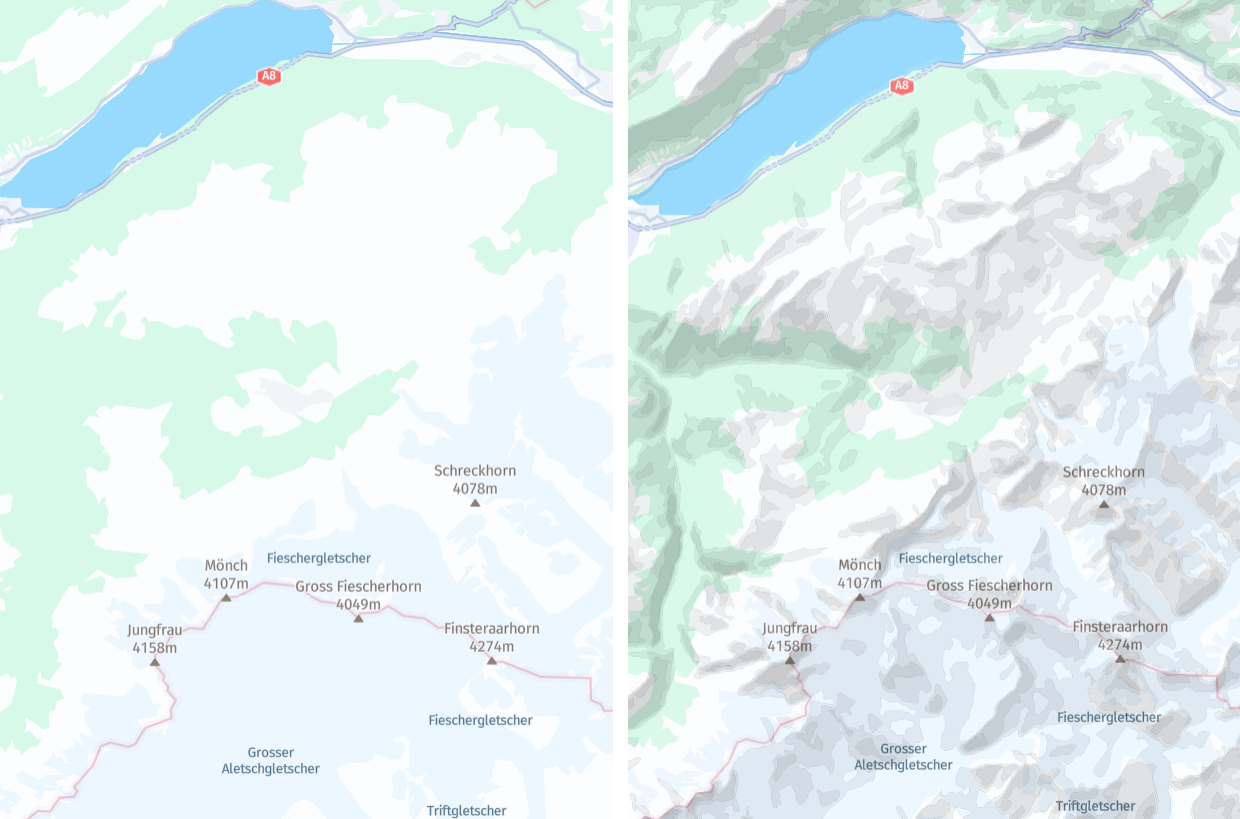
The hillshade layer displays the topography of a region by simulating how light would illuminate the terrain. It categorizes areas into discrete groups based on the intensity of illumination, with each group represented as a polygon feature.
The hillshade layer offers an aesthetically pleasing representation of terrain characteristics, facilitating comprehension of the regional topography. For example, this makes hillshade beneficial in tourism-related use cases by helping outdoor enthusiasts, such as hikers, cyclists, and backpackers, plan routes by showing changes in elevation and rugged terrain.
Hint
The hillshade layer is often used in conjunction with the contours layer to provide a comprehensive depiction of terrain, combining realistic shading with elevation contour lines. To display both layers, include both values in the
contentparameter:content=default,hillshade,contours
Note
The order of attributes in the
contentparameter is important. Specifically, ensure that you position thedefaultattribute as the first one.
Properties
Common properties
kind
Type: string
Always present
The intensity levels are split into two groups: shadows and highlights.
| Value | Description |
|---|---|
shadow | The polygon denoting the shaded portion of the terrain, where the map area should appear darker when rendered. |
highlight | The polygon denoting the highlighted portion of the terrain, where the map area should appear brighter when rendered. |
level
Type: int
Always present
The intensity levels categorized under kind are further divided into distinct subcategories. The level property provides more detailed intensity information within each kind group.
Common properties
sort_rank
Type: int
Always present
The ordering of features, which determines which features are rendered "on top of" other features, can be an important issue when rendering maps. To assist map rendering, there is a sort_rank property on some features that suggests in what order the features should appear.
A feature with a higher sort_rank value is displayed on top of feature with a lower sort_rank value.
| Value |
|---|
199 |
Updated 5 months ago