

Specify features to be rendered on a map tile
Specify features to be rendered on the map tile
HERE Raster Tile API provides a features parameter that you can use to select optional tile content.
-
Get map tile with the
environmental_zonesfeature:-
Example:
https://maps.hereapi.com/v3/base/mc/9/275/171/png ?features=environmental_zones:all &apiKey=YOUR_HERE_API_KEY -
Response:
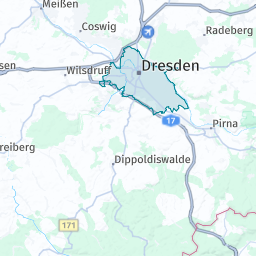
-
-
Get map tile with the
environmental_zonesandvehicle_restrictionsfeatures:-
Example:
https://maps.hereapi.com/v3/base/mc/9/275/171/png ?features=environmental_zones:all,vehicle_restrictions:active_and_inactive &apiKey=YOUR_HERE_API_KEY -
Response:
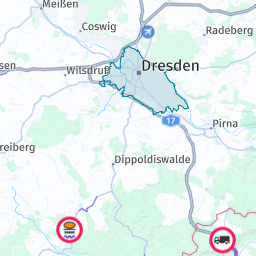
-
-
Get map tile with the
environmental_zonesandvehicle_restrictionsfeatures, butpoisfeature disabled:-
Example:
https://maps.hereapi.com/v3/base/mc/9/275/171/png ?features=environmental_zones:all,vehicle_restrictions:active_and_inactive,pois:disabled &apiKey=YOUR_HERE_API_KEY -
Response:
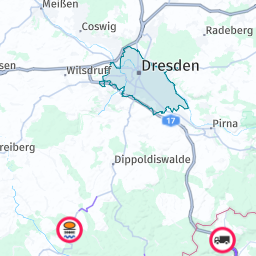
-
-
Get map tile with the
environmental_zonesfeature, butpoisfeature disabled:-
Example:
https://maps.hereapi.com/v3/base/mc/9/275/171/png ?features=environmental_zones:all,pois:disabled &apiKey=YOUR_HERE_API_KEY -
Response:
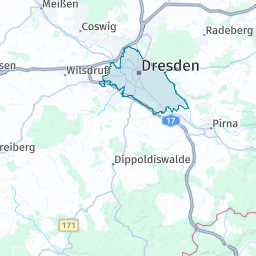
-
-
Get map tile with the
vehicle_restrictionsfeature, butpoisfeature disabled:-
Example:
https://maps.hereapi.com/v3/base/mc/9/275/171/png ?features=environmental_zones:disabled,vehicle_restrictions:active_and_inactive,pois:disabled &apiKey=YOUR_HERE_API_KEY -
Response:
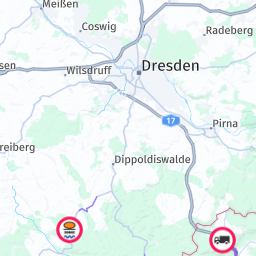
-
-
Get
truckonlytileby usingblankresource withfeatures=vehicle_restrictions:active_and_inactive:-
Example:
https://maps.hereapi.com/v3/blank/mc/9/275/171/png ?features=vehicle_restrictions:active_and_inactive &apiKey=YOUR_HERE_API_KEY -
Response:
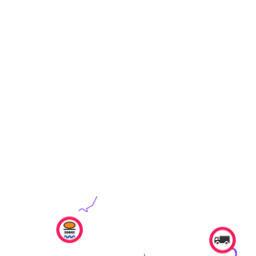
-
-
Get a tile with vehicle restrictions showing visual differentiation between active and inactive restrictions for a specific time period:
-
Example:
https://maps.hereapi.com/v3/base/mc/10/548/336/png ?features=vehicle_restrictions:active_and_inactive_differentiated &size=256&startTime=2025-12-11T08:00&endTime=2025-12-11T12:00 &apiKey=YOUR_HERE_API_KEY -
Response:
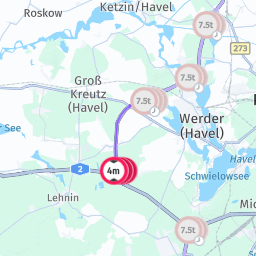
-
-
Get a tile with only active vehicle restrictions for a specific time period:
-
Example:
https://maps.hereapi.com/v3/base/mc/10/548/336/png ?features=vehicle_restrictions:active_only &size=256&startTime=2025-12-11T08:00&endTime=2025-12-11T12:00 &apiKey=YOUR_HERE_API_KEY -
Response:
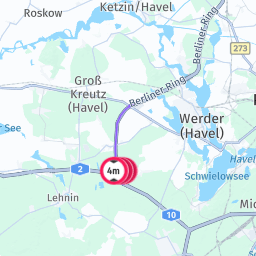
-
-
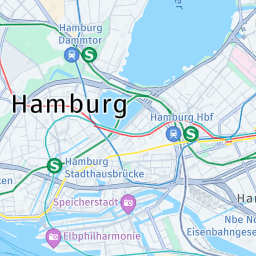
Get a tile with the
public_transitfeature enabled:-
Example:
https://maps.hereapi.com/v3/base/mc/13/4323/2647/png ?features=public_transit:all_systems &apiKey=YOUR_HERE_API_KEY -
Response:
-
-
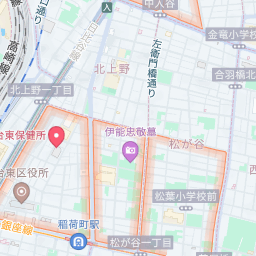
Get a tile with the
low_speed_zonesfeature enabled:-
Example:
https://maps.hereapi.com/v3/base/mc/15/29107/12899/png ?features=low_speed_zones:all &apiKey=YOUR_HERE_API_KEY -
Response:
-
-
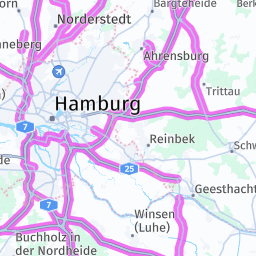
Get a tile with the
truck_preferred_roadsfeature enabled:-
Example:
https://maps.hereapi.com/v3/base/mc/9/270/165/png ?features=truck_preferred_roads:all &apiKey=YOUR_HERE_API_KEY -
Response:
-
Next steps
For more information, see Features.
Updated 3 months ago