

Select the map tile type
Control which map layers appear by selecting different resource types in the request path.
You can use tile resources to create custom overlays by requesting background tiles and adding your own labels or traffic data on top, or to build layered maps by combining separate background, label, and data layers.
Available resources
The following list provides the available map resource types:
| Resource | Contains | Use for |
|---|---|---|
base | All map elements (background + labels) | Complete standalone maps |
background | Roads, landuse, water, no labels | Custom label overlays |
label | Text labels and icons only | Combining with custom backgrounds |
blank | Empty tile with specified features only | Feature-only visualizations |
Request the list of available resources
Use the /info endpoint to query available resources:
GET https://maps.hereapi.com/v3/info?apiKey={YOUR_API_KEY}The response includes the list of resources as shown in the following example, together with other data:
{"imageFormats":["jpeg","png","png8"],"imageSizes":[256,512],"mapVersion":"cr6dtm37in483jp242","projections":["mc"],"resources":["background","base","blank","label"],"styles":["dem","explore.day","explore.night","explore.satellite.day","lite.day","lite.night","lite.satellite.day","logistics.day","logistics.night","logistics.satellite.day","satellite.day","topo.day","topo.night"],"zoomLevels":{"max":20,"min":0}}Examples
The following examples show how to request different tile resource types:
Base tile
The following example shows how to obtain a base tile:
GET https://maps.hereapi.com/v3/base/mc/7/35/54/png8?size=512&apiKey={YOUR_API_KEY}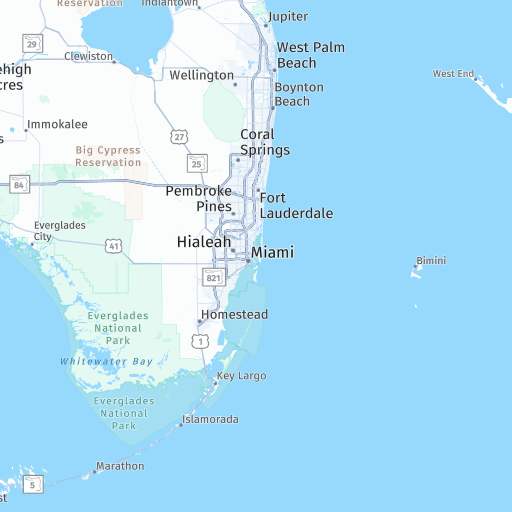
Background tile
The following example shows how to obtain a background tile:
GET https://maps.hereapi.com/v3/background/mc/7/35/54/png8?size=512&apiKey={YOUR_API_KEY}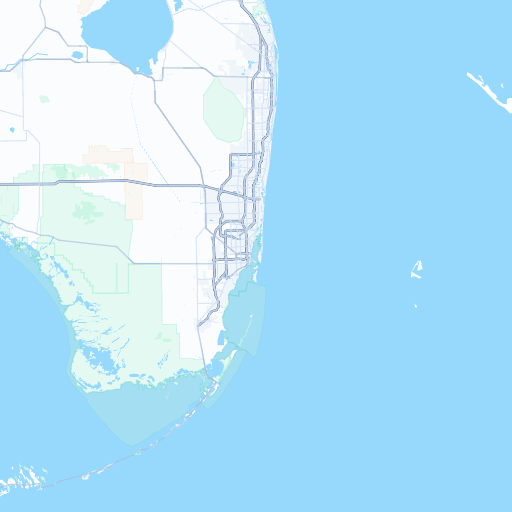
Label tile
The following example shows how to obtain a label tile:
GET https://maps.hereapi.com/v3/label/mc/7/35/54/png8?size=512&apiKey={YOUR_API_KEY}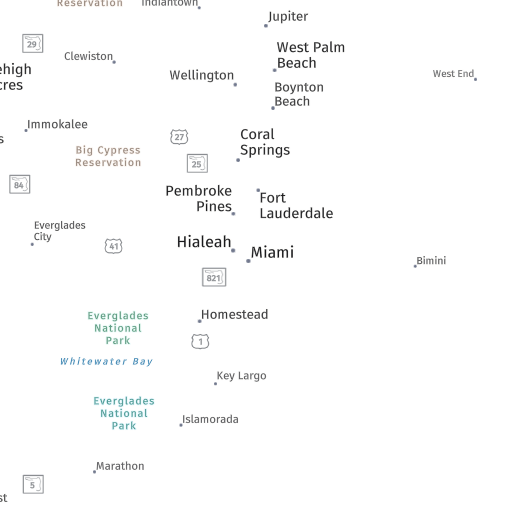
Blank tile
A blank tile returns a completely transparent image. This example demonstrates practical usage by overlaying truck-preferred roads on the blank tile:
GET https://maps.hereapi.com/v3/blank/mc/7/35/54/png8?size=512&apiKey={YOUR_API_KEY}&features=truck_preferred_roads:all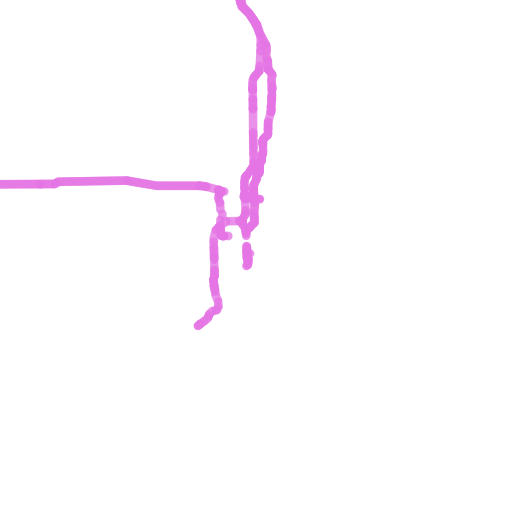
Next steps
- For more information on controlling specific map elements, see Control features.
- For more information on visual themes, see Apply styles.
- For more information on API endpoints and request parameters, see the API Reference.
Updated last month