

Set tile size
Control tile dimensions using the size parameter to set output image resolution.
Choose a tile size based on your use case:
- Standard displays - Use 256×256 for optimal performance and bandwidth
- High-resolution screens - Use 512×512 and set
scale=2for sharper rendering on retina displays with higher DPI - Print maps - Request larger tiles for higher quality output
- Performance tuning - Balance image quality against file size and load time
Syntax
You can adjust the tile size through the size parameter that supports the following values: size=256 or size=512. If you do not specify tile size, the default value is 256×256 pixels.
| Size | Dimensions | File size | Best for |
|---|---|---|---|
256 | 256×256 px | Smaller | Standard displays, mobile |
512 | 512×512 px | Larger | Retina displays, print |
Examples
The following examples demonstrate how to request different tile sizes with the size parameter:
Standard size (256×256)
The following request shows how to get a standard-size tile. You get the same result when you explicitly specify the size parameter with the value of 512.
GET https://maps.hereapi.com/v3/base/mc/15/16376/10896/png?style=explore.satellite.day&apiKey={YOUR_API_KEY}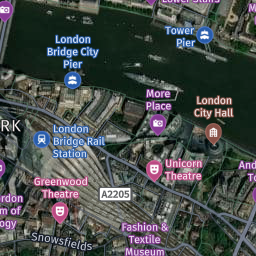
Large size (512×512)
To get a 512x512 pixel tile, set the size parameter to 512, as shown in the following example:
GET https://maps.hereapi.com/v3/base/mc/15/16376/10896/png?size=512&style=explore.satellite.day&apiKey={YOUR_API_KEY}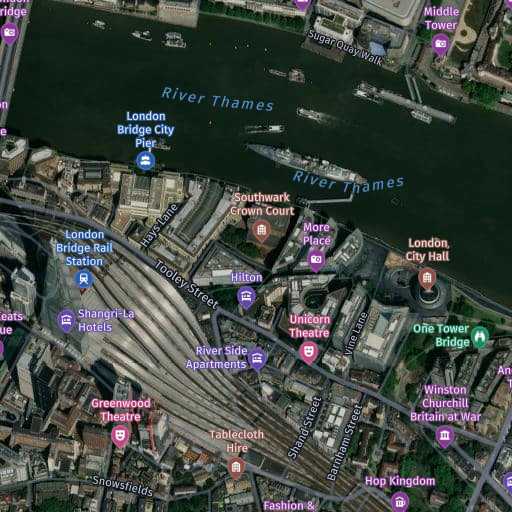
Next steps
- For more information on label and icon scaling, see Specify the label and icon size.
- For more information on obtaining different tile resolutions, see Show high-resolution tiles.
- For more information on API endpoints and request parameters, see the API Reference.
Updated last month
Did this page help you?