

Avoid showing the map too many times while zooming out
Problem
When you zoom out of your map after initializing it, and completely zoom out, you will most likely see the Earth a few times.
Cause
This is completely normal behavior, and the default behavior for our JavaScript API, and can be seen in Vector Tiles or Raster Tiles
Resolution
To avoid this, you need to set a minimum (furthest away possible) zoom value.
This is accomplished by using "setMin()" and it works for both Vector Tiles and Raster Tiles.
Vector Tile Example<br />// initialize communication with the platform const platform = new H.service.Platform({//add your apikey apikey: "YourApiKey"});//declare HARPvar engineType = H.Map.EngineType["HARP"];//declare layers with HARPconst defaultLayers = platform.createDefaultLayers( {engineType} );function mapMaker(){//initialize a mapconst map = new H.Map(document.getElementById('map'), defaultLayers.vector.normal.map,{ engineType, center: {lat:50, lng:5}, zoom: 4});//add the minimum possible zoom (furthest away possible zoom)defaultLayers.vector.normal.map.setMin(3);// add a resize listener to make sure that the map occupies the whole containerwindow.addEventListener('resize', () => map.getViewPort().resize());//make the map interactive//mapEvents enables the event system//behavior implements default interactions for pan/zoom (also on mobile touch environments)var behavior = new H.mapevents.Behavior(new H.mapevents.MapEvents(map));//create the default UI componentsvar ui = H.ui.UI.createDefault(map, defaultLayers);};mapMaker();<br />
Raster Tile Example
To do this in Raster Tiles, all you need to do is to change the defaultLayers.vector.normal.map to defaultLayers.raster.normal.map<br />// initialize communication with the platform const platform = new H.service.Platform({//add your apikey apikey: "YourApiKey"});//declare HARPvar engineType = H.Map.EngineType["HARP"];//declare layers with HARPconst defaultLayers = platform.createDefaultLayers( {engineType} );function mapMaker(){//initialize a mapconst map = new H.Map(document.getElementById('map'), defaultLayers.raster.normal.map,{ engineType, center: {lat:50, lng:5}, zoom: 4});//add the minimum possible zoom (furthest away possible zoom)defaultLayers.raster.normal.map.setMin(3);// add a resize listener to make sure that the map occupies the whole containerwindow.addEventListener('resize', () => map.getViewPort().resize());//make the map interactive//mapEvents enables the event system//behavior implements default interactions for pan/zoom (also on mobile touch environments)var behavior = new H.mapevents.Behavior(new H.mapevents.MapEvents(map));//create the default UI componentsvar ui = H.ui.UI.createDefault(map, defaultLayers);};mapMaker();<br />
Result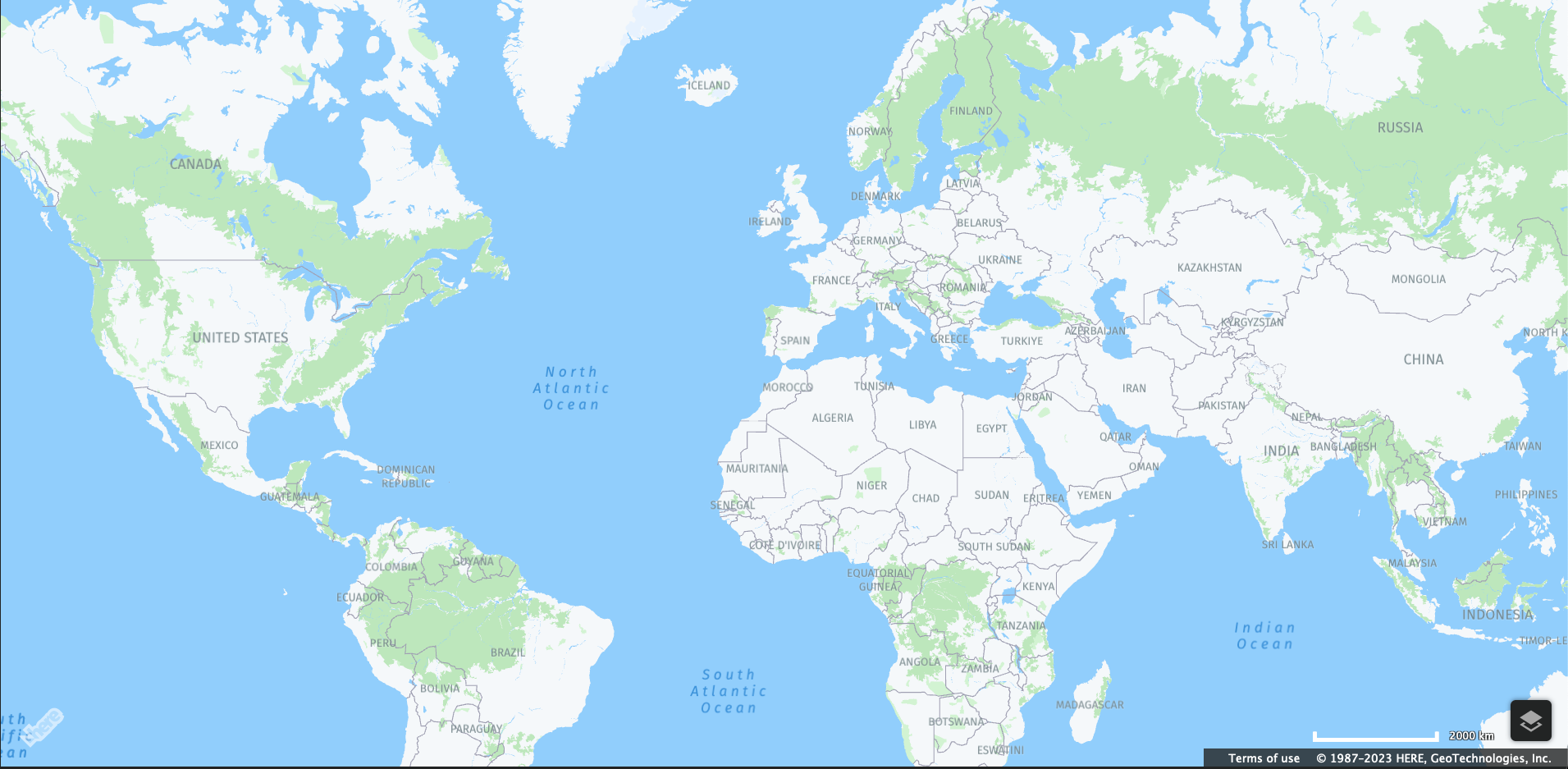
Map zoomed out as much as possible. You can scroll to your desired position as always.
Please note the screenshot is taken with an older rendering engine, so the colors will look slightly different if you are successfully using our HARP engine.
Updated 23 days ago