

How to visualize the Premier 3D city model product Quickly
How to visualize the premier 3D city model (P3DCM) product Quickly
Overview
--------
HERE Premier 3D Cities (P3DCM) is delivered in Cesium 3D Tiles (glTF) format.
HERE does not provide a dedicated viewer for this format.
However, users can quickly visualize the data using a Cesiuem web viewer, since CesiumJS is a widely used open-source library for rendering 3D Tiles in a web browser. [developers...google.com]
---
Prerequisites
-------------
Downloaded P3DCM dataset (ZIP package)
Python installed (for a simple local HTTP server)
Web browser (Chrome, Edge, etc.)
---
Steps to Visualize the Data
---------------------------
### 1. Unpack the Dataset
Download the P3DCM package and extract it to a local directory.
---
### 2. Start a Local HTTP Server
3D Tiles cannot be reliably loaded using file:// paths. A local HTTP server is required to serve the content.
One simple method is using Python:
On Windows or Linux:
cd
python -m http.server 8080
1. 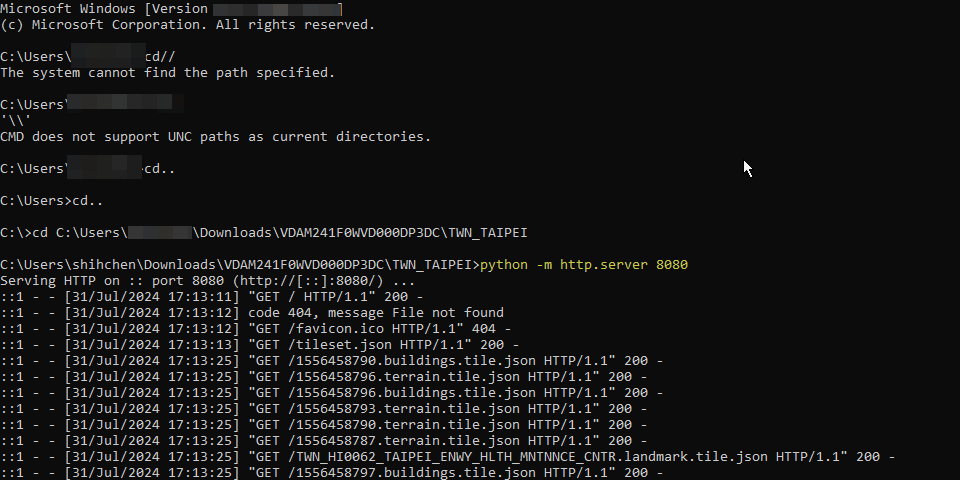
This will start a local web server at:<br />http://localhost:8080<br />
> Note: Hosting content via an HTTP server is a standard requirement for serving 3D Tiles and related assets like glTF models.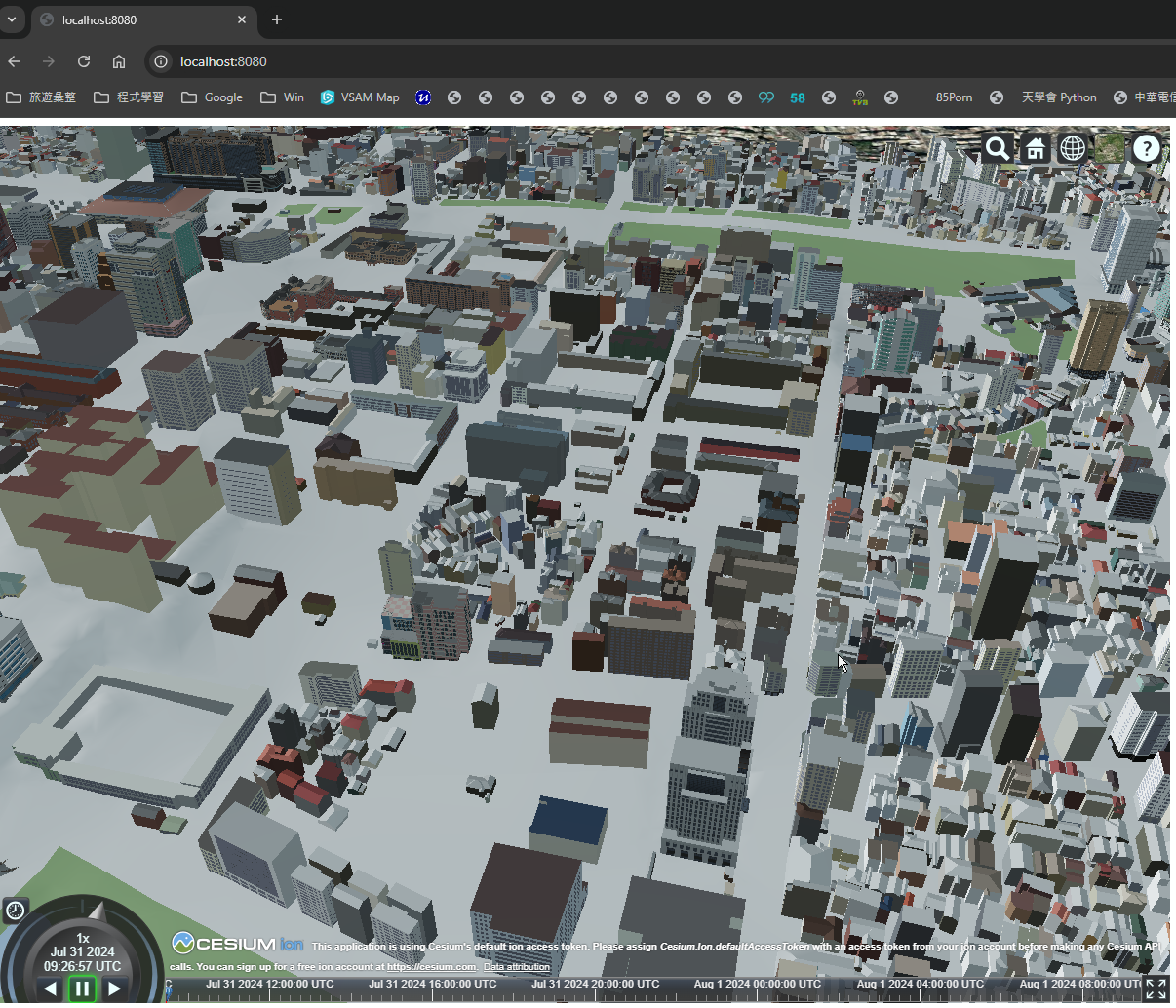
---
---
Summary
-------
P3DCM uses Cesium 3D Tiles (glTF) format
No dedicated HERE viewer is provided
Use a local HTTP server + Cesium viewer to visualize
* Always load data via http://localhost, not local files
Updated 23 days ago