

Sub Realm set up for a partner
How to set up a sub realm within a partner account
For now, sub realm or child accounts can be configured only under a partner account. As a partner, you can create customer organizations for your customers. This allows you to provide access to the platform for your customers to manage and view their own usage, invite, and manage users, and create their own projects and app IDs. From your partner organization, you can view all your customer organizations, view usage per organization, and manage quotes/ subscriptions for your customers by using cases.
Following the steps below will help up you set up a sub realm under your parent account (partner account).
1. Login to your account on platform.here.com
2. Navigate to the Sales Portal from the Launcher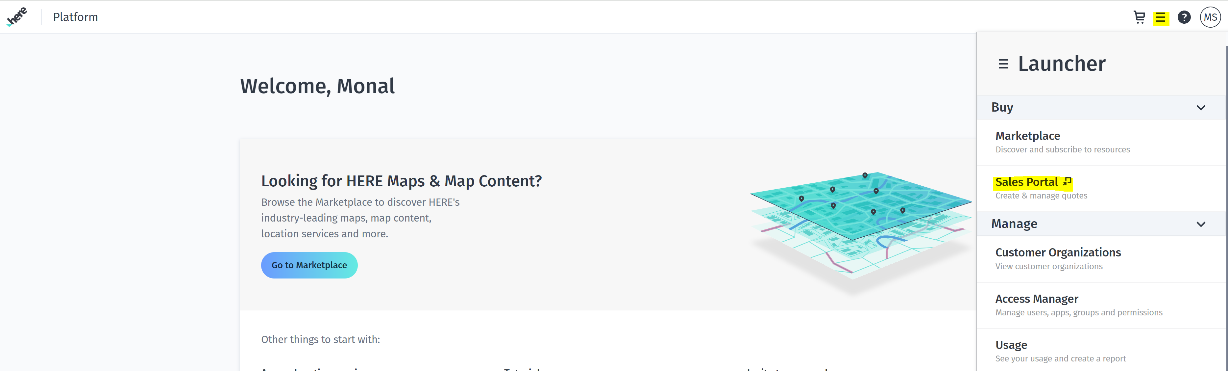
3. Click the Cases tab in the Sales Portal to create a new case for your customer.
Select Yes for Would you like to create a case? A button appears which allows you to create a new case.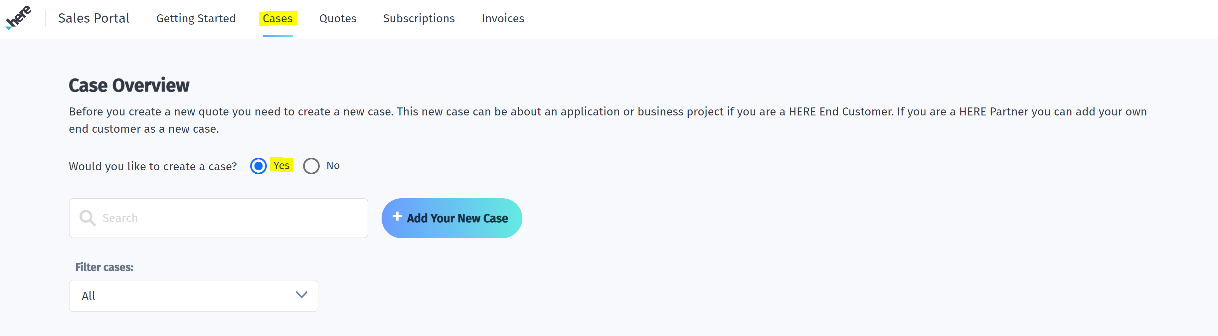
4. Enter your customer information in the Case Details window. Please fill in all the details. Check the Create new customer organization check box. Please note, the email you add here will not receive any notification from our end, it is just indicative.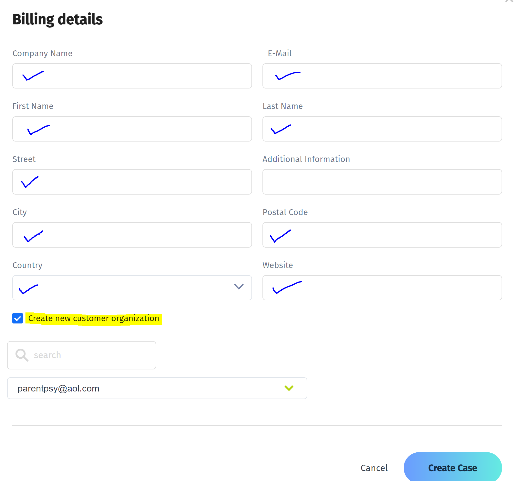
5. Click Create Case. A new case is now added to the cases list and your customer organization is being created.
6. Once the case is created, the primary contact (who has created the case) receives email from [email protected] titled, Welcome to HERE. This is your platform invitation to the organization just created. It will have an orgid as well for the sub realm. Please check your spam folder too.
7. Click the Get Started button in the email, enter your information into the platform account setup. Accept all terms and conditions, then click Next.
8. When the account is setup correctly, you see a get started with HERE platform button. Click and login with the org ID from the email & password that you set up at point 7.
9. You are now the org admin, and first user for your customer's organization. You can invite user from your end customer to access this child account and provide them the required roles. Also note, child account will not have the sales portal and will not have insights on the invoices. They can still see their usage from this account.
Once the sub realm/child account is set up, login to your parent account and can navigate to the case under sales portal and proceed with quote creation for that child account.
You can view the customer organization name, orgid and its usage.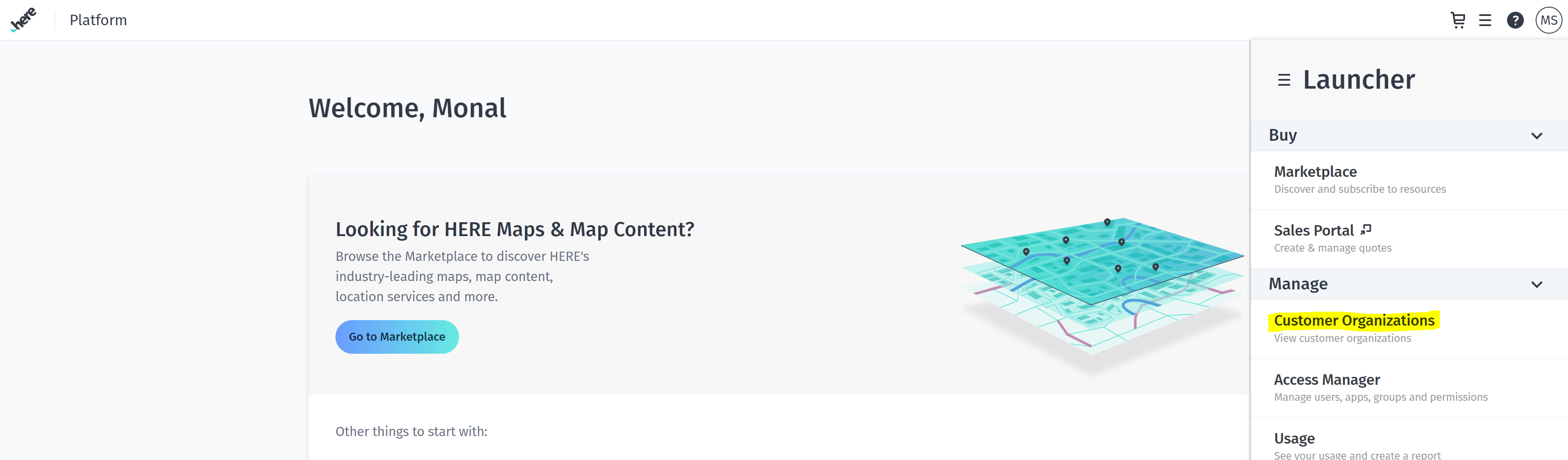
* More help on Identity and Access Manager is available here.
Updated 23 days ago