

[Routing] Get traffic sign from Route Matching API
Use Case
You have GPS trace, and you want to find the traffic signs along the matched possible driving route.
For example, the GPS trace of [<37.47514, -122.15688>, <37.47596, -122.15645>, <37.47608, -122.15639>, <37.47663, -122.15611>]
Demo App
HERE Demo app PDE: Display Traffic Signs along Route resolves a similar use case with Geocoding, Routing, and Map Attributes.
You can inspect the API queries in the backend by looking into the Network tab of Developer Tools: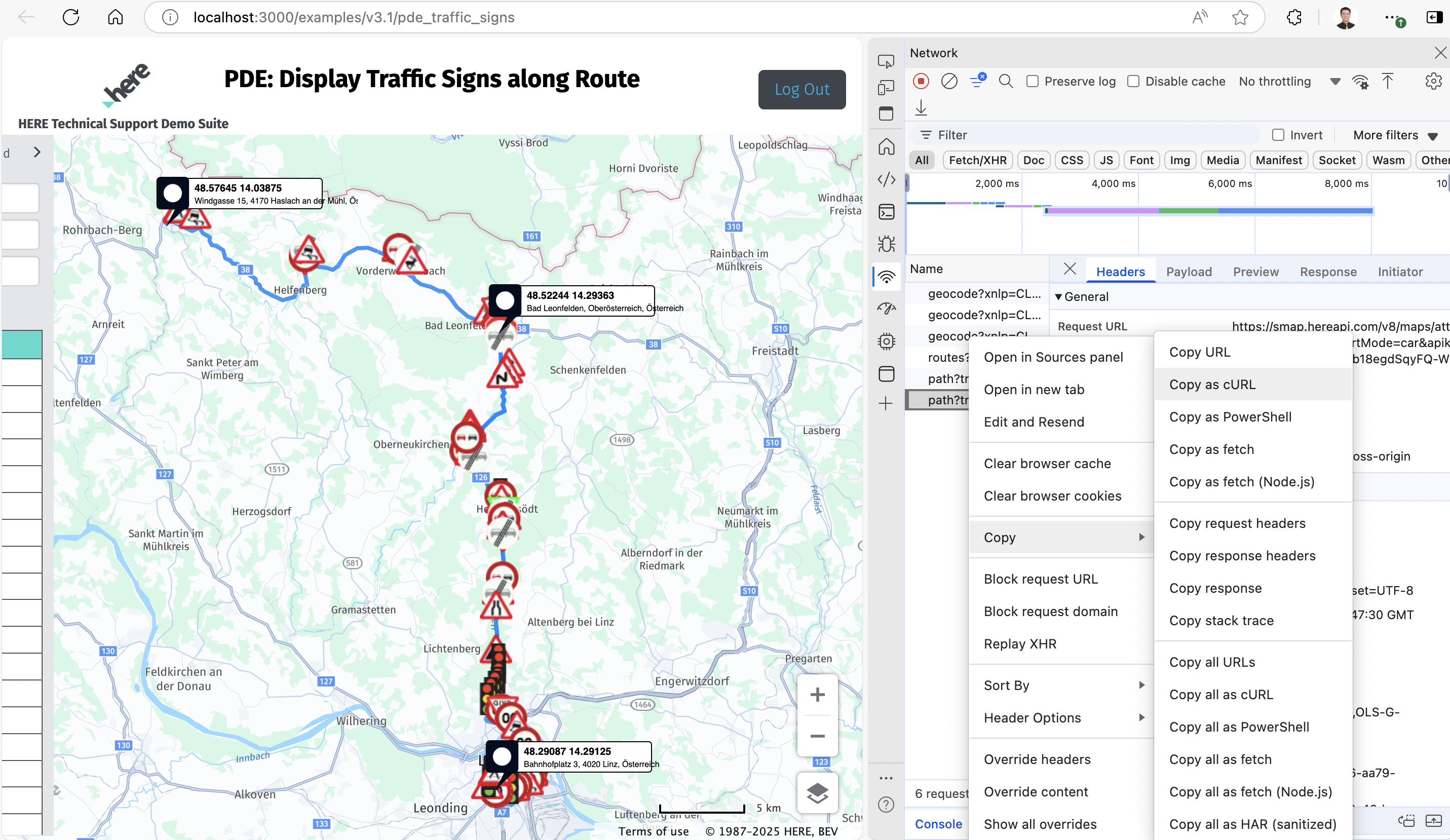
There are three Geocoding queries for origin, via, and destination respectively, one Routing, and two Map Attributes API requests.
Copy them as cURL script and paste to Postman can easily replicate the API queries.
Shortcut
However, the above demo app is only a similar use case but not perfectly fit the case from GPS trace to traffic sign.
You may not need Geocoding API to search geo coordinates by addresses, or using the Routing API to calculate the route.
To get exactly what we want cost efficiently, you can use the following Map Attribute API query:<br />curl --location 'https://routematching.hereapi.com/v8/match/routelinks?apikey=your_api_key&routeMatch=1&mode=fastest%3Bcar%3Btraffic%3Adisabled&attributes=TRAFFIC_SIGN_FCN(*)%2CROAD_GEOM_FCN(*)' \--header 'Content-Type: text/plain' \--data 'LATITUDE,LONGITUDE37.47514, -122.1568837.47596, -122.1564537.47608, -122.1563937.47663, -122.15611'<br />
The point is querying "TRAFFIC_SIGN_FCN( )" and "ROAD_GEOM_FCN(*)" for the traffic sign type and location like follows:<br /> "attributes": { "ROAD_GEOM_FCN": [ { "LONG_HAUL": "N", "NAME": "Sevier Ave", "TUNNEL": "N", "BRIDGE": "N", "LAT": "3747596,12", "LON": "-12215645,6", "ZLEVEL": ",", "ELEVATION": "," } ], "TRAFFIC_SIGN_FCN": [ { "CONDITION_ID": "1700957851", "CONDITION_TYPE": "17", "LINK_IDS": "-24576408", "VEHICLE_TYPES": "1023", "TRAFFIC_SIGN_TYPE": "20", "TRAFFIC_SIGN_CATEGORY": "1", "TRAFFIC_SIGN_SUBCATEGORY": "1" } ] },<br />
From the above information, we know there is a stop sign (traffic sign type 20) located at (37.47596,-122.15645).
Result
For the initial use case mentioned at the beginning, we can get the following three stop signs:
37.47382,-122.15756
* 37.47596,-122.15645
* 37.47608,-122.15639
You can represent them on the Routing demo app as follows with A, 1, and B: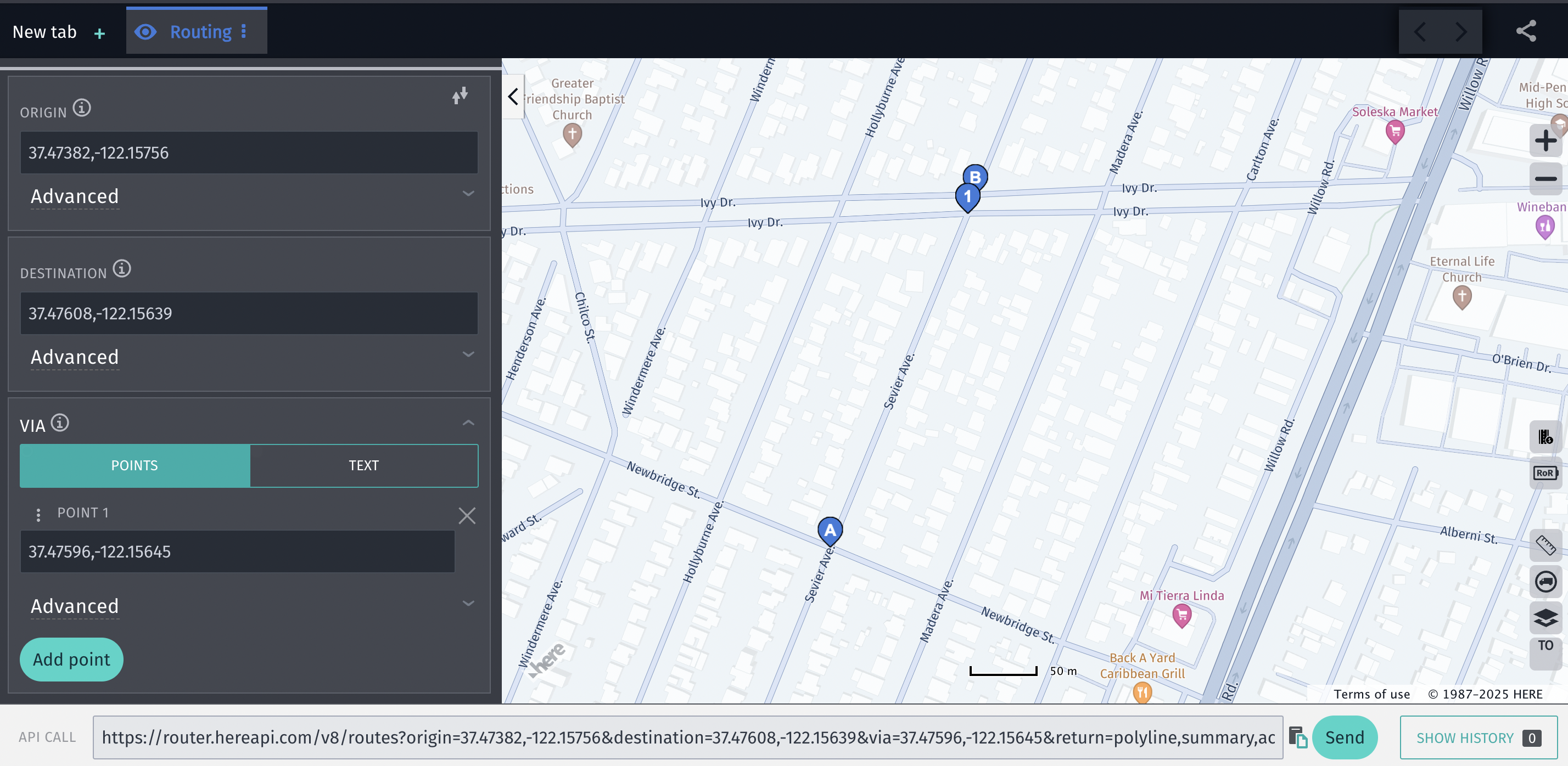
The full response of the Route Matching API is attached as "response.json" for your reference.
Updated 23 days ago