

How to select POI icons on MapView of Navigate/Explore SDK for Android
How to select POI icons on MapView
If you want to select POI icons on MapView, you need to:
1. Customize a listener for a specific gesture, for example you can bound "tap" event to POI icon selection. Implement MapView.getGestures().setTapListener(TapListener value) to capture the coordinates of the touch point.
2. Using the coordinate of the touch point to select POI icons using MapView.pickMapFeatures(Rectangle2D rect, MapViewBase.PickMapFeaturesCallback callback).
The following codes shows how to implement this logic to get result of tapping on MapView.<br />mapView.getGestures().setTapListener(touchPoint -> { Log.d(TAG, "POI selection begins!"); GeoCoordinates geoCoordinates = mapView.viewToGeoCoordinates(touchPoint); Log.d(TAG, "Tap at: " + geoCoordinates.latitude + " / " + geoCoordinates.longitude); mapView.pickMapFeatures(new Rectangle2D(touchPoint, new Size2D(100, 100)), pickMapFeaturesResult -> { Log.d(TAG, "pickMapFeaturesResult.getPois().size(): " + pickMapFeaturesResult.getPois().size()); for (PickMapFeaturesResult.PoiResult poiResult : pickMapFeaturesResult.getPois()) { Log.d(TAG, "poiResult: " + poiResult.name + " / " + poiResult.offlineSearchId + " / " + poiResult.placeCategoryId); } });});<br />
Now I can "tap" on the POI icons to get name, ID and category ID.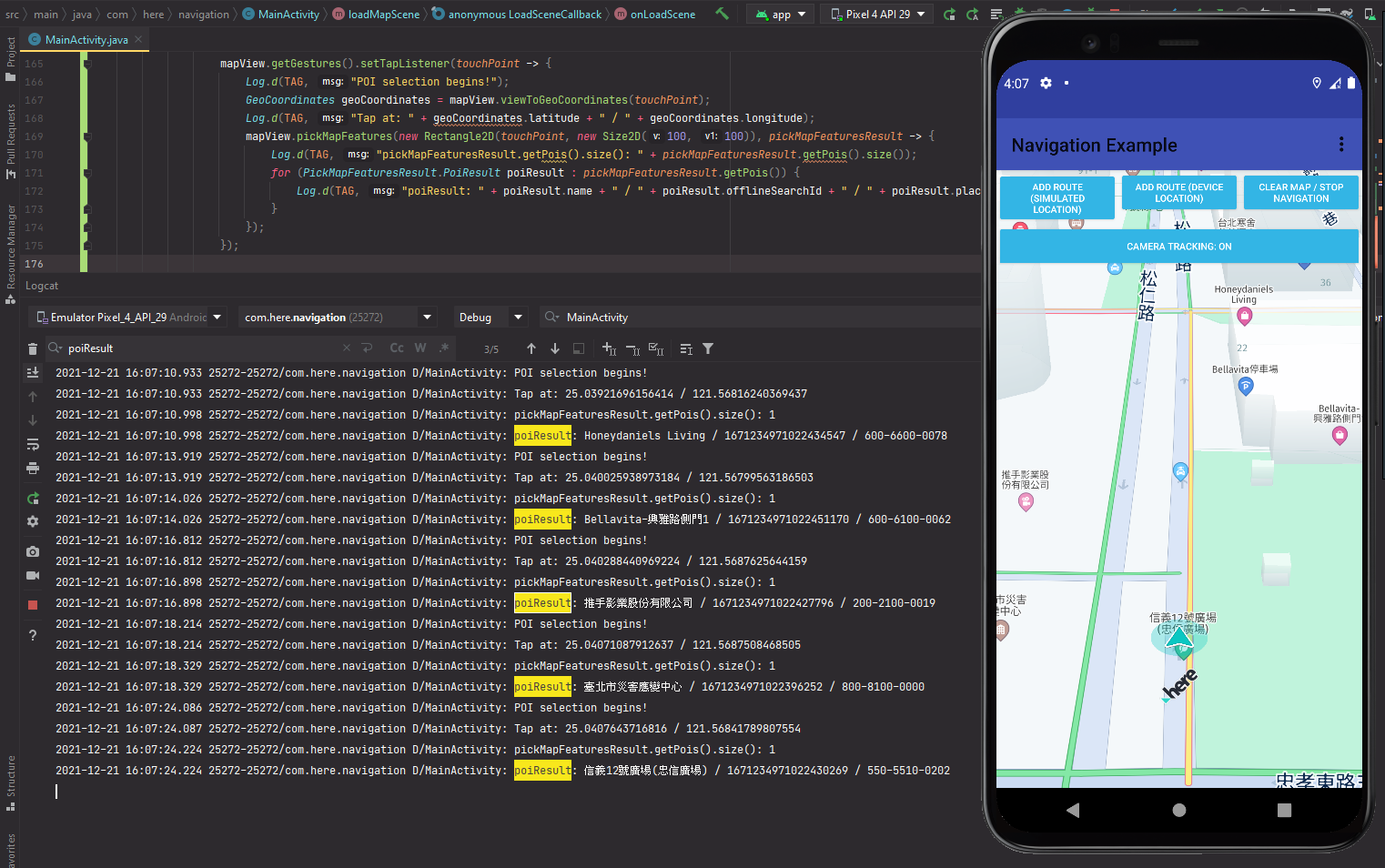
Updated 23 days ago