

How to get a most up-to-date overview on attributes used in HERE Maps
How to access the latest HERE Map attribute overview (CTRG – Attribute Overview and Usage)
Summary / Quick Answer
======================
To get the most up-to-date overview of HERE map attributes and their usage, download the Customer Technical Reference Guide (CTRG) from the HERE FlexNet B2B Download Center. The CTRG package contains a file called “Attribute Overview and Usage Qx YYYY”, which provides a comprehensive list of attributes and detailed descriptions.
When do you need this? (Symptoms / Triggers)
============================================
- A current and complete list of HERE map attributes
- Detailed explanations of attribute usage
- Official HERE technical documentation (latest version)
- Attribute references for development, validation, or data analysis
Resolution
==========
Step 1: Access the HERE B2B Download Center
-------------------------------------------
Open the HERE FlexNet portal and log in using your HERE account credentials.
Step 2: Search for CTRG documentation
-------------------------------------
Navigate to Product Search and enter "CTRG", then click Search.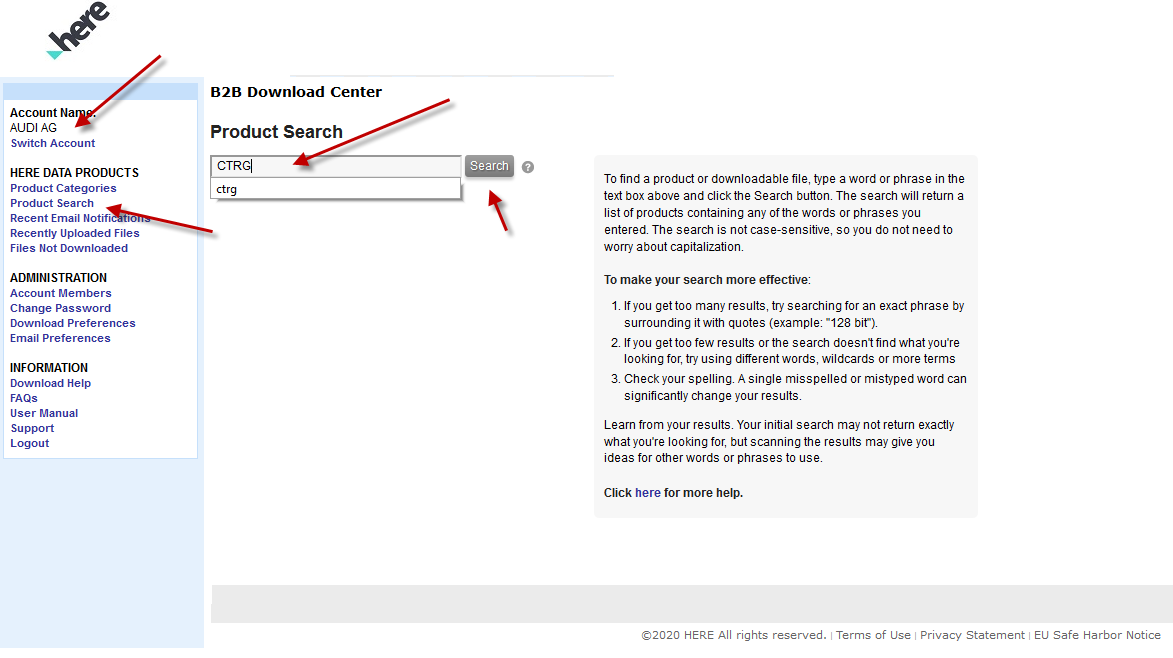
Figure 1: Search for “CTRG” in the Product Search section
Step 3: Download the CTRG package
---------------------------------
Select the relevant Customer Technical Reference Guide (CTRG) version from the search results and download the .tar file.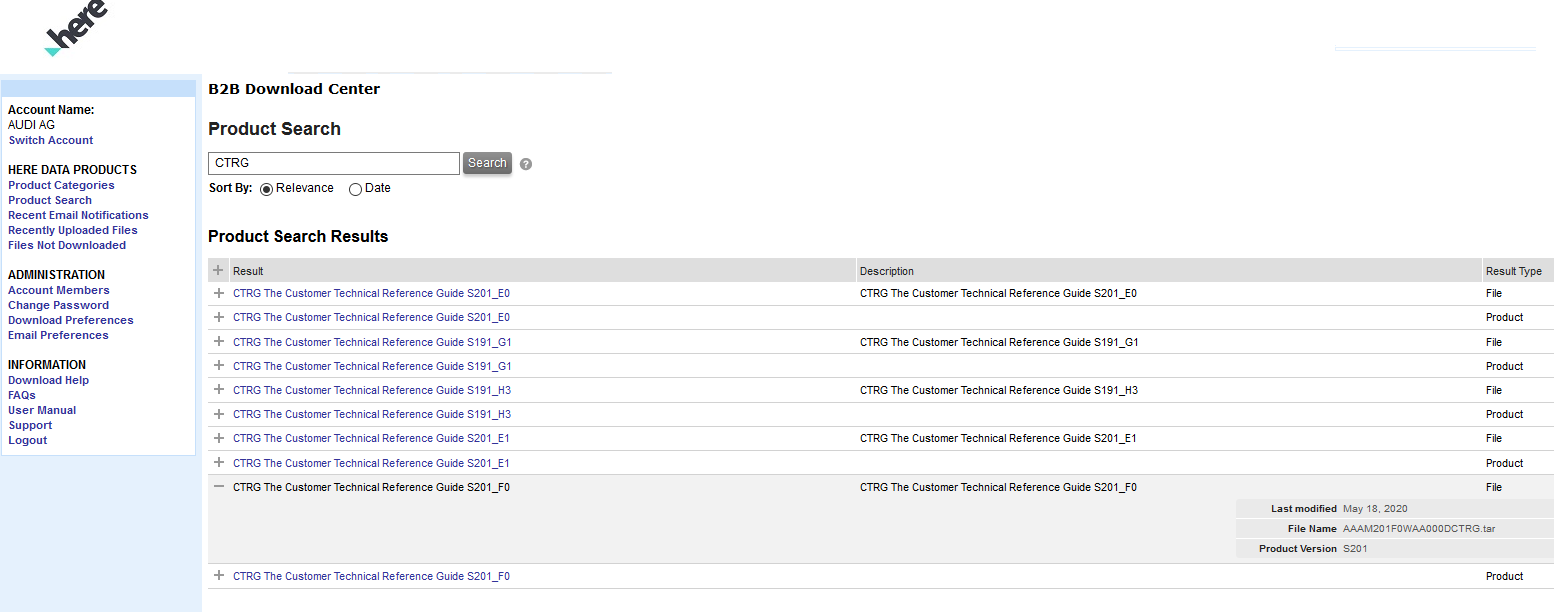
Figure 2: Select and download the CTRG package from the search results
Step 4: Extract the files
-------------------------
Save the downloaded file locally and extract (unzip) the .tar archive.
Step 5: Locate the attribute overview
-------------------------------------
Open the extracted folder and navigate to /Specifications. Locate the file "Attribute Overview and Usage Qx YYYY".
Result
======
The “Attribute Overview and Usage” file provides a structured overview of HERE map attributes, including definitions, usage context, and technical details.
Notes / Additional Information
==============================
The CTRG is continuously updated — always download the latest version to ensure accuracy.
File naming convention: Qx YYYY indicates the release quarter and year (e.g., Q2 2026).
Access to the B2B portal requires valid HERE credentials.
Updated 23 days ago