

How to hide all POI icons from map of HERE SDK 4.x
How to hide all POI icons from map of HERE SDK 4.x
==================================================
Overview
--------
In certain use cases, developers may want to hide all Points of Interest (POI) icons from the map. For example, an application may want to display only custom layers, traffic data, or routes without the clutter of default POI icons.
HERE SDK 4.x provides a way to control POI category visibility through the MapContentSettings.setPoiCategoriesVisibility API. However, since POI categories are defined as a large set of string constants in the PlaceCategory class, iterating through all of them manually is not practical.
This article demonstrates how to use Java Reflection to dynamically collect all available PlaceCategory constants and hide them at once.
---
Principle
---------
PlaceCategory is not an enum. Instead, it is a class containing many public static final String constants, each representing a POI category ID (e.g., EAT_AND_DRINK, SHOPPING, TRANSPORT).
To retrieve all these constants programmatically, we can use reflection to scan the class for fields that match:
+ public static final
+ Type: String
Once collected, the category IDs are passed to the MapContentSettings.setPoiCategoriesVisibility() method, with visibility set to HIDDEN.
This approach ensures that all POI categories — including newly added ones in future SDK updates — are automatically included without needing manual updates.
---
Implementation
--------------<br />import java.lang.reflect.Field;import java.lang.reflect.Modifier;import java.util.ArrayList;import java.util.List;import com.here.sdk.search.PlaceCategory;import com.here.sdk.mapview.MapContentSettings;import com.here.sdk.mapview.VisibilityState;...// Step 1: Collect all category IDs from PlaceCategoryList categoryIds = new ArrayList<>();Field[] fields = PlaceCategory.class.getDeclaredFields();for (Field field : fields) { int modifiers = field.getModifiers(); if (Modifier.isPublic(modifiers) && Modifier.isStatic(modifiers) && Modifier.isFinal(modifiers) && field.getType().equals(String.class)) { try { String value = (String) field.get(null); categoryIds.add(value); } catch (IllegalAccessException e) { throw new RuntimeException(e); } }}`// Step 2: Hide all POI categoriesMapContentSettings.setPoiCategoriesVisibility(categoryIds, VisibilityState.HIDDEN);<br /><br /><br />
---
Step-by-step workflow
---------------------
1. Reflect over PlaceCategory.class:
Obtain all declared fields of the class.
2. Filter fields:
Keep only those that are public static final and of type String.
3. Extract values:
For each valid field, retrieve its string value (category ID).
4. Apply visibility setting:
Pass the collected list of category IDs to MapContentSettings.setPoiCategoriesVisibility(), with VisibilityState.HIDDEN.
---
Result
------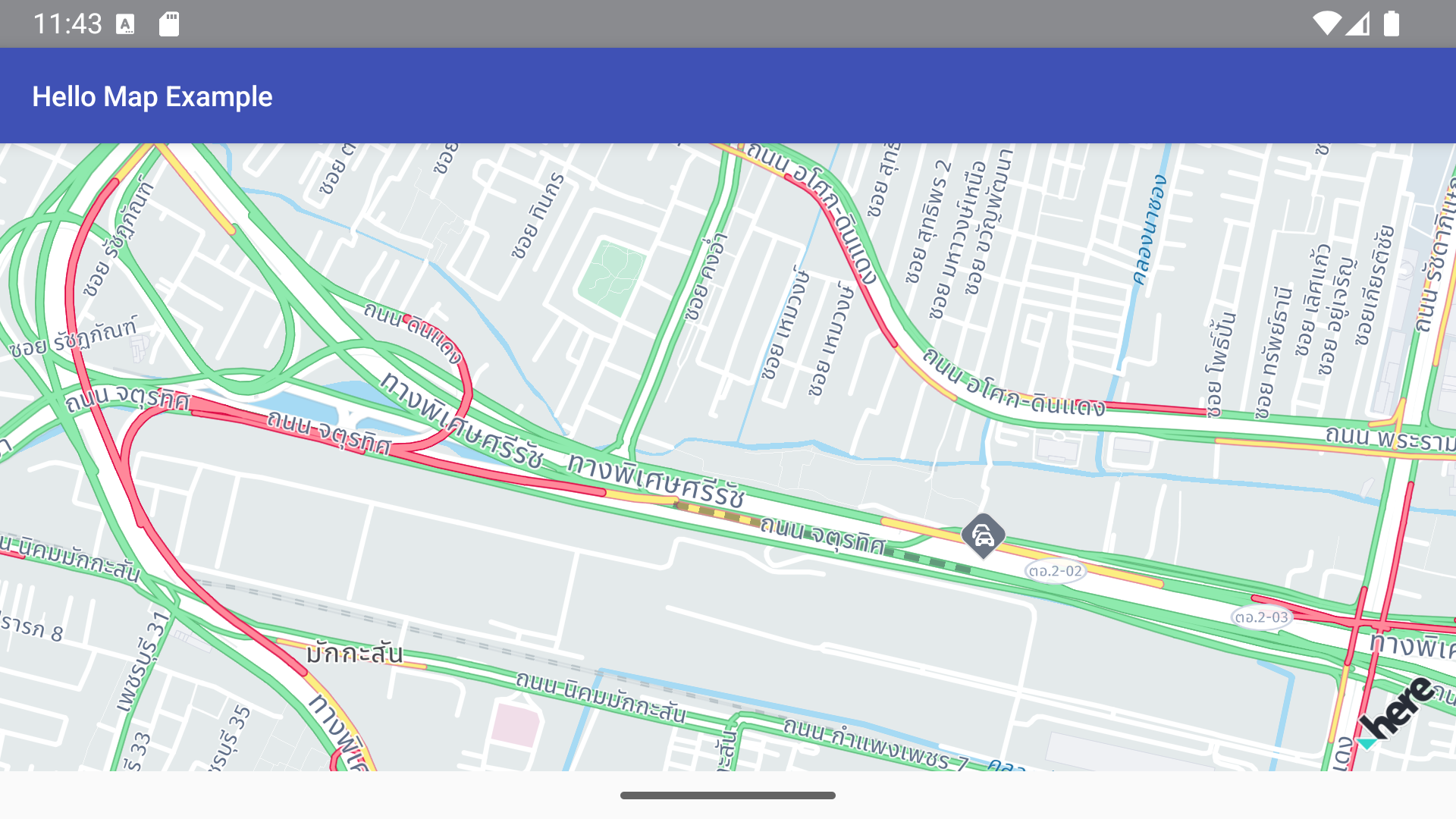
After running this code, all POI icons will be hidden on the map.
This method is generic and future-proof, as it automatically covers any new POI categories introduced in HERE SDK updates without requiring code changes.
---
Notes
-----
If you only want to hide specific POI categories, you can manually build a smaller list of category IDs instead of using reflection.
Conversely, if you want to show only certain categories, you can call setPoiCategoriesVisibility() with VisibilityState.VISIBLE for the desired IDs.
Updated 23 days ago