

[SDK] Zoom to calculated Route with Padding
Issue
The default behavior of showing routing on the map is as follows:
The map view is not zoomed to the route or zoomed to the route too tightly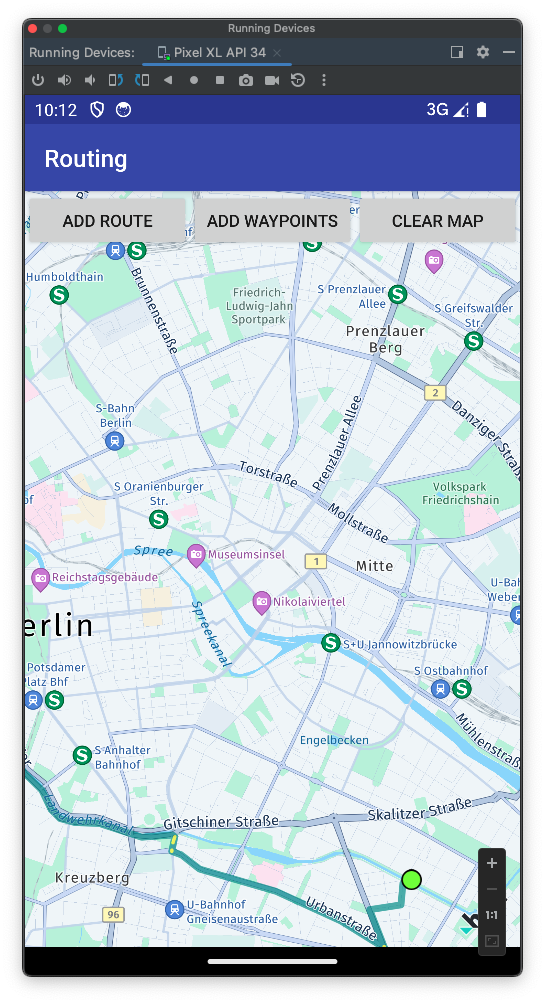
The requirement is zooming to the route and adding extra padding to the map view.
Solution
Add the following code into the "showRouteOnMap(Route route)" function, after adding Map Polylines of the route.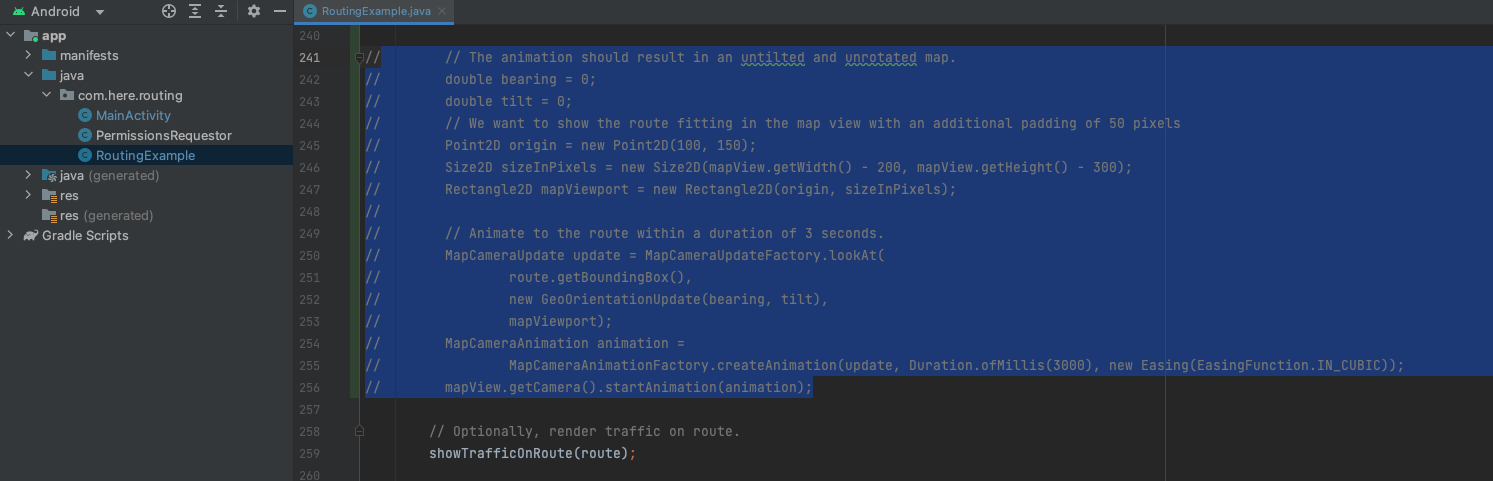
The sample project is here-sdk-examples/examples/latest/explore/android/Routing at master · heremaps/here-sdk-examples · GitHub
Note that vertical and horizontal padding of 100 and 150 pixels are added, and 200 and 300 pixels of width and height are added.
The result after applying the above code change is as follows: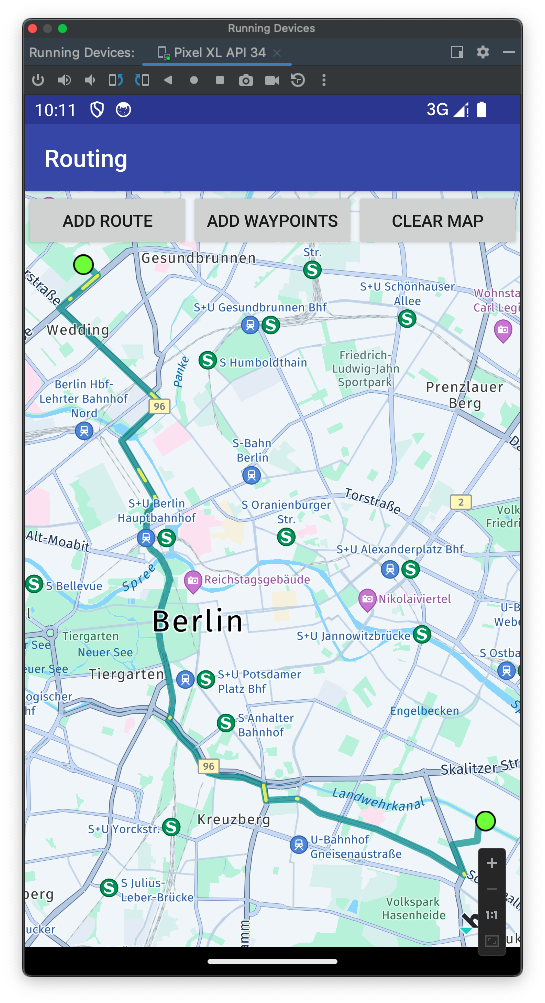
Reference
The code block sample is available with Add UI building blocks (here.com) or you can reuse the code snippet:<br /> // The animation should result in an untilted and unrotated map. double bearing = 0; double tilt = 0; // We want to show the route fitting in the map view with an additional padding of 50 pixels Point2D origin = new Point2D(100, 150); Size2D sizeInPixels = new Size2D(mapView.getWidth() - 200, mapView.getHeight() - 300); Rectangle2D mapViewport = new Rectangle2D(origin, sizeInPixels); // Animate to the route within a duration of 3 seconds. MapCameraUpdate update = MapCameraUpdateFactory.lookAt( route.getBoundingBox(), new GeoOrientationUpdate(bearing, tilt), mapViewport); MapCameraAnimation animation = MapCameraAnimationFactory.createAnimation(update, Duration.ofMillis(3000), new Easing(EasingFunction.IN_CUBIC)); mapView.getCamera().startAnimation(animation);<br />
Updated 23 days ago