

[Mobile SDK] How to adjust highway exit number and icon style
Requirement
Using HERE Navigate for Explore SDK of Android, iOS, or Flutter, you want to adjust the highway exit number size or icon style.
Problem
Following the guide HERE SDK for Android Developer Guide - Add custom layers, the customize highway exits look good on HERE Style Editor: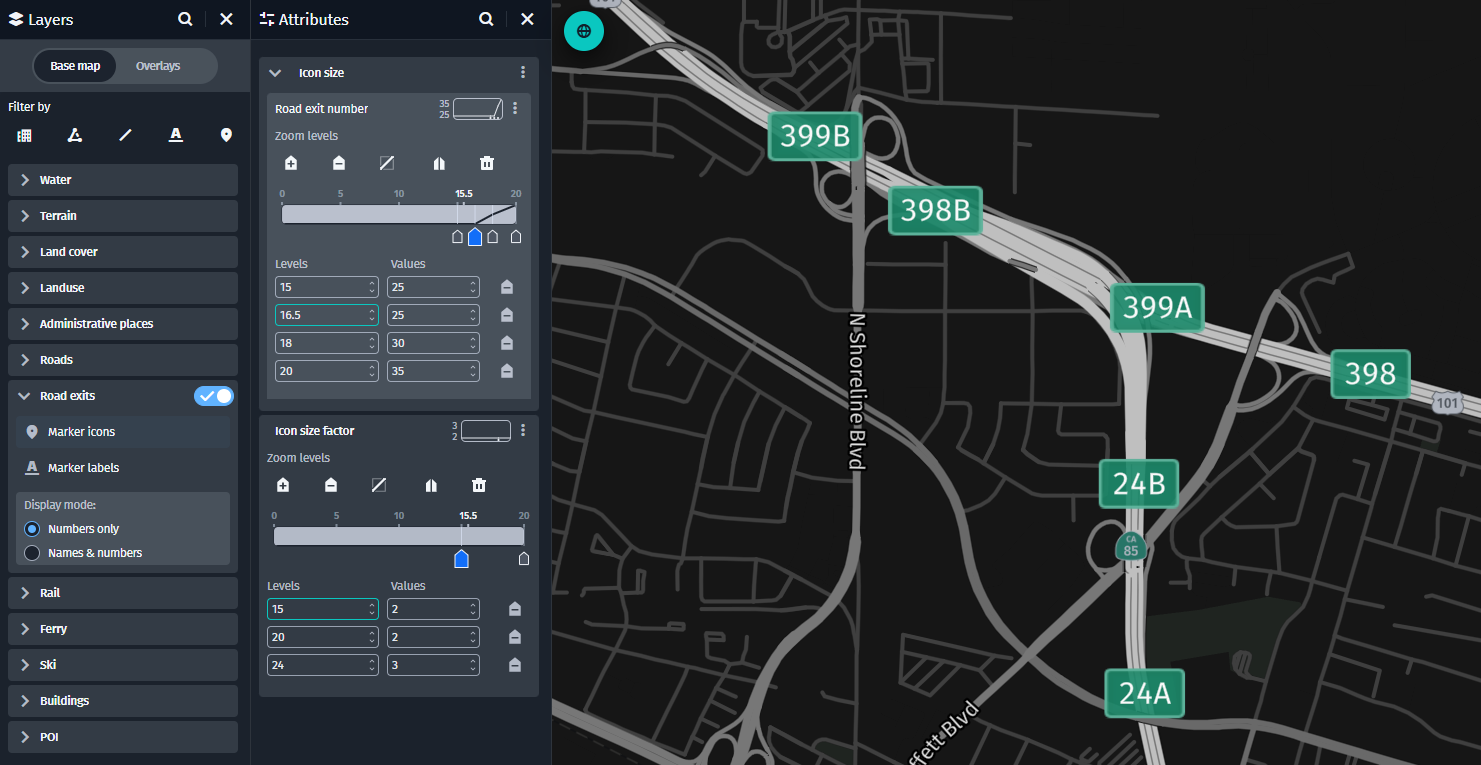
However, if you export it and apply it directly to your HERE SDK implementation the result is as follows: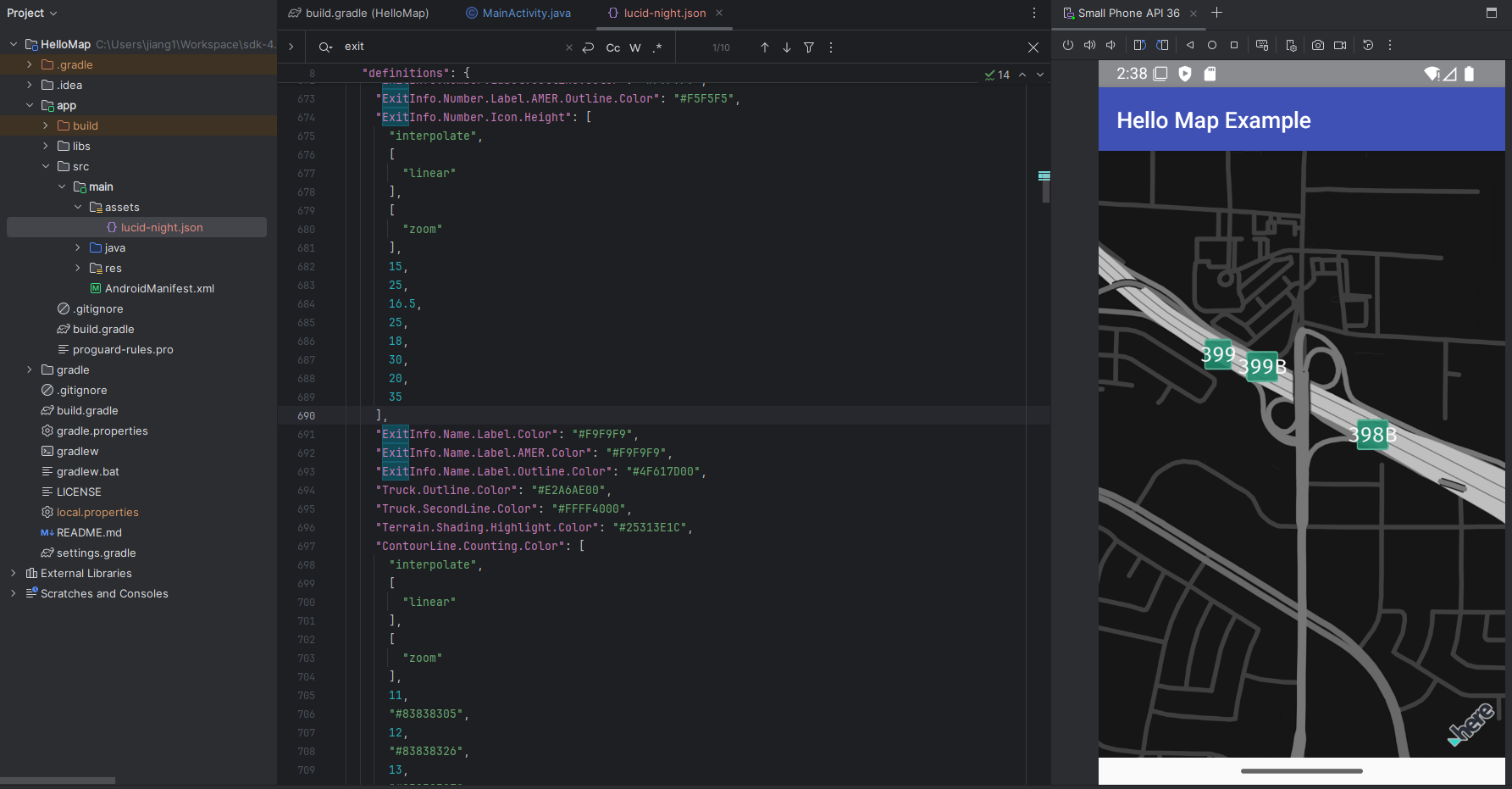
The rectangle background of highway exit is too narrow, only its height is customized as expected as your defined style.
Resolution
Adding the missing width definition, similar to the height definition, for the highway exit as follows: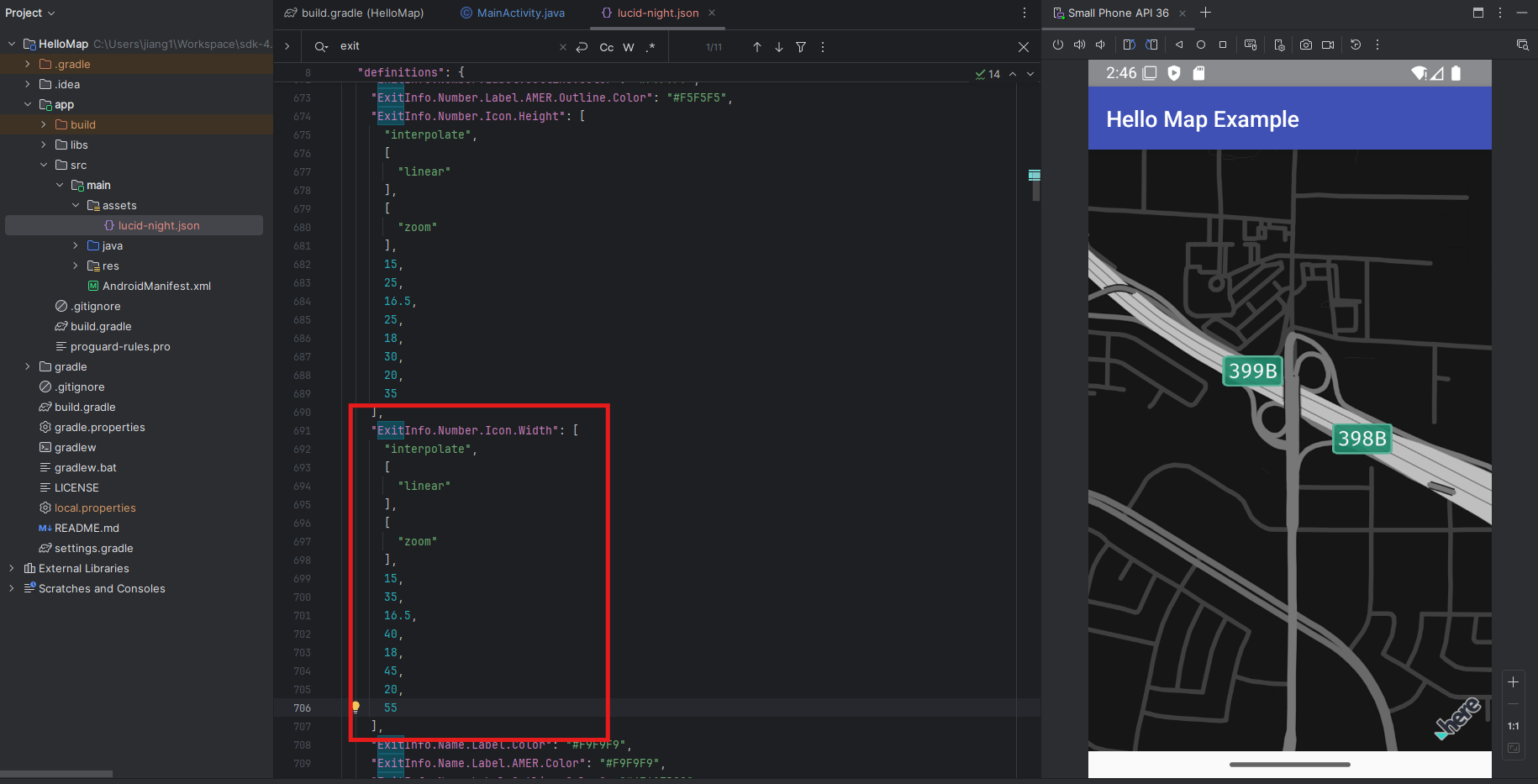
And as you can see in the above screenshot, in the emulator on right the highway exit is displaying as expected.
Sample code
The sample code in this use case as the resolution is as follows, and the sample May Style customization file is also attached.
    "ExitInfo.Number.Icon.Width": [
      "interpolate",
      [
        "linear"
      ],
      [
        "zoom"
      ],
      15,
      35,
      16.5,
      40,
      18,
      45,
      20,
      55
    ],
Reference
HERE SDK for Android Developer Guide - Add custom layers
HERE SDK Examples - Custom Map Styles
HERE Style Editor
Tags:
HERE SDK
Custom Map Styles
HERE Style Editor
Highway Exit
Custom Layers
Updated 23 days ago