

How to link apps to an existing subscription
When you log in to your Platform account and navigate to Access Manager, you will see the new App Manager UI with freshly added functionality:
New apps can now instantly be linked to a selected subscription on your realm. If no app-scoped subscription is selected, default Base Plan pricing will apply.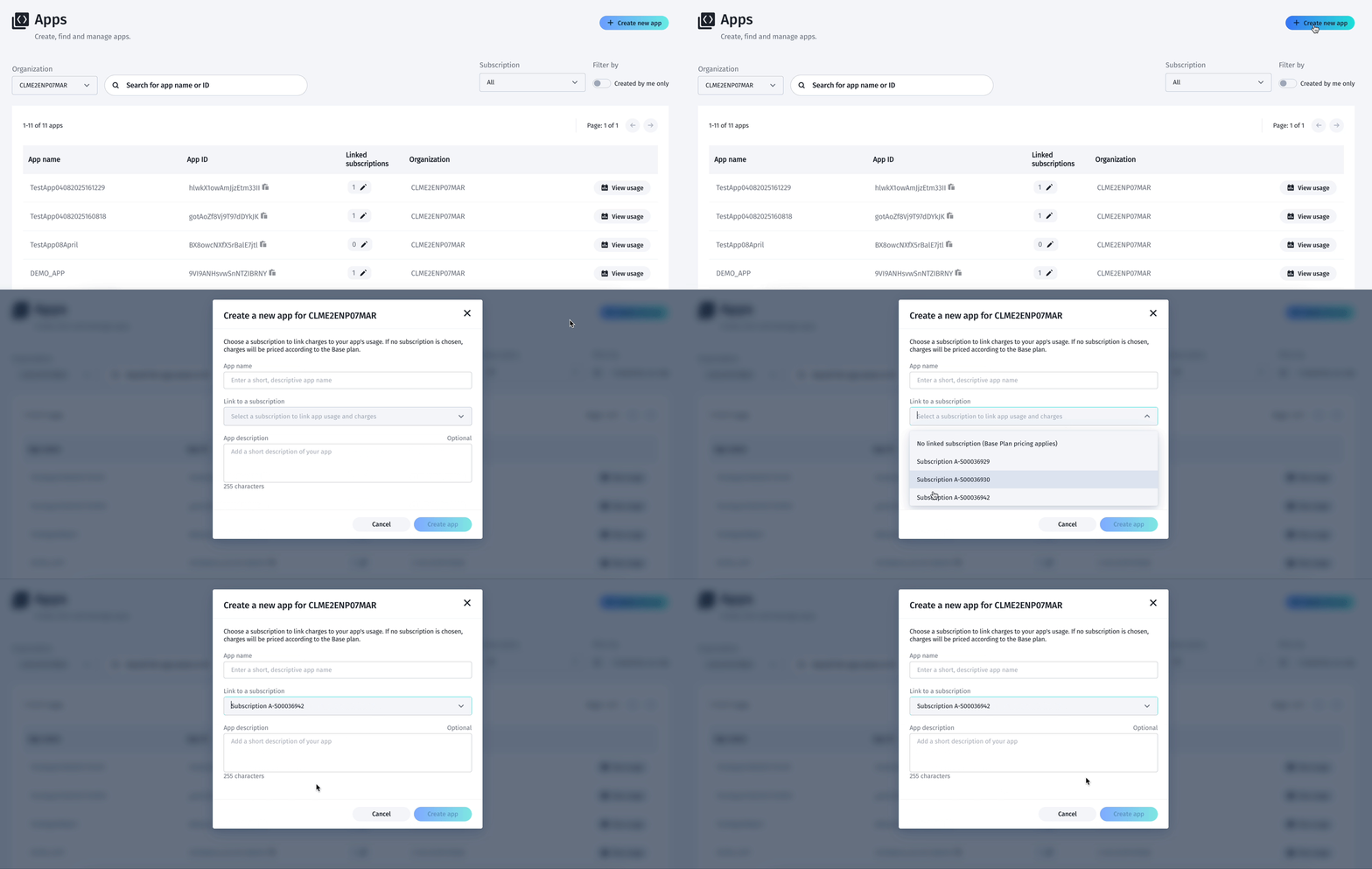
Existing apps can be linked to existing subscriptions (org admin functionality only). An app can be linked to one and only one subscription using this UI – this is to avoid usage misconfigurations and improve billing accuracy. For custom requests that require linking the same app to multiple subscriptions, a support ticket is still required.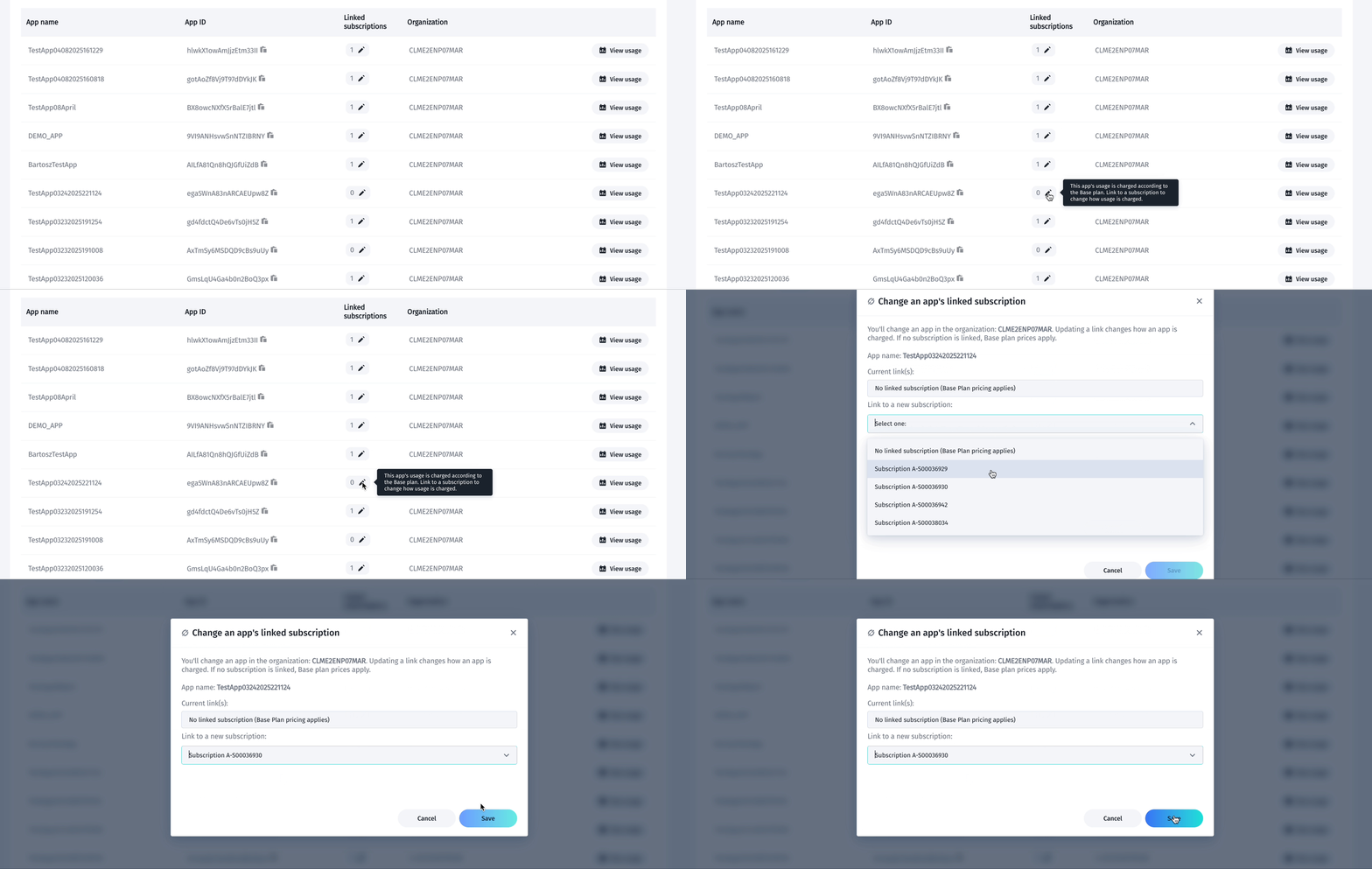
Subscription filter lets you see apps connected to a specific subscription. You can select from the dropdown list or type. Subscription-focused view also lets you quickly preview all features/charges included in the subscription and navigate to Sales Portal to see the commercial details.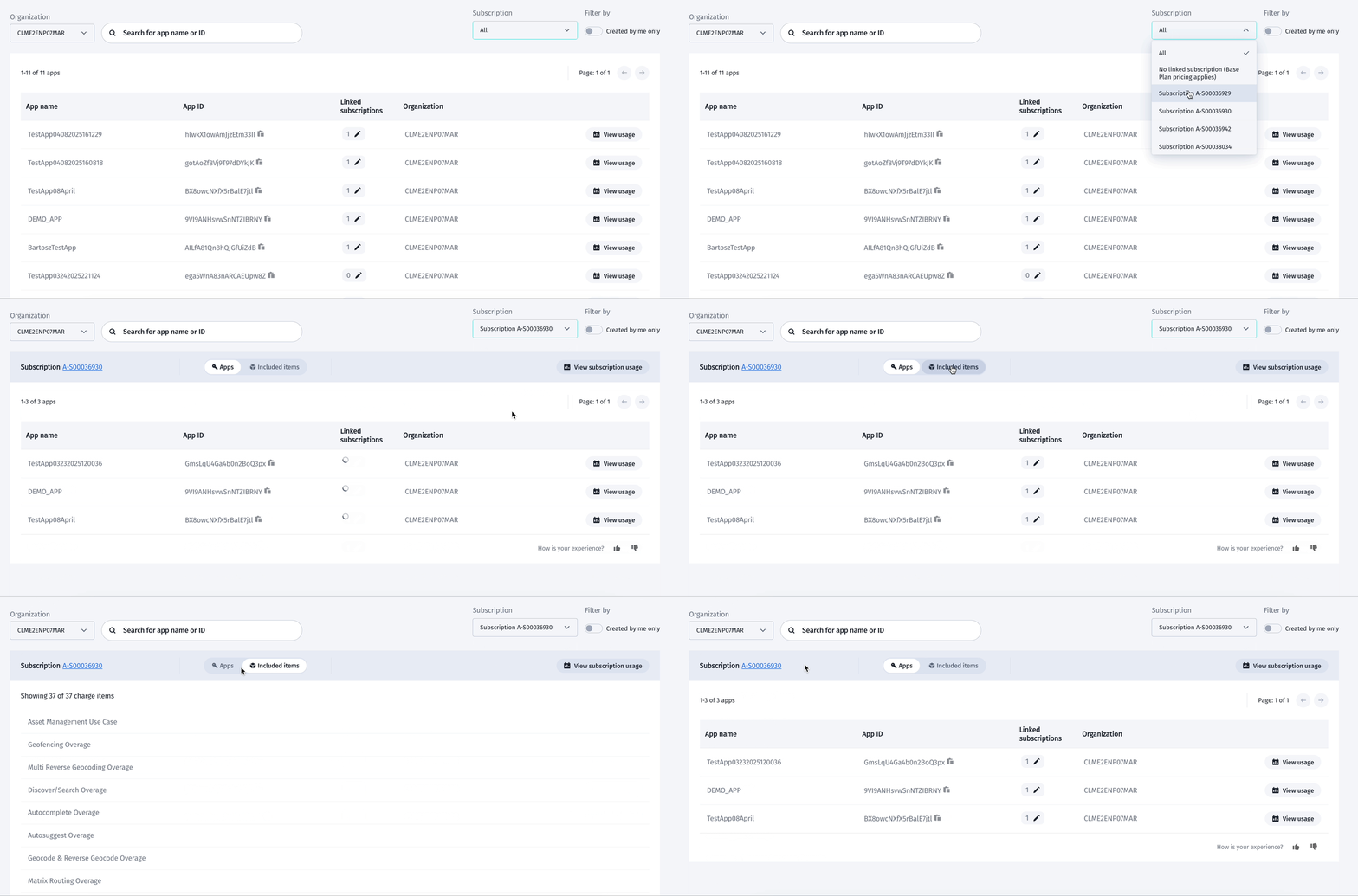
Partners (org-admin) can use the Organization filter in the parent realm to see and manage their customers’ apps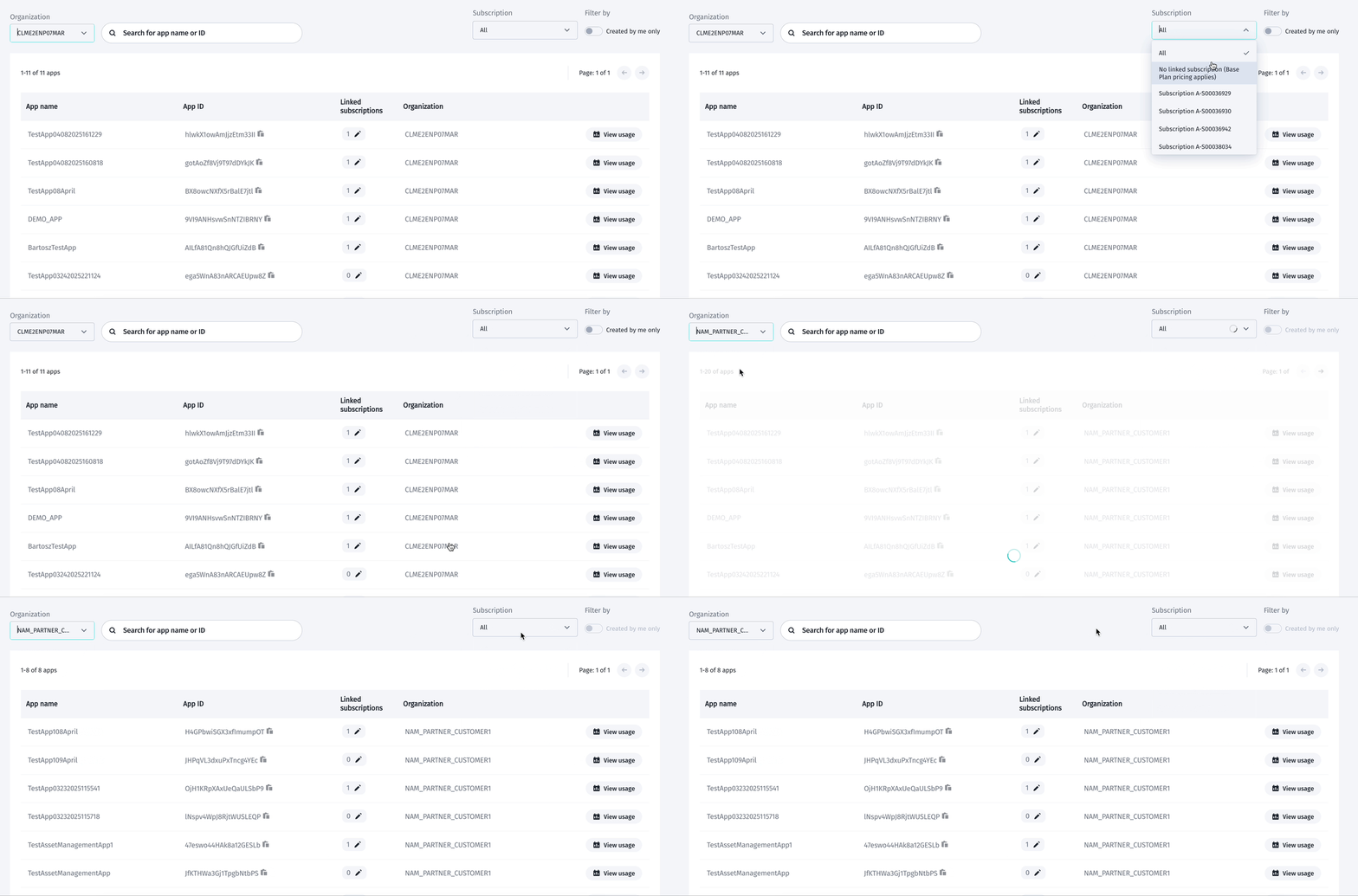
View usage buttons let you navigate to the Usage Dashboard, with results prefiltered to show usage only for specific app or subscription
Updated 23 days ago